Auto Clicker for Games is an assistive tool designed for gaming enthusiasts. It allows users to set up automated, repetitive taps at specific intervals within designated areas of the screen—perfect for gathering in-game resources or progressing through storylines, ultimately saving both time and effort. The app offers a wide range of customization options, enabling users to precisely control the timing and frequency of taps. With the help of a built-in text recognition feature, it can easily handle a variety of specific user requirements. Most importantly, the software is completely free to use and does not require root access for installation or operation.
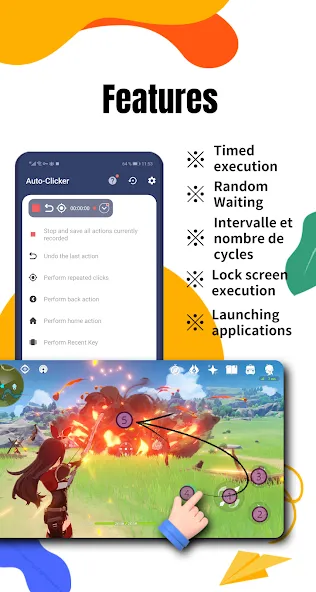
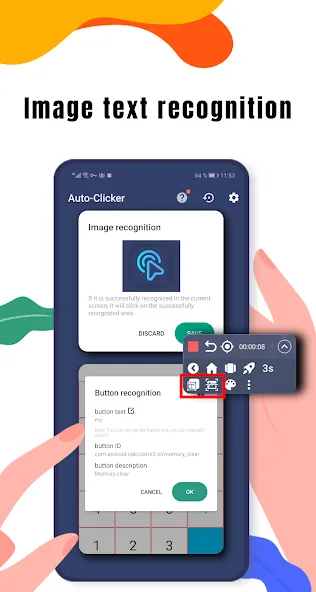
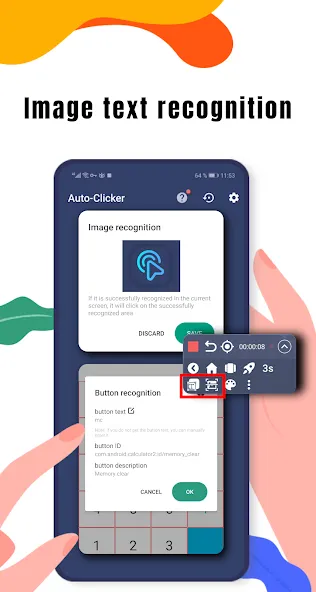
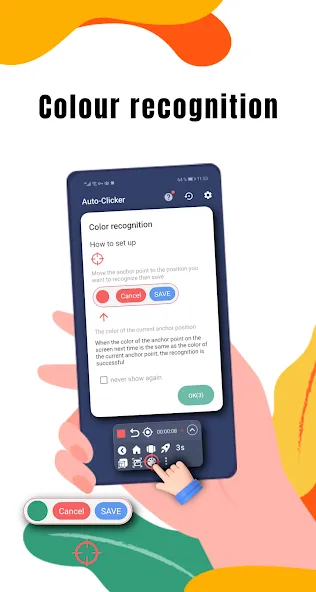
Precision is enhanced with image detection and text recognition: This efficient tool elevates its utility by including image detection and text recognition capabilities, ensuring precise interaction with your device.
The app is perfect for automating tasks in games and more: Ideal for automating mundane tasks, it is available at no cost, offering a practical solution to save valuable time. Its flexibility extends to various applications, such as gaming, where the ability to automate taps can significantly enhance the gaming experience.
Customization allows for complex sequences and broad usability: Players can direct the software to perform in-game actions, helping them achieve goals that would otherwise require extensive manual effort. Its advanced features allow for a degree of customization that can accommodate complex sequences, making it a vital companion for avid mobile gamers.
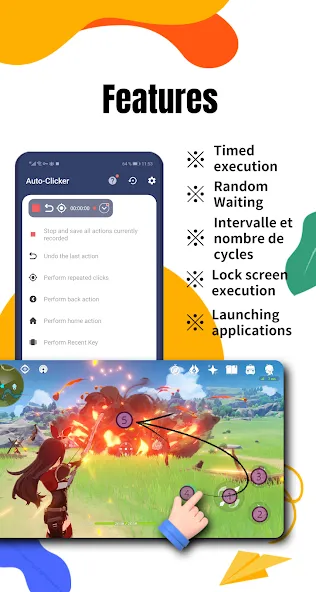
Enjoy simplified setup and advanced automation features: Key features include a wizard for simplified setup, advanced timers, swipe functions, hold functionalities, and a built-in recorder to capture and repeat complex gestures.
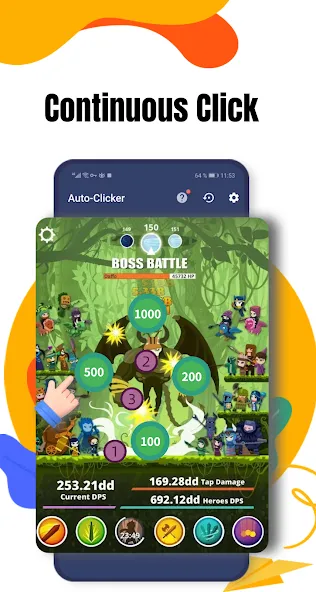
The app also offers automatic sliding, which facilitates the smooth movement across the screen without requiring manual input. This can enhance gameplay by allowing players to focus on strategy while the app handles the repetitive aspects of clicking and swiping.
To utilize Auto Clicker for Games effectively, users must grant the app permission to access the Accessibility Service on their Android devices. This authorization is essential for the app to function properly, as it relies on these permissions to carry out automated clicking tasks. It is important to note that the app is compatible with Android 7.0 and above, ensuring that it can be used on a wide variety of modern devices.
The design of Auto Clicker for Games emphasizes simplicity and ease of use. Users can navigate through its features without encountering unnecessary complexity. The interface is straightforward, allowing users to set up their clicking preferences quickly. This focus on user experience makes it accessible to those who may not be familiar with similar applications.
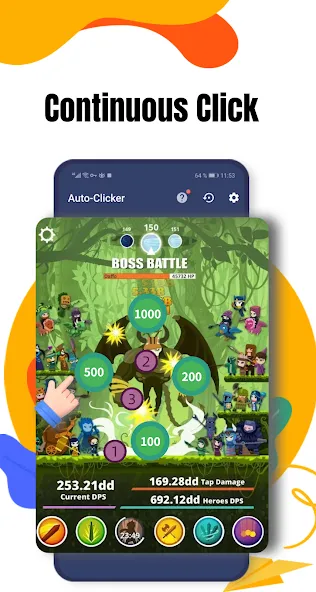
In terms of performance, Auto Clicker for Games is engineered to execute commands efficiently, minimizing delays between taps. This responsiveness is crucial for users who rely on the app for gaming, where timing can significantly impact performance. The app supports rapid clicking, which can give players an edge in fast-paced environments.
for the haters out there this is one of the best Auto clicker out there even though you can only have 5 saves and some ads when you open it i don't give a f about ads if it's work will be banging idc about the free trial been using this for like 3-4 months now no app purchases or enything reliable for 24/7 usage not like the other ones only capable of like what 7 hours wish y'all make more updates peace out baffuuns.
Probably the bestest auto clicker of all time. It times perfectly as I need and doesn't suddenly pop up adds or freeze mid sessions.
This is by far the best auto clicker app I've found! It's REALLY helpful, like everything is dumbed down but you can change literally EVERYTHING about the tapping. You can get really specific with your sequence. You can use it on apps that have like 8 completely different moves/taps. It's a lot smoother than the other auto click apps I've tried too. Plus they have a really cute dinosaur mascot.
hi, maybe add a feature for matching two or three of the same color on screen and if you could try to increase the speed or make it instant like macrodroid for image recognitions and color recognitions. the 1ms timer doesnt actually go 1ms, and also the area clicker you can't reduce the size all the way because it has a fixed limit, remove that limit, thanks.
Auto Clicker app for games focuses on repeating simple to complex operations set by users depending on their needs. These people will be able to choose to repeat an action or multiple actions at the same time, which they must design themselves. With such a simple feature, the application can completely meet many different activities, and you will not expect it to be used in many ways.
Size:30.34MB Version:2.9.6
Requirements:Android Votes:332
Package Name:com.ksxkq.autoclick Signature:9f21b2c071b2325e833ed33f89adb375
Utility apps are indispensable in our lives, making our daily routines more convenient. To help you find these apps more easily, this site has created a collection. This collection brings together a series of practical tools covering various aspects of life, work, and education, meeting all your needs. What are you waiting for? Try these apps now and make your life easier!
Transform your mobile device into a powerhouse of efficiency with these handpicked essential tools. Whether you need professional-grade photo editing, seamless file organization, smart task management, or real-time weather updates, our curated selection of premium apps delivers unbeatable performance. Streamline your daily routine, automate repetitive tasks, and boost your productivity with intuitive interfaces and powerful features. Designed for both professionals and casual users, these editor-approved applications will revolutionize how you work and play. Don't settle for an ordinary phone - upgrade your digital experience today and unlock your device's full potential!
About us | Contact us | Privacy policy| DMCA
Copyright © 2026 Xiaohei All rights reserved.