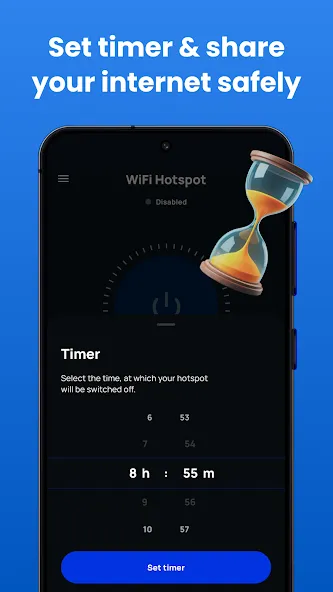
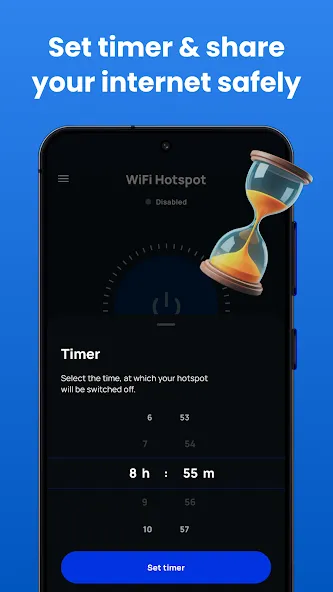
Portable WiFi is a portable hotspot app that turns your mobile device into a free WiFi hotspot, allowing other devices to connect and share your data. The app boasts excellent compatibility, installing and running on phones and tablets, and is incredibly easy to use; simply tap the hotspot option after installation to start sharing. During use, users can configure various hotspot settings, such as adding a password, selecting a network name, and setting the duration, allowing for better selection of specific devices to connect.
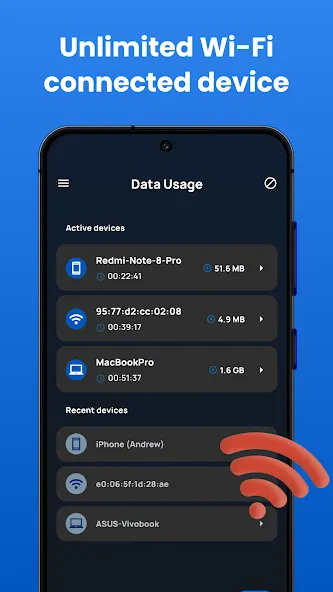
Because you do not need to root your device to use this free WiFi hotspot app, you may start using it as a mobile hotspot immediately. This hotspot app is simple to install and use, and it will transform your phone into a high-powered wireless network for other devices while utilizing the connected signal. That also allows you to keep track of the amount of data you use, evaluate the performance of the WiFi hotspot, set a timer, and keep your connection fresh even, whether using mobile data or not.
Launch the application for your hotspot and keep the hotspot button depressed for a few seconds to initiate Bluetooth tethering. Now, enter the Bluetooth settings on your phone, look for the item you want to connect with and pair it. Thanks to the connection, your performance will increase drastically, and you can transfer files or perform more actions through Bluetooth, a sequence that helps lots of people to save more time.
Enables data sharing over the Internet using a USB connection. Launching the application requires only connecting your mobile device to your computer via a USB cable. Keep your finger on the hotspot button as you tap the symbol that looks like a USB cable. Your device can now provide its customers with free WiFi if equipped with a USB hotspot. There are endless capabilities with tethering, ensuring you work faster with various content.
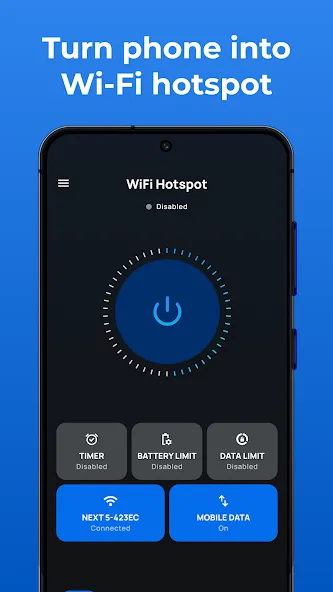
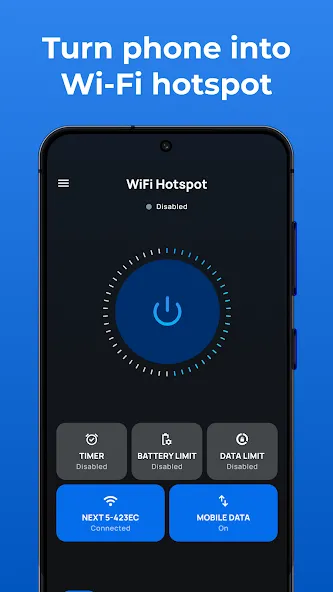
First, install the mobile hotspot and tethering app from the play store and open it. You will see an app home screen with multiple data, WiFi, hot spot, and turn-off time options.
Select any option you want and share free unlimited data with our hot spot app.
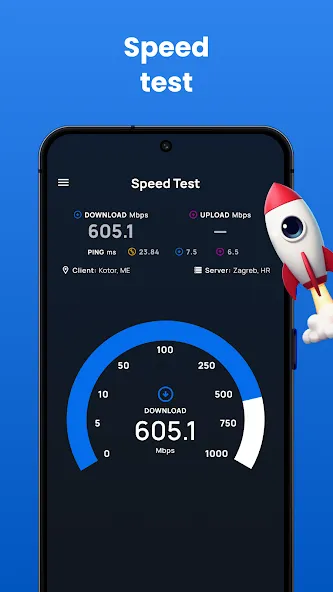
Also, you can check the speed of your personal hotspot with the speed test option.
See your data usage details with all networks on the hot spot app.
The app does what it promises. I have a 5GB hotspot allowance with my phone, and it ran out, so I downloaded this app. Almost instantly I'm broadcasting hotspot again. It may look like it's just toggling your regular hotspot on, but it's also bypassing the entitlement check that Android does. (That said, I'm using the free version - I don't think $14.99/wk is worth what this app does, and I couldn't afford it if I did.)
it does what it says it does and no having to buy anything extra I like it ...and I think you would too...so go download it today and try it out....
For some reason, every so often I couldn't get the hotspot on my phone to turn on. It goes out and stays out for weeks at a time and then occasionally starts working again a month later, and then works fine for a week or so... This has been an issue I've had with this phone ever since I got it. I have verified with my carrier that I DO have unlimited hotspot, so every time it didn't work I was extremely upset. I installed this app and the hotspot came right on and works great!
This app needs 5 stars. My hotspot is locked due to my mobile locking it, I used all the data... but in the past I was able to still use it just a little slower, they rolled out a new feature that totally cut it off after I hit the 20gb... I downloaded this app and it was able to unlock my hotspot. Thank you so much! such a life saver when I need it.
WOW. I don't know that I can say much more than that, this app has worked so smoothly and flawlessly for me that I almost feel like something was found to mess up because I don't have the best of luck with apps but this one has exceeded All my expectations and one of the few apps that I would actually pay for even at a high price point which I'm not saying that this has but if it did I'd be paying highly recommended.
Connect your device USB cable, join your laptop through a USB wire and open the app. Long press the hot spot button and tap the USB tethering. Your device is now sharing free WiFi over a USB hot spot.Now feel free to download our WIFI hotspot app, create your free hotspots, and enjoy an unlimited data-sharing experience with this personal hotspot app!
Size:25.81MB Version:3.9.4
Requirements:Android Votes:534
Package Name:com.ertunga.wifihotspot Signature:14a6a3ebf0da2c13ce59600bd790c34d
Utility apps are indispensable in our lives, making our daily routines more convenient. To help you find these apps more easily, this site has created a collection. This collection brings together a series of practical tools covering various aspects of life, work, and education, meeting all your needs. What are you waiting for? Try these apps now and make your life easier!
With the development of mobile hardware and software, many practical tool software have emerged, covering a wide range of aspects and becoming a good helper for everyone in work and life. Today, the editor provides you with a list of useful tool software downloads. These tools are not particularly complex types, and after reading them, everyone can quickly learn how to use them. Proper use can bring great convenience to life and work.
About us | Contact us | Privacy policy| DMCA
Copyright © 2026 Xiaohei All rights reserved.