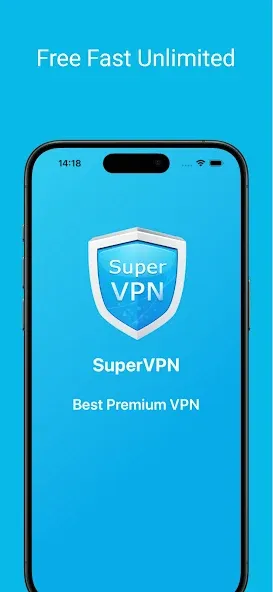
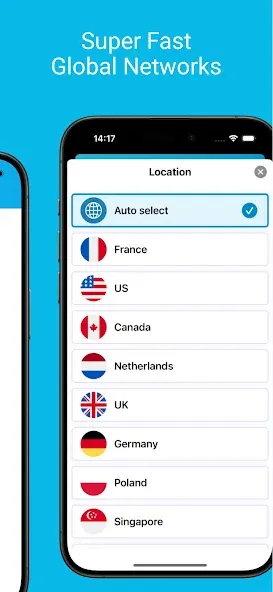
SuperVPN Free VPN Client is a free network proxy application featuring a global network of high-speed servers. With just a single tap, users can connect to servers in various regions, allowing them to bypass geographical restrictions and access their favorite websites and games. The software provides unlimited bandwidth and automatically switches servers based on changing network conditions to ensure a consistently smooth connection. Furthermore, it strictly adheres to a no-logs policy—collecting no user data—while protecting your IP address in real-time and encrypting your traffic to keep your accounts secure.
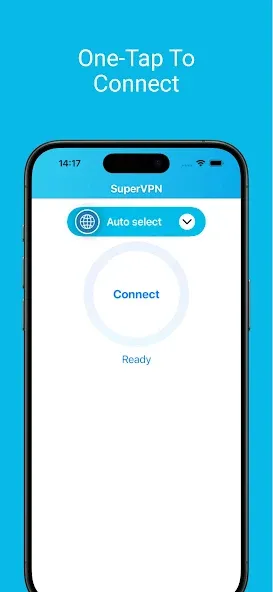
Ease of use: One of SuperVPN Free VPN Client’s most notable features is its simple interface and ease of use. The app doesn’t require any registration or complicated settings, and can be launched with a single click of a button. This simplicity makes it an ideal choice for users who don’t have technical experience with VPN settings.
Awesome Gaming Experience: It makes your gaming experience awesome while giving you protection from the attacks of Distributed Denial of Service (DDoS). It connects you to the nearest gaming servers and lowers the ping times. It bypasses the ISP throttling for your gaming traffic and restores the network speed to the default level while bypassing all types of IS restrictions.
One-hour Session: The one-hour session is an awesome addition that allows you to restart your VPN network services after one hour. When you restart your VPN, it will allow you a new IP address with a new connection. In this way, you are capable of fixing any issue you have to face while browsing.
Watch Blocked Content: The app gives you access to your favorite YouTube videos that are not possible to watch from your location. You can unblock your favorite visual content with minimal lagging and high-quality playback.
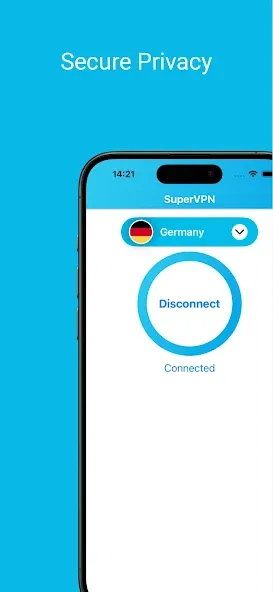
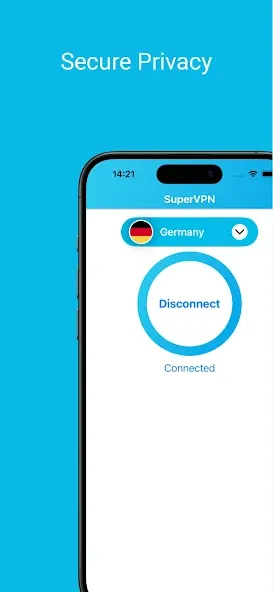
SuperVPN Free VPN Client protects your privacy and anonymity by encrypting your internet traffic, as well as hiding your IP address. When the VPN is activated, ISPs and sites cannot track your browsing habits or identify your device on the internet. You can enjoy peace of mind knowing that your identity and personal data are hidden from prying eyes.
SuperVPN Free VPN Client is a tool that enables users to take advantage of the enhanced functionality on their devices. The program offers consumers a fast and efficient way to retrieve information and connect to the internet. You will have your privacy protected. This information is not accessible to anyone. Virtual private network (VPN), which is a software that allows users to access information, does not restrict the length of time they can use it or their accessibility. It is important to follow the program’s policies if you want to be a discriminating customer. Optimizing the VPN battery to increase efficiency, for example, is an important policy.
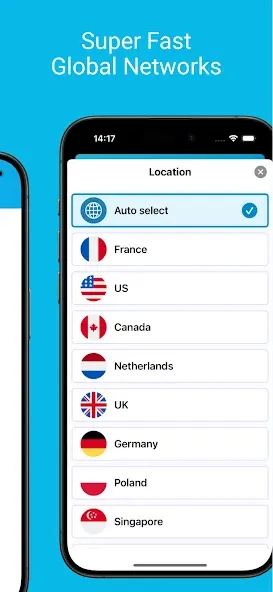
SuperVPN Free VPN Client also allows you to access content that is blocked in your area. You can view streaming platforms, sports websites, and other sites as if they were located in another country by routing your traffic via worldwide servers. Enjoy unrestricted information and entertainment no matter where you’re located. A VPN allows you to access a wide range of content.
SuperVPN Free VPN Client does not require that you root or jailbreak your device to function properly. Your stock Android or iOS phone can provide you with full VPN functionality as well as privacy. Install SuperVPN Free VPN Client Pro directly from the app store to start enjoying its benefits immediately. The ease of use for everyone is the top priority.
The best VPN I have used in many years. Many Vpns have come and gone - I keep trying others - but this has always been a constant and super reliable!
When I first gave it a try I thought it would just force me to buy pay for many things like unlimited time of usage, choosing the country urself etc but no, it's a completely free and secure app. You can use it for unlimited time, choose different locations for free AND it doesn't lower your fps or something; works fast (also depends on your internet cuz it disconnects quickly if u're internet isn't stable) even tho u're connecting to a different country. And it's all free and safe. Best vpn tbh.
have been using this VPN for some time, and my experience has been very positive. The application is simple to install, easy to navigate, and works smoothly on different devices. The connection speed is fast enough for browsing, streaming, and online meetings without noticeable interruptions. I also appreciate the strong focus on privacy and security, which gives me confidence while using public Wi-Fi networks. The server selection is wide, allowing me to connect to different locations whenever.
This app is really really useful in our country ringht now.I do thank to this team behind this.A lot of advantages from it by using this.Very helpful to our family right now.Even my grandfather and grandmother like it so much.When the internet is still avaiable and but cannot connect and has pronblem about using it,we can easily use this helpful SuperVPN and the work is done. Making so much easier and make things so comfortable.Keep up all good work!!
1.How to use SuperVPN Free VPN Client?
Click connect button in the main screen to use SuperVPN Free VPN Client. If Android/iOS system show a dialog to request a connection permission, click OK or Accept to continue.
2.How long can I use SuperVPN Free VPN Client for each connection?
As long as you can. We don't set time or traffic limitation on each connection
3.Why can't I use internet after connection established?
Fist of all, check your network connection. Then make sure you've disabled battery optimization for SuperVPN Free VPN Client in Android's battery setting (which means enable background activity for SuperVPN Free VPN Client). If you enable Smart Proxy, you also need to make sure all the apps you need to proxy is checked in Smart Proxy setting.
4. How to disable battery optimization for SuperVPN Free VPN Client?
In most Android devices, open Android's Setting-->Battery-->Battery optimization, select "All apps" in the dropdown menu, find SuperVPN Free VPN Client and set it to "Don't optimize".
In HuaWei devices, open Android's Setting-->Battery-->Launch, find SuperVPN Free VPN Client in the app list, switch off to "Manage manually", enable "Auto-launch" and "Run in background".
Or you can find battery setting in "Protected Apps".
In Samsung devices, open Android's Setting-->Battery-->App Power Saving-->Details, find SuperVPN Free VPN Client in the app list and disabled it.
In other devices, you may find it in Setting-->Battery as "Background activity" or "Protected apps".
5.What is Smart Proxy?
On Android 5.0 or above, you can only enable some of the apps to use SuperVPN Free VPN Client to proxy traffic, and all the other apps use local network. For example, if Facebook and Skype are blocked in your country, make them checked in Smart Proxy. After the VPN connection is established, only Facebook and Skype's traffic will go through VPN, and all your other apps will perform as good as usual.
SuperVPN Free VPN Client is the best solution to bypass internet censorship and the restrictions of your ISP or government. You can use the freeware program to unlock the blocked websites and web pages in your region. Regardless of limited server collection, the app makes your browsing process quick and smooth, even on a slow internet connection. It is compatible with a large number of Android and tablets.
Size:24.22MB Version:3.1.7
Requirements:Android 6.0+ Price:Free
Package Name:com.jrzheng.supervpnfree Signature:a08d816ec2c8138e0060125f6ad48b7b
With more and more of our lives happening online, smartphones have become an essential component of our daily routines. Whether you’re shopping, banking, or socializing – everything can be tracked online, even on Androids. This information can then be used by third-parties profiting off your data or your ISP to slow down your internet speed. An easy way to increase online privacy and security of your Android smartphone is to start using a VPN. At Cybernews, we have over 5 years of experience testing VPN services, so we know what makes a great VPN app. To make your search for a reliable VPN easier, together with our research team, I tested both free and paid Android VPN apps, and summarized the results of our research below.
Enjoy unrestricted internet access anywhere in the world with these top-rated free VPNs for Android. Securely browse in private, bypass geo-blocks, and unlock censored websites in just a few taps. These powerful apps encrypt your connection, mask your IP address, and protect your data-especially on risky public Wi-Fi. Whether you're streaming global content, accessing restricted platforms, or simply safeguarding your privacy, these trusted VPNs deliver fast, reliable performance. Discover the most popular free VPN downloads and experience true online freedom today-no limits, no compromises!
In 2024, privacy and security on mobile devices are more important than ever, and a reliable VPN can help protect your data while browsing. The best free VPNs for Android offer a solid balance of speed, security, and user-friendly features without costing a dime. These VPNs allow you to browse anonymously, bypass geo-restrictions, and safeguard your personal information on public Wi-Fi networks. While free options may have certain limitations, such as data caps or fewer server locations, they still provide essential privacy protection. With strong encryption, zero-logging policies, and a simple setup, these free VPNs ensure your online activities remain private and secure while using your Android device.
About us | Contact us | Privacy policy| DMCA
Copyright © 2026 Xiaohei All rights reserved.