Dinn Browser is a lightweight web browser for Android. This application focuses on technical browsing, intuitive gesture operation, and robust privacy protection features. It integrates gesture shortcut tab management and extension plugin support, bringing users a smooth and efficient browsing experience. With Dinn Browser, users can customize swipes or draw patterns to quickly open websites, switch tabs, or perform other actions, resulting in more efficient navigation. The app also offers voice search and ad blocking features, which can effectively filter intrusive ads and allow users to quickly search for content via voice input.

Flash Player: Dinn Browser offers a built-in Flash player for the best gaming and HD video experience on Android.
AdBlock: Enjoy ad-free browsing with Dinn Browser's powerful AdBlocker feature, blocking popups, ads, banners, and ad-videos.
Multiple Tabs bar: Easily manage and switch between multiple tabs with a swipe, just like on a desktop browser.
Bookmarks & Add-ons sidebar: Access your bookmarks, browsing history, and useful add-ons like Video Downloader and Dolphin Translate with a swipe.
Bookmarking: Save frequently visited websites for quick access without repeated searches.
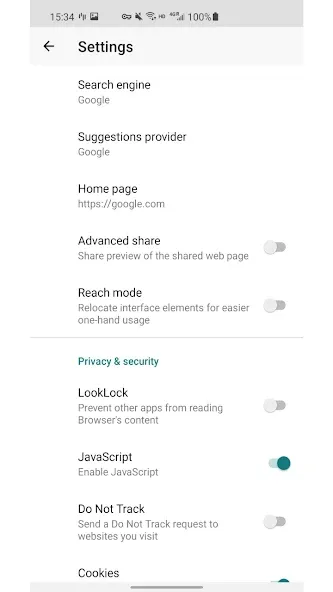
Search Engine Switching: Easily switch between multiple search engines to suit your preferences.
Cache Clearing: One-tap cache clearing to improve performance and protect privacy.
Minimalist Interface: A clean, distraction-free design for focused web browsing.
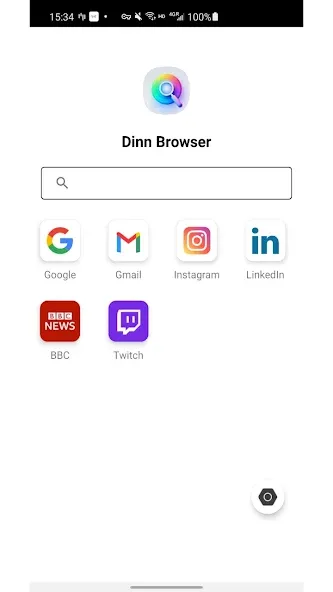
Set up gestures: Assign gestures for your most-visited sites to cut down on taps.
Enable ad blocker selectively: Turn it off for sites that rely on ad revenue or when you need full content access.
Use private tabs: Open sensitive pages in private mode to avoid storing credentials or history locally.
Limit add-ons: Only keep the extensions you use to preserve speed and battery life.
Pros
Fast browsing experience with straightforward tools and a clean interface.
One-tap access to pinned sites speeds up everyday browsing tasks.
Strong focus on local privacy through the private browsing mode.
The app combines downloading and playback so saved media is available anytime.
Cons
The built-in video downloader may not work with all websites due to site restrictions.
The app description does not mention browser extensions or cloud sync, which some users might expect.
Dinn Browser is an excellent choice for anyone seeking a fast, intuitive, and distraction-free way to explore the web. Its simple design and useful tools make it particularly ideal for everyday use, combining functionality and ease. Download the Dinn Browser APK today to enhance your browsing experience.
Size:48.04MB Version:3.0.0
Requirements:Android 7.0+ Price:Free
Package Name:com.dinnph.browser Signature:410ab79826c93ba4c86c852a75784d2e
Utility apps are indispensable in our lives, making our daily routines more convenient. To help you find these apps more easily, this site has created a collection. This collection brings together a series of practical tools covering various aspects of life, work, and education, meeting all your needs. What are you waiting for? Try these apps now and make your life easier!
Browser is a software application that enables users to access, render, and navigate information resources on the internet. These resources, identified by Uniform Resource Identifiers (URIs), include web pages, images, videos, and other multimedia content. Browsers facilitate seamless exploration of interconnected data through hyperlinks, allowing users to transition between related information effortlessly. Technically, browsers operate by sending HTTP/HTTPS requests to web servers, retrieving data, and processing it through rendering engines (such as Blink, Gecko, or WebKit) to display interactive, visually structured pages. Modern browsers also support advanced features like caching, scripting (JavaScript), and secure encryption (SSL/TLS), ensuring efficient and safe web interactions for users worldwide.
About us | Contact us | Privacy policy| DMCA
Copyright © 2026 Xiaohei All rights reserved.