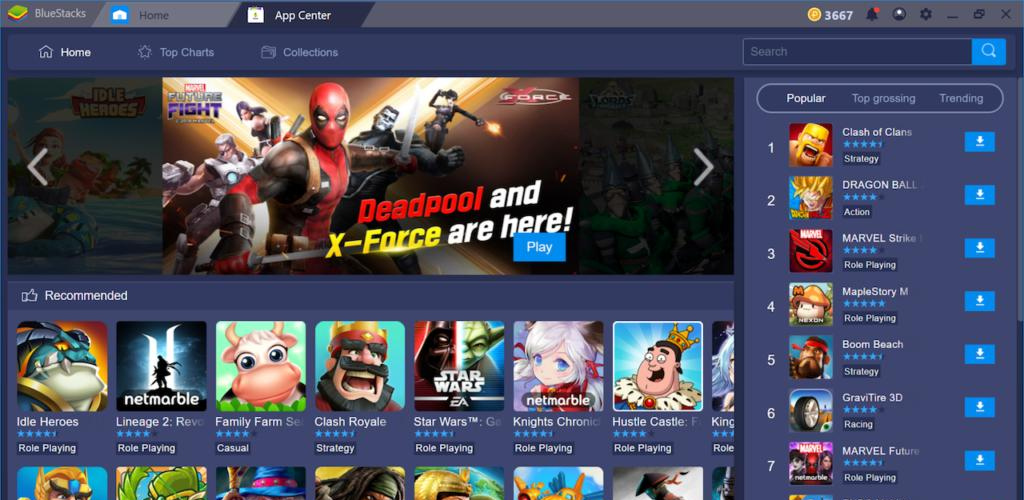
Bluestacks Emulator Launcher is a powerful emulator utility tool. Featuring an intuitive interface and a robust set of functions, it enables users to enjoy a wide variety of engaging PC games on their mobile devices. With Bluestacks Emulator Launcher, users can leverage efficient search tools to easily locate and launch their favorite games. Furthermore, the app offers a selection of stunning wallpapers and customization options, allowing you to tailor the experience to your personal preference.
AI-powered community engagement tailored to your interests
Personalized discounts on top games and in-app purchases
Exclusive rewards, bonus packs and Cashback when you pay using now.gg Payments.
Curated game recommendations to match your play style
Smart Search Functionality
Easily track down the games you’re eager to play with our efficient search tool.
Customizable Wallpapers
Personalize your screen with various beautiful wallpapers to suit any mood or style.
Lock Screen Options
Enhance security and accessibility with features like passcode or pattern locks.
Smart Switch
Swiftly toggle between silent mode, airplane mode, and Bluetooth using the simple smart switch.
One-Touch Functions
Simplify your gaming experience with effortless one-touch actions for a smoother ride.
Accessibility Focused
Designed to be user-friendly, with continuous improvements based on user feedback.
Pros
Excellent graphics
Easily installs & runs games
Simple key mappings
Gamepad and multi-instance support
May run some titles faster than phones or tablets
Cons
Uses many system resources
Some apps or games may not work correctly
Some in-app operations may be slow
Additionally, the Bluestacks Emulator Launcher features lock screen display options with customizable passcodes and patterns for enhanced security. It includes a smart switch feature that allows users to toggle between silent mode, airplane mode, and Bluetooth effortlessly. The app's one-touch functions further streamline the mobile gaming experience, catering to users who seek convenience and efficiency in their gaming sessions.
Size:12.52MB Version:2.0
Requirements:Android 5.0+ Price:Free
Package Name:bluestacks.emulator.ffgamemax Signature:0753480f6ba1c8e4d51b955af217b937
Meet Game BOX — your all-in-one game hub! Explore action, RPG, strategy, and more. Find games quickly, download fast, and play seamlessly on mobile. Simple, safe, and packed with top-rated titles. Perfect for gamers everywhere.
With the development of mobile hardware and software, many practical tool software have emerged, covering a wide range of aspects and becoming a good helper for everyone in work and life. Today, the editor provides you with a list of useful tool software downloads. These tools are not particularly complex types, and after reading them, everyone can quickly learn how to use them. Proper use can bring great convenience to life and work.
About us | Contact us | Privacy policy| DMCA
Copyright © 2026 Xiaohei All rights reserved.