Code Studio is a coding and development application designed for the Android platform. It enables users to create their own installable applications or Java programs directly on their mobile devices. The app features a robust editor for writing code, complete with an intelligent auto-completion function that predicts and fills in your code as you type. It also includes real-time error checking to help identify syntax errors and logical issues. To ensure your work is never lost, the app offers a backup feature. Furthermore, it supports the use of Unix commands, catering to the diverse needs of various users.
An Editor That Truly Understands You
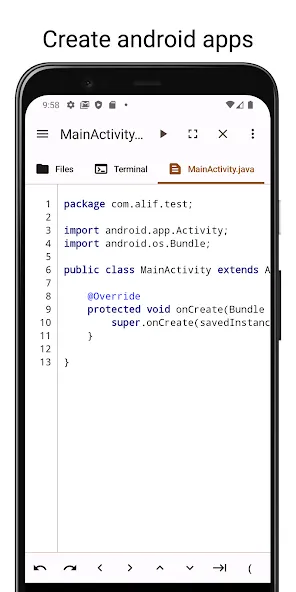
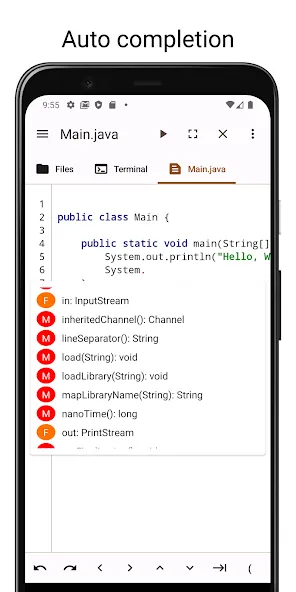
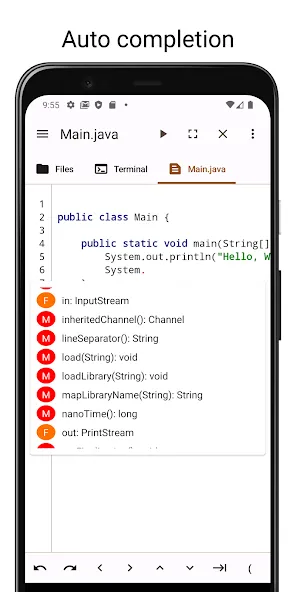
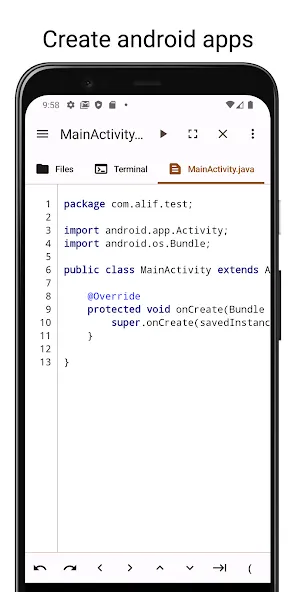
The editor in Code Studio is like a trusted friend—or even a mind reader—that anticipates your needs before you’re even aware of them yourself. With its powerful Java auto-completion, coding becomes easier and more enjoyable than ever. Say goodbye to the burden of complex syntax; your editor is there to help you breeze through it.
What’s more, it performs real-time error checking. With this reliable assistant by your side, you can experiment with confidence, knowing that any errors will be spotted and corrected immediately.
Ever forgotten to save your work, only to regret it later? Code Studio has you covered—and keeps your code safe. If you exit without saving, the automatic backup feature swoops in like a superhero to recover your work. Plus, with undo and redo functions, you can refine and perfect your code exactly as you wish.
The app also provides excellent support for special characters—including tabs and directional keys—even when they aren't available on your virtual keyboard.
A Terminal at Your Command
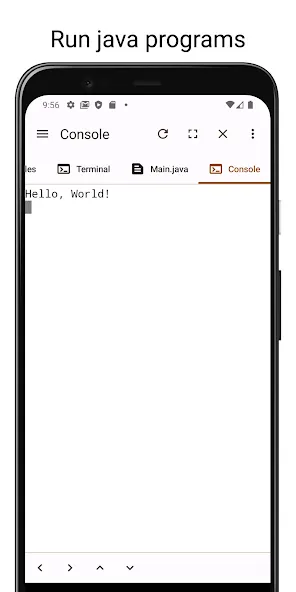
The terminal in Code Studio is a dependable companion, always ready to assist you. It provides access to the shell and various core Android commands, making your coding journey smoother. It’s like having a bit of magic at your fingertips! For users on older versions of Android, it brings essential Unix commands—such as `grep` and `find`—that are already staples for those on newer devices. Furthermore, support for the Tab and arrow keys is highly reliable, ensuring a smooth coding experience even when the virtual keyboard is otherwise limited.
A File Manager You Can Rely On
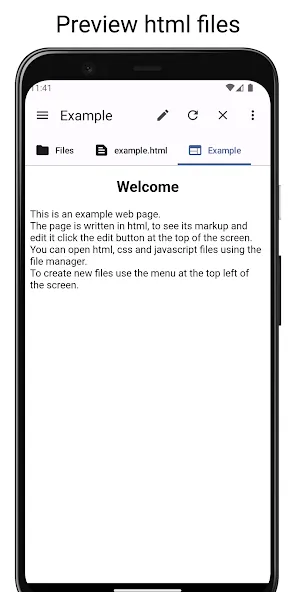
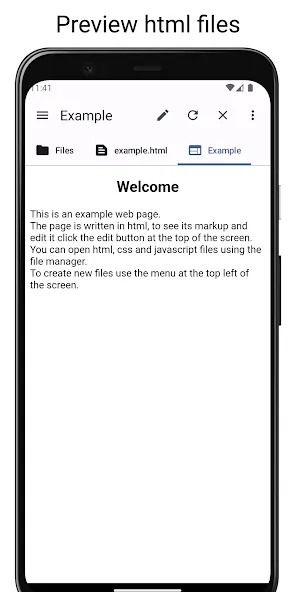
Finally, the file manager in Code Studio will be a steadfast companion on your coding journey. This feature eliminates the hassle of switching back and forth between the app and your device’s file system, allowing you to access files directly from within the application—it’s incredibly convenient!
This file manager is a master of multitasking; copying, pasting, and deleting files is completely effortless. Managing your files has never been easier, letting you focus more on your creative work rather than tedious administrative tasks.
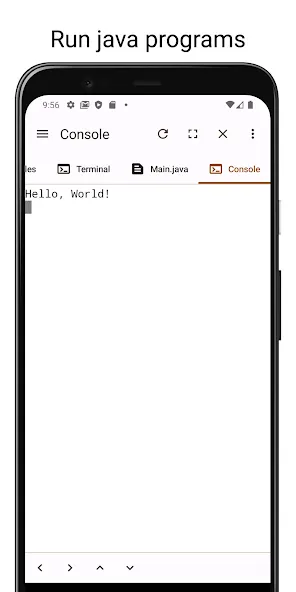
Intelligent Code Editor: Experience an editor that practically "reads your mind," equipped with advanced Java code completion. It anticipates your syntax needs, helping you write complex code with ease while significantly reducing typing time and minimizing typos.
Real-Time Error Checking: Code with peace of mind. Our dynamic error-detection system identifies mistakes and syntax issues as you type, allowing for instant debugging and the maintenance of a clean, efficient codebase.
Reliable Auto-Backup and Recovery: Never worry about losing a single line of code again. Code Studio features a robust auto-backup system that preserves your work, even if you exit the app unexpectedly. With unlimited undo and redo capabilities, your creative process remains entirely risk-free.
Enhanced Navigation Support: Overcome the limitations of virtual keyboards with dedicated support for Tab and arrow keys, ensuring precise navigation through your scripts and effortless indentation.
Pros:
Java code completion and real-time error checking.
Automatic backup of unsaved work upon exiting.
Integrated Android shell and a functional file manager.
Additional Tab and arrow keys for mobile keyboards.
Cons:
The dark theme may occasionally obscure menu labels on tablets. The editor lacks certain features requested by users, such as a cursor position indicator and line-length reference guides.
Code Studio is more than just an application; it is a programmer’s paradise—a world where the rules of programming are entirely under your control. Its editor, terminal, and file manager work in concert, functioning like the gears of a precision machine to deliver an unparalleled programming experience.
Size:41.32MB Version:4.2.4
Requirements:Android Price:Free
Package Name:com.alif.ide Signature:e1296d34df94ce756651006cf50bed3b
Feeling that there aren’t enough hours in the day? That you’re fighting a losing battle with your agenda? That each time you look up from your desk another year has rolled by? Well don’t worry, you’re not alone, and in today’s hyperconnected world, people are busier than ever before. On Android, there are countless productivity apps to help take control of your time and make your work more efficient. From a simple plugin for Chrome to a full-fledged app, picking the right productivity apps on Android can mean the difference between having a clear to-do list at the end of the day or having it overflowing with missed deadlines and projects that are off schedule. Productivity apps aren’t just about work, though. Using a productivity app in your personal life can keep you on top of deadlines for vacations, home repairs, and other family responsibilities.
Office Apps is a comprehensive and user - friendly platform that aggregates a wide array of office - related applications, catering to the diverse needs of modern professionals, students, and anyone who engages in office - based tasks. Whether you're working on a crucial business project, preparing academic papers, or handling daily administrative work, this aggregation page serves as your one - stop - shop.
The complete collection of office software is compiled based on user needs and referencing the popularity of major computer application stores. This collection selects various useful computer office software for users from multiple aspects such as office suite, communication and collaboration, email management, note management, cloud storage, download and decompression, etc. These software can meet your various document processing needs, making your team collaboration smoother, and conveniently managing your emails and keeping various meeting records. Download various materials and documents needed for office work. This collection of office software commonly used by professionals can meet all needs. Welcome to download and experience it!
About us | Contact us | Privacy policy| DMCA
Copyright © 2026 Xiaohei All rights reserved.