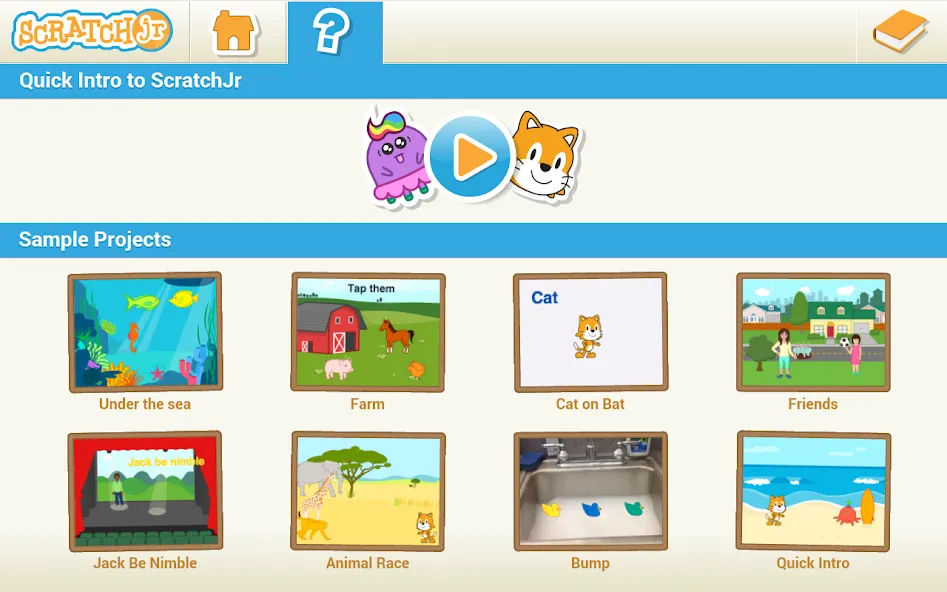
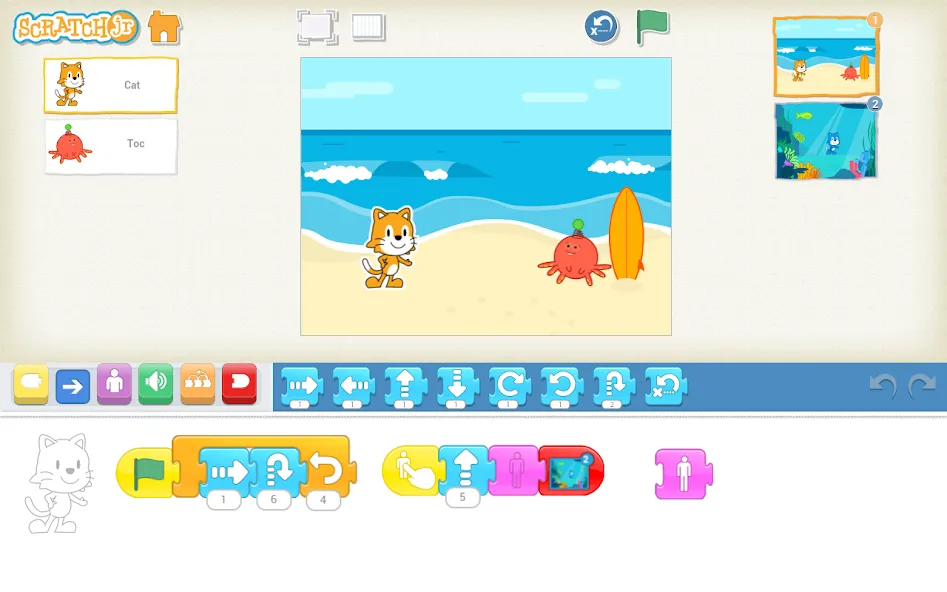
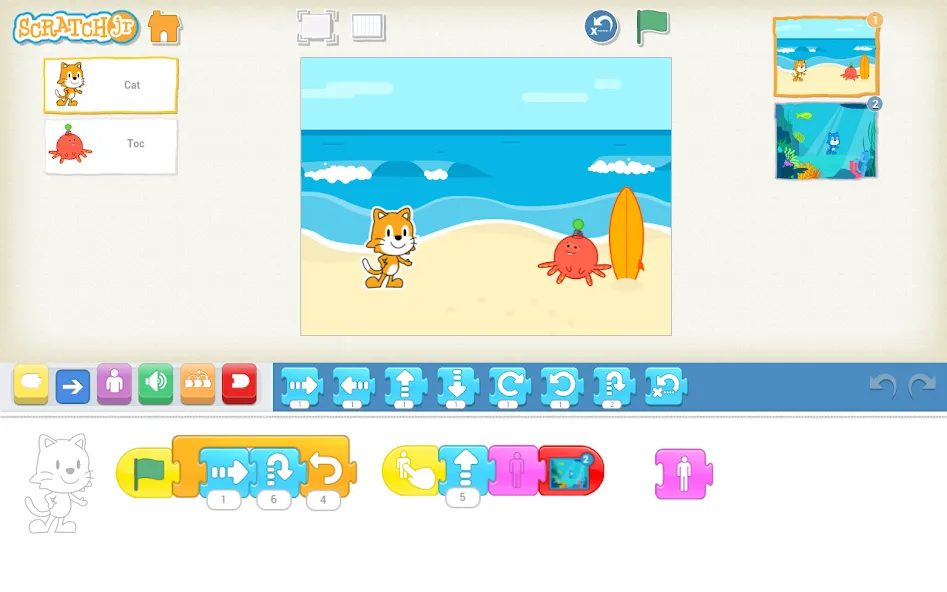
ScratchJr is an educational app for children, available on the Android platform, designed to help them learn the basics of programming. The app transforms complex coding concepts into a visual, block-based system; by snapping different blocks together, children can make characters perform various actions, such as moving or jumping. Leveraging children’s natural affinity for building blocks, the app sparks their curiosity while introducing them to fundamental programming logic. Users can further customize their projects by adding intricate details, sound effects, and audio, bringing their creations to life. The app also allows for the inclusion of photos, enabling children to integrate real-life elements into their projects. Available in multiple languages, ScratchJr is accessible to children and their parents alike.
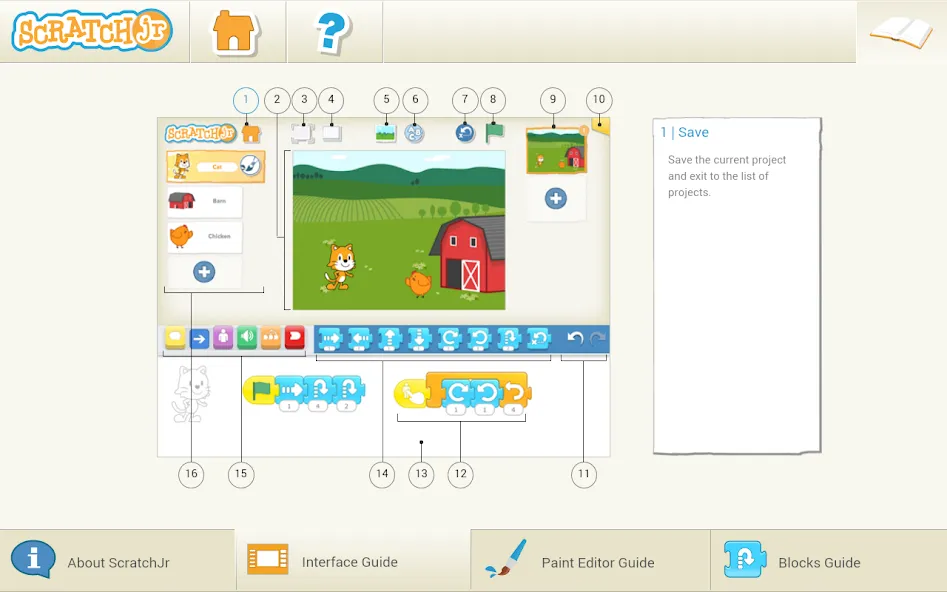
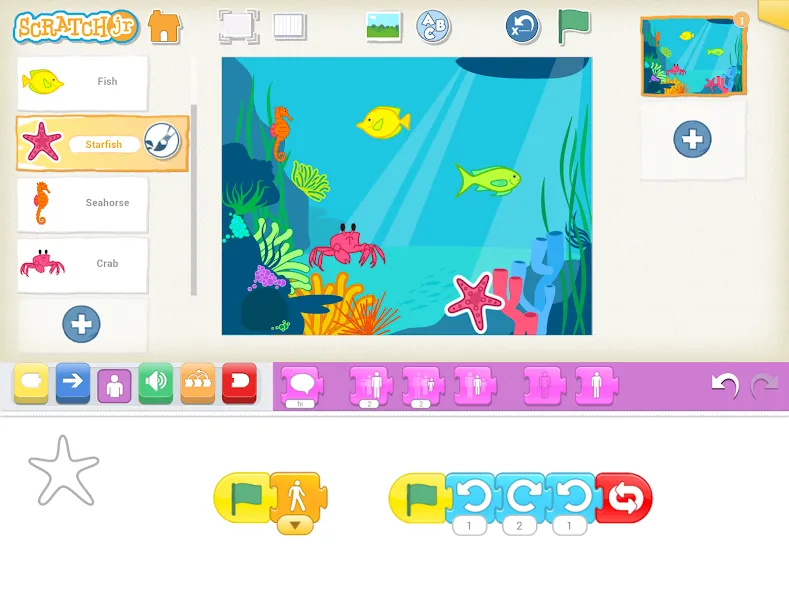
Visual Programming Blocks: Snap together colorful blocks to make characters move, jump, dance, or even sing—programming becomes as intuitive as building with digital LEGO bricks.
Story and Game Builder: Arrange scenes, add actions, and create interactive moments, allowing children to tell original stories or develop mini-games.
Character Editor: Draw characters from scratch or remix existing ones using a simple, built-in drawing tool—customize colors and add details to make every hero unique.
Sounds, Effects, and Music: Record voiceovers, add sound effects, and incorporate music to make projects feel personal and vibrant.
Photo Integration: Add photos to weave real-life moments into stories—perfect for classroom projects or family creative sessions.
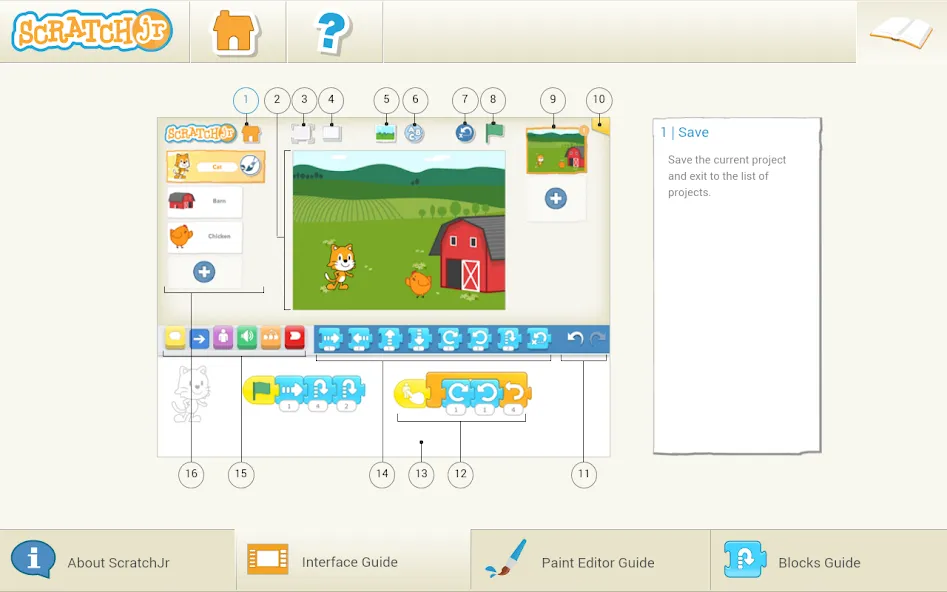
Designed for Kids: A clean, icon-based interface makes the app highly accessible for young learners, with simple tools that encourage exploration and minimize frustration.
Learning Through Play: As children create, they naturally practice sequencing, problem-solving, planning, and early logical thinking—skills that support their future academic development.
Integrating Math and Language: Counting steps, managing timing, and crafting stories help children engage with numbers and language in a way that is easy for them to understand.
Pros:
Visual blocks teach sequencing without the need for typed commands.
Tools for drawing, sound, photos, and scenes encourage the creation of original stories.
The interface is tailored for children aged 5 and older.
Cons:
No standard video export option for completed projects.
No desktop access or account-based project recovery.
Are there ScratchJr coding cards available?
Yes, there are! The ScratchJr coding cards are a set of 75 activity cards that offer fun, highly creative projects to help children develop their coding skills using ScratchJr.
Will ScratchJr be available in other languages?
ScratchJr currently supports 20 languages, including English. We hope to add more languages in future versions of ScratchJr.
Where does ScratchJr save my projects?
ScratchJr stores project data in an internal database on the device. It does not currently support separate user accounts; all users on a single device share the same project database.
My 4-year-old son and 6-year-old daughter both love it. The learning curve is very gentle—my kids are already making videos about farts! It’s equally engaging for both boys and girls. It’s given me the quietest day I’ve had all year!
This coding app is fantastic! I’m a computer programmer myself and a big fan of Scratch, so I downloaded this app—it’s so much fun to play with!
I really love using ScratchJr! It’s a wonderful tool for introducing children to coding and sparking their creativity. The interface is simple and fun, making it perfect for young children. It’s amazing to see how easily kids can create their own stories and animations.
ScratchJr transforms children’s boundless imagination into animated stories and accessible, easy-to-play games. Designed specifically for children aged 5 and up, this educational app uses fun, block-based coding, allowing kids to create, experiment, and tell their own stories—all without needing to read.
Size:26.62MB Version:1.5.11
Requirements:Android Price:Free
Package Name:org.scratchjr.android Signature:7f17bdf3fe0a7968999d2e204c9f2b30
Educational software are emerging in an endless stream on the market, so which one can stand out? It should not only be simple and convenient to use but also helpful for our study. Below, Xiaohei.com brings you a very comprehensive and practical summary of educational software downloads. Come and download it, there is always one that suits you.
About us | Contact us | Privacy policy| DMCA
Copyright © 2026 Xiaohei All rights reserved.