WiGLE WiFi Wardriving is a free network-observation application. It features an extensive database of wireless networks and allows users to upload the data they collect, making it accessible for others to use, study, or track. The app is completely free of advertisements and pop-ups; it also enables users to download network data in various formats to their devices for further editing and analysis. Additionally, it includes a built-in leaderboard, allowing you to compete with other users to see who can discover the highest number of networks—including hidden ones!
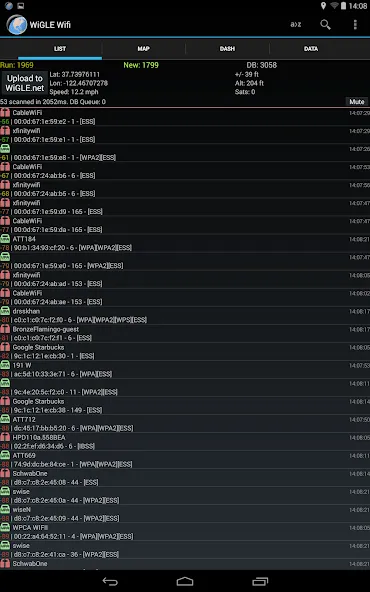
Live Network Mapping: Instantly see wireless networks pop up on a real-time map as you move. The app drops pins as you scan, so you can visualize coverage and find the hotspots you’ve passed by a hundred times without noticing.
GPS Location Tagging: Each WiFi network you spot is logged with GPS info, giving you an accurate snapshot of where you found it. Handy for site surveys or just tracking your mapping adventures.
Compete on the Global Leaderboard: Want to see how you stack up against others? Upload your findings and check out the WiGLE WiFi Wardriving leaderboard. It’s all in good fun, but finding a few extra networks could nudge you up the ranks.
Open Source & Ad-Free: WiGLE WiFi Wardriving is totally open source, which means it’s not stuffed with ads. You can even contribute if you’re into coding—or just enjoy the clean experience.
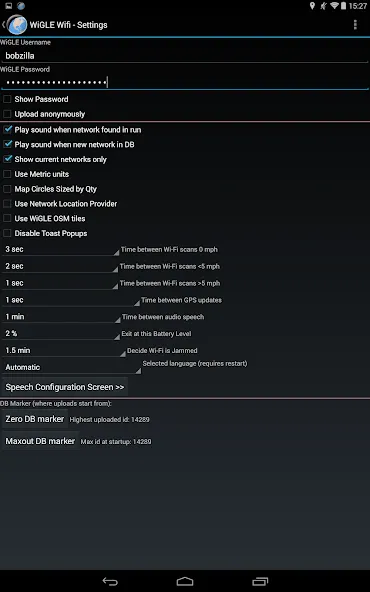
Bluetooth GPS & Mock Locations: Running an external GPS device? No problem. The app supports Bluetooth GPS for even more accurate positioning.
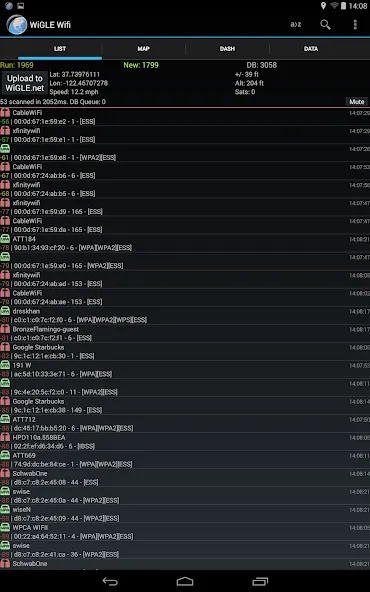
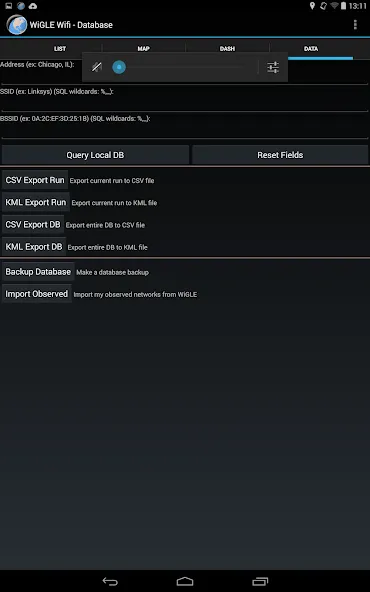
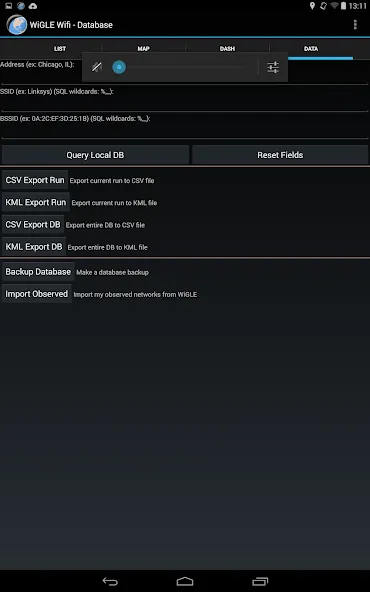
Observations logged to local database to track your networks found.
Real-time map of networks found, with overlays from entire WiGLE dataset.
Export to CSV files on SD card (comma separated values).
Export to KML files on SD card (to import into Google Maps/Earth).
Bluetooth GPS support through mock locations.
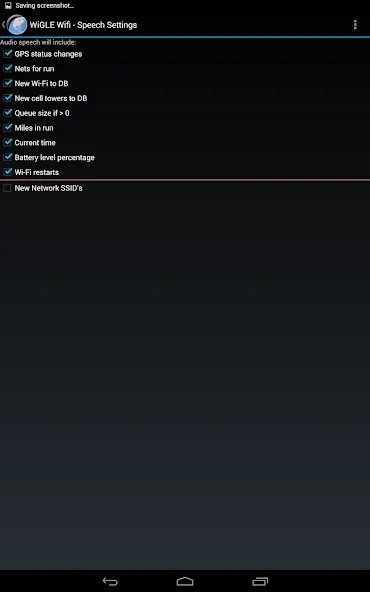
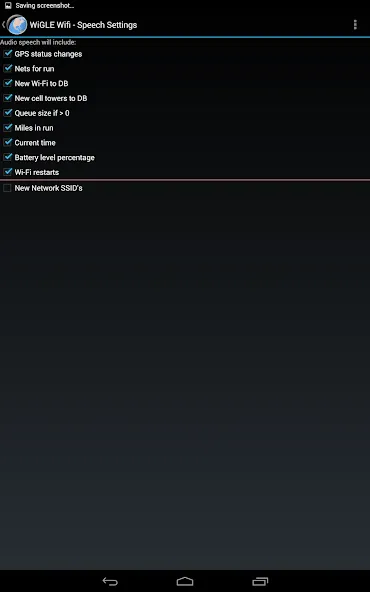
Audio and Text-to-Speech alerting and "Mute" option to shut off all sound/speech.
Fun to do this. Like seeing how many networks I've collected going to new places and even more interested when I find new ones in places I've been many times. Mostly decided to review to counteract the reviewers that posted negative reviews for no reason but also thought it's about time I said something about this app. Everything is well made in terms of UI. My complaint is only pertaining to the map. Would love to get the darkmode one if possible.
For what seems like well over a year, I have not seen an 'appropriate' number of light and dark blue balloons appear when the map is turned on during wardriving. I used to see plenty of blue balloons, presumably every one that should properly appear. THese days, almost no blue balloons appear.
Every or review i saw before trying I was able to figure out a simple workaround. I hag hag accident and probably could not do the complex things I used to or I would contact the developer with my three changes/add ons for a metamorphosis making thisamazing app something so amazing and not yet seen and needing a completely different name. I am battery with ideas since the accident as long as i wrote down details before forgetting them and seem to have lost a lot of concentration.
Love it. I recently upgraded to a SGS5 and had an issue of no nets detected. Fixed that problem by going into Application Manager and manually granting permission to WIGLE. Thanks dev/app team for the suggestion!
How does triangulation work?
The "triangulation" is actually just an average of the latitudes and longitudes gathered using the signal strength (squared) as a weight. This is probably more correctly called "weighted-centroid trilateration." This assumes that signal strength will change at the inverse square of the distance. This is reasonable as long is you don't get a one-sided view of the network (i.e. only sample it from one side) since it will be skewed in that direction. It's worth noting that WiGLE first clusters data before trilaterating, resulting in the possibility of multiple clusters. The dot/pin on the map will go to the "best" cluster. When using the basic search, requesting detail for a specific network will show you all recent clusters up to a practical limit.
How do I Get Started?
WiGLE WiFi Wardriving is a catalog of wireless networks based on user-submitted observations. Submissions are not paired with actual people; rather name/password identities which people use to associate their data. The project is basically a "gee isn't this neat" engine for learning about the spread of wireless computer usage.WiGLE concerns itself with 802.11, Bluetooth, and cellular networks right now, which can be collected via the WiGLE WiFi Wardriving tool on Android, Kismet Wireless, and numerous other packages.The first step in using WiGLE is to create a username for yourself. You don't have to submit anything other than a real email and a username and password. Validation is immediate, however new accounts are subject to a probationary period. We will not contact you (unless you send us email or chat on our message boards). Your account will give you access to our query engine, upload capabilities, maps, and software downloads. New accounts are limited in the number of queries they can make daily.Once you've signed up, you're free to send us wireless network traces (in any of our listed formats, usually pairings of wireless sample, names and network hardware addresses (for uniqueness), data/SNR triples and GPS coordinates) or enter networks manually. Note, your username gets "credit" for these, but of course some people don't want their networks listed (for various reasons), so we delist these immediately upon request. Once you make a username, you can look at the submissions statistics page to see how users stack up.
What does that mean for academic/non-profit research or artistic usage?
We believe that one of the best uses for this project is to promote education, research, and awareness! Account limits start low, and increase over time with good behavior. This is sufficient for most use-cases. If you have a project with extraordinary needs you can email us at WiGLE-admin[at]WiGLE.net, include an explanation of your intended usage, what you are requesting, your registered WiGLE username, and provide evidence of any claims you are making. AI slop will be ignored.
How Can I Change My Password?
If you've forgotten your password, non-logged in users should use the password reset tool. Reset Password Tool. You can contact us via WiGLE-admin[at]WiGLE.net; include your registration information for proof of identity. Manual reset will take time (ours and yours) and we may refuse if we can't verify you - so seriously, use the reset tool.
I didn't receive a verification email - how can I activate my account?
This can happen for a number of reasons. The easiest thing to do is to use the automated system to request a confirmation email. If this isn't available or doesn't work, your account may have other problems. If you elect to email us for support on confirmation-related issues, you must include your WiGLE user name, and send the email from the address you used to register. If you do not include your username or send the email from a non-matching address, your request will be ignored.
Thanks to WiGLE WiFi Wardriving, you can take part in the wardriving phenomenon in the easiest way possible, thanks to the different features in this app. Over 350 million networks are waiting for you on your journey, so the best way to hunt them is by using this free open-source app.
Size:10.10MB Version:2.81
Requirements:Android Price:Free
Package Name:net.wigle.wigleandroid Signature:c36428c79e18db19c3cca8986091c99b
Transform your mobile device into a powerhouse of efficiency with these handpicked essential tools. Whether you need professional-grade photo editing, seamless file organization, smart task management, or real-time weather updates, our curated selection of premium apps delivers unbeatable performance. Streamline your daily routine, automate repetitive tasks, and boost your productivity with intuitive interfaces and powerful features. Designed for both professionals and casual users, these editor-approved applications will revolutionize how you work and play. Don't settle for an ordinary phone - upgrade your digital experience today and unlock your device's full potential!
With the development of mobile hardware and software, many practical tool software have emerged, covering a wide range of aspects and becoming a good helper for everyone in work and life. Today, the editor provides you with a list of useful tool software downloads. These tools are not particularly complex types, and after reading them, everyone can quickly learn how to use them. Proper use can bring great convenience to life and work.
About us | Contact us | Privacy policy| DMCA
Copyright © 2026 Xiaohei All rights reserved.