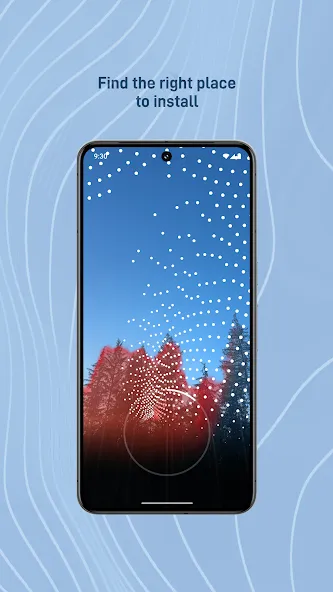
Starlink is a WeChat-related internet tool. This application offers powerful features, installation guidance, network status overview, and troubleshooting capabilities, providing users with a high-quality service experience through device installation, monitoring, and technical support. With Starlink, users can easily identify the ideal installation location; a simple scanning feature helps confirm that there are no obstructions that could block your signal. The app also provides a service status alert function, allowing you to receive real-time service status notifications and be aware of any potential problems.
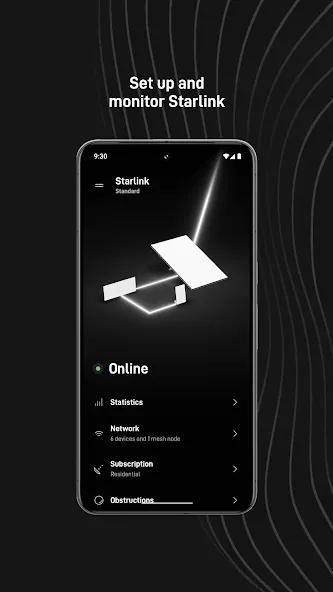
Identify the install location that will ensure the best quality of service
Check for obstructions that can interfere with service
Setup your Starlink hardware
Verify your WiFi connection
Receive alerts for service issues
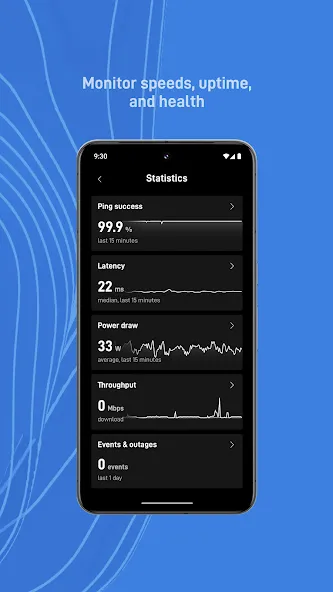
Access your connectivity statistics
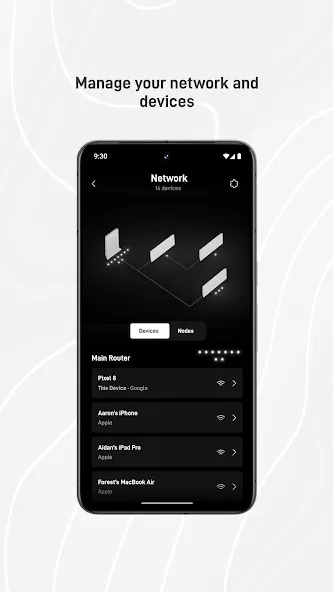
Identify devices connected to your network
Troubleshoot connectivity issues
Contact support
Connect to the Internet from anywhere with the Starlink app
After you sign up for one of the plans available on Starlink, the official Android app will guide you through each step of the installation process. Installing your Starlink kit is pretty easy: all you have to do is use your smartphone's camera to find the best location for your antenna. This way, you can check for obstructions for free, making sure there are no trees, buildings, or other objects that might interfere with the satellite's signal.
Take advantage of Starlink's price
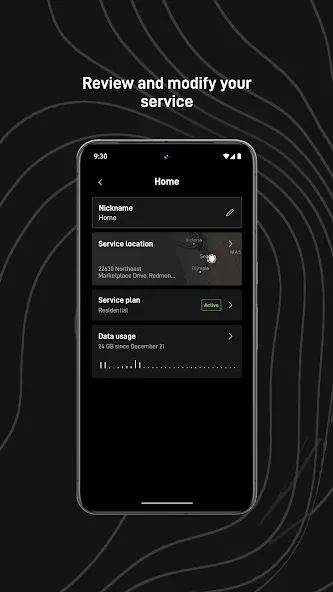
Although the price of Starlink will vary depending on the plan you sign up for and the type of kit you purchase, the truth is that your initial investment will soon be justified thanks to the large number of options you can access through the Android app. Best of all, it allows you to connect to the Internet from rural areas where traditional Wi-Fi connectivity is limited.
View statistics, resolve issues, and receive alerts
With Starlink, all you have to do is point your smartphone's camera to the sky in order to detect the location of each satellite thanks to augmented reality. Likewise, the app will show you real-time statistics related to download speed and latency. Without requiring additional tools, you will also have everything you need to detect all the devices connected to your network and receive alerts whenever there's a technical problem.
Pros
Very straightforward guidance for Starlink installation and setup
Tools to find the best install location and check for obstructions
Clear view of connectivity statistics and connected devices
Good balance between simple status information and deeper technical data
Built-in alerts, troubleshooting tools, and direct access to support
Supports use of Starlink Standard on the move with a mobility plan and power source
Cons
Useful only for Starlink customers with compatible hardware and service
Mobile use depends on adding mobility to your plan and having a suitable power source
Download Starlink's APK for Android to connect to the Internet via Elon Musk's satellites. Simply choose one of the available plans and install your antenna, then start surfing the Internet at full speed as if you had a fiber optic connection in a more populated part of the world.
Size:218.96MB Version:2026.29.0
Requirements:Android 8.0+ Price:Free
Package Name:com.starlink.mobile Signature:5c90839499c7ea938c6441d30fab8bfc
Transform your mobile device into a powerhouse of efficiency with these handpicked essential tools. Whether you need professional-grade photo editing, seamless file organization, smart task management, or real-time weather updates, our curated selection of premium apps delivers unbeatable performance. Streamline your daily routine, automate repetitive tasks, and boost your productivity with intuitive interfaces and powerful features. Designed for both professionals and casual users, these editor-approved applications will revolutionize how you work and play. Don't settle for an ordinary phone - upgrade your digital experience today and unlock your device's full potential!
With the development of mobile hardware and software, many practical tool software have emerged, covering a wide range of aspects and becoming a good helper for everyone in work and life. Today, the editor provides you with a list of useful tool software downloads. These tools are not particularly complex types, and after reading them, everyone can quickly learn how to use them. Proper use can bring great convenience to life and work.
About us | Contact us | Privacy policy| DMCA
Copyright © 2026 Xiaohei All rights reserved.