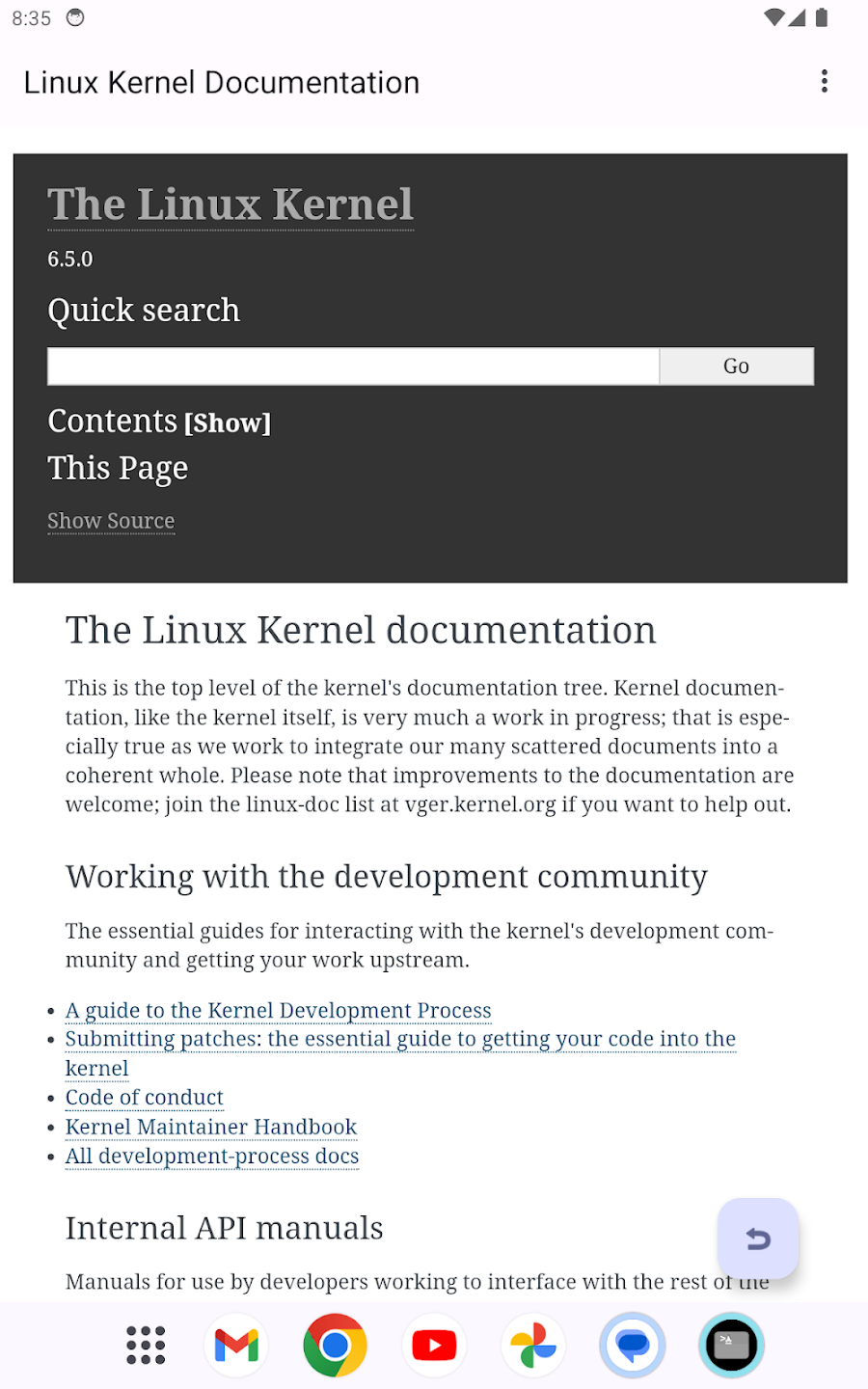
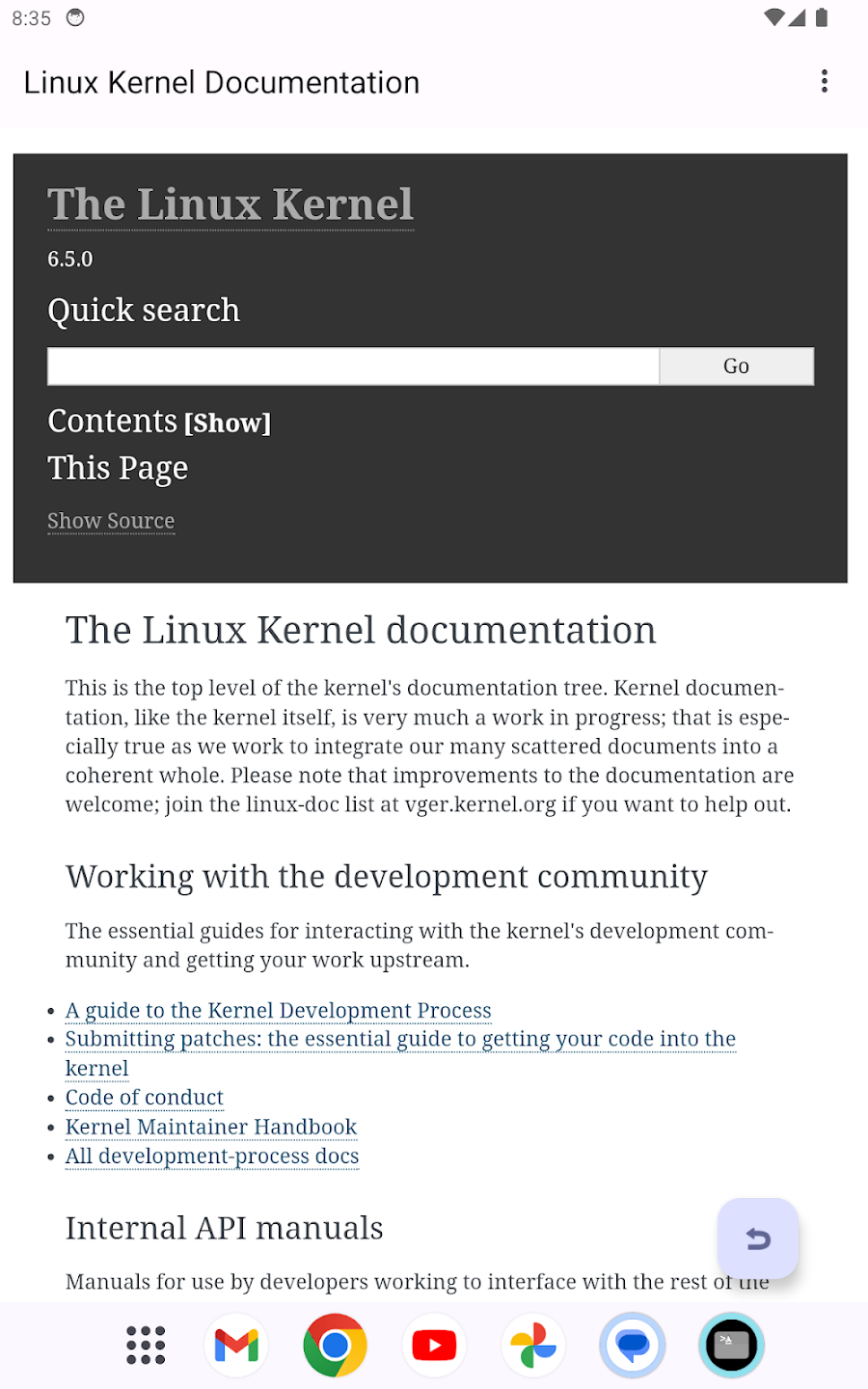
Linux Kernel Documentation is an open-source project resource that requires no internet connection. It allows users to explore comprehensive information about the Linux system and its mainline codebase. Users are free to read through the content to gain inspiration, broaden their knowledge, and enhance their technical skills. Given its open-source nature, users can download the entire collection of documentation to their own devices—making it convenient to read anytime—or even modify the content based on their own ideas and contribute those changes back to the community. The documentation is continuously updated with fresh content, ensuring an ever-evolving experience for users.
Complete reference, offline: The entire Linux Kernel documentation is stored locally, so you can read and research without an internet connection.
Mainline-based content: The docs are compiled from the latest mainline kernel sources, keeping the information relevant and aligned with upstream development.
Stable focus, no RC noise: Prepatch and release-candidate material are intentionally left out, so you’re browsing stable, dependable documentation instead of in-progress drafts.
Predictable refresh cadence: Updates follow the mainline release rhythm—typically every nine to ten weeks—so your library stays current over time.
Handy for work or study: Whether you’re debugging, learning internals, or reviewing design notes, having the docs on hand helps you move faster without switching contexts.
Consistent structure: Because the docs are sourced directly from upstream, navigation and language are what kernel contributors expect, making it easier to follow along with code and discussions.
New in this release
Redis module feature sets
Redis Software comes packaged with several modules. As of version 7.4.2, Redis Software includes two feature sets, compatible with different Redis database versions.
Bundled Redis modules compatible with Redis database version 7.2:
RediSearch 2.8
RedisJSON 2.6
RedisTimeSeries 1.10
RedisBloom 2.6
RedisGears 2.0 preview: The RedisGears preview will not be promoted to GA and will be removed in a future release.
Bundled Redis modules compatible with Redis database versions 6.0 and 6.2:
RediSearch 2.6
RedisJSON 2.4
RedisTimeSeries 1.8
RedisBloom 2.4
RedisGraph v2.10: RedisGraph end-of-life has been announced and will be removed in a future release. See the RedisGraph end-of-life announcement for more details.
Version changes
Product lifecycle updates
End-of-life policy extension
The end-of-life policy for Redis Software versions 6.2 and later has been extended to 24 months after the formal release of the subsequent major version. For the updated end-of-life schedule, see the Redis Software product lifecycle.
Supported upgrade paths
Redis Software versions 6.2.4 and 6.2.8 do not support direct upgrades beyond version 7.4.x. Versions 6.2.10, 6.2.12, and 6.2.18 are part of the upgrade path. To upgrade from 6.2.4 or 6.2.8 to versions later than 7.4.x, an intermediate upgrade is required.
Upgrading a cluster from Redis Software version 7.4.6 to version 8.2.0 can fail (RS219531). To upgrade, first upgrade to Redis Software version 8.0.x, and then upgrade to version 8.2.0. For details, see the Redis Software 8.2.0 known issues.
The next major Redis Software release will still bundle Redis database version 6.2 and allow database upgrades from Redis database version 6.2 to 7.x.
See the Redis Software product lifecycle for more information about release numbers.
Deprecations
Legacy UI deprecation
The legacy UI is deprecated in favor of the new Cluster Manager UI and will be removed in a future release.
Redis 6.0 database deprecation
Redis database version 6.0 is deprecated as of Redis Software version 7.4.2 and will be removed in a future release.
To prepare for the future removal of Redis 6.0:
For Redis Software 6.2.* clusters, upgrade Redis 6.0 databases to Redis 6.2. See the Redis 6.2 release notes for the list of changes.
For Redis Software 7.2.4 and 7.4.x clusters, upgrade Redis 6.0 databases to Redis 7.2. Before you upgrade your databases, see the list of Redis 7.2 breaking changes and update any applications that connect to your database to handle these changes.
End of triggers and functions preview
The triggers and functions (RedisGears) preview has been discontinued.
Commands such as TFCALL, TFCALLASYNC, and TFUNCTION will be deprecated and will return error messages.
Any JavaScript functions stored in Redis will be removed.
JavaScript-based triggers will be blocked.
Lua functions and scripts will not be affected.
If your database currently uses triggers and functions, you need to:
Adjust your applications to accommodate these changes.
Delete all triggers and functions libraries from your existing database:
Run TFUNCTION LIST.
Copy all library names.
Run TFUNCTION DELETE for each library in the list.
If any triggers and functions libraries remain in the database, the RDB snapshot won't load on a cluster without RedisGears.
Migrate your database to a new database without the RedisGears module.
RedisGraph end of life
RedisGraph reached end of life on January 31, 2025. See the RedisGraph end-of-life announcement for more details.
Ubuntu 18.04 not supported
Ubuntu 18.04 was deprecated in Redis Software version 7.2.4 and is no longer supported as of Redis Software version 7.4.6-293.
Upcoming changes
Default image change for Redis Software containers
Starting with the next major version, Redis Software containers with the image tag x.y.z-build will be based on RHEL instead of Ubuntu.
This change will only affect you if you use containers outside the official Redis Enterprise for Kubernetes product and use Ubuntu-specific commands.
To use Ubuntu-based images after this change, you can specify the operating system suffix in the image tag. For example, use the image tag 7.4.2-216.focal instead of 7.4.2-216.
Supported platforms
The following table provides a snapshot of supported platforms as of this Redis Software release. See the supported platforms reference for more details about operating system compatibility.
Q: Is BPF a generic virtual machine ?
A: NO.
BPF is generic instruction set with C calling convention.
Q: Why C calling convention was chosen?
A: Because BPF programs are designed to run in the linux kernel which is written in C, hence BPF defines instruction set compatible with two most used architectures x64 and arm64 (and takes into consideration important quirks of other architectures) and defines calling convention that is compatible with C calling convention of the linux kernel on those architectures.
Q: Can multiple return values be supported in the future?
A: NO. BPF allows only register R0 to be used as return value.
Q: Can more than 5 function arguments be supported in the future?
A: NO. BPF calling convention only allows registers R1-R5 to be used as arguments. BPF is not a standalone instruction set. (unlike x64 ISA that allows msft, cdecl and other conventions).
Q: Does C-calling convention diminishes possible use cases?
A: YES.BPF design forces addition of major functionality in the form of kernel helper functions and kernel objects like BPF maps with seamless interoperability between them. It lets kernel call into BPF programs and programs call kernel helpers with zero overhead, as all of them were native C code. That is particularly the case for JITed BPF programs that are indistinguishable from native kernel C code.
Q: Does it mean that ‘innovative’ extensions to BPF code are disallowed?
A: Soft yes.At least for now, until BPF core has support for bpf-to-bpf calls, indirect calls, loops, global variables, jump tables, read-only sections, and all other normal constructs that C code can produce.
Size:532.98MB Version:1.4.0
Requirements:Android Price:Free
Package Name:com.bryancandi.linux.kernel.docs Signature:9d8c018a1d462f695806a9f1e3f928b7
Utility apps are indispensable in our lives, making our daily routines more convenient. To help you find these apps more easily, this site has created a collection. This collection brings together a series of practical tools covering various aspects of life, work, and education, meeting all your needs. What are you waiting for? Try these apps now and make your life easier!
Transform your mobile device into a powerhouse of efficiency with these handpicked essential tools. Whether you need professional-grade photo editing, seamless file organization, smart task management, or real-time weather updates, our curated selection of premium apps delivers unbeatable performance. Streamline your daily routine, automate repetitive tasks, and boost your productivity with intuitive interfaces and powerful features. Designed for both professionals and casual users, these editor-approved applications will revolutionize how you work and play. Don't settle for an ordinary phone - upgrade your digital experience today and unlock your device's full potential!
About us | Contact us | Privacy policy| DMCA
Copyright © 2026 Xiaohei All rights reserved.