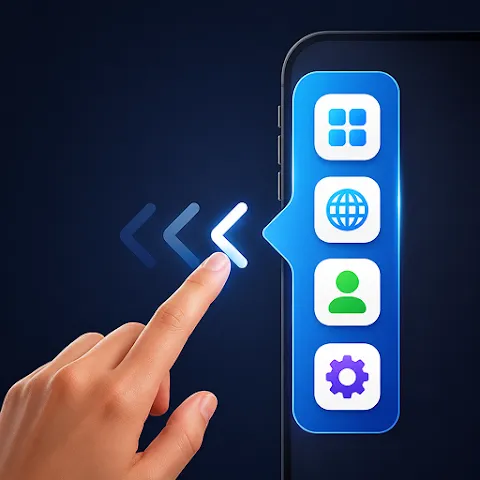
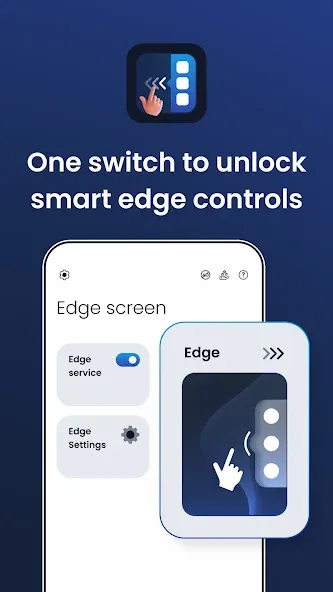
Edge Screen is a screen utility tool for Android devices. It creates a sidebar on the right side of your screen, where you can add a wide variety of shortcuts—from messaging and communication apps to work tools and a calculator. The sidebar is accessible at any time, regardless of what other app you are currently using; simply tap the sidebar to reveal your shortcuts. Adding new shortcuts is quick and easy, requiring only a few taps. You can also display the time in different cities directly within the sidebar. Furthermore, the app allows for custom themes and color schemes, all while remaining lightweight—consuming minimal memory and very little battery power.
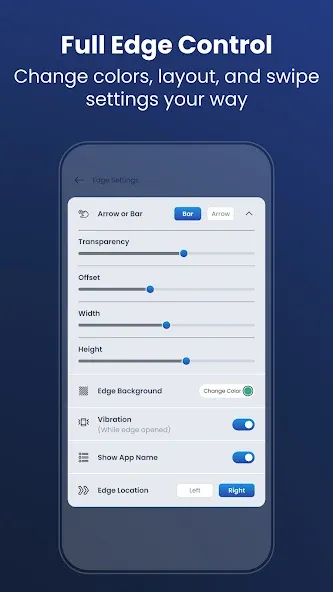
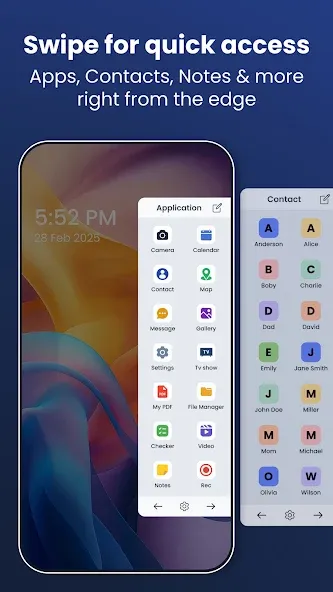
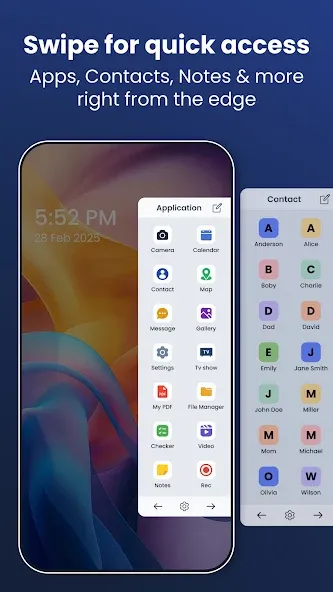
Sidebar Panel: Gesture Control – Open the sidebar with a simple swipe.
Sidebar: Gesture-based control lets you access frequently used tools with a quick swipe—incredibly convenient for busy users who often switch between the same apps, files, notes, contacts, or settings throughout the day. The side panel provides a practical space for shortcuts, which you can configure for work tasks, personal errands, quick calls, reminders, or any other functions you use regularly.
Edge Swipe: Smart Panel – Access your daily tools from virtually any screen.
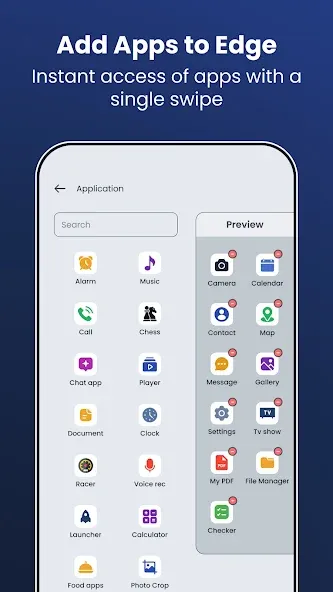
Edge Launcher:Launch your favorite apps and actions with just a few taps.
Edge Screen: Sidebar Launcher – Quick and convenient access to notes, documents, and shortcuts.
World Clock:Compare the time in different cities directly from the sidebar.
Quick Calculator:Perform simple calculations without leaving your current screen.
Everything in one place: sidebars, gestures, and shortcuts!
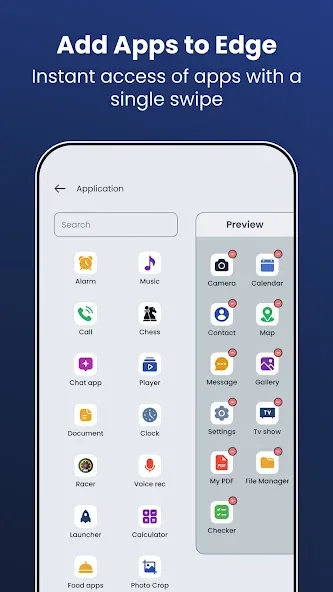
Can I customize the apps and shortcuts in the sidebar?
Yes, you can add and arrange your preferred apps, contacts, and shortcuts for quick access.
Can I change the appearance of the sidebar?
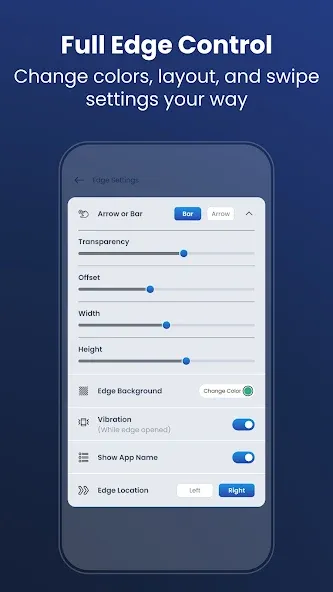
Yes, the app offers a variety of themes and styles, allowing you to personalize the look of your sidebar.
Will this app drain my battery?
The app is designed for high efficiency and will not have a significant impact on your device's battery life.
Can I access the sidebar from any screen?
You can access the sidebar from any screen—it’s incredibly convenient, no matter what you’re doing on your device.
Hello! Your app looks really interesting. I have a suggestion that would be great to see implemented: I used to use the edge panel on the Note 10, and the experience was fantastic. It would be very helpful if you could add an option to choose the sidebar’s position (e.g., on the right or left side).
I really like this app, but for me, it’s missing one key feature: "free-form" (floating) windows. Right now, the app essentially just switches to another application, which feels a bit limited. I’d love it if I could keep using my current app while opening another one in a small, floating window. If this feature were added, I’d be happy to pay the full price.
This is an excellent app that brings all your phone settings into one place. With just a swipe, you can take full control and manage your device settings; you can also find and call your frequent contacts in a second. Whether it’s making calls, sending texts, using WhatsApp, adjusting system settings, checking notes or alarms, controlling volume, or launching various apps—everything is easily accessible right on your screen. Even beginners will find it intuitive and easy to use—it’s truly a fantastic app! (Samsung Galaxy phones have a similar built-in feature.)
If you want to organize your most-used apps, give "Edge Bar" a try! It’s a highly practical sidebar that stays hidden until you need it, making multitasking a breeze. A small suggestion for the developer: it would be even better if there were options to customize the colors. Overall, a truly excellent app!
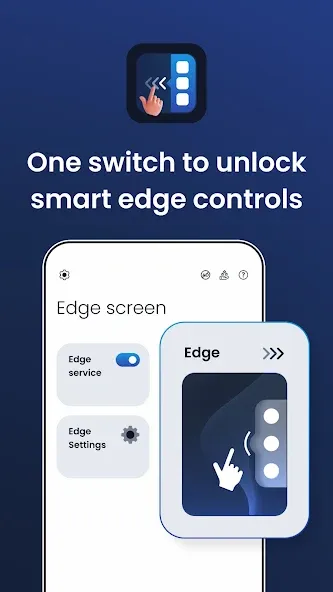
With Edge Screen, you no longer need to clutter your home screen with countless shortcuts for system settings or apps just to access them quickly. It also makes one-handed phone use possible again, as you no longer have to stretch your fingers to reach the "Home," "Back," or "Recent Apps" buttons, or the notification panel.
Size:23.63MB Version:2.1.1
Requirements:Android Price:Free
Package Name:com.gonext.edgescreen Signature:a0956037633afc33694f0ae8ea54664f
Discover our File Management Apps hub! Here, you can explore essential tools like Google Drive for cloud storage, Dropbox for simple file sharing, and File Commander for managing files directly on your device. Easily organize and access your files across your phone, or tablet. Our platform is designed to help you quickly find reliable apps to streamline your digital file management.
Utility apps are indispensable in our lives, making our daily routines more convenient. To help you find these apps more easily, this site has created a collection. This collection brings together a series of practical tools covering various aspects of life, work, and education, meeting all your needs. What are you waiting for? Try these apps now and make your life easier!
With the development of mobile hardware and software, many practical tool software have emerged, covering a wide range of aspects and becoming a good helper for everyone in work and life. Today, the editor provides you with a list of useful tool software downloads. These tools are not particularly complex types, and after reading them, everyone can quickly learn how to use them. Proper use can bring great convenience to life and work.
About us | Contact us | Privacy policy| DMCA
Copyright © 2026 Xiaohei All rights reserved.