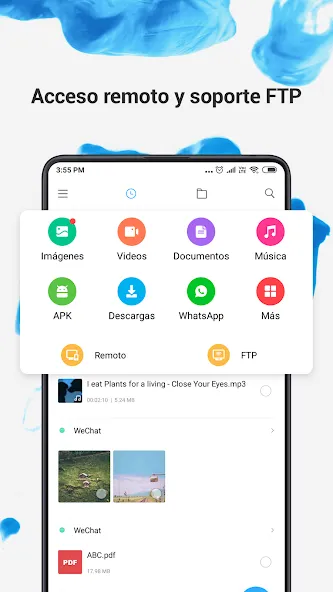
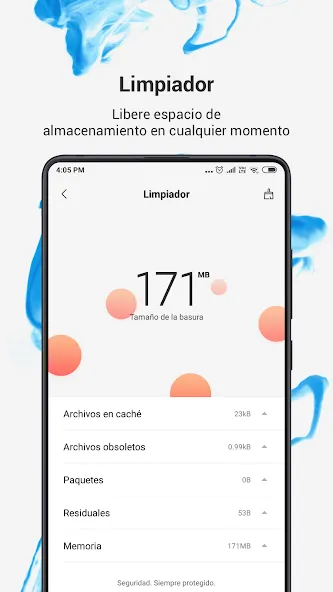
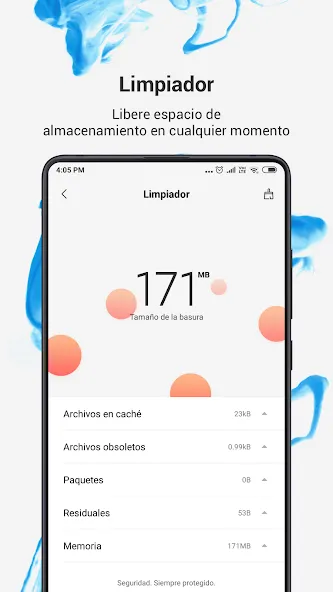
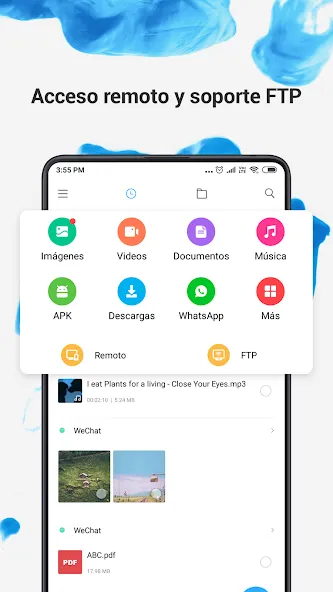
File Manager by Xiaomi is a powerful file management tool. It allows users to view recently accessed files and automatically categorizes files by format, facilitating quick access and efficient management. The app scans the device’s storage, displays storage statistics for folders, and helps clear cache and junk files to free up space. It also enables file sharing with nearby colleagues, friends, or family without requiring an internet connection. Additionally, the app supports file compression, batch operations on multiple folders, and is available in various languages.
Recent Files: View recently accessed files without needing to search for them.
Categories: Files are organized by format, allowing for quick access to frequently used items.
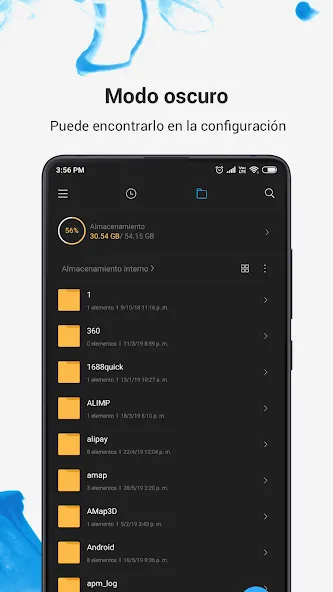
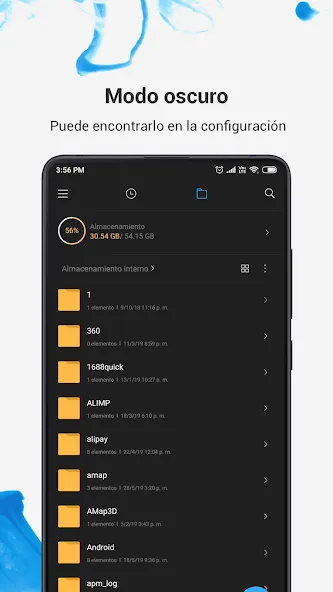
Storage: View storage statistics and manage all folders on your device.
Cleanup: Clear cache and junk files to free up device storage space.
Mi Drop (File Sharing): Share files with nearby friends without an internet connection.
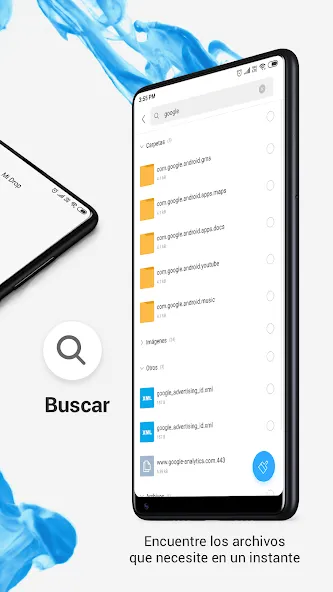
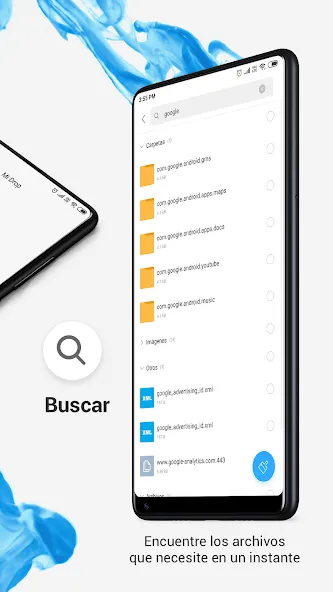
Global Search: Find files by entering keywords.
Broad File Format Support: Open videos, music, documents, APKs, and compressed files with a single tap.
File Compression: Compress and decompress ZIP/RAR files.
Batch Management: Select multiple files to perform actions on them simultaneously.
Multilingual Support: Includes Indonesian, Bengali, Chinese, English, Spanish, Portuguese, Russian, and Vietnamese.
Pros:
Manage your files and folders.
Clean, categorized interface.
Supports various cloud storage services.
Compatible with a wide range of file formats.
Easy to share files across different platforms.
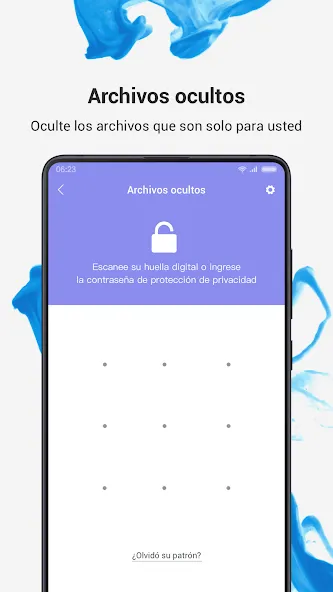
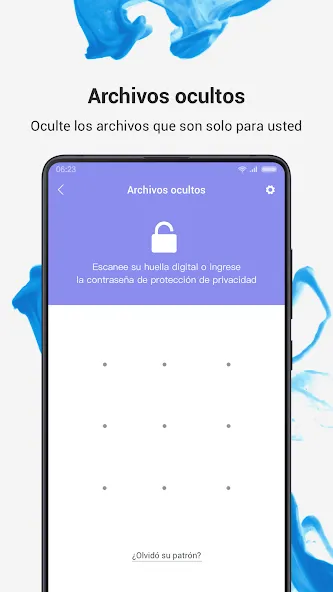
Offers multiple locking options to ensure file security and privacy.
Includes a built-in storage analyzer and cleaner.
Cons:
Files cannot be sorted in ascending or descending order.
Transfers may require a stable internet connection.
What file types does the File Manager support?
The File Manager supports a wide variety of file types, including documents, images, videos, audio files, and compressed archives, providing comprehensive file management capabilities.
Can I use the File Manager to access cloud storage services?
Yes, the file manager integrates with various cloud storage services, allowing users to access and manage files stored in the cloud directly from within the app.
Does the file manager consume a lot of power?
The file manager is designed for efficiency and optimized for minimal battery consumption, ensuring it does not significantly impact your device's battery life.
This is the best file manager I’ve ever used—even better than some paid alternatives. It includes some highly practical and unique tools, ads are optional, managing hidden files is fast, and the interface is extremely intuitive and easy to use. I’ve been using it for four years across three different Xiaomi phones; it has worked perfectly on all of them without a single issue. While I know some people have encountered problems, I suspect those are likely due to other factors (such as user error, configuration issues, etc.).
The file manager is excellent and well-organized, with a great feature for filtering files by type. Some people mention ads, but those are just the default settings—you can turn them off by going to "Settings > About > Recommendations" and simply unchecking the option. Hi Xiaomi! I’m very happy with your product :')
A fantastic app that makes it easy to find exactly what you’re looking for. The developers fixed a bug where ads would still appear even after the "Recommendations" feature was disabled. Without a doubt, this is the best file manager I’ve ever used.
Like all great things, this file manager just takes a little getting used to—once you grasp the "Xiaomi logic," you won’t be able to live without it. In fact, you might find it difficult to go back to any other file manager afterward! It’s truly excellent! Earlier today (Friday, June 21, 2024), I submitted feedback claiming that the app couldn't be "locked" [in the recent apps menu], but after resetting my phone, the lock feature started working perfectly... My apologies, that was my mistake!
If you’re looking for an excellent Android file manager that combines a clean, elegant interface with a rich set of features, I highly recommend downloading File Manager by Xiaomi. It’s a fantastic alternative to the default file management apps that come pre-installed on various Android devices.
Size:29.41MB Version:V1-250221
Requirements:Android Price:Free
Package Name:com.mi.android.globalFileexplorer Signature:d37df386a20031f4b6b80feab76fd8fa
Discover our File Management Apps hub! Here, you can explore essential tools like Google Drive for cloud storage, Dropbox for simple file sharing, and File Commander for managing files directly on your device. Easily organize and access your files across your phone, or tablet. Our platform is designed to help you quickly find reliable apps to streamline your digital file management.
Utility apps are indispensable in our lives, making our daily routines more convenient. To help you find these apps more easily, this site has created a collection. This collection brings together a series of practical tools covering various aspects of life, work, and education, meeting all your needs. What are you waiting for? Try these apps now and make your life easier!
Transform your mobile device into a powerhouse of efficiency with these handpicked essential tools. Whether you need professional-grade photo editing, seamless file organization, smart task management, or real-time weather updates, our curated selection of premium apps delivers unbeatable performance. Streamline your daily routine, automate repetitive tasks, and boost your productivity with intuitive interfaces and powerful features. Designed for both professionals and casual users, these editor-approved applications will revolutionize how you work and play. Don't settle for an ordinary phone - upgrade your digital experience today and unlock your device's full potential!
About us | Contact us | Privacy policy| DMCA
Copyright © 2026 Xiaohei All rights reserved.