Safe Gallery is a utility app designed specifically for photo security. The app offers robust hiding and encryption features, allowing users to set passwords to protect various types of private data. It supports PIN codes, pattern passwords, or fingerprint unlocking, further enhancing security. With Safe Gallery, users can move their photos, videos, and files out of the system gallery and into a private, encrypted space. This data can only be accessed by entering the correct password, providing an uncompromising privacy experience.
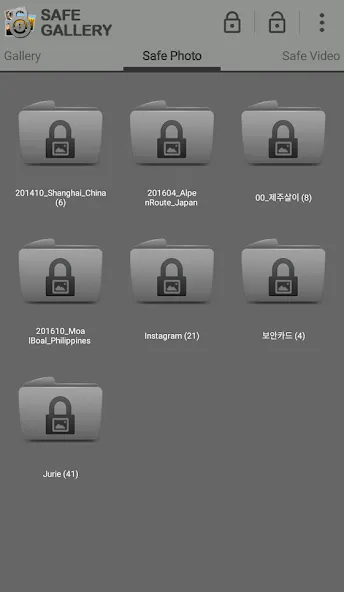
With Safe Gallery Free, you can choose exactly which pictures and videos you want to have password-protected, and which ones can remain unprotected.
That way, you can have all your images in normal galleries but keep a small, password-protected gallery with private content.
Safe Gallery Free is ideal if you're worried about people trying to see the images and videos on your smartphone.
It's also useful if you keep almost all your photos on an Android tablet or another similar device.
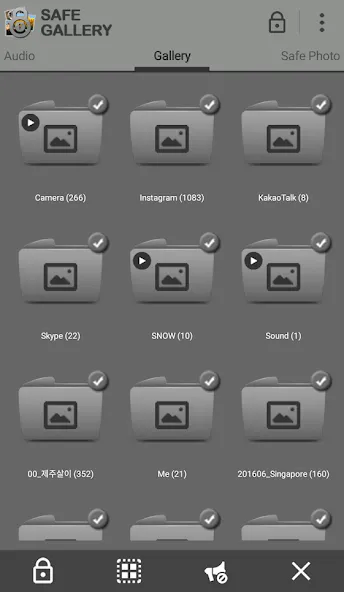
The primary function of Safe Gallery is to allow users to hide various file types, including images, videos, and documents like PDFs, Word files, and Excel sheets. Users can select the files they wish to conceal from their device’s gallery and simply click the hide button. Once hidden, these files will not be visible in the standard gallery app, providing a discreet way to manage sensitive data.
In addition to hiding files, Safe Gallery includes a feature for securely storing notes. This allows users to create secret notes within the app, functioning as a locked diary. The notes can only be accessed through the app, ensuring that personal reflections or sensitive information are kept confidential.
To protect user data, Safe Gallery requires a passcode for access. Upon the first launch of the app, users are prompted to set up a secret password and can also enable fingerprint authentication for added security. This dual-layer protection ensures that only authorized users can access the hidden files, making it a robust choice for those concerned about privacy.
An interesting aspect of Safe Gallery is the inclusion of a fake vault feature. This decoy vault presents an empty interface, making it appear as though no files are stored within the app. This can be particularly useful in situations where a user may need to demonstrate the app to someone else without revealing any hidden content.
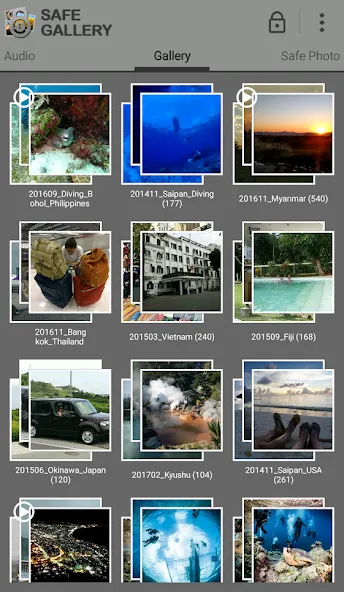
Be careful when deleting unlocked media files. If you do that, you will lost media files. Steps to recover it : Safe Gallery Reinstall > Setting > Lock Media Recovery
If you delete ".SafeGallery" folder in SDcard, locked files will be deleted.
If you choose "Clear data" menu(path : Settings > Applications manager > Safe Gallery (Free)), information of locked files will be deleted.
App which has function like cleaning up storage(ex. Clean Master) might be able to delete locked media, so do not delete any relative files of Safe Gallery while cleaning up your smartphone.
Do not forget to unlock and back up locked medias before upgrading firmware or formatting internal/external SDcard If not, all locked medias might be able to be deleted.
Before deleting Safe Gallery, do not forget to unlock all locked medias and then delete Safe Gallery. If not, all locked medias might be able to be deleted.
Please back up important locked media in extra storage. All locked medias might be able to be deleted in other Apps or outbreak situation.
Settings of app > Recovering media file : it can recover disappeared or invisible locked media files.
Pros
Protects sensitive media files from uninvited viewers.
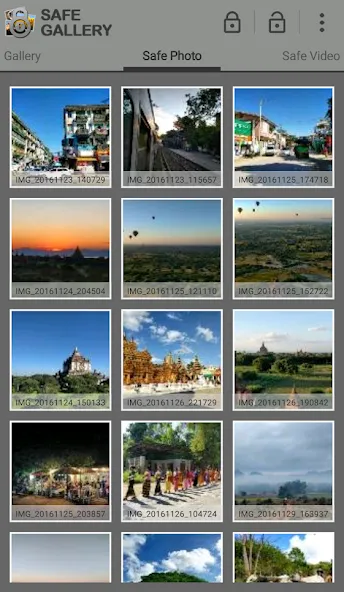
Allows users to select which videos, images, and audio files they wish to protect.
Once hidden in the app, our files will disappear from the library of our Android, and we can only access them through the unlocking of this tool.
Cons
Protected files may be lost if app is uninstalled without first removing password protection.
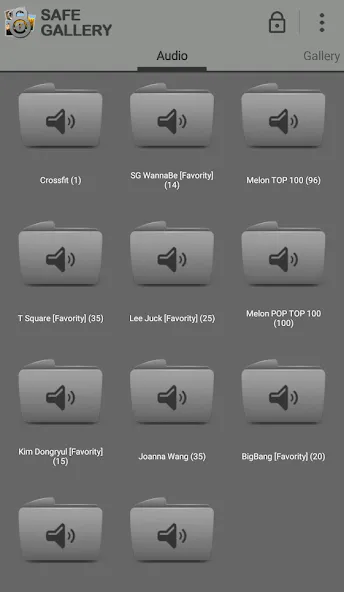
Lastly, this application is awesome because this is designed for free and you can easily download this on your device without the need to pay for monthly subscription. If you are enjoying all these features, you can go press the download button and let your friends know about this app.
Size:19.03MB Version:5.7.16
Requirements:Android 8.0+ Price:Free
Package Name:ukzzang.android.gallerylocklite Signature:cdbcfeb8480278917270139f99f62347
Transform your mobile device into a powerhouse of efficiency with these handpicked essential tools. Whether you need professional-grade photo editing, seamless file organization, smart task management, or real-time weather updates, our curated selection of premium apps delivers unbeatable performance. Streamline your daily routine, automate repetitive tasks, and boost your productivity with intuitive interfaces and powerful features. Designed for both professionals and casual users, these editor-approved applications will revolutionize how you work and play. Don't settle for an ordinary phone - upgrade your digital experience today and unlock your device's full potential!
With the development of mobile hardware and software, many practical tool software have emerged, covering a wide range of aspects and becoming a good helper for everyone in work and life. Today, the editor provides you with a list of useful tool software downloads. These tools are not particularly complex types, and after reading them, everyone can quickly learn how to use them. Proper use can bring great convenience to life and work.
About us | Contact us | Privacy policy| DMCA
Copyright © 2026 Xiaohei All rights reserved.