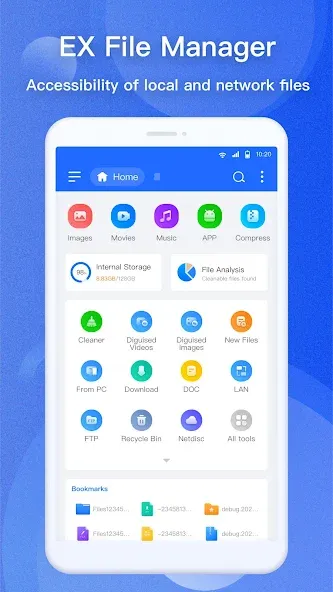
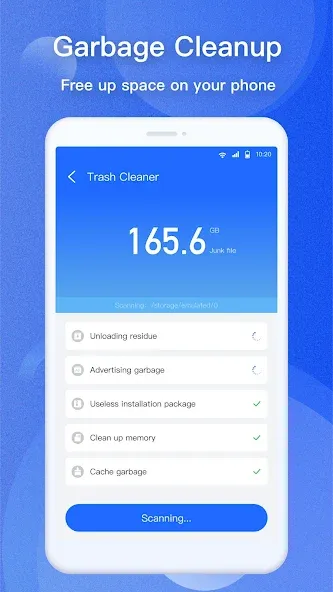
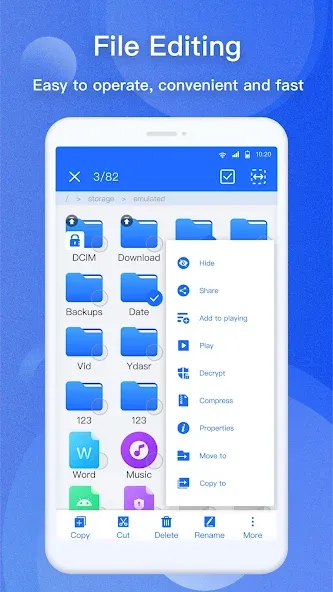
EX File Manager is a file management application designed for mobile devices. It allows users to locate specific files by filtering them based on criteria such as file type, date, or size. Beyond simply opening and importing files in various formats, the app enables users to edit and manage them—including moving, deleting, and renaming. It also supports file compression and decompression, making it easier to send and share files. Furthermore, the app can automatically identify duplicate files, allowing for quick and easy removal. For sensitive or private files, users can apply encryption to ensure their data remains secure.
Desktop-like Operations: The system helps you easily manage files with familiar operations. The interaction process is also diverse and focuses on convenience like on PC.
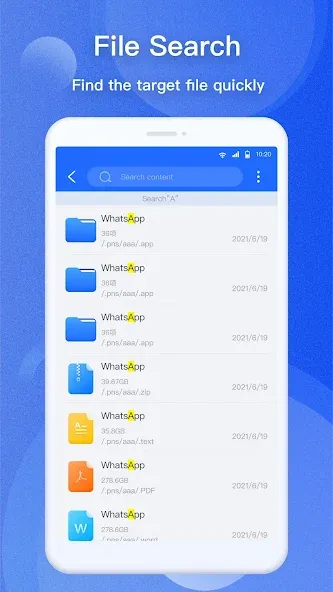
Efficient Organization: Instead of having to move through folders, users can take advantage of in-depth search. Specifically, try marking important files to find them faster.
Network Storage Support: Some file storage platforms through networks are also the target of the application. Of course, this shows the strength it possesses.
PC File Access: Once you have linked to files on your PC, accessing them is never difficult for you. Any user can take advantage of this feature because sometimes they forget a file.
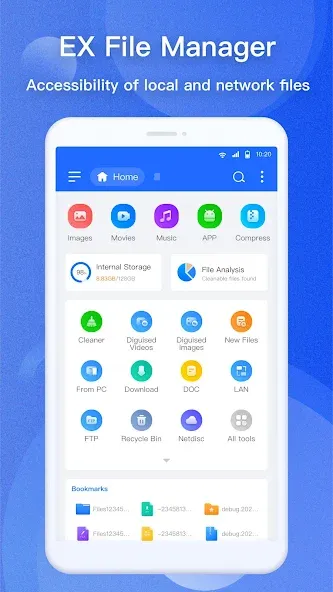
Instant Overview: As soon as you open the application, you will see an overview of the number of files. Of course, it can make you feel surprised by what is appearing and taking up your space.
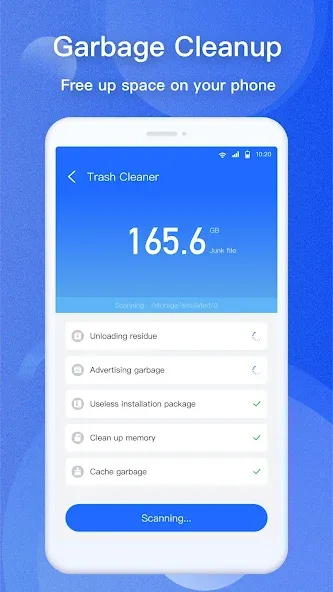
EX File Manager has a variety of features that simplify file and folder management. Users can perform various actions such as multi-select, cut, copy, paste, move, create, delete, rename, search, share, send, hide, create shortcuts, bookmark, etc. Users have full control over their file system when using this application, making for a highly organized and productive experience.
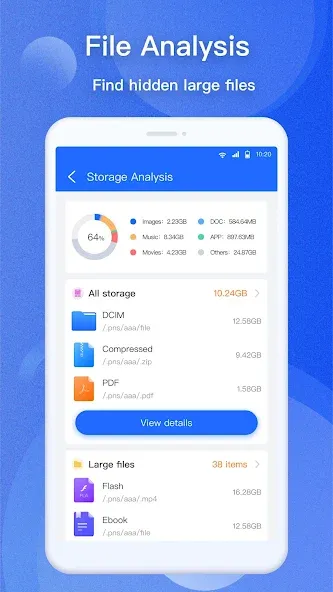
This amazing file manager provides a comprehensive disk analysis including information such as the amount of space used, large files, file categories, recently added files and folder sizes. In addition, it provides access to various cloud drives such as Google DriveTM, Dropbox, OneDrive, and Yandex, and can manage network storage using protocols such as FTP, FTPS, SFTP, and WebDAV. Users can easily manage their local and cloud storage files using EX File Manager.
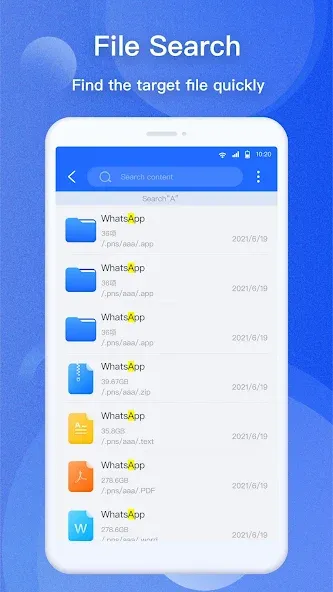
A tool that allows users to find their files almost instantly is built into EX File Manager. This feature is a very efficient file search. In addition, it is capable of compressing and decompressing file formats such as Zip, Rar, 7zip, and obb. Also, users can check APK files in ZIP format and work on ZIP files like normal folders.
This powerful file explorer allows users to view thumbnails of photos, videos, and other file formats, access files from their personal computers, create favorite folders, and bookmark certain files. Additionally, it facilitates file sharing via Bluetooth, email, and other features on supported devices.
This quick guide covers basic navigation and remote access so you can start managing files right away. It focuses on simple actions that work the same across local, cloud, and network storage.
Open EX File Manager, grant storage permission, and use the Home screen to view internal storage, SD card, and recent files.
Tap Cloud to add Google Drive, Dropbox, OneDrive, Yandex, Mega, or Nextcloud, then sign in to browse and manage files like local folders.
After that, open Network, choose SMB, FTP, SFTP, WebDAV, or HTTP, and enter server details to connect to your NAS or PC shares.
Then, use Disk Analysis to find large files and tap delete, move, or compress to free space without leaving the report view.
So, when you need to package files, select items, tap More, choose Compress to create ZIP or 7Z, or choose Encrypt to protect sensitive files.
It's currently 00:47 right now and I'm so happy I could pour cold water on anyone sleeping! It finally works! I can finally access the data files even without iAdb and Shizuku! I could literally not stop myself from grinning like a weirdo. With this, I can save data files and edit them without having to turn on developer mode which disables netflix download button. Thank you! May you be so successful in life to the point your money no longer fits in your wallet!
Very good, but I wish a content search feature had been added, so that searching wouldn't be limited to file names only, but would also include the content of text-based files.
Back in the day in the old Android Versions, this was THE file explorer. You could change even system files if you were clever enough – Now, it was locked a bit, because Android updated and launched Security Features, yet, it is still one of the best apps, and you cam bypass some Security features, allowing to at least copy files from the app's reserved storage. Very useful for games, to get savefiles, to get backups of se settings. – So, it is very useful indeed.
This is the best file managing app in the world it helps me in various ways also runs smoothly in most of the devices I'm using this app around 6 months there is no bug or any issues I suggest peoples to use this it helps me a lot thank you to the developers and others who made this this app is very wonderful I was struggling using other apps but when this app came in my phone my phone runs smooth exporting and importing are easier installing apps is also easy it scans viruses and many others.
Explore a range of features including disk analysis, allowing you to analyze your space usage, identify large files, view file categories, monitor recent files, and assess folder sizes. Additionally, EX File Manager enables seamless access to cloud drives such as Google Drive, Dropbox, OneDrive, and Yandex.
Size:54.93MB Version:1.6.2
Requirements:Android Price:Free
Package Name:com.ace.ex.file.manager Signature:4633621f0ff2825a36b091417b725dda
Utility apps are indispensable in our lives, making our daily routines more convenient. To help you find these apps more easily, this site has created a collection. This collection brings together a series of practical tools covering various aspects of life, work, and education, meeting all your needs. What are you waiting for? Try these apps now and make your life easier!
With the development of mobile hardware and software, many practical tool software have emerged, covering a wide range of aspects and becoming a good helper for everyone in work and life. Today, the editor provides you with a list of useful tool software downloads. These tools are not particularly complex types, and after reading them, everyone can quickly learn how to use them. Proper use can bring great convenience to life and work.
About us | Contact us | Privacy policy| DMCA
Copyright © 2026 Xiaohei All rights reserved.