Notein is an excellent note-taking application. It boasts a wealth of features and a user-friendly interface, allowing users to quickly get started and use it, helping you record your thoughts more efficiently. With Notein, you can create various types of information quickly and conveniently with just a tap. Furthermore, if you accidentally delete an important tag, you can find it in the recycle bin; it won't be immediately deleted. Whether you're a student or a working professional, this application can meet your needs, ensuring you don't forget important events. Click to download and experience it now!
With Notein, you’ll feel the difference in every stroke. The app offers a seamless handwriting experience with low latency and natural brush effects, making your writing feel just like on real paper. Whether you’re jotting down important ideas or creating artistic sketches, Notein supports you with precise, smooth handwriting that enhances both creativity and productivity.
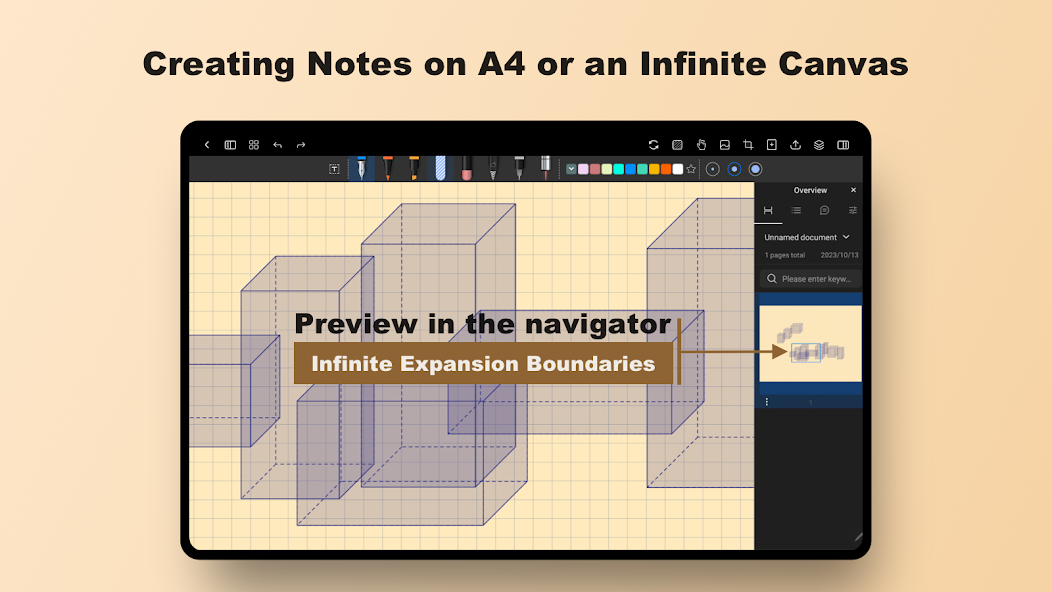
One of Notein’s standout features is its flexible workspace. You can choose between traditional paper sizes like A4 or explore the unlimited canvas. The infinite canvas is especially useful for those who need a free space to sketch or write without being restricted by the size of the paper. This allows you to express creativity and organize your thoughts optimally, especially when working on big ideas or flexible projects.
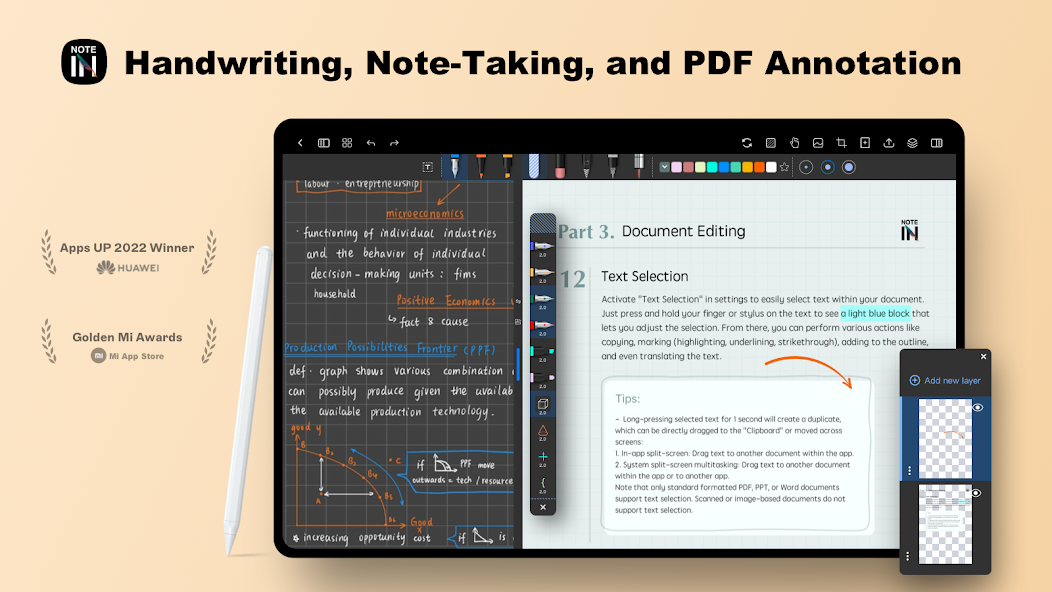
Managing documents is easier than ever with Notein. The app lets you edit and annotate PDFs, so you can highlight key points, add notes, and even search through long documents quickly. This editing feature is incredibly helpful for people who work with multiple documents at once, allowing them to organize and capture information from various files more effectively.
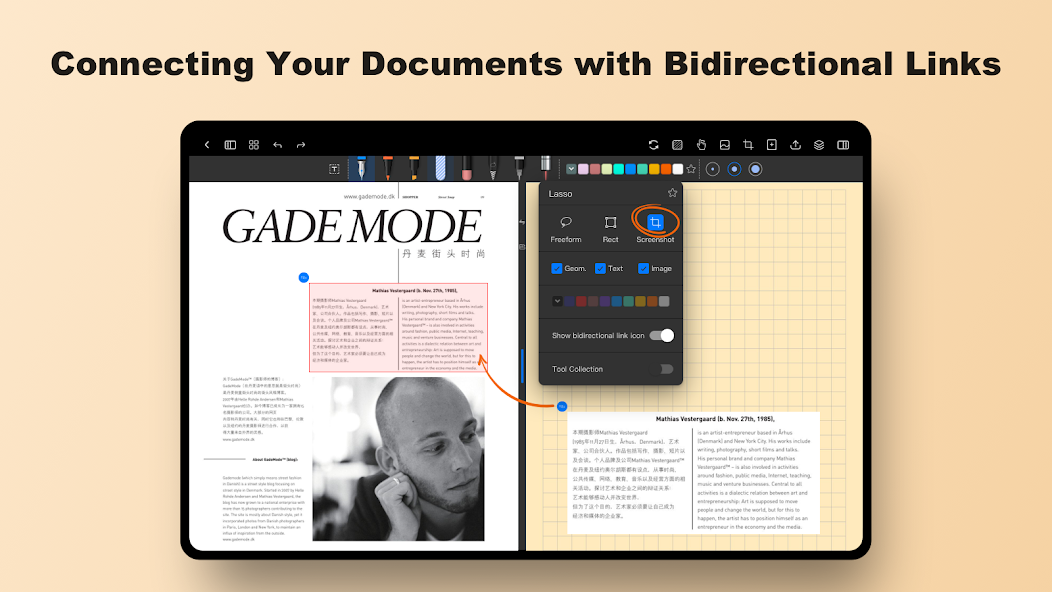
Notein is more than just a note-taking tool; it’s a powerful assistant for knowledge management. The app allows you to create two-way links between your notes and documents. This means you can easily connect related ideas and information, creating a useful knowledge network. For learners and creative professionals, this feature optimizes thinking and note-taking, making it easier to remember and access information quickly.
Notein offers cloud sync capabilities, allowing you to keep your notes updated across all your devices. You can access your notes from anywhere simply by logging into your Google Drive or OneDrive account. This feature not only keeps your information secure but also provides maximum convenience when managing work or study on the go. There’s no need to worry about losing data—every change is stored safely and can be accessed from any device.
Experiment with Different Tools: Explore the various features of Notein, such as drawing tools and presentation design, to fully utilize its capabilities and enhance your note-taking experience.
Organize Your Notes: Create separate boxes for different types of information, such as websites or translations, to keep your notes organized and easily accessible.
Collaborate with Others: Share your notes and designs with colleagues or classmates using Notein, allowing for collaborative work and feedback on projects.
Use for design
You can use this application to design ideas for buildings or objects. It can help you draw precise shapes. It enables you to combine these shapes. Calculate all the necessary indicators to be able to build it. We can also make the parts separately. You are easily applied to graphic design from basic to advanced. There is no need to use bulky PCs. Instead, we can freely express our ideas right here. You must have certain connections to apply this unique tool well.
Infinite canvas
Designing presentations is part of important daily tasks. It helps us put our ideas into practice. Help people understand the concepts we want to present. The design right here will simplify all the work. It contains full conditions that are not inferior to other presentation tools. Supports users to complete products faster. No more finding ways to link tools together. We can complete the development and move it to any other device at high speed after editing everything there.
Change style
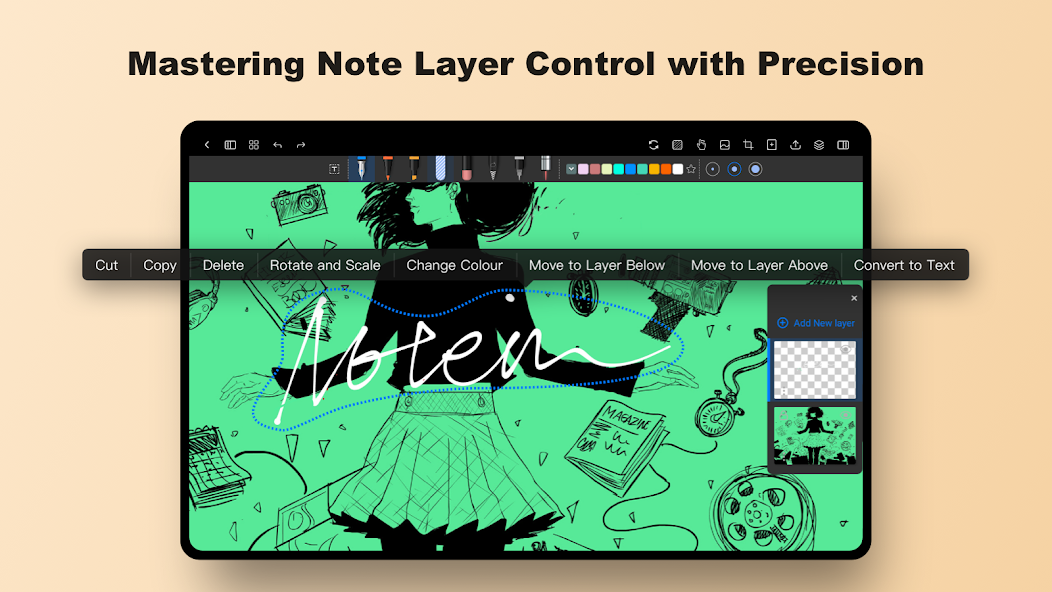
You can change quite a lot of things using this tool. First of all, it is possible to change the formats according to different frequently used pen styles. Each type of pen will produce its particular kind of strokes. We can even change the color of the pen strokes. It helps you store information and mark it up more quickly. There is no need to find a way to classify this type of information anymore. We can soon delete erroneous notes. Flexibly enlarge or reduce font size. You can even combine input information with the keyboard without making any changes.
Added page rotation feature
Maximum zoom level increased to 1600%
Create desktop shortcuts for notes and folders
Improved PDF export, now supports exporting annotations
Pixel eraser now supports more shapes (line, curve, rectangle, triangle, circle, ellipse, hexagon, star, heart)
Fixed issue where AI Assistant language differed from app language
Other bug fixes and performance improvements
Notein is a versatile note-taking application that offers a range of attractive features, including versatile note-taking abilities, handwriting capabilities, customizable note boards, and design and drawing features. By utilizing the app's playing tips, users can optimize their note-taking experience and enhance their productivity. Whether designing buildings, objects, or presentations, Notein provides the tools needed to bring ideas to life efficiently and creatively. Download Notein now to revolutionize your note-taking process and unlock new levels of creativity and productivity.
Size:169MB Version:1.2.719.0
Requirements:Android Votes:397
Office Apps is a comprehensive and user - friendly platform that aggregates a wide array of office - related applications, catering to the diverse needs of modern professionals, students, and anyone who engages in office - based tasks. Whether you're working on a crucial business project, preparing academic papers, or handling daily administrative work, this aggregation page serves as your one - stop - shop.
About us | Contact us | Privacy policy| DMCA
Copyright © 2026 Xiaohei All rights reserved.