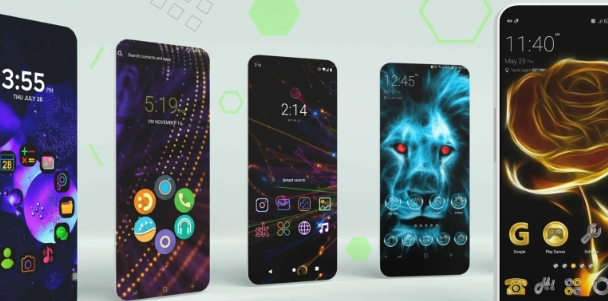
KWGT Kustom Widget Maker is a user-friendly widget creation tool that provides users with a range of text styles, images, layer images, and various dynamic data and functions to help them create their own unique widgets from scratch. The software also includes built-in widgets such as photos, weather, clocks, and battery levels, which can be easily added to your device with a simple click. Furthermore, the software tracks the user's lifestyle and health in real time through these widgets, providing corresponding analysis to help users develop healthy habits.
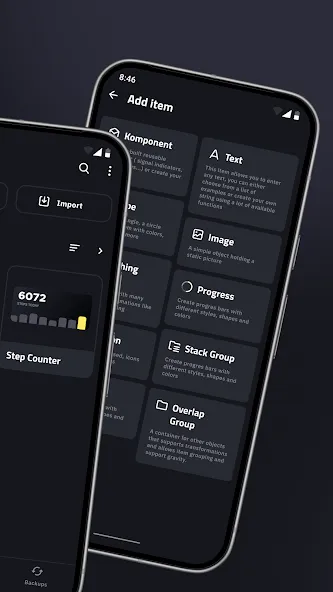
Advanced Visual Customization Engine: The core of this platform lies in its sophisticated WYSIWYG editor, which provides a layer-based environment similar to high-end graphic design software. Users can manipulate shapes, text, and images with pixel-perfect precision to create unique visual hierarchies on their home screens. Whether you are aiming for a minimalist aesthetic or a data-heavy dashboard, the editor handles gradients, shadows, and complex transformations effortlessly. This flexibility ensures that every element feels integrated and professional rather than like a generic third-party add-on.
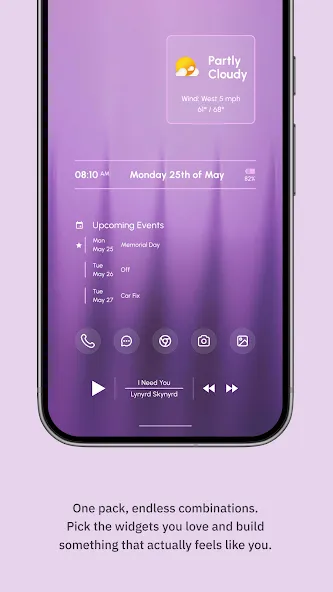
Real Time Data Integration: Beyond mere aesthetics, this solution excels at pulling live information from various system sources and web APIs to keep your widgets updated. You can easily display live battery stats, upcoming calendar events, or even CPU usage metrics directly on your wallpaper. Integrating external data like RSS feeds or astronomical information turns a simple clock into a comprehensive information hub. This capability ensures that your personalized creations are not just beautiful to look at but also serve as functional tools for navigating your digital life.
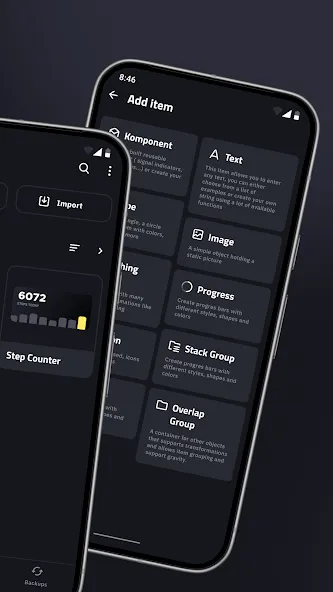
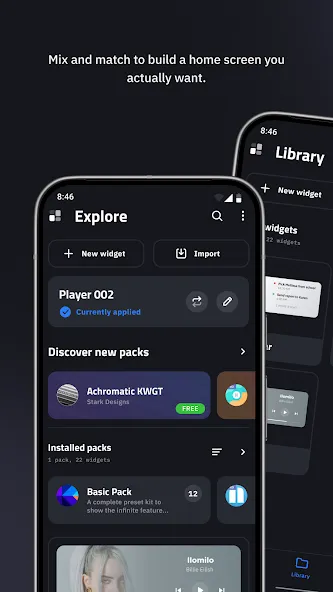
Expansive User Preset Library: One of the most compelling aspects of using KWGT Kustom Widget Maker is the massive ecosystem of pre-designed themes available through various marketplaces and online forums. Beginners can jumpstart their customization journey by importing Komponents created by professional designers, which can then be tweaked to fit specific needs. This community-driven approach means you never have to start from scratch if you find the blank canvas intimidating. Exploring these shared creations often reveals innovative ways to utilize the tool’s deep logic and animation features.
Powerful Formula Based Logic: For those who want to push boundaries, the tool incorporates a robust scripting language that uses simple formulas to automate changes based on specific conditions. You can program a widget to change its color based on the time of day or hide certain elements when no music is playing. This level of automation brings a sense of intelligence to the Android interface, making it react dynamically to your environment and habits. Mastering these functions allows for a truly smart home screen that anticipates your needs without manual input.
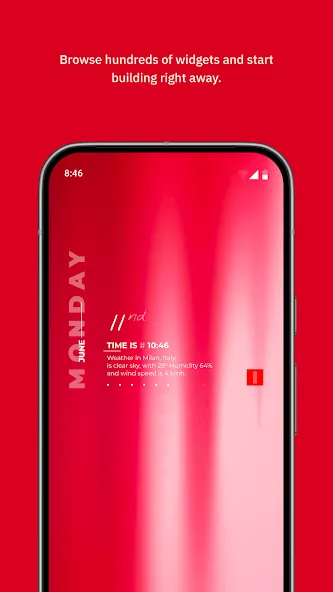
KWGT is not limited to clocks and weather, although it handles both very well. The app is designed to support a wide variety of widget styles, including:
Aesthetic and photo-based widgets that fit a specific home screen theme.
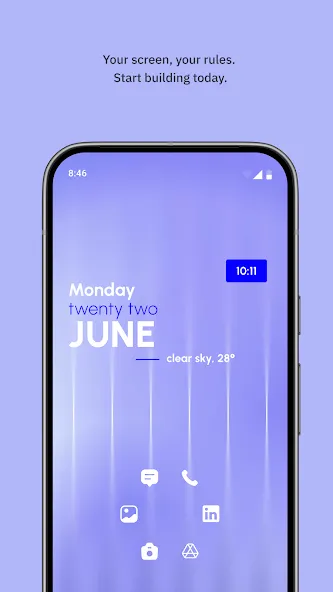
Detailed weather widgets using multiple providers, with information such as wind chill and “feels like” temperature.
Custom digital and analog clocks, including options like world time or sunrise and sunset displays.
System monitors that show battery levels, memory usage, and CPU speed.
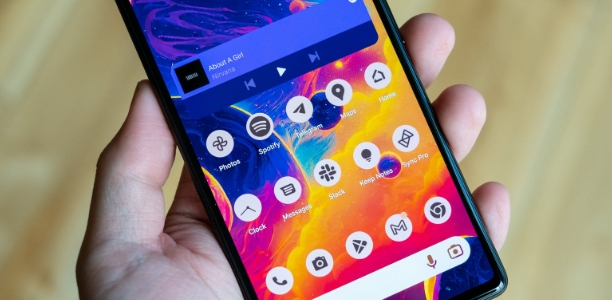
Music widgets with track title, album information, and cover art.
Fitness and calendar widgets that pull data from Google Fit (steps, calories, distance) and upcoming calendar events.
Behind the scenes, KWGT can access an extensive set of device and environment data. You can display values such as date and time, battery estimates, Wi-Fi status, traffic information, the next alarm, location, and even moving speed. This depth lets you combine aesthetics with truly useful information.
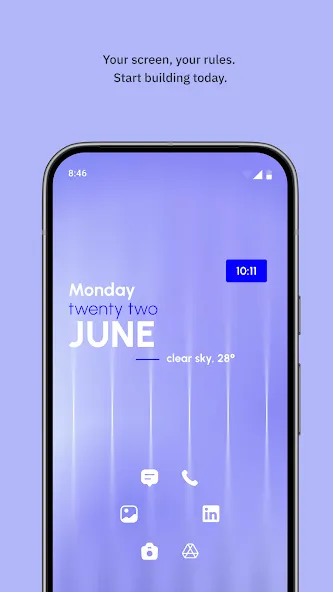
One of the best widget apps on the store once you realise how to use it. I recommend just experimenting a lot with it, or trying to edit an already exsiting skin. The interface is definitely very old school, but honestly that just helped me learn how to use it. There are multiple free widget packs that you can install and use! ZERO ADS!!!
the app doesn't use up a lot of spaces and can also make your background look and feel way better than the ordinary default one, and even if you paid for more, it would be ugly and non-compatible for some. This app solves all that. 5 stars no drama and deserved 100%.
It does as advertised, and it does it well. Used it to rice my home screen, which it is great for. There are a ton of icons to choose from, and the click actions seem to work very well. Free version is completely usable and functional, and the paid version ads importing widgets. And it is not Foss. Sadly, there isn't a good Foss alternative that has the sheer versatility.
Awesome app, my home screen looks amazing. I have the widgets I want, showing information such as calendar events and start times automatically pulling from my calendar. But it's not just that, I picked out of hundreds of fonts, I can dial in the spacing and position of everything exactly how I want. I picked the colors, the fade, the glow, the gradual radiant, the lines, the everything. It also enabled shortcuts for when I click certain pieces of the widget.
I'm a total novice but I find it to be very intuitive, and totally worth the register price. I've been using widget packs I've found here on the Play store and loving all the creative styles. I taught myself how to make little tweaks like fonts and stuff like that. Super easy! Last week I made my first widget and it actually turned out kind of cool, I'm so proud of myself it's ridiculous.
How KWGT Kustom Widget Maker compares to Kustom Wallpaper?
KLWP is a live wallpaper and as such has some advantages like very fast updates, animations and is Launcher indipendent, KWGT on the other hand might be used with other Live Wallpapers, in lock screen apps and on Launchers that do not support LWPs (like Buzz). So it’s really up to you, if you want to theme your entire screen probably KLWP is the best option, if you just need a small clock then you should check KWGT out. And, off course, you can use them both together if you like!
Can i use my own fonts?
Sure! In your SD card you should find a directory called Kustom with a folder named “fonts” inside, put your ttf/otf items there, they will then be listed in the editor.
Someone sent me a file in “.kwgt” or “.kwgt.zip” format, where do i put it?
Just press “Load Preset”, then the “folder” button on top menu, then select “Import” from the options. If you want to do that manually or from PC you need to copy the file as it is (without decompressing) in the SD card under “Kustom/widgets/” directory, the directory should already be there. Once copied the widgets will show up in the “sd card” section when pressing “load preset” from the main settings. Please always ensure that the zip file is not corrupted and that the extension has not been changed (it has to be “.kwgt.zip” or “.kwgt”, both are the same)
How can i make the widget fill the entire screen width?
By default Android introduces some padding for the widgets so this is not possible with the standard Launcher, if you have Nova you need to remove widget padding in the settings and then long press on the widget and select the option “padding” from the popup, this will remove the padding from the Widget.
Installed PlayStore / APK Packs are not showing up in the “installed” list?
This usually happens when some optimization app is trying to block the skin packages to provide files to Kustom, to fix this you need to whitelist the skin packs from any of those apps. For example Purify and Greenify are known to cause this issue and you need to specifically disable what they call “deep hibernation” to solve this. On Samsung the tool called Smart Management has also been reported to cause problems. On Huawei you must activate skin APKs by going into “Phone manager / Automatic Start / Secondary Activation Management” and activate the packages.
KWGT Kustom Widget Maker is a utility application with convenient features brought to you. Coming to this application, your phone will be easier to use and become much more versatile. Not only that, the application also allows you to turn these utilities into interesting decorative items to beautify your phone, giving your phone a unique and more stylish appearance.
Size:82.02MB Version:3.82b621115
Requirements:Android Votes:491
Package Name:org.kustom.widget Signature:2f69db1d13da77c15e2b494a6c23cf4a
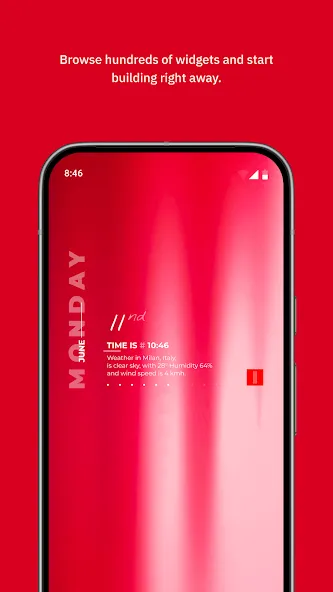
Staring at the same wallpaper on a phone or tablet gets very boring, but who wants to spend hours scrolling through Google Images or old photos to find the perfect background? With the plethora of free wallpaper apps available to Android users on the Google Play Store, there's no need to waste time endlessly searching anymore. These customizable apps include more wallpaper options than one person could ever need in their lifetime. Some offer live wallpapers, while others give users the option to automatically switch backgrounds without doing anything.
Elevate your mobile experience with an endless stream of high-quality wallpapers - all completely free! Discover breathtaking nature scenes, sleek minimalist designs, vibrant abstract art, and more from the world’s best wallpaper apps. These handpicked collections feature daily updates with fresh, eye-catching designs crafted by talented artists across the globe. Whether you prefer serene landscapes, bold patterns, or trending aesthetics, you’ll find the perfect backdrop to match your style. Give your device a personal touch and enjoy a new visual treat every day - no subscriptions, no fees, just endless inspiration. Download now and transform your screen!
The Ultra HD Wallpaper app allows you to find a wide range of clear wallpapers, which can be displayed with great clarity on any phone screen. You no longer have to worry about unclear wallpapers when changing devices. Today, the editor has compiled a complete app for ultra HD wallpapers, which you can choose and use according to your own needs. Generally, wallpapers are classified in great detail within software, and you can find wallpapers of any style you like. At the same time, there are super rich dynamic wallpapers for you to choose from, using cool wallpapers to make your phone desktop and lock screen stand out. Friends who like to collect ultra high definition wallpapers, welcome to download related software and experience it on this website!
About us | Contact us | Privacy policy| DMCA
Copyright © 2026 Xiaohei All rights reserved.