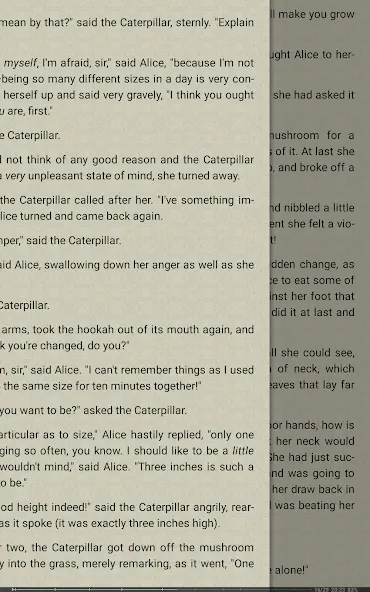
FBReader is a lightweight novel reading software that allows users to freely import various texts and comics. The software not only includes a built-in dictionary and search function for easy lookup of word meanings, but also automatically records the user's reading history, making it convenient to log in and read on different devices. During reading, users can customize font styles and reading backgrounds, as well as adjust screen brightness and gesture controls for a comfortable reading environment. Furthermore, it is specifically optimized for e-ink screens, providing users with a more comfortable reading experience.
One of the primary characteristics of FBReader is its ability to utilize external TrueType and OpenType fonts. This allows users to personalize their reading experience by choosing the fonts that best suit their style. Additionally, the app permits customization of backgrounds, enabling readers to create an environment that enhances their enjoyment. The app also includes a brightness adjustment feature; users can slide their fingers up or down along the left edge of the screen to modify the screen brightness while reading.
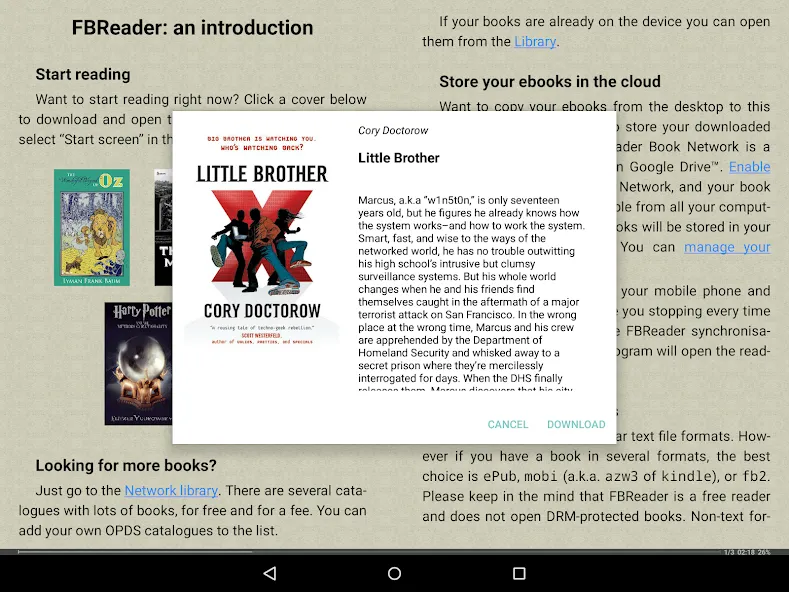
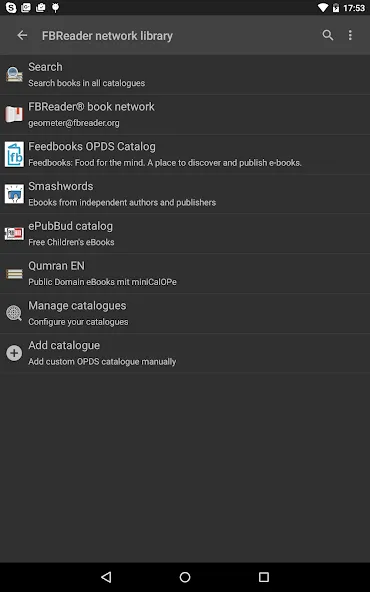
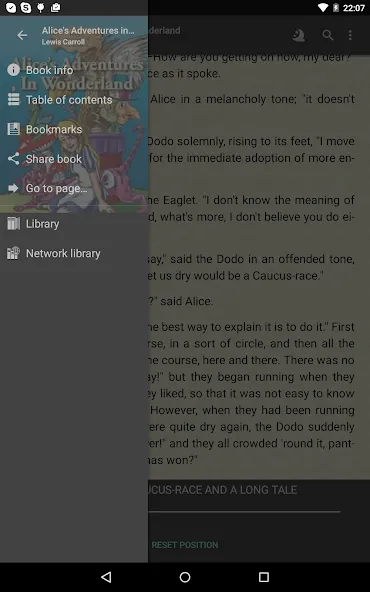
FBReader includes an integrated browser and downloader, making it easy to access various network ebook catalogs and stores. The app supports custom OPDS catalogs, allowing users to add their preferred sources for ebooks. For those who prefer a more manual approach, users can download books directly and save them in the "Books" folder on their devices.
Localization is another feature of FBReader, as it is available in 34 languages. This extensive language support makes it accessible to a global audience. The app also includes hyphenation patterns for 24 languages, further enhancing the reading experience for users in different linguistic contexts.
FBReader is capable of opening both DRM-free ebooks and those protected with Readium LCP. This flexibility ensures that users have access to a wide array of reading materials without being limited by copyright restrictions. In addition to the primary ebook formats, the app also supports comic book formats such as CBZ and CBR, as well as RTF, DOC (MS Word), HTML, and plain text files.
For readers looking to improve their language skills or understand foreign texts, FBReader features dictionary integration. This functionality allows users to look up words or phrases, providing access to a variety of external dictionaries. This is particularly useful for language learners or those reading in a language that is not their native tongue.
I coouldn't possibly rate this app as highly as it deserves. It's been a fantastic companion over the past 12-15 years (I don't remember exactly when I started using it). It's been with me for as lng as I've had a smartphone, and I hope that never changes. Incredibly light, customizable, and useful - particularly for .epub files, in my case. It's not a naturalborn .pdf reader, and that shows. But if you ever want to read an ebook on any device, do yourself a favour and pick FBReader for it.
Experience with this app is similar to an experience with ebook device. One can select day or night mode, custom background to resemble paper, slide gesture to change backlight intensity from within an app, and more. It opens many formats. It builds library from files stored in defined folders. It just lacks e-paper display to be real ebook reader! I've been using it for 4 years and now with a new phone. Ads are unobtrusive, they don't appear while reading. Totally recommended.
TTS should be available for pdf files in the premium version. Also, I do not like that when I open the app it launches to the book I last read. I prefer it takes me to the library directly. I've checked for this in the settings but it's not there. Please make it available. Nevertheless, it's one of the best reader app I've ever used.
Tried all the others, then tried FBReader & uninstalled the rest. What makes FBReader so amazing? It handles both ePub & mobi formats, so I'm not stuck converting everything to ePUB. And, altho I wasn't looking for it, the slick way it integrates Ivonna's FREE Text-to-Speech App & turns my eBook into an audio book I can listen to over my car stereo while driving - well, that is just awesome! Try it, you'll love it too!
If I purchase FBReader Premium, do I pay once? Or is it a subscription?
You pay once and have access to the Premium for unlimited time. Please note that the purchase is per Google/Huawei account. If you change the account, your purchase cannot be transferred, sorry.
I want to use FBReader on several Android devices. Do I need to buy the Premium version for each device separately?
You don't need to pay twice. The purchase is per Google/Huawei account. You can use the app on any number of devices linked to the same account. And yes, you can use it on several devices simultaneously.
How do I install purchased FBReader Premium on a new device?
Open the Google Play (or the AppGallery) app, look for “FBReader Premium”, and click the “Install” button.
Does FBReader support automatic reading aloud on my device?
As for today, FBReader includes automatic reading aloud only on Android and only in the Premium version. We are working to implement the feature on iOS and in the desktop version.
Is any book file suitable for reading aloud in FBReader Premium?
Unfortunately, no. As for today, the reading aloud is only implemented for “text” formats. This means PDF, DjVu, and comic books do not suit. We plan to implement the feature soon, at least for PDFs.
Can I add/change a voice for reading aloud?
FBReader has no own speech generator. Instead, it uses text-to-speech engines installed in the system.On Android, you can install different engines and voices. Some of them are free; some others have to be purchased. Look to the system text-to-speech settings and for engines in your software store.
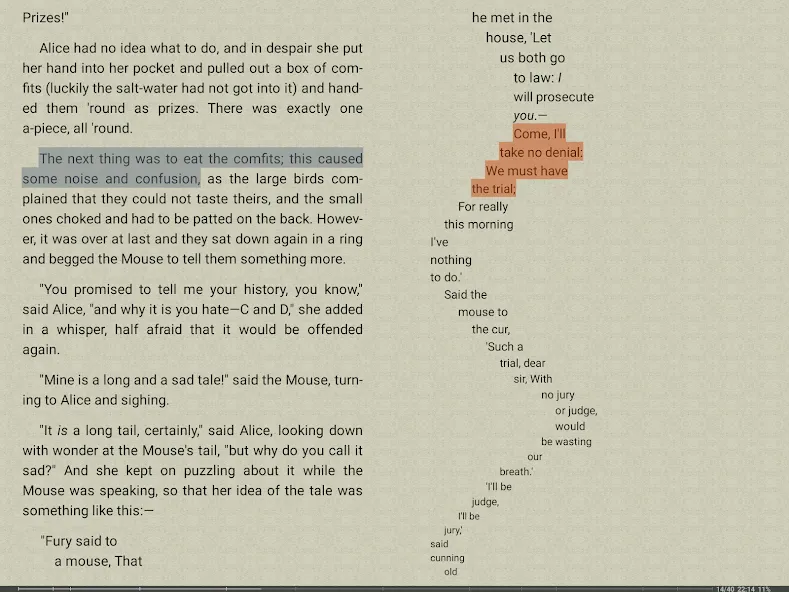
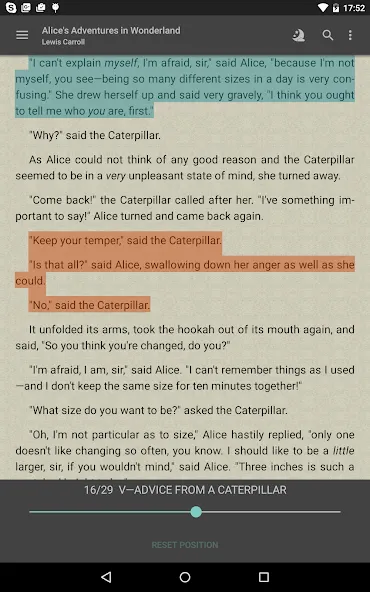
Users can make notes directly on the text or mark it with any color they like when they are impressed by many works. The FBReader system allows you to save it easily in your folder to access your important notes. You can use this extremely useful feature in your future writing sessions. The app allows you to create your literary world freely. Users can contribute to the composition and spread the positive aspects of their work to others. The more you interact, the more new features we support in the feed.
Size:29.62MB Version:1.0.1
Requirements:Android 4.1+ Votes:214
Package Name:com.adx.read.ebook Signature:59172d5340dca07583952d6def4b6a39
If you’re like many parents, teaching your child to read and searching for the best reading programs for kids can feel overwhelming. Maybe you’ve tried several different programs, only to find that your child still isn’t connecting with the material. Or worse, perhaps your child is frustrated and wants to give up entirely. It’s hard to know what’s right when so much advice is out there. Luckily, our program is here to simplify the process for you and make learning to read more enjoyable for your child. We’re here to guide you on how to teach a child to read and give your child A Good Start.
Defining what makes a game truly excellent is a subjective matter, as each player has their own criteria for what they value most. However, one undeniable factor that brings a game closer to excellence is a unique and captivating storyline. A well-crafted narrative has the power to engage the player on a deeper emotional level, stirring their soul and leaving a lasting impact. Such a storyline can evoke strong feelings, make the player reflect on the experience, and create a bond that enhances the overall gaming journey. In essence, a game with a compelling story can transcend mere entertainment and become a truly memorable experience.
Explore our carefully selected range of reading applications, crafted to transform your digital reading experience. Whether you prefer distraction-free e-book readers, dynamic audiobook platforms, or interactive fiction apps, our recommendations cover every reading style. Enjoy intuitive interfaces, customizable settings, and vast libraries spanning timeless classics, contemporary bestsellers, and educational texts. Dive deeper into stories with advanced features like annotation tools, cross-device syncing, and adaptive reading modes. Elevate your literary journey with the finest reading software of 2024-where technology meets the joy of reading.
About us | Contact us | Privacy policy| DMCA
Copyright © 2026 Xiaohei All rights reserved.