GPS Fake Location Toolkit is a powerful navigation utility. It features a gravity-sensing mode that simulates movement based on the tilting of your phone. You can pinpoint a location by entering coordinates directly onto the map. The app allows for route simulation, including options for single-trip or repeated loop movements, and supports the import and export of various file formats. It runs in the background, ensuring continuous operation even when you switch to other applications, and requires no root access. With its simple, user-friendly interface, the app is easy to master, enabling you to modify locations and perform check-ins at specific spots.
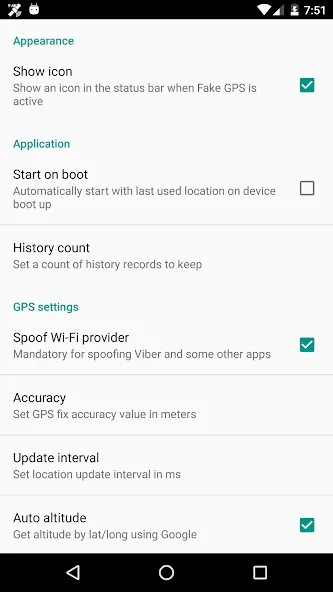
G-Sensor Mode move around by tilting your smartphone
The location can be chosen on a map or via GPS coordinates
Teleport and movement-function (Simulation of smartphone-movement with arbitrary speed)
Routes (routes can be easily created and either “walked” once or repeatedly)
Randomized positions
Save, load, import or export positions and routes
Background-service (the process of moving occurs in the background, even if another app is active)
Works as a normal app without root-rights (mock positions in developing options activated) or as system-app without the developer-option or as xposed app if you have installed the xposed framework (which is recommended).
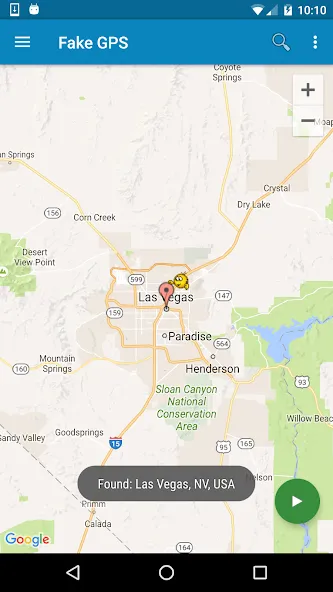
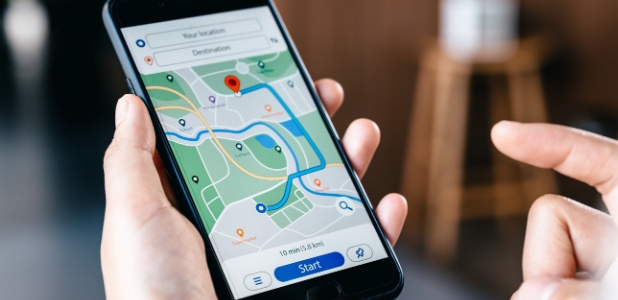
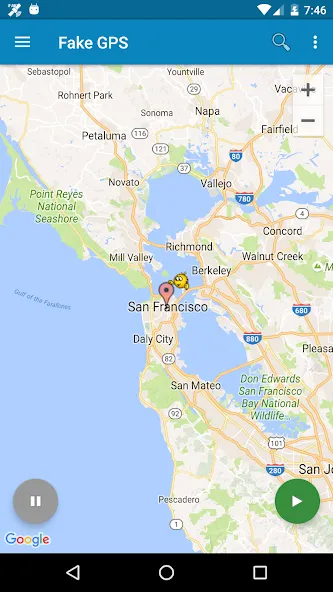
The first thing you will have to do when you open the app will be to find the exact location where you will place yourself. GPS Fake Location Toolkit is a very precise tool, so it is advisable to enlarge the map if you want to locate yourself in a particular area of a specific site. Once you have found the perfect location, you will have to tap the option to activate the false site, and automatically your device will be found there, even if you are in another area.
Once you have activated your fictitious location, you will remain in that area until you indicate otherwise. So all you have to do is reopen GPS Fake Location Toolkit and click on the "Stop" button. Once you have stopped using this location, it will be automatically saved so that you can position yourself right there without having to search for the exact spot you were at.
Pros
Clear purpose as a mock GPS tool for testing or basic location switching
Map-based selection with simple start and stop controls
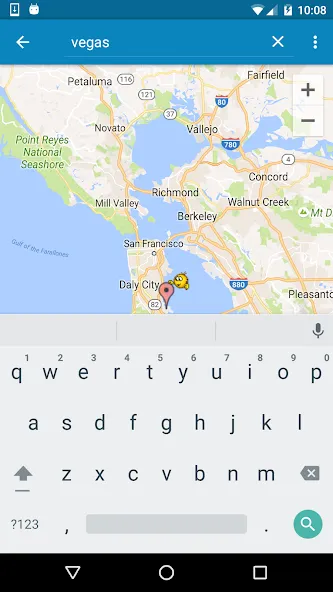
Location search for faster navigation to a chosen place
Built around Android mock locations, aligning with common developer workflows
Cons
Not universally compatible, some apps may not accept mocked coordinates
Game-related risk, the app warns some games may penalize location spoofing
This app works great for what I need! one thing I'd change is to be able to search a specific address, city or location.. Instead, it takes me to a zoomed in map elsewhere in the state where I then have to zoom out a bunch, find where I need to go, and zoom into it. luckily I'm familiar with the areas I need but if I wasn't, it'd be less convenient to use. I thought I used to be able to search locations when I first was using it a couple years ago, not sure if it changed or I remember wrong.
Works awesome my company uses a app for clock in and out with a geo fence at job location. Just curious if it would work. So im at home and was able to clock in at work 25 miles away normally need to be within a city block. And I guess if you were a cheater and girlfriend had a tracking app on your phone you can adjust your local. Nice job guys
Great! App works as described.. helped me gauge distances for a car accident case I am filing.. by being able to adjust my coordinates, I was able to dial in with a high level of accuracy the time needed for the vehicle to stop and the distance it had to as well as the distance it takes to stop. Very useful app. As long as you have purposes for it.... It's a very worthwhile app
To summarize, GPS Fake Location Toolkit does what it's supposed to, and it does it relatively well. It's straightforward to use and offers some nice extra options like ISP spoofing, as well. That said, the aforementioned bug will give some users pause, despite a workaround. Now, if you don't mind that, it's still worth checking out. Just know there are other options out there.
Size:6.88MB Version:3.673
Requirements:Android 2.3.3+ Votes:126
Package Name:com.fakegps.mock Signature:6fb654e0d6515161f678446a15c5eaa7
These must-have travel apps bring global adventures to your phone, making trip planning effortless and budget-friendly. Compare flights and hotels in seconds, access offline maps and expert city guides, or master key phrases in foreign languages. Read authentic tips from locals to uncover hidden gems before you arrive. Whether you're dreaming up future journeys or navigating current travels, these tools transform wanderlust into reality. With exclusive free premium features, your digital passport to discovery is ready - download now and let your next unforgettable journey begin!
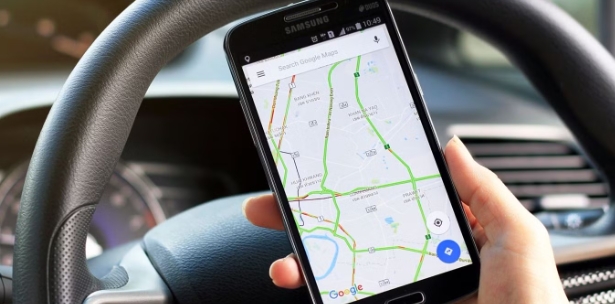
Nowadays, with the popularity of smartphones, navigation software has become an essential tool for people's travel. Among numerous Android mobile navigation software, some are highly regarded for providing users with convenient navigation services. These software not only have accurate positioning functions, but also can update road condition information in real time, providing users with the best driving route. At the same time, they also offer multiple travel options such as walking, public transportation, self driving, etc., and can intelligently plan routes based on user needs. In addition, these navigation software also have voice navigation function, making it convenient for users to obtain navigation guidance at any time while driving. In short, Android mobile navigation software can provide users with comprehensive route planning services, making travel more convenient and safe.
Accurate navigation software can not only help users quickly find their destination, but also assist customers in obtaining real-time traffic information and avoiding congested roads. So which navigation software is the most accurate? In order to help netizens better choose the most accurate navigation software, the editor has compiled a ranking list of navigation apps. Through these navigation apps, users can easily access practical information such as gas stations, restaurants, and parking around their destination, making it easier to plan their daily travel plans. At the same time, these navigation apps also provide accurate route planning and navigation services, allowing users to rely on them with confidence to complete accurate navigation.
About us | Contact us | Privacy policy| DMCA
Copyright © 2026 Xiaohei All rights reserved.