DroidVPN is a network proxy application designed for mobile devices. With just a simple tap, users can bypass geographical restrictions to access websites from around the globe and download content—such as apps, games, and documents—directly to their devices. The app offers a wide range of server nodes, which can be refreshed with a single tap to ensure users are always connected to the fastest available option. DroidVPN provides a daily allowance of free data to every user and safeguards online security through advanced encryption and the concealment of the user's IP address, allowing for a worry-free browsing experience.
One of the distinguishing features of DroidVPN is its ability to tunnel internet traffic through ICMP (Internet Control Message Protocol). This unique capability allows users to browse the internet even in environments where only ping requests are permitted, and standard internet browsing is blocked by firewalls. The app is particularly beneficial for those in locations with stringent internet regulations.
DroidVPN is available for download on Android devices, providing users with flexibility in how they connect to the internet. By establishing a secure connection, the app encrypts internet traffic, helping to safeguard user data from potential interception. This is particularly important for individuals who frequently use public Wi-Fi networks, where security risks are more prominent.
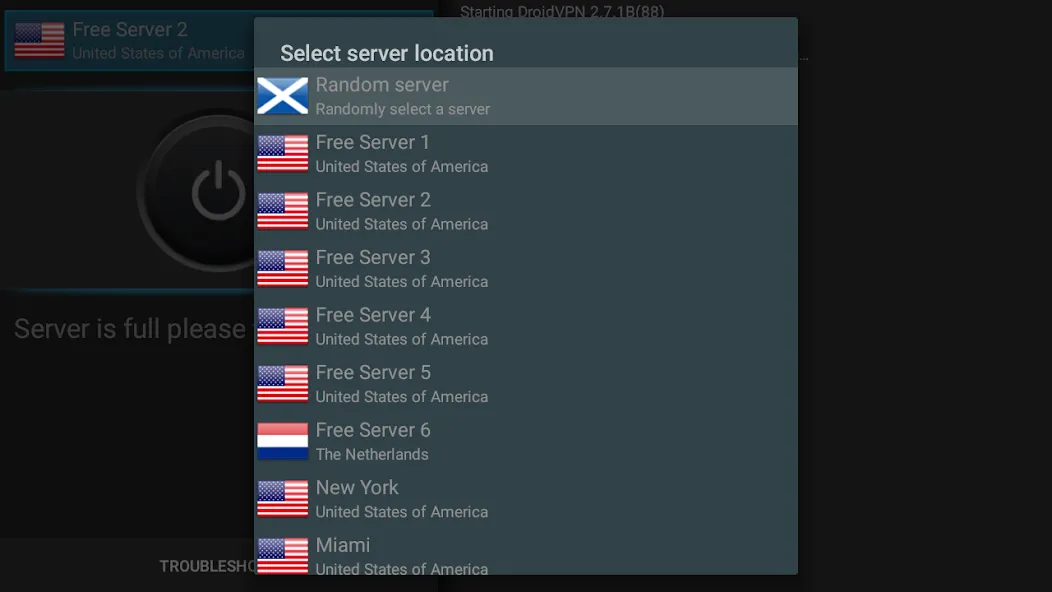
The application offers both free and paid subscription options. Free accounts come with a daily limit of 200MB, which may be insufficient for heavy users. However, subscribing to the service removes this limit and grants access to all available servers, enhancing the overall browsing experience. Users can easily switch between free and paid servers within the app interface, ensuring they can select the option that best suits their needs.
For those who encounter connectivity issues, DroidVPN provides specific guidance. Users on older Android versions, particularly those below 4.0, may need to root their devices or install a compatible tun.ko file to establish a successful connection. Additionally, the app's developers recommend adding DroidVPN to any free RAM or task manager applications' exclusion list to prevent it from being unloaded from memory, thereby ensuring consistent performance.
DroidVPN supports various functionalities that cater to different user preferences. For instance, it can facilitate connections to paid Wi-Fi hotspots without incurring additional charges, making it an appealing choice for frequent travelers. This feature can help users save on data costs while maintaining their ability to access the internet.
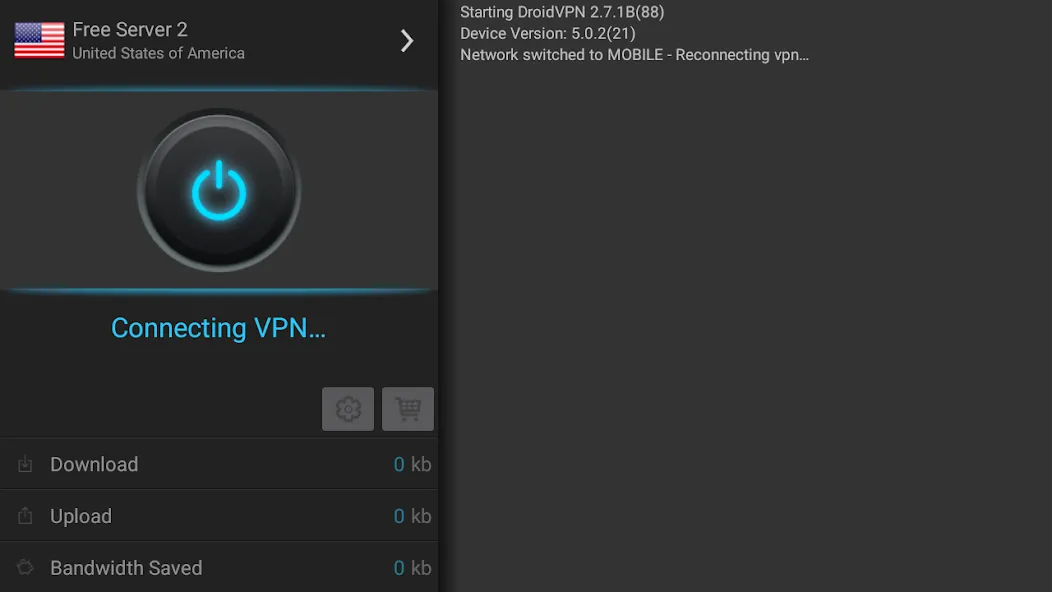
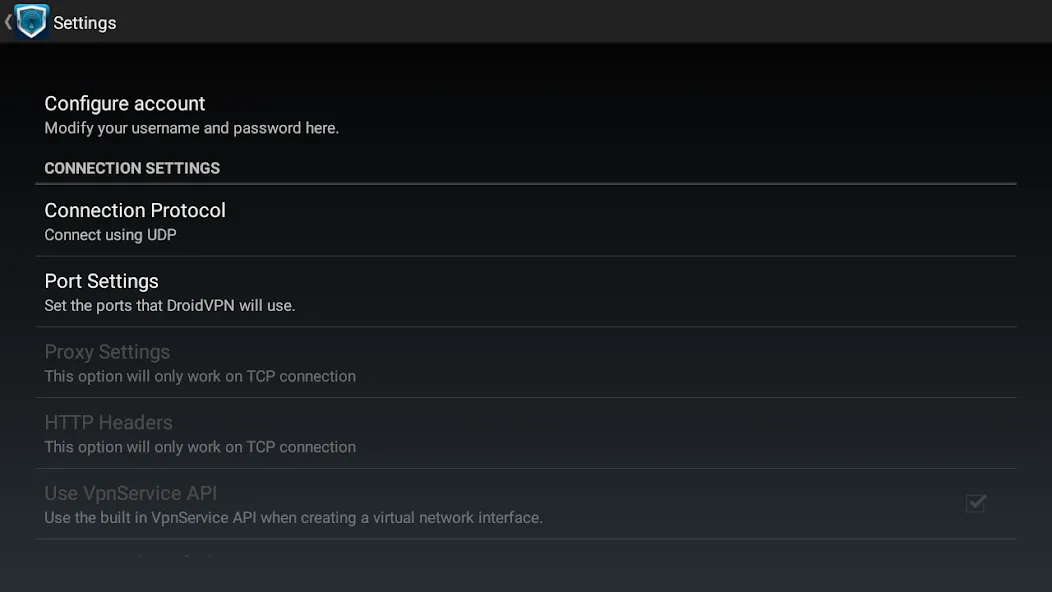
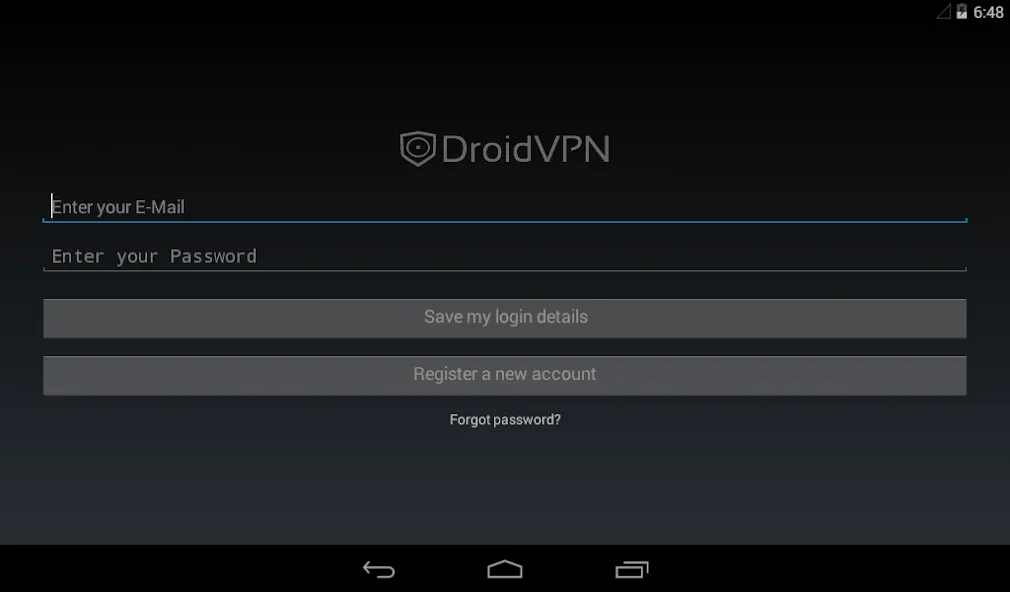
Enter the username that you registered and the password that is sent to you.
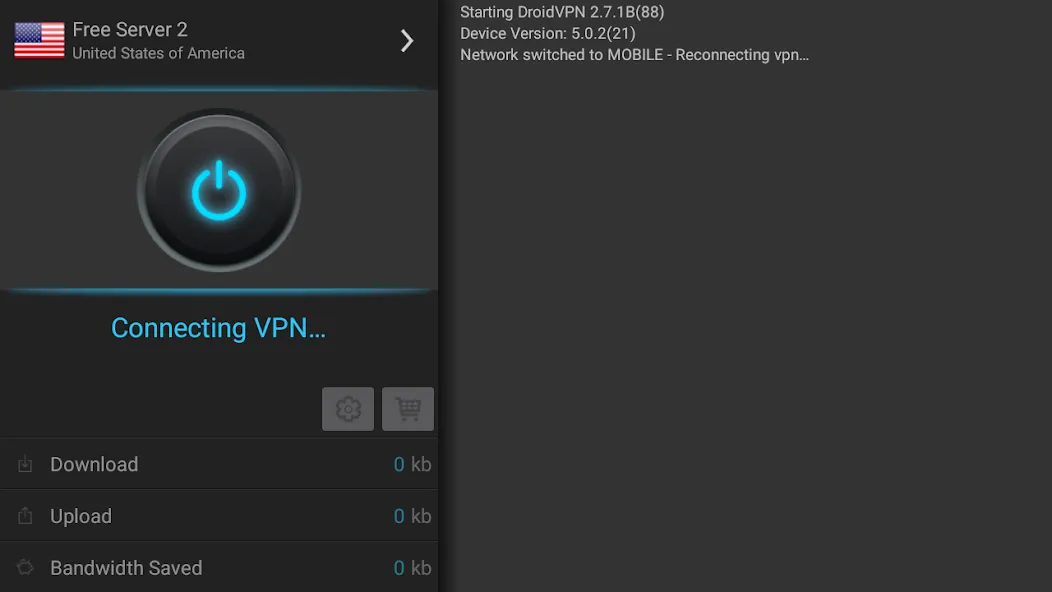
If you are using a free account make sure to change your server to "Free Server" by tapping the flag.
Press the large connect button.
When the "DroidVPN is now connected" message appeared, press the home or back button
You can now start browsing and all your internet connection will pass through our VPN server.
my favorite app, we've come a long way together, it has been there for me every time I needed it through all the years, fast and reliable application, only what you have to do is to make many accounts, and change the IP address to 170-8 which are the fastest servers, if you're to enjoy this app.
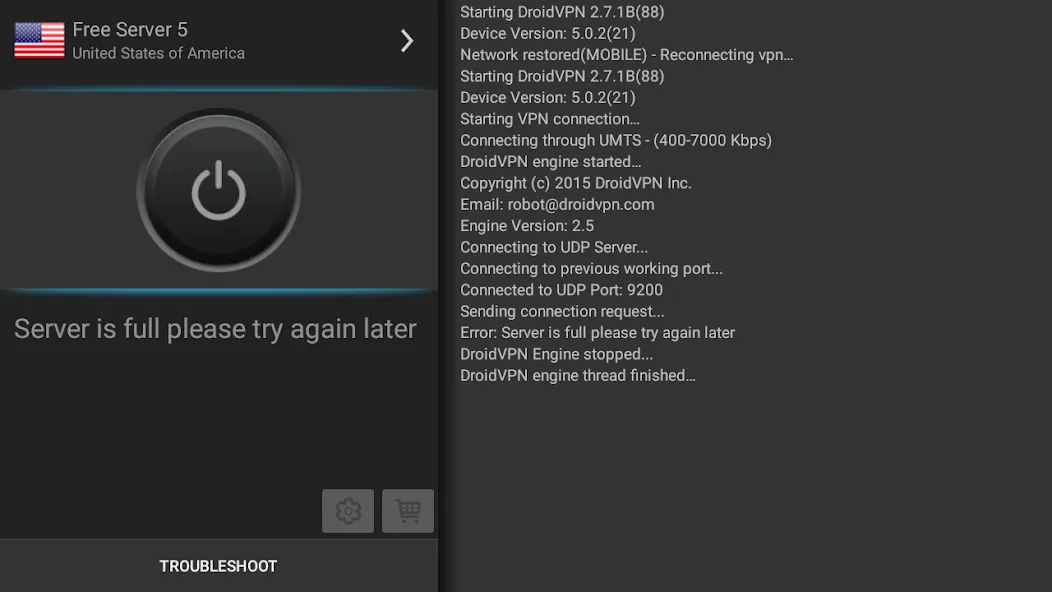
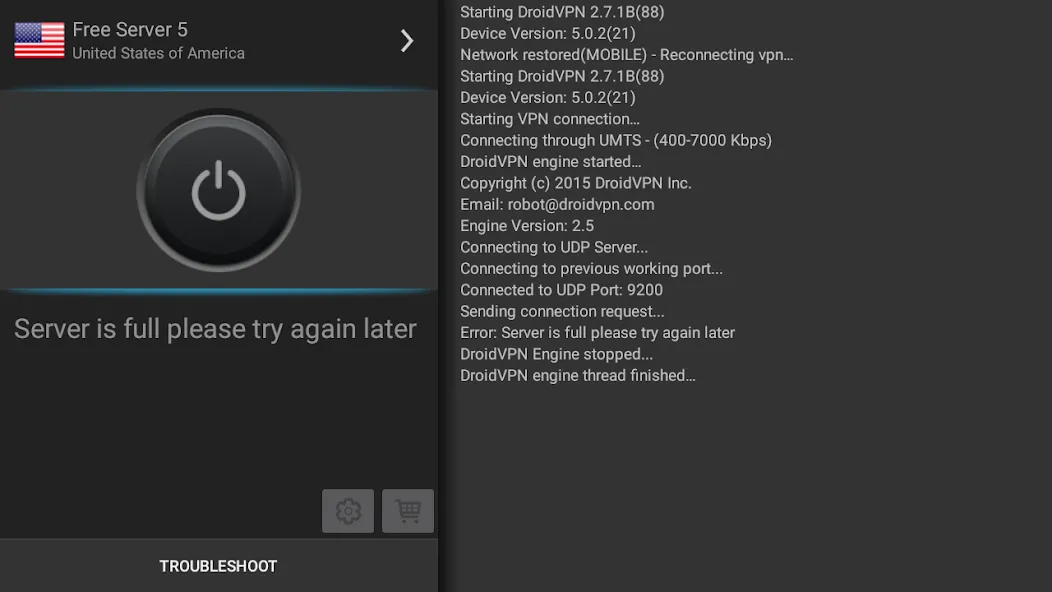
Thank you for this amazing app u have created, I can finally access free internet, I don't have money but this app has helped mi alot, thank you very much developers, keep on the good work, but the only problem is whenever I try connecting, it says server is full or busy like 5 times then connects, otherwise, it's a very amazing app.
I rate the app 5 because I like the free daily data I get from the app..... It helps me save money which I could have spent on buying data bundles...if there I a way I could pay the creators of the app I would be glad to know because they deserve payment for this..
I just want to help others on how to use droid vpn . One clik can't connect vpn , you must cancel 3 times when it says proxy when connecting, and the fourthone you live and it will say Authenticating and then connect This may takes about a minute while it is now saying proxy. And I would like to say this app is very good but it is limiting other unused accounts and I don't know how this is the only one problem which i saw on DroidVPN Thank you.
Do you have a free trial?
Yes, you can sign up for a free account here.
How do I pay for a premium account?
We accept payments via PayPal, PerfectMoney and Google Play in-app billing.
How many devices can be connected to DroidVPN simultaneously?
Simultaneous connection is not allowed. You can only connect one(1) device using your account.
How can I change my VPN password?
Please login to your account using your username and password. Click the Change password link and enter your current password on the first textfield and your new password to the second and third textfield then click "Save" button to update your password.
I have lost/forgotten my Username/Password, how can I retrieve it back?
Go to our Reset Password page, enter your email address and the required captcha image then press "Request Reset Link" button.You will then receive an email with a link to reset your password. Click on the password reset link that is in the email and you will receive another email shortly with your username and a new password.You should then login to your Account using your new password and change the password.
VPN client was designed to be user friendly, anyone can easily connect to servers. You can use to freely browse the Internet with an encrypted connection. So that you will always be visiting websites anonymously no matter where you are. It allows you to encrypt data and tunnel internet traffic to one of their servers.
Size:5.24MB Version:3.0.5.3
Requirements:Android Votes:568
Package Name:com.aed.droidvpn Signature:81faa0981202e0f344ec45082d2c0e2b
With more and more of our lives happening online, smartphones have become an essential component of our daily routines. Whether you’re shopping, banking, or socializing – everything can be tracked online, even on Androids. This information can then be used by third-parties profiting off your data or your ISP to slow down your internet speed. An easy way to increase online privacy and security of your Android smartphone is to start using a VPN. At Cybernews, we have over 5 years of experience testing VPN services, so we know what makes a great VPN app. To make your search for a reliable VPN easier, together with our research team, I tested both free and paid Android VPN apps, and summarized the results of our research below.
Enjoy unrestricted internet access anywhere in the world with these top-rated free VPNs for Android. Securely browse in private, bypass geo-blocks, and unlock censored websites in just a few taps. These powerful apps encrypt your connection, mask your IP address, and protect your data-especially on risky public Wi-Fi. Whether you're streaming global content, accessing restricted platforms, or simply safeguarding your privacy, these trusted VPNs deliver fast, reliable performance. Discover the most popular free VPN downloads and experience true online freedom today-no limits, no compromises!
In 2024, privacy and security on mobile devices are more important than ever, and a reliable VPN can help protect your data while browsing. The best free VPNs for Android offer a solid balance of speed, security, and user-friendly features without costing a dime. These VPNs allow you to browse anonymously, bypass geo-restrictions, and safeguard your personal information on public Wi-Fi networks. While free options may have certain limitations, such as data caps or fewer server locations, they still provide essential privacy protection. With strong encryption, zero-logging policies, and a simple setup, these free VPNs ensure your online activities remain private and secure while using your Android device.
About us | Contact us | Privacy policy| DMCA
Copyright © 2026 Xiaohei All rights reserved.