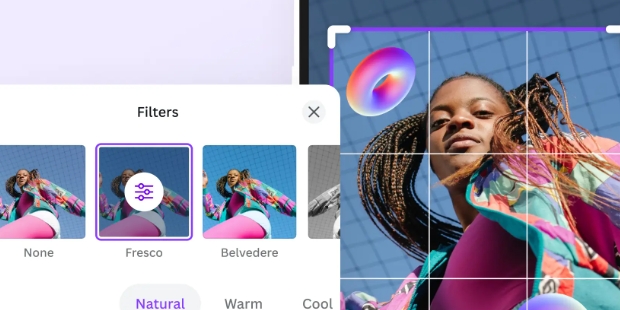
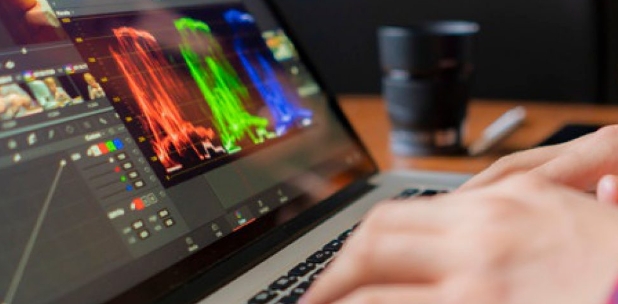
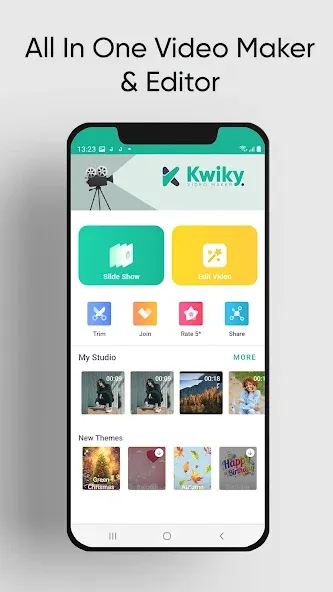
Kwiky is a photo and video editing application that allows users to transform their uploaded photos into videos. Users can customize their creations by adding a variety of filters, special effects, stickers, and text, ensuring their creative vision is realized while enhancing the overall fluidity of the video. Furthermore, users can merge or collage multiple clips to produce even more polished, high-quality videos. Once editing is complete, users can export their work as a slideshow or share it directly to social media platforms, where they can receive likes and comments from friends on these captured highlights.
Some salient features of Kwiky are:
Create photo slideshow video.
Edit video by adding effects.
Join multiple video clips.
Trim video to keep it simple & short.
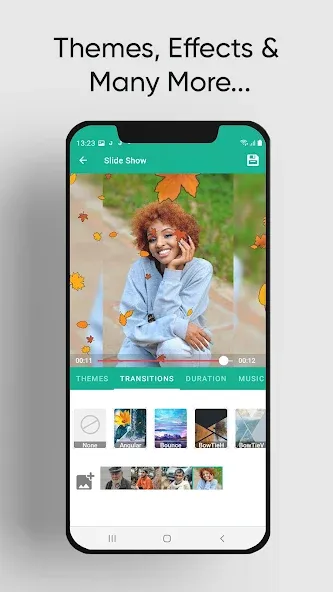
Add transition effects to slideshow.
Add effect to your pictures.
Create & Export High Quality HD video.
Hope you like app. Many more features coming soon.
Filter applied to each image in the video.
Enormous number of unique wallpapers.
Adjust the appearance time of each image.
Add music to video, support cutting music according to users’ wishes.
Insert stickers, text into videos, able to set the time for stickers and text to appear.
Customizable sound: two bars for adjusting the original video volume and the music volume.
Insert text, support multiple fonts, font color, right- left aligned, bold formatting etc… which also let users set the time the text appears.
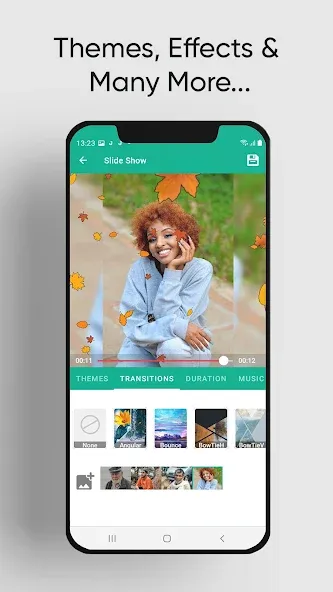
Use a small set of photos to start, then build your clip step by step. After installing Kwiky APK, open the app and follow a simple flow that guides you from selection to export.
Open Kwiky, tap create, then select photos from your gallery. Arrange the order and set how long each image appears so the story feels balanced.
Next, add background music. Adjust the volume and choose the start point so the audio lines up with your photo sequence.
Then choose transitions between photos. Apply visual filters if needed, and preview to check the overall look before moving forward.
After that, trim any parts that run too long and merge extra clips if you have them. Add stickers and text to call out locations, dates, or short captions.
Finally, export in HD and save the video to your phone. Share it to social apps or send it in a message when you are ready.
Experience the advantage of transforming your pictures into story-telling masterpieces with this intuitive and robust video editing capabilities. Engage your audience with high-quality slideshows that are not only impactful but also a testament to the beauty of your memories.
Size:26.58MB Version:2.2
Requirements:Android 4.4+ Price:Free
Package Name:apps.maxx.multimedia.photovideomaker Signature:2fed3ad87054445613bcafbaf9118956
Visuals serve as a primary gateway for players to engage with games, where distinctive art direction immediately captures attention and creates lasting impressions. An unconventional aesthetic not only stands out in crowded markets but also enhances immersion and emotional connection. When executed with creativity and polish, striking visuals elevate gameplay into a memorable artistic experience. That's why titles with truly exceptional art styles deserve recognition - they offer both visual delight and meaningful interactive expression that resonates with players long after the session ends.
AI Photo Editing Apps - encompassing both image generation and enhancement tools - utilize cutting-edge machine learning algorithms to produce, refine, or transform visuals using text prompts, uploaded images, or artistic preferences. These powerful applications are reshaping digital art, photography, and media production by streamlining sophisticated processes such as professional-grade retouching, artistic style replication, and completely AI-generated artwork. By combining automation with creative control, they empower users to achieve stunning results with unprecedented speed and precision.
Nowadays, with the popularity of intelligent technology, this new intelligent technology will provide faster content creation in daily life. In the face of today's intelligent landscape application creation, it supports the creation of text content for different themes, provides intelligent image creation and painting, and even realizes various personalized AI creation functions such as intelligent image cutout. In terms of using intelligent tools, you can gain more information, knowledge and inspiration. The editor recommends the following popular AI creation tools for you to experience the help that intelligent AI brings to different scenarios such as life, work, and study.
About us | Contact us | Privacy policy| DMCA
Copyright © 2026 Xiaohei All rights reserved.