Huji Cam is a camera app designed for vintage enthusiasts. By simply granting camera permissions, users can travel back to the end of the last century; the app applies various retro-style filters to photos, perfectly catering to users' creative photography needs. It supports multiple shooting modes—you can hold your phone in landscape orientation and use the built-in viewfinder to frame your shot. With a single press of the shutter, the app automatically applies a random vintage effect to your photo, making it ready to share on social media, where it’s sure to garner plenty of likes.
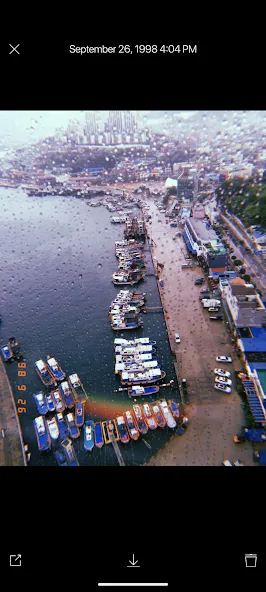
Authentic Analog Aesthetics: It shifts the colors and saturations of your images to resemble the pieces of nostalgic films from 1998.
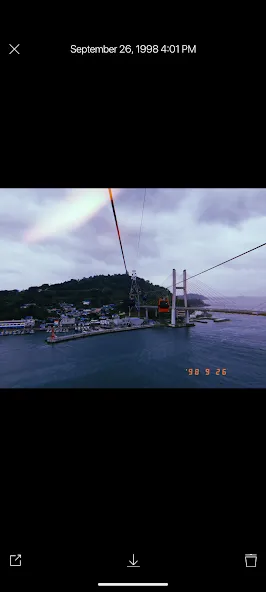
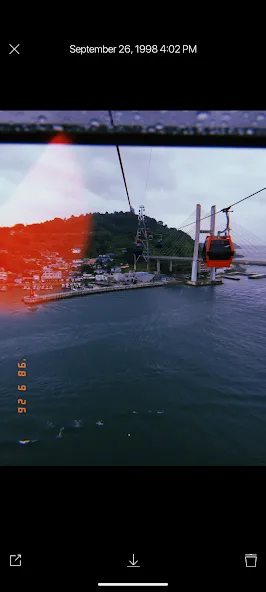
Randomized Light Leaks: This feature adds a touch of the unexpected to your photography with different light leaks.
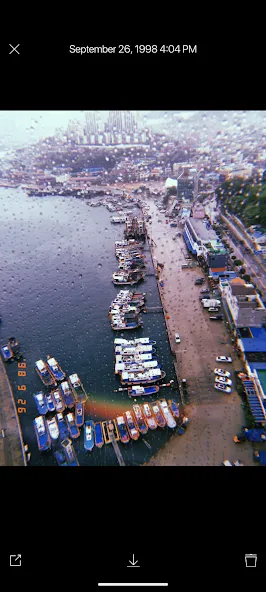
The Classic 1998 Date Stamp: This orange date stamp can be toggled on your pictures to intertwine the vintage and the modern for your stories.
High-Quality Film Grain: This feature adds a dusty yet delightful texture to your photography.
Precision Editing Tools: Enhance your photography with advanced parameters. Adjust the retro effect exactly how you want.
Formula Synchronization: Vintage settings made easy. Apply your chosen vintage look throughout your entire gallery in seconds.
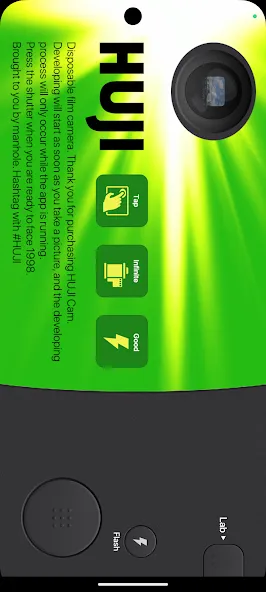
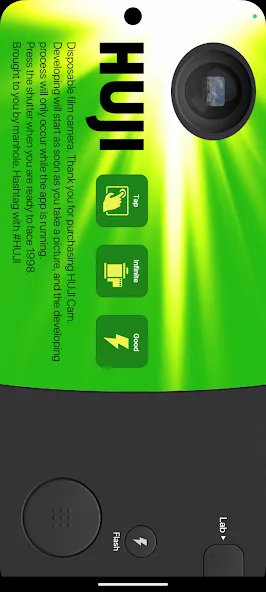
The camera screen commits to the conceit. A shutter button, flash control, Lab button, and tiny round viewfinder replace the familiar full-screen preview found in most camera apps. Tapping the viewfinder opens a larger preview that covers roughly two-thirds of the display, leaving the main controls accessible. You can also ignore it and shoot nearly blind, which is oddly appropriate for the experience Huji Cam wants to recreate.
The interface may confuse anyone expecting conventional Android camera controls. Its small viewfinder is more playful than practical, and some users report that the preview does not precisely match the final frame, revealing extra space around the edges. Still, people who remember disposable cameras will grasp the idea quickly. Huji Cam best suits casual photographers who enjoy surprises and would rather capture a moment than spend several minutes comparing filters.
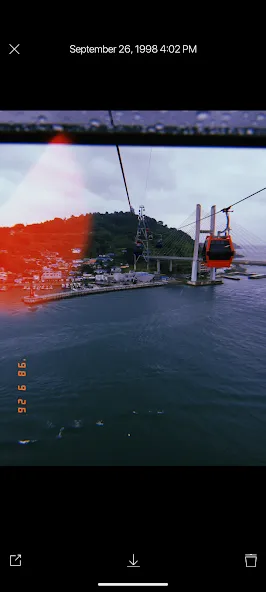
Pressing the shutter sends the image through a short development sequence before it appears in Lab. The finished photo receives a randomly chosen vintage treatment, generally built around faded color and the warm cast associated with old prints. A date stamp reinforces the period look, while an optional random light effect can make the result feel less digitally tidy.
There is no filter carousel afterward, nor are there sliders for brightness, contrast, warmth, or effect intensity. That sounds restrictive because it is. Yet the restriction gives Huji Cam its identity. Plenty of photo editors let you adjust every detail; this one makes the decision for you and moves on. The approach prevents compulsive tweaking, though it also means a strong composition can receive a treatment you dislike with no direct way to correct it.
I absolutely love the entire concept and function of the app. In fact I shot two pictures and immediately bought the extra bits. One thing I would love to have added to the app as a photographer is the option to switch between infinite exposures and a limited number of shots like a real disposable camera would have, and when using the limited shots option, you can't view the images until you shoot the entire virtual film roll. That would really be fun. But as the app stands. I gotta say that it's absolutely amazing.
I've been using Huji for two years now. Having a Android its hard to take nice pictures but than when I heard about the app I was really excited for it. I love how in the app you can change the settings to have filters, dates, and location. I personally enjoy most that you can turn the filters off because sometimes I just want a nice looking photo with no filters and that's what I get. I also enjoy how you can put a timer on for how long you want it to wait before taking the picture.
I absolutely love this app. I have had it for less than 3 hours, and I already have chosen to write a review on it. Amazing filters and makes your photo (even if your camera is very laggy) look like it is took on a professional camera! Perfect for Snapchat, Instagram (and personally, I have been trying to find this "secret filter" for ages, and I finally found the app that had it! I would say though, that more people would be attracted to your app, if you make the design look more professional and would make it seem like it is going to be less laggy than it looks. Great app though! 5 star!!!
The best secondary camera in my opinion. It takes such cool quick photos that I'm always trying different ways of implementing it into my picture taking habits. I've gotten some brilliant photos using it. Although one thing I've noticed is that the app would randomly cancel your in app purchase of the full version and revert you back, only to tell you "error, you already own this item" when repurchasing, and then goes back to normal. I hope this is fixed.
You only need to purchase them once; you can restore Huji Cam’s paid features at any time at no extra cost. Go to the store page and tap "Purchase" at the bottom.
Restoring Paid Features
To restore your features correctly, you must be logged into Google Play using the same account you used for the original purchase.
Purchases made via Google Play are only valid for apps downloaded from Google Play. If you downloaded the app from a different store—such as the Apple App Store—and wish to use the paid features, you will need to purchase them again through that respective store.
Tap "Lab."
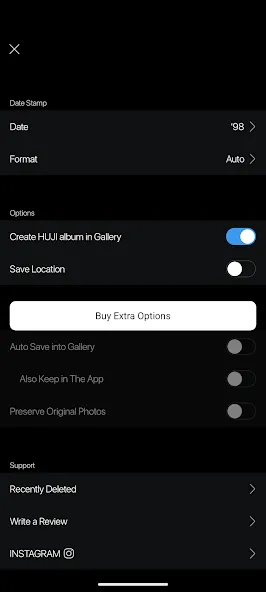
Tap "Settings."
Tap "More Options."
Tap "Purchase" at the bottom. You will not be charged again, and you can cancel in the next step.
You should see a message stating, "You already own this item." Once you tap "OK," the window will close, and your paid features will be restored. If this message does not appear and the payment window pops up instead, it means you are either logged in with a different account than the one used for the original purchase, or no purchase was ever made; in this case, please cancel the payment process.
You can try using "Troubleshooting" mode to save your photos to your device's "Photos" app. This mode is activated when you launch Huji Cam after disabling "Camera" access permissions in your device's system settings.
"Troubleshooting" Mode
Photos stored in the Huji Cam "Lab" are saved only on your device. If you delete the app, these photos will also be deleted and cannot be recovered.
"Troubleshooting" mode is only supported on Android 6.0 (Marshmallow) and later versions.
Long-press the Huji Cam icon and tap "App info" from the menu that appears.
Tap "Permissions."
Tap "Camera."
Select "Deny" for camera permissions. If you launch Huji Cam while in this state, you should see the "Troubleshooting" mode option.
Tap on Huji Cam.
Tap "Troubleshooting" at the bottom and follow the on-screen instructions.
The small, circular interface in the top-left corner is called the "viewfinder." The viewfinder in Huji Cam appears quite small, much like the one found on a real disposable film camera. You can tap the viewfinder to enlarge it or return it to its original size.
Camera makers of every era have always worked to capture the best moments. In 1998, that same effort existed too, helping our memories become even clearer. HUJI Cam carries the spirit of those days—the desire to keep precious moments clearer and more vibrant. If you’re ready to face 1998, press the shutter.
Size:30.81MB Version:2.5
Requirements:Android Votes:169
Package Name:kr.co.manhole.hujicam Signature:1501a6947a480ad4ae71aa765e8562ba
Welcome to our image editing apps! Perfect for beginners and pros alike, they make photo enhancement easy. Use PicsArt to crop, adjust colors, and apply filters. Remove backgrounds instantly with Remove.bg. Get creative with layers and advanced tools on Adobe Photoshop Express. Start transforming your images today!
Visuals serve as a primary gateway for players to engage with games, where distinctive art direction immediately captures attention and creates lasting impressions. An unconventional aesthetic not only stands out in crowded markets but also enhances immersion and emotional connection. When executed with creativity and polish, striking visuals elevate gameplay into a memorable artistic experience. That's why titles with truly exceptional art styles deserve recognition - they offer both visual delight and meaningful interactive expression that resonates with players long after the session ends.
Enhance your photos effortlessly with the best free photo editing apps for Android! Whether you want to apply stunning filters, adjust brightness and contrast, remove blemishes, or create professional-quality edits, these apps offer powerful tools at your fingertips. From simple one-tap enhancements to advanced editing features like background removal and AI-powered effects, you can transform your images with ease. Explore a wide range of user-friendly and feature-rich apps, all available for free download. Start editing and make your photos stand out today!
About us | Contact us | Privacy policy| DMCA
Copyright © 2026 Xiaohei All rights reserved.