Keys Cafe is a keyboard customization app for Android that allows users to design their own unique keyboard themes. You can build a keyboard from scratch, choosing everything from the background and color palette to patterns and sparkling visual effects. The app also features a quick-switch function, enabling you to toggle between different keyboard themes with ease. Furthermore, you can enhance your expressions by adding emojis, stickers, and text art. The app also lets you customize touch feedback and key-press animations, and it supports input in multiple languages.
DIY Keyboard Creation
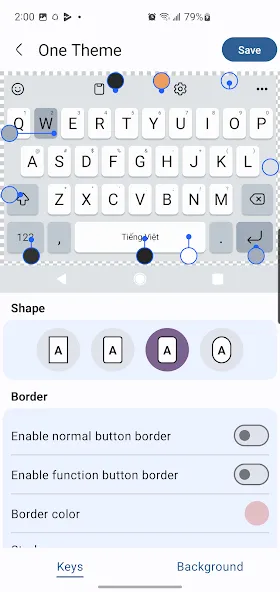
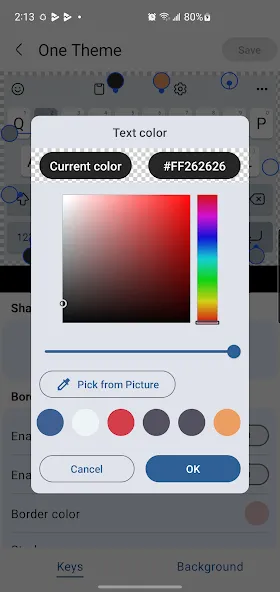
Keys Cafe allows you to build a custom keyboard from the ground up. You can set a photo or a solid color as the background, adjust key colors, and select various visual effects to achieve the look you desire. Preview your changes in real-time, then save your design to use across your apps.
Extensive Theme Library
Looking for a quick refresh? Choose from a wide range of preset themes—from soft pastels and neon LED effects to sparkling styles or adorable cat and dog motifs. Switching themes is fast and convenient, allowing you to toggle freely between presets and your own custom designs. It’s an easy way to update your keyboard to match the season or your current mood.
Expressive Input Tools
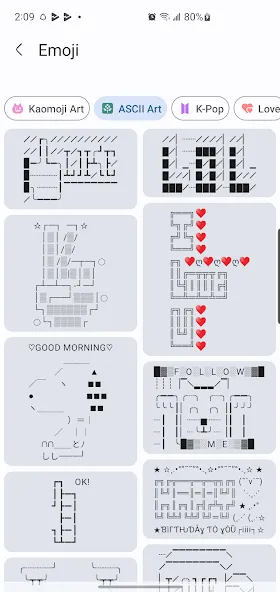
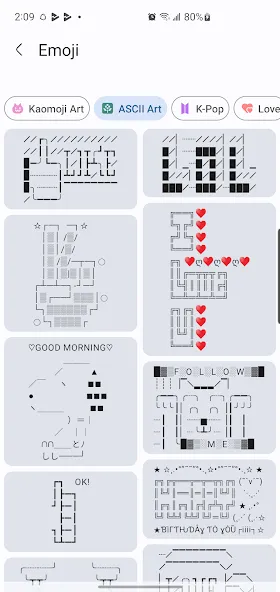
Go beyond plain text by adding the latest emojis, GIFs, stickers, emoticons, and fun text art to your messages. These tools help you respond quickly in chats, allowing you to convey tone without needing to type out long sentences. For instance, you can insert simple text art—like (ツ) or (╯°□°)╯—to add emphasis to your points.
Touch Effects and Key Animations
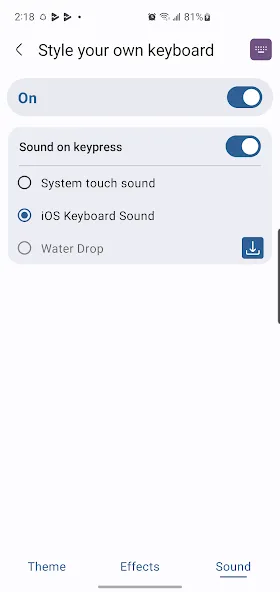
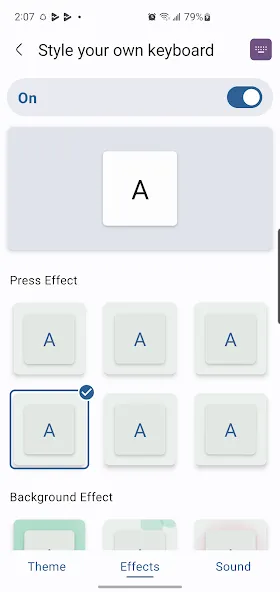
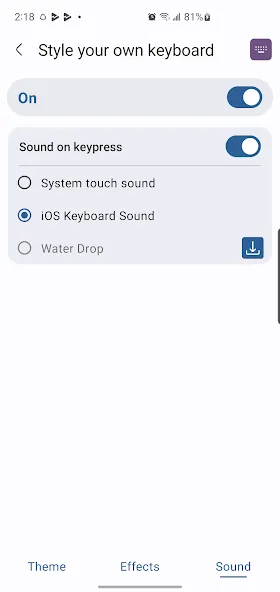
Every tap provides visual feedback, making your typing experience feel more responsive. Smooth animations and dynamic effects appear when you press keys, ensuring your input remains clearly visible even during fast-paced conversations. You can fine-tune these visual effects to ensure they are noticeable without slowing down your typing speed.
Font and Multilingual Support
Choose from a variety of keyboard font options to ensure the characters on your keys perfectly complement your chosen design. It also supports multilingual input in over 150 languages, allowing you to configure multiple languages and switch layouts as needed. This lets you keep a single keyboard active across all your apps, eliminating the need for frequent changes.
Open "Keys Cafe - Create Your Keyboard" and follow the on-screen prompts to enable it as an input method in your phone's settings.
Next, switch your active keyboard to "Keys Cafe - Create Your Keyboard" using the on-screen selector or the keyboard switcher in the navigation bar.
Return to the app and either choose a pre-made theme to get started quickly, or tap the builder to create your own custom design.
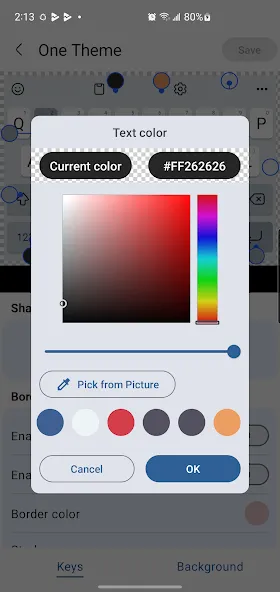
Adjust the background, primary color, special effects, and font options. Preview your changes, then save and apply your design.
Add your preferred languages, then test out emojis, GIFs, stickers, and fun text art in your chat apps to ensure everything is working as expected.
How long does it take to download Keys Cafe?
Keys Cafe has a file size of 41.9 MB. Depending on your network speed, the download could take anywhere from a few seconds to a few minutes over a stable 4G, 5G, or Wi-Fi connection.
Why am I unable to download or install it?
Common reasons include insufficient storage space, an incompatible Android version, an unstable network connection, a corrupted download file, or a lack of necessary installation permissions.
What are the system requirements for Keys Cafe?
The latest version of Keys Cafe requires a specific Android version (or higher). If your device is running an older version of Android, please check if an older, compatible version of the app is available.
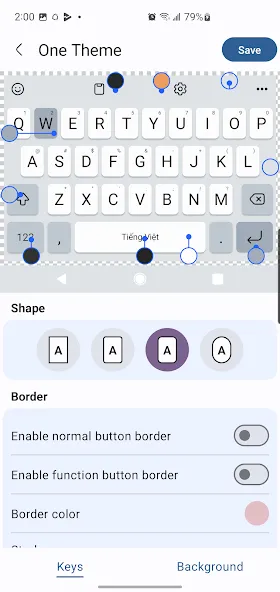
This is a fantastic app! It lets you edit the position of every single key, customize them to your liking, or even replace keys entirely to suit your specific needs or personal style. Thanks—it works great, and I’ll definitely keep using it!
If you’re looking to personalize your keyboard, Keys Cafe is the perfect choice. It features an intuitive interface and is packed with useful functions.
I really enjoy using Keys Cafe to create unique, one-of-a-kind keyboard themes. It’s incredibly easy to use, and the results look amazing.
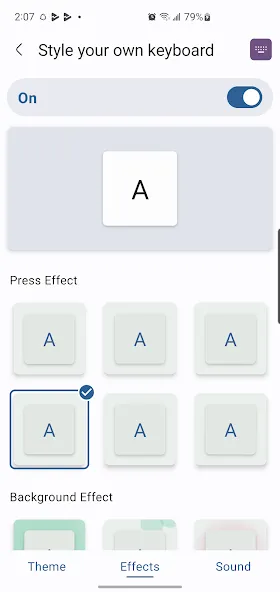
Keys Cafe can replace your default keyboard, allowing you to continue typing in your preferred languages while maintaining an interface that perfectly matches your personal style. Simple and intuitive to use, with quick and convenient setup—start chatting immediately, with no extra steps required.
Size:41.88MB Version:3.11.12
Requirements:Android 7.0+ Price:Free
Package Name:com.epicapps.keyboard.theme.leds.keyscafe Signature:7179dff5ebf05b9a0fd7e2a085e2fa34
Elevate your mobile experience with an endless stream of high-quality wallpapers - all completely free! Discover breathtaking nature scenes, sleek minimalist designs, vibrant abstract art, and more from the world’s best wallpaper apps. These handpicked collections feature daily updates with fresh, eye-catching designs crafted by talented artists across the globe. Whether you prefer serene landscapes, bold patterns, or trending aesthetics, you’ll find the perfect backdrop to match your style. Give your device a personal touch and enjoy a new visual treat every day - no subscriptions, no fees, just endless inspiration. Download now and transform your screen!
There must be many friends who decorate their phones with theme wallpapers, etc. So which theme stores are free? The editor has selected a variety of free and easy-to-use mobile theme software for everyone, providing a massive amount of exquisite wallpapers in various styles, dynamic and static, to meet everyone's download needs. Fine classification helps users quickly find their favorite themes, and supports users to preview application effects!
The Ultra HD Wallpaper app allows you to find a wide range of clear wallpapers, which can be displayed with great clarity on any phone screen. You no longer have to worry about unclear wallpapers when changing devices. Today, the editor has compiled a complete app for ultra HD wallpapers, which you can choose and use according to your own needs. Generally, wallpapers are classified in great detail within software, and you can find wallpapers of any style you like. At the same time, there are super rich dynamic wallpapers for you to choose from, using cool wallpapers to make your phone desktop and lock screen stand out. Friends who like to collect ultra high definition wallpapers, welcome to download related software and experience it on this website!
About us | Contact us | Privacy policy| DMCA
Copyright © 2026 Xiaohei All rights reserved.