emuOS Emupedia Explanation is a professional simulator instruction software. This application showcases all the features of the emuOS Emupedia platform, allowing users to relive classic video games from the 90s and earlier, and rediscover the glory days of the past. With emuOS Emupedia Explanation, users can easily access various games on the platform and view a variety of beloved classics through a simple and intuitive interface. It also provides all the information and tips you need to get started, helping you recapture the nostalgia of your favorite childhood games.
User-friendly interface: The app has a simple and easy-to-use interface, making it user-friendly for all players.
Wide selection of games: It offers a wide range of classic video games from the 90s and before, ensuring that there is something for everyone to enjoy.
No installation required: With EmuOS Emupedia, you can play games directly in your browser without having to download or install anything, making it convenient and hassle-free.
Comprehensive Guide
Understand how to play vintage games seamlessly using Emupedia’s browser-based platform. This app walks you through accessing these timeless gems effectively.
Step-by-Step Instructions
Detailed, step-by-step guidance helps you utilize EmuOS Emupedia to its fullest potential, ensuring a smooth and enjoyable journey into the past.
Educational Purpose Only
This app is purely educational, offering insights into old-school gaming preservation without affiliations. Perfect for those seeking to explore gaming history.
Unofficial and Informative
While unofficial, the content is crafted to deliver answers and explanations effectively, ensuring you grasp every detail needed to enjoy your retro gaming adventure.
Use the Search Bar
If you are looking for a specific game, make use of the search bar in the EmuOS Emupedia Games Explan App to quickly find and start playing it. This will save you time and make your gaming experience more efficient.
Save Your Progress
Some classic games can be quite challenging and time-consuming. Make sure to take advantage of the save feature in EmuOS Emupedia to save your progress and pick up where you left off later.
Explore Different Genres
Don't limit yourself to just one type of game. Use EmuOS Emupedia to explore different genres and discover new favorites that you may not have tried before.
Pros
Clear, educational guidance for browser-based play
Unofficial and transparent about affiliation
Explains how to access EmuOS Emupedia without installing software
Cons
No in-app gameplay or ROM/emulation features; guide-only experience
Relying on external EmuOS Emupedia site for actual games
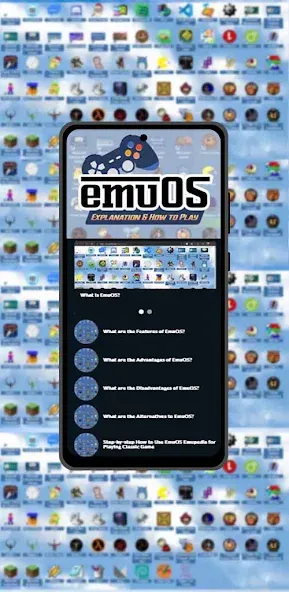
This emuOS Emupedia Explanation application is unofficial and not affiliated with anyone. This EmuOS Emupedia Explanation App is only for educational purpose and guide you to know how to use Emupedia properly. All Copyrights are owned by Emupedia Org. Contact us immediately if there are any questions or incorrect information.
Size:18.35MB Version:1.0.0
Requirements:Android 4.4+ Price:Free
Package Name:com.Rhaka.HowToPlay.EmuOS.EmupediaEmulator.Learn Signature:ee86dbaac01b749c5e7749bb20303f75
Transform your mobile device into a powerhouse of efficiency with these handpicked essential tools. Whether you need professional-grade photo editing, seamless file organization, smart task management, or real-time weather updates, our curated selection of premium apps delivers unbeatable performance. Streamline your daily routine, automate repetitive tasks, and boost your productivity with intuitive interfaces and powerful features. Designed for both professionals and casual users, these editor-approved applications will revolutionize how you work and play. Don't settle for an ordinary phone - upgrade your digital experience today and unlock your device's full potential!
With the development of mobile hardware and software, many practical tool software have emerged, covering a wide range of aspects and becoming a good helper for everyone in work and life. Today, the editor provides you with a list of useful tool software downloads. These tools are not particularly complex types, and after reading them, everyone can quickly learn how to use them. Proper use can bring great convenience to life and work.
About us | Contact us | Privacy policy| DMCA
Copyright © 2026 Xiaohei All rights reserved.