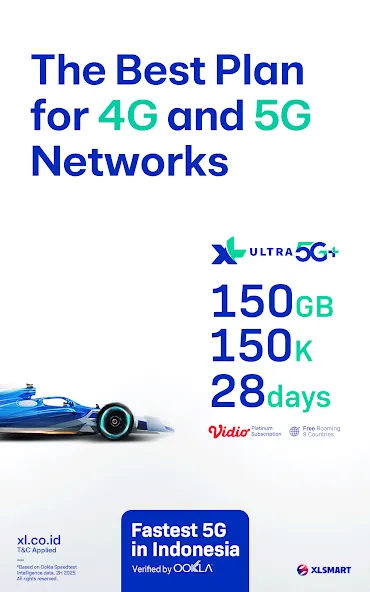
myXL is a lifestyle utility app that allows users to check their remaining data allowance and account balance simply by entering their mobile phone number. The app enables users to switch, activate, manage, and upgrade their mobile plans, saving them the time and effort of visiting a physical service center. It also offers family plans, which can be purchased and activated with just a few taps using various payment methods. Furthermore, the app features an integrated, real-time customer support team and a comprehensive FAQ section, ensuring that users can easily seek assistance whenever they encounter an issue.
Top-up balance is another essential function within the myXL application. Users can quickly add credit to their accounts, ensuring they have sufficient funds for calls, texts, and data usage. Sharing balance with other myXL users is also possible, which offers a practical solution for friends and family needing assistance with their mobile credits.
For users who need to activate a new SIM card, myXL simplifies this process as well. The app guides users through the activation steps, eliminating the need for physical visits to service centers. Furthermore, myXL provides an option to purchase gadgets, allowing users to explore and buy devices directly within the app.
A frequently asked questions (FAQ) section is included to address common inquiries and provide support for users navigating the app. For more personalized assistance, the app features a live chat service, enabling users to connect with customer service representatives for real-time help.
Managing multiple accounts is a standout capability of myXL. Users can handle up to ten different myXL accounts within a single application, making it a convenient option for those with family or business accounts. This feature ensures that users can efficiently switch between accounts without the hassle of managing multiple apps.
The app also includes options for PUK code retrieval, which is vital for users who may have locked their SIM cards. This feature adds a layer of convenience, as users can obtain this information directly from their mobile devices.

The steps below cover the basics, from sign in to daily tasks on a phone. The myXL latest version keeps key actions grouped so you can move from checking usage to buying packages without extra navigation.
Sign in using your XL number and complete the one-time verification code sent to the phone. If you are new to the app, register with your number and allow the app to detect your XL services for setup.
To manage multiple lines, open the profile or number management menu, then add a number and verify it with the code you receive. Assign a nickname to each line so you can spot it quickly later. If a number is no longer needed, select it and choose remove to keep your list tidy.
To buy data or other packages, go to the packages or buy menu and choose the category you need. Review the price and validity, confirm your choice, then select a payment method such as balance, GoPay, OVO, credit card, or bank virtual account. For XL PRIORITAS, myPRIO Deal can be paid with DANA from the billing screen.
For shared usage, open the Family or sharing section to create a group, add family numbers, and set how much quota each member can use. If you are on Postpaid, open the limits area to set a monthly cap and optional alerts, then save your settings so they apply to the selected line.
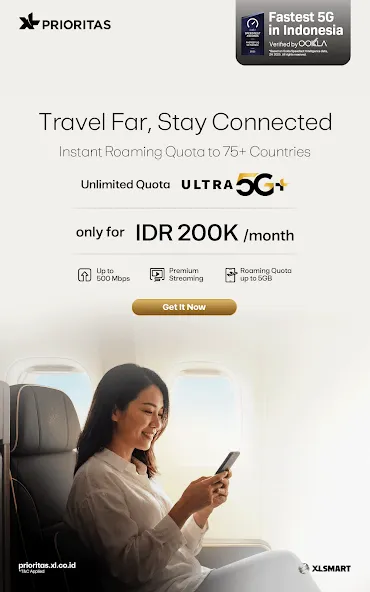
Before travel, open the roaming section to enable roaming and pick a roaming package that fits your trip. For support, use SIM activation for new cards, retrieve your PUK code from the PUK menu, browse the FAQ for quick answers, or start a live chat when you need an agent. Use the XL Center finder to check locations and hours if in-person help is preferred.

I didn't delete my previous comment. So we no the history of this application. I give 5 star for now. Clean UI, modern design and the backend response also fast. Well done guys. Good job It's really disappointing. I can open any other apps dan the content will load successfully but not with this application. How do you expect we'll use this apps while it has bunch of problem Hope u create new one.
I really confused with your new version application. The visually of new My XL is not better than the old one. My advice if possible go back to the old version, please. I appreciate that. Thank you.
Way way way way better version than the previous one. load much faster, more eye pleasing visual and illustrations, and super nice freebies everyday, what else can you ask?
I have tried to use the app after ± 1 month to renew my package but am unable to open it whatsoever even after updating and even reinstalling. There are data packages that are only available in app & now I have no access to it. Please fix immediately. I have been using this app for a long time and have been patient with minor occurring bugs but this is unacceptable. Edit: App is finally back to normal. Thank you for the fast response & quick fix.
The internet speed wasn't good like before. Streaming youtube 360p always buffering, especially at night. Download speed is getting slower. Last week I tried to contact the cs and got my signal optimized, after that no changes at all. I tried all methods to recover it but still I can't see any good results. What happened guys? PLEASE FIX IT. Edit: internet connection is getting better, not the best but just ok. Their cs also fast to respond, but i hope it could be faster in the future.
Go to the ‘Select Account’ page.
Click ‘Edit Account’.
Select and click the account you wish to remove from the list.
Tap the (X) icon to remove the account.
Tap ‘Yes, Delete’ to confirm, or ‘Cancel’ if you wish to abort the action.
The account has been successfully removed.
What Is the Maximum Number of Accounts That Can Be Managed in a Single myXL App?
You can manage up to a maximum of 10 accounts (XL Prepaid or XL GO) within one app.
How Do I Add an XL Phone Number to the myXL App?
Go to the ‘My Account’ page.
Tap the ‘Add Account’ button.
Enter the XL number you wish to add, or select it from your contact list.
Enter a name for the account.
You may also choose an image to serve as a ‘Profile Picture’.
Tap the ‘Add’ button.
Enter the OTP code sent via SMS to the number being added to complete the final verification step.
The account has been successfully added.
How to log in to the myXL app for Prepaid customers:
Enter your XL number.
After entering your XL number, tap the ‘Continue’ button.
A security code will be sent to your XL number via SMS or email; enter this code into the provided field.
If you have not received the OTP/security code, you may select ‘Resend’. Please note that this option can only be used again after 60 seconds have passed.
If you register in MyXL without having a previously contracted line, you have access to two main sections: one with mobile tariffs, and another for fixed network. In both cases, when choosing the tariff you want, you will be redirected to third-party websites to purchase those packages. In case you have purchased a prepaid SIM card from the operator, you can also activate it directly from the app, top up credit, share credit, check remaining credit, and much more.
Size:157.83MB Version:9.6.0
Requirements:Android Price:Free
Package Name:com.apps.MyXL Signature:e0d2e9e792038f6ff8bacb0747c1f0b5


Utility apps are indispensable in our lives, making our daily routines more convenient. To help you find these apps more easily, this site has created a collection. This collection brings together a series of practical tools covering various aspects of life, work, and education, meeting all your needs. What are you waiting for? Try these apps now and make your life easier!
Transform your mobile device into a powerhouse of efficiency with these handpicked essential tools. Whether you need professional-grade photo editing, seamless file organization, smart task management, or real-time weather updates, our curated selection of premium apps delivers unbeatable performance. Streamline your daily routine, automate repetitive tasks, and boost your productivity with intuitive interfaces and powerful features. Designed for both professionals and casual users, these editor-approved applications will revolutionize how you work and play. Don't settle for an ordinary phone - upgrade your digital experience today and unlock your device's full potential!
About us | Contact us | Privacy policy| DMCA
Copyright © 2026 Xiaohei All rights reserved.