Xbox Cloud Gaming allows users to enjoy a wide range of PC games on mobile devices and tablets. It boasts a vast game library waiting to be explored. With a simple click, games can be added to the queue and downloaded to your device, allowing users to embark on exciting gaming journeys with friends anytime. Voice chat enables seamless teamwork and interaction. As users spend more time using the software, it not only provides personalized recommendations based on their preferences but also offers various reward points that can be redeemed for numerous great gifts. Of course, the software is constantly being updated, with more popular games being added, bringing users an ever-evolving gaming experience.
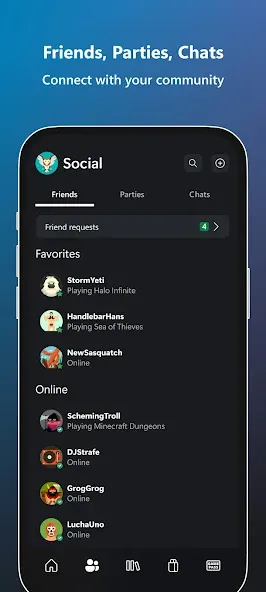
XBOX keeps you connected to the fun with your friends, games, and supported gaming devices from your phone or tablet while on the go.
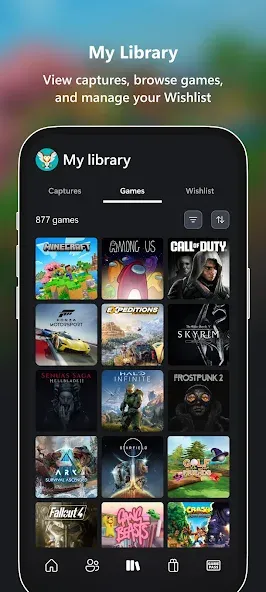
Share game clips and screenshots from your console to favorite gaming & social networks.
Friends and parties follow you with voice and text chat, even if they're on console or PC.
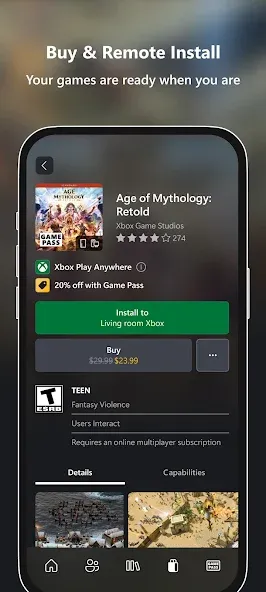
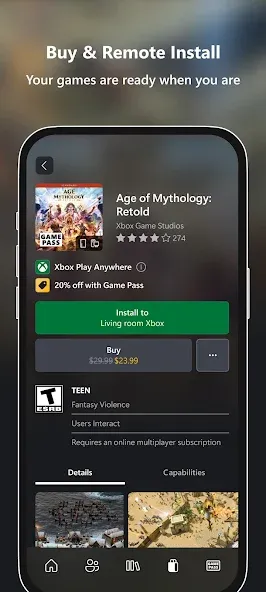
Install games remotely on your console from your phone.
See game invite notifications, achievements from you and your friends, messages, and more.
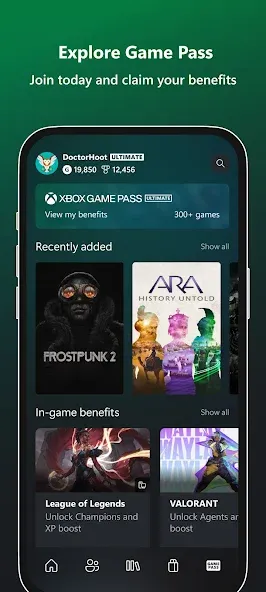
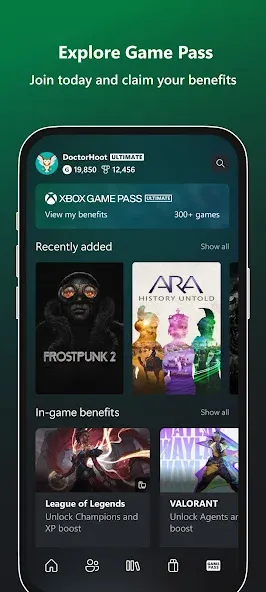
Explore Game Pass and get customized recommendations, notifications about new games, queue games to play, and more.
Buy games you want without leaving the app.
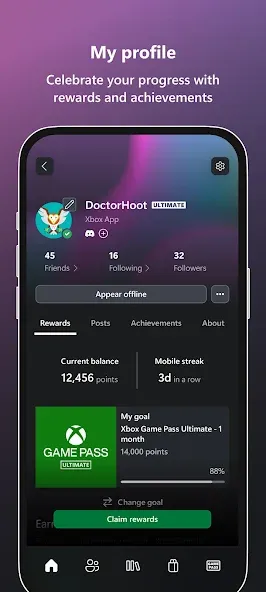
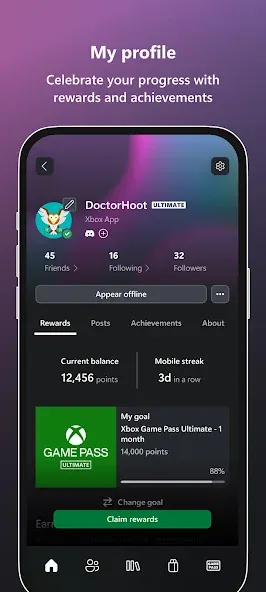
Track, claim, and redeem your Rewards points.
The XBOX mobile app is the best way to stay connected to your world of gaming.
Xbox Cloud Gaming APK delivers console-quality performance without console hardware, but smooth streaming still depends on optimization. Cloud gameplay feels best when you create the right conditions — and most steps take seconds to apply. Think of this like calibrating a speaker or adjusting brightness before watching a movie. Small tweaks elevate the experience.
Here are performance recommendations you can apply immediately:
Use 5GHz Wi-Fi for stable low-latency connection: This reduces interference and keeps frame response consistent.
Minimize background apps: Free RAM and bandwidth to support game streaming.
Keep device cool: Lower brightness or avoid direct heat for prolonged sessions.
Keep controller close to your screen: Short distance improves Bluetooth stability and responsiveness.
Update firmware and app version: Helps maintain compatibility and streaming efficiency.
With these adjustments, cloud streaming feels sharper, commands respond faster, and graphics deliver with fewer fluctuations. The beauty of cloud execution is consistency — once optimized, you can rely on stable quality for long sessions.
It's a great app! I just wished Google Pay or linking to Google Play was an option because I manage 100% of my subscriptions in the Google Play Store so that I can track everything I pay for in one single spot. If there was a way to pay for my Xbox Game Pass Ultimate in the Google Play Store in the Subscriptions page, I know many gamers on a budget like me will be the happiest fans in the world! Then I can pay for Xbox Game Pass, Spotify Premium, and YouTube Premium all at once each month!
The Xbox app is easy to use and makes it simple to stay connected with friends. I like being able to chat, check achievements, manage downloads, and access my Game Pass library from my phone. The interface is clean, and remote installs are really convenient. It runs smoothly most of the time and is a great companion for any Xbox player. Highly recommended!
Shout out to the software engineers for making this so versatile, updating it, and keeping it running smoothly! It's amazing to see how much it's evolved. For content creators, you can always download and upload your stuff, chat with your friends even when you're not playing, and you can see they're online ? No need to write down gamertags; you can just add them right there in a conversation you're having with someone new. Like, "Got an Xbox? What's your gamertag?" Boom, friends!
Very good app. it rarely lags, and only minor issues like party voice chat. But if Xbox keeps improving it, it might be near perfect. It is very useful if you need to travel or go away from your Xbox and still stay online.You can also download new games directly from the app to your Xbox, which saves a lot of hassle. You can also chat with friends who are online on Xbox. The app overall is a 9/10. I highly recommend it to Xbox players.
What is XBOX Cloud Gaming?
XBOX Cloud Gaming allows you to play hundreds of console games on the devices you already have. Play supported free-to-play games like Fortnite with a free Microsoft account, or hundreds of games with an XBOX Game Pass Ultimate, Premium, or Essential subscription.
How can I get started playing a game from the cloud?
To play console games from the cloud on your device you’ll need the following:
1. An active XBOX Game Pass Ultimate, Premium, or Essential subscription and supported game in a supported region. To play select free-to-play games with cloud gaming, all you need is a free Microsoft account in a supported region.
2. A supported device including Windows PC, Apple or Android phones and tablets, XBOX console, select LG, Samsung, and VIDAA OS-powered smart TVs, plus Amazon Fire TV, select Meta Quest VR headsets, and more.
3. A compatible controller connected via Bluetooth or USB. Select games can be played with XBOX touch controls.
4. A Wi-Fi / LTE data connection with minimum of 10Mbps down-speed. Please note, some devices may require 20Mbps for the best quality. We recommend using a 5Ghz Wi-Fi connection.
5. If playing on xbox.com, a supported browser such as Microsoft Edge, Google Chrome, or Safari.
What games are available to play?
Select free-to-play games and most titles in the XBOX Game Pass library are available to play from the cloud. To explore the full library of games playable from the cloud, visit xbox.com/play. Game titles, number, features, and availability vary over time, by region, XBOX Game Pass plan, and platform.
Can I stream games I own that are not included with Game Pass?
Yes. You can stream select cloud playable games you own or buy that are not included with XBOX Game Pass on all your devices including XBOX consoles, Windows PC, TVs, phones, tablets, VR headsets, and browsers.Additionally, if you have a Ubisoft+ Premium subscription and a supported cloud playable game is in their catalog, you can stream it without purchasing the game.
What type of internet connection do I need?
To play console games from the cloud on your device, you’ll need a high-speed internet connection (ISP fees apply). Best performance will be achieved at rates of 10 Mbps on mobile devices, 20 Mbps on consoles, PCs, and tablets, and 5Ghz WiFi or mobile data connection. Streaming performance is affected by internet connection, user location, device, and other factors. Your gameplay on other devices may be limited. Streamed games may have limited functionality, for example:
Limited video resolution;
Limited audio outputs;
Limited game save storage (cloud saves only);
Limited companion app support; and/or
Limited accessory and peripheral support.
Xbox Cloud Gaming suits a wide range of player profiles, but it shines brightest for those who value mobility, accessibility, and economic entry. It takes the experience once locked behind hardware and opens it to anyone with Android and a network connection. Instead of requiring upgrades, it gives gamers the freedom to use what they already have.
Size:92.38MB Version:2608.1.3
Requirements:Android Votes:175
Package Name:com.microsoft.xboxone.smartglass Signature:7741f1e9eb34bd3081610151b3c37728
In the world of gaming, there are always those unassuming titles that may lack dazzling visuals or pulse-pounding soundtracks. While appearing simple at first glance, these games possess a unique warmth that can touch our hearts, offering solace and healing to our weary minds. Today, allow me to introduce several visually stunning and emotionally soothing games that serve as peaceful havens. Whether you choose to play them or simply admire their beauty, they remain there like serene landscapes, quietly breathtaking in their own gentle way. These gems remind us that sometimes the most profound experiences come in the most understated packages.
Time is a precious resource, and even short breaks can be used effectively. For instance, during a ten-minute gap between classes or a brief work pause, a quick round of an engaging game can refresh your mind. These short gaming sessions help relieve stress, boost focus, and provide a fun mental reset-all without taking up much time. So whenever you have a spare moment, why not dive into a fast-paced game and return to your tasks feeling recharged?
During the holidays, when you finally have some free time, diving into a game is one of the best ways to unwind and relax. In the immersive world of gaming, you can momentarily set aside all your worries and stress, allowing yourself to fully enjoy a well-deserved break. Whether it's an adventure-packed journey, a heartwarming story, or a fun casual experience, these carefully crafted holiday-themed games are here to bring you joy and excitement. So, sit back, pick a game, and lose yourself in the wonderful entertainment prepared just for you!
About us | Contact us | Privacy policy| DMCA
Copyright © 2026 Xiaohei All rights reserved.