MoShow – Slideshow Maker, Photo & Video Editor is a video editing tool. This powerful app, available for Android devices, helps users transform photo footage into stunning, high-quality videos. With MoShow – Slideshow Maker, Photo & Video Editor, you simply select the images you want to add, choose one of many effects, and the video will be automatically generated. Choose your favorite video and export it. Click to download MoShow – Slideshow Maker, Photo & Video Editor now and start your creative journey!

Diverse Video Styles : Access a wide variety of free edits and effects to turn photos, videos or a selfie into attention-grabbing edits or an unforgettable story. Choose from glitch effects, ripple effects, brush effect, and more!
Perfect Loop : Made for GIF fans. The MoShow Slideshow Video app lets you easily create your own looping video. Instantly sync videos of any length into a perfect loop for Instagram or Facebook.
Mixed Transitions & Edits : Create unique a movie & slideshow every time. Choose the same photos and experiment with glitch, flip, buzz, sparkle, ripple and many more effects! Easily add fun transitions to make your photos and videos stand out.
Blended Text : More than a simple text overlay or slideshow filter, blend text into your slideshow video for stunning edits.
Cinematic Glitch Edit & Effect : Know those glitch effects everyone's been using? Now you can edit photos and videos with a glitch effect instantly. Take glitch videos to another level with hyperactive glitch edits that turn static photos into works of glitch art.

Experiment with different video styles: Don't be afraid to try out different edits and effects to make your slideshow videos truly unique. The diverse range of video styles in MoShow allows you to create attention-grabbing and memorable edits.
Use the perfect loop feature for Instagram and Facebook: The perfect loop feature is perfect for creating captivating looping videos that are great for platforms like Instagram and Facebook.
Add transitions to make your videos stand out: Transitions can add an extra touch of professionalism to your slideshow videos. Play around with different transitions to find the ones that suit your content best.

Is it free to use?
Yes, the app is free to use, but some features require a VIP subscription.
Can I use my music in this app?
The app allows you to add music, but using your tracks may require VIP access or permissions.
Does the app add a watermark to videos?
The free version includes a watermark. You can remove it by upgrading to MoShow VIP.
What is the maximum number of photos I can use?
The free version has a limit, but the VIP version allows you to use more photos and videos without restrictions.

MoShow – Slideshow Maker, Photo & Video Editor is a great app for any owner of a dozen or more photos. With this program, they will be able to create a beautiful and original slide show. A distinctive feature will be not only high-quality and diverse use of the original images with filters, effects, layout and so on, but also the use of impressive transitions between frames. You can also overlay text. Stylish, unusual and compelling to attract attention. Set the speed of changing images, the order, the duration of the cycle, and then share the result.
Size:98.67MB Version:2.12.3.1
Requirements:Android Votes:209

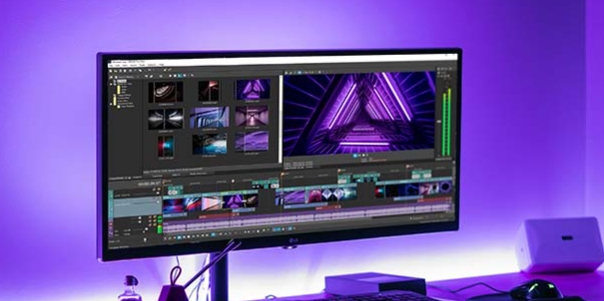
Video Editor is a powerful software tool designed for crafting, refining, and enhancing video content. It enables users to transform raw footage into compelling visual narratives or effective communication platforms. As digital media continues to evolve, video editing has grown in significance - no longer just a professional necessity but also an accessible skill for everyday creators. Modern editing tools now offer intuitive interfaces, AI-powered features, and cross-platform compatibility, making high-quality video production achievable for both experts and casual users alike.
In the era of popular short videos, it seems that everyone can edit, which has become an essential skill. The editor brings you a ranking of video editing software that is good. Editing videos seems to be a daily routine, used by both internet celebrities and daily life recorders. The editing techniques are also different. The videos edited by professional personnel are more shocking and beautiful, while those edited by non professional personnel are ordinary. Below, the editor will organize some useful video editing software.
About us | Contact us | Privacy policy| DMCA
Copyright © 2026 Xiaohei All rights reserved.