Samsung One UI is a wallpaper and theme software designed for users interested in the Samsung brand. Users can easily set Samsung-themed wallpapers and various widgets, experiencing a smooth and comfortable interface transition. Users can find screen tools that interest them simply by entering keywords, download them to their devices to optimize the interface layout, and meet their personalized needs. The software is constantly updated, releasing more trendy wallpapers and widgets to keep users engaged and entertained.

Intuitive Design for Galaxy Users: Samsung One UI Home is the official launcher developed exclusively for Samsung Galaxy smartphones and tablets. It forms the core of Samsung’s user experience, prioritizing clarity and ease of navigation. The home screen layout is highly organized, presenting neatly arranged icons, streamlined widget integration, and a customizable Apps screen. Animations and transitions are polished, providing a smooth and visually appealing workflow throughout daily use.
Wide Personalization Options: Samsung’s launcher offers an array of customization features, allowing users to adjust grid layouts, icon sizes, transition effects, and widget placements. Theme support is fully integrated, enabling changes to wallpapers, icons, and system colors. The Dark mode function reduces eye strain and conserves battery life on devices with AMOLED screens. Users can enable gesture controls or stick with familiar navigation buttons depending on their preference.
Enhanced Productivity Features: A standout aspect of One UI Home is its focus on productivity enhancements. The launcher supports App Shortcuts (via long-press actions) for quick access to key functions. Edge Panels offer fast swiping access to frequently used apps, contacts, and tools. The Game Launcher collects installed games in one accessible spot and includes optimization settings, like resolution and frame rate adjustments, to boost gameplay performance.
Integration with Samsung Ecosystem: Deep integration with Samsung’s software suite is a defining element. Users benefit from Bixby support with dedicated home screen access, enhanced widget interactions, and synchronization with Samsung’s SmartThings for smart home management. The launcher blends well with Samsung’s multitasking offerings, such as split screen and pop-up view, extending usability for productivity tasks.

Use Full screen gestures on the Home screen: You can hide the Navigation buttons at the bottom of the Home screen, and quickly switch between apps using gestures. Now, enjoy an even bigger Home screen.
Lock the Home screen layout after rearranging app icons: This can prevent pages from being added and app icons from being repositioned or removed by accident. To lock the Home screen layout, go to Home screen settings, then turn on Lock Home screen layout.
Touch and hold an app icon or widget: You can quickly access the App info or Widget settings screen without going through multiple menus.
The features described above require an update to Android 9.0 Pie or a later version.Available features may differ depending on the device or OS version.

Does Samsung One UI Home offer gesture navigation?
Yes, Samsung One UI Home includes gesture navigation options for easier and more intuitive navigation.
Can I disable or uninstall Samsung One UI Home?
While you cannot uninstall Samsung One UI Home, you can disable it in settings if you prefer using a different launcher.
Does Samsung One UI Home come with a dark mode?
Yes, Samsung One UI Home offers a dark mode option for reduced eye strain and improved battery life.
Is Samsung One UI Home free to use?
Yes, Samsung One UI Home is included for free on compatible Samsung devices.
How do I access the app drawer in Samsung One UI Home?
To access the app drawer in Samsung One UI Home, swipe up or down on the home screen.
Samsung One UI Home is a system tool for Samsung devices that you can use to customize the home screen. If you have a device within the Galaxy family, you can find many options for adapting everything you see and use on the home screen.Using Samsung One UI Home's different customization options, you can, for example, adjust the placement of icons however you like, letting you more easily and quickly access the apps, games, and services you regularly use on your Samsung device.
Size:47.3MB Version:17.0.00.43
Requirements:Android Votes:590


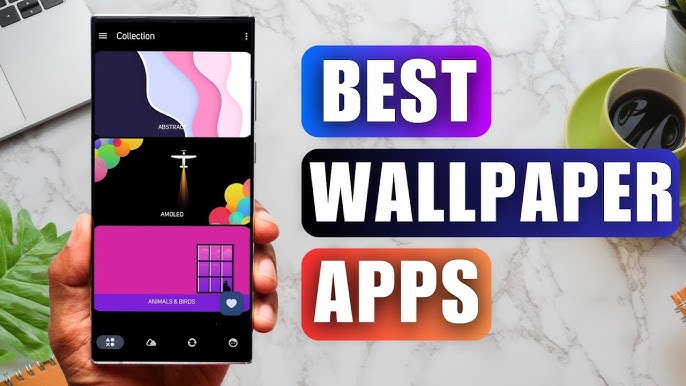
Staring at the same wallpaper on a phone or tablet gets very boring, but who wants to spend hours scrolling through Google Images or old photos to find the perfect background? With the plethora of free wallpaper apps available to Android users on the Google Play Store, there's no need to waste time endlessly searching anymore. These customizable apps include more wallpaper options than one person could ever need in their lifetime. Some offer live wallpapers, while others give users the option to automatically switch backgrounds without doing anything.
The Ultra HD Wallpaper app allows you to find a wide range of clear wallpapers, which can be displayed with great clarity on any phone screen. You no longer have to worry about unclear wallpapers when changing devices. Today, the editor has compiled a complete app for ultra HD wallpapers, which you can choose and use according to your own needs. Generally, wallpapers are classified in great detail within software, and you can find wallpapers of any style you like. At the same time, there are super rich dynamic wallpapers for you to choose from, using cool wallpapers to make your phone desktop and lock screen stand out. Friends who like to collect ultra high definition wallpapers, welcome to download related software and experience it on this website!
These software have the most comprehensive collection of wallpaper themes, and you can update your phone or computer wallpaper at any time. There are various styles of wallpapers with complete classifications, and you can search freely. Moreover, all wallpapers are high-definition images that can be freely adapted to your screen and support downloading and saving locally. The theme wallpaper application software recommends the hottest, latest, and best wallpapers for you. Millions of ultra high definition wallpapers are updated in real-time every day, with a wide variety of themed wallpapers available. There are no samples for changing wallpaper every day.
About us | Contact us | Privacy policy| DMCA
Copyright © 2026 Xiaohei All rights reserved.