Liv Dark - Substratum Theme is a sophisticated and stylish theme software. The game boasts exquisite graphics, an elegant and minimalist interface, and deep, rich colors that are not only visually comfortable but also reduce eye strain when using the device in low-light conditions. With Liv Dark - Substratum Theme, users can customize the accent color to their liking, experimenting with different shades to create a stylish contrast with the stamps on the wallpaper.
Innovative and well-designed substratum theme launcher to enhance users’ exploration and comfort through their devices.
Easy installation with a wide range of customizations and supports to aid users’ needs, whether digitally or through biometrics.
Outstanding wallpapers with similar material designs to combine with the changes in the interface for a new feeling while using.
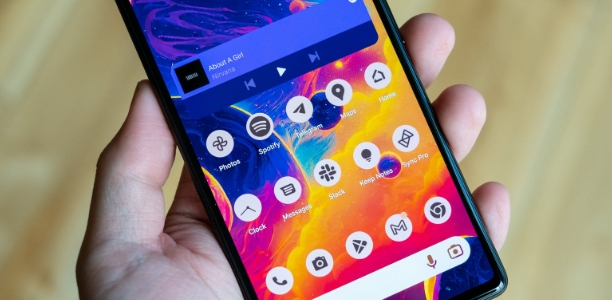
Various icon packs with beautiful designs and wide supports for famous or default apps to change users’ interaction or feelings.
Built-in versatile widgets to aid users in various factors related to keeping track of progress with sharp and modern colors designs.

Themed Apps: It thematizes various apps to ensure a cohesive and comprehensive visual transformation.
OxygenOS Pie Users: To enable the dark theme, navigate to Settings > Display and set the accent color to white. For OxygenOS 10 users, ensure the accent color is set to default.
Feedback and Support: To report bugs or provide suggestions, avoid leaving them in reviews. Instead, contact the developer via email or utilize the Telegram support group link provided.
AMOLED Screen Optimization: For users with AMOLED screens desiring full black backgrounds, the theme offers an AMOLED background option accessible through the Android system overlay.
Variation Across ROMs: Its appearance might vary depending on the ROM being used, especially with less commonly used or custom ROMs, as showcased in the screenshots provided.

Ensure Substratum compatibility: Before applying Liv Dark, make sure your device supports the Substratum engine and that it's properly installed to avoid compatibility issues.
Experiment with UI elements: Explore the theme's various customization options to modify system elements, such as buttons, icons, and fonts, until you achieve your desired look.
Test with different apps: While Liv Dark optimizes your device's native apps, test third-party apps to ensure they also work well with the theme and look consistent.
Update regularly: Keep Liv Dark updated for new features, bug fixes, and improvements, as theme developers often release updates to enhance performance or offer new customization options.
Adjust contrast levels: If certain UI elements feel too dark or hard to read, adjust the contrast settings in the theme options for better visibility and readability.

Liv Dark - Substratum Theme is the perfect choice for users who prefer a dark, minimalist aesthetic for their Android devices without compromising on functionality or readability. With its elegant design, battery-saving features, and comprehensive support for system-wide dark mode, this theme brings a sophisticated touch to your smartphone or tablet. Whether you're looking to reduce eye strain, save battery, or just want a sleek, modern interface, Liv Dark provides a refreshing experience that enhances both style and performance.
Size:35.73MB Version:2.7.5
Requirements:Android Votes:589
Package Name:liv.substratum.theme Signature:a83774f39e0443509cdf302873daa7d2

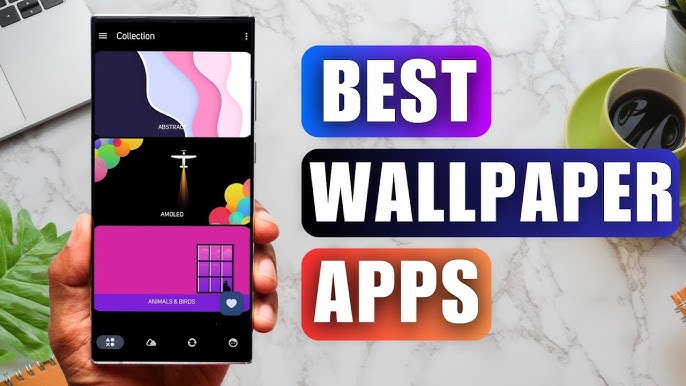
Staring at the same wallpaper on a phone or tablet gets very boring, but who wants to spend hours scrolling through Google Images or old photos to find the perfect background? With the plethora of free wallpaper apps available to Android users on the Google Play Store, there's no need to waste time endlessly searching anymore. These customizable apps include more wallpaper options than one person could ever need in their lifetime. Some offer live wallpapers, while others give users the option to automatically switch backgrounds without doing anything.
The Ultra HD Wallpaper app allows you to find a wide range of clear wallpapers, which can be displayed with great clarity on any phone screen. You no longer have to worry about unclear wallpapers when changing devices. Today, the editor has compiled a complete app for ultra HD wallpapers, which you can choose and use according to your own needs. Generally, wallpapers are classified in great detail within software, and you can find wallpapers of any style you like. At the same time, there are super rich dynamic wallpapers for you to choose from, using cool wallpapers to make your phone desktop and lock screen stand out. Friends who like to collect ultra high definition wallpapers, welcome to download related software and experience it on this website!
About us | Contact us | Privacy policy| DMCA
Copyright © 2026 Xiaohei All rights reserved.