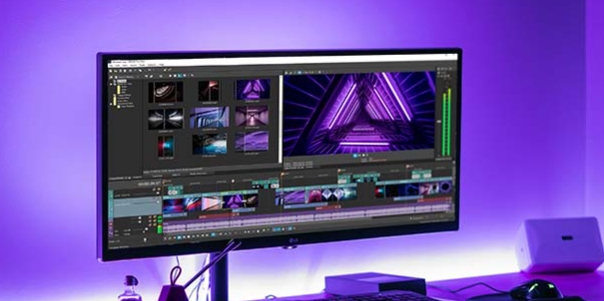
Mivita is a video editing software that provides users with numerous popular video and emoji templates. With just a few clicks, users can replace faces in videos with different effects and add various transitions, music, filters, stickers, and more to create satisfying video works that can then be shared with friends or on other video platforms to garner likes and comments. The software will be continuously updated, releasing more popular editing materials to help users create high-quality video works.
Template-Driven Editing: The core of Mivita lies in its extensive library of ready-made video templates. These range from playful themes and music video effects to more glamorous transformations and humorous swaps—such as gender changes or celebrity lookalikes. With a few taps, users can select a category, pick a template, and insert their own face into professionally crafted scenes.
AI high-tech application: Mivita gives users two choices before starting to edit, take a photo directly with the application and then edit or open a photo in an album. When taking photos directly on the application, users can discover a store of high-quality filters. There are filters that make your skin smoother than ever, without dark circles or red acne marks. There are also filters that make you turn into a cartoon character. Are you curious what your image would look like when appearing in a comic book?
Automatic Face Detection and Swapping: Mivita employs AI-powered facial recognition to ensure accurate placement and natural integration of faces into videos. Users only need to upload a photo, and the app handles the mapping and blending process.
Intuitive Interface: Navigation is straightforward, with templates organized into categories and a search feature that helps users quickly find suitable effects. Editing steps are guided, so even beginners can produce polished output in minutes.
Sharing and Export Options: Videos created with Mivita can be exported in high definition, and there are integrated options to share directly to popular social media platforms like Instagram, Facebook, WhatsApp, and TikTok.

Large collection of music tracks to enjoy: Here in Mivita, Android users will have themselves the massive collection of high-quality music tracks, which can be applied to your video status and stories with ease. Have no troubles selecting your favorite songs from the massive music libraries. Make uses of the app to change songs, crop music, replace audio tracks, and match them with your different story posts. With many different types of music from the multiple genres of pop, trending, electronic dance, rock, hip-hop, and more, you can always enjoy the app to the fullest.
Cool stickers and text to add to your videos and slideshows: Don’t forget to also work with the many cool stickers and text in Mivita, which will allow you to add unique pieces of graphics to your videos and slideshows. Enjoy the many cool stickers from different themed collections, which you can easily select and add to your creative works. Explore the uses of stickers, effects, text, transitions, and other features in Mivita to create your perfect videos with text content and graphics enabled.
Many effects and filters to edit your videos: For those of you who are interested, you can now dive into the app and start making use of its many cool effects and filters, which will allow you to enable cool videos on the go. Have fun trying out the awesome music videos with brilliant transition effects, visual effects, face swap effects, color effects, and more, using the provided design assets. Plus, the beautiful filters will allow you to quickly and effortlessly enable the cool visual elements on your photos within seconds.
Make uses of the many built-in video editing functions: With many built-in video editing functions, Mivita allows Android users to freely customize their music videos, stories, and slideshows with ease. Have no troubles cropping videos, adding and editing text, enabling video transitions, merging and editing your videos with little troubles.

Mivita is straightforward to use. It has a tutorial that shows you how to capture videos and create face swaps. Here is what you need to do:
Launch the app by tapping Open. Mivita will ask your permission to access your camera and microphone before it starts working. Click Allow for the app to complete its initialization process.
Create a video by tapping the video icon on the upper left side of your screen. You can also capture a photo or use existing templates to customize your videos.
After you are done, select an effect from the list that best suits your taste and then tap Next to preview it. This is optional as you may choose to continue editing your video.
When done, tap Finish to have your Mivita masterpiece ready for sharing on social media. You can also save it in the Gallery by tapping Save or you can share it right away via email or social media apps installed on your device.
Additionally, you can select an existing template to use as a starting point and personalize it before you save, share or preview your video. When you do, the app will request permissions to access your gallery. Ensure that you grant it and then continue with your project.

How many faces can I swap in a video?
Mivita allows you to swap multiple faces in a single video depending on the templates used.
Do I need special skills to use Mivita?
No, Mivita is designed to be user-friendly, allowing anyone to create face swap videos without any special skills.
What formats can I save my videos in?
You can save your videos in popular formats such as MP4 or directly share them on social media platforms.
Are there any advertising restrictions in the free version?
Yes, the free version may contain ads, while the paid version offers an ad-free experience.
Can I edit my videos after creating them?
Yes, Mivita provides tools for editing your videos even after they have been created.
If you want to own the perfect face swap application, then Mivita is one of the good choices. This is known as the trump card that helps you own brand new faces from extremely cute to scary. Not stopping there, for those of you who do not know, we are also an application to help you have fun moments with the appearance of great video templates. In this world, you can conquer exciting video templates along with a unique music system.
Size:86.5MB Version:1.2.5
Requirements:Android Votes:252


Transform your smartphone into a powerful editing studio with the best video editing apps for Android! Whether you're a content creator, social media enthusiast, or just looking to polish personal videos, these apps offer professional-grade tools right at your fingertips. Enjoy intuitive interfaces, advanced features like multi-track editing and filters, and seamless exporting options - all optimized for mobile devices. Download now and start creating stunning videos anytime, anywhere!
Mobile video editing tools are highly popular, with complete functions and professional tools that provide a strong atmosphere for various materials. Rich video templates can be operated with just one click, saving time and without too high a threshold. So what are the free versions of mobile video editing software? Editing software should have high popularity, but most of them require membership. Next, I recommend several platforms that can be used for free.
In the era of popular short videos, it seems that everyone can edit, which has become an essential skill. The editor brings you a ranking of video editing software that is good. Editing videos seems to be a daily routine, used by both internet celebrities and daily life recorders. The editing techniques are also different. The videos edited by professional personnel are more shocking and beautiful, while those edited by non professional personnel are ordinary. Below, the editor will organize some useful video editing software.
About us | Contact us | Privacy policy| DMCA
Copyright © 2026 Xiaohei All rights reserved.