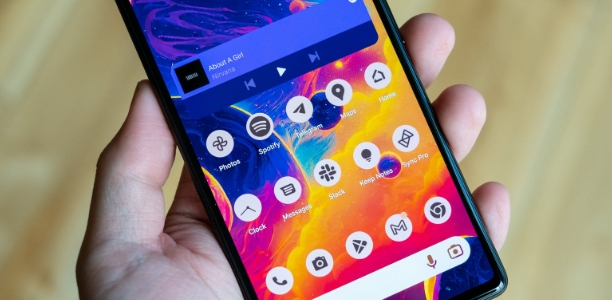
My Thing KWGT is an irresistible theme control utility that helps users easily personalize their screens, providing a stylish and beautiful interface while enjoying a smooth and convenient interactive experience. My Thing KWGT presents a user-friendly and feature-rich screen theme application, allowing users to experiment with a variety of customizable widgets and create their own personalized home screen with easy drag-and-drop functionality, enjoying a modern and exquisite design style. My Thing KWGT offers excellent launcher support, with intelligent scaling adjustments to perfectly fit your home screen.
Stunning Futuristic Design: This application brings you extremely beautiful and attractive futuristic designs. These designs will bring you a brand new and fun experience.
Choose Your Widgets: This application provides you with extremely convenient and intelligent widgets. You can freely customize widgets without any restrictions or difficulties.
Easily Adjust Scaling Ratio: With this application, you can quickly and easily customize the size. You can adjust different sizes according to your preferences and usage habits to achieve the most satisfying user experience.
Clear Setup Guide: With this application, you can easily complete the setup. No complicated steps required; quickly create a brand new interface in just a few simple steps.
Custom Launcher Support: The app also quickly supports custom launchers. It runs smoothly regardless of your phone's operating system performance.

Download the My Thing Plus KWGT and KWGT Pro apps
Long press the home screen, then select the widgets option.
Select the KWGT widget from the dropdown list.
Tap the widget, select Installed, then select "My KWGT".
Choose your favorite widget and adjust the scaling to fit your home screen.
Congratulations! You're ready to go.

Extremely low resource consumption—maintains low battery and CPU usage while ensuring rich visuals.
Customizable Layers—Layers within each widget are editable; you can adjust text, icons, and positions.
Consistent Style—All widgets use the same visual language, keeping the home screen look consistent.
Quick Updates — This package is designed to allow creators to add new widgets or fixes without breaking existing settings.
Includes Instructions — Clear setup steps and comments guide users on how to properly position and scale widgets.

Is this a standalone app?
No. It's a KWGT widget package that requires a KWGT and KWGT Pro key to function.
Do I need to pay?
The widget package itself may be free or paid, depending on the source, but KWGT Pro is a paid key that you must use for your custom widgets to function fully.
Which launcher should I use?
Any launcher that supports custom widgets and resizing will work, but for best results, Nova Launcher is recommended.
My widgets aren't displaying correctly on my screen—what should I do?
Open the widget's KWGT editor and use the "Scale" option under Layer Settings to resize the elements until they display correctly.

My Thing Glass KWGT is a lightweight and beautifully designed component pack for users who crave a futuristic, glass-like home screen. If you're already using KWGT and a custom launcher, setup is incredibly simple. It also offers flexible scaling and editable layers for easy personalization.
Size:117.53MB Version:2.0.4
Requirements:Android Votes:403

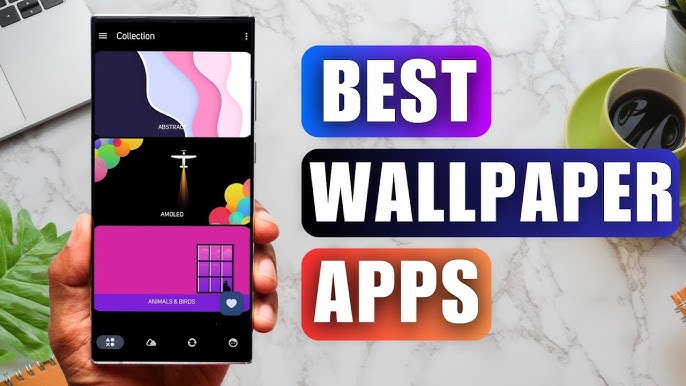
Staring at the same wallpaper on a phone or tablet gets very boring, but who wants to spend hours scrolling through Google Images or old photos to find the perfect background? With the plethora of free wallpaper apps available to Android users on the Google Play Store, there's no need to waste time endlessly searching anymore. These customizable apps include more wallpaper options than one person could ever need in their lifetime. Some offer live wallpapers, while others give users the option to automatically switch backgrounds without doing anything.
There must be many friends who decorate their phones with theme wallpapers, etc. So which theme stores are free? The editor has selected a variety of free and easy-to-use mobile theme software for everyone, providing a massive amount of exquisite wallpapers in various styles, dynamic and static, to meet everyone's download needs. Fine classification helps users quickly find their favorite themes, and supports users to preview application effects!
The Ultra HD Wallpaper app allows you to find a wide range of clear wallpapers, which can be displayed with great clarity on any phone screen. You no longer have to worry about unclear wallpapers when changing devices. Today, the editor has compiled a complete app for ultra HD wallpapers, which you can choose and use according to your own needs. Generally, wallpapers are classified in great detail within software, and you can find wallpapers of any style you like. At the same time, there are super rich dynamic wallpapers for you to choose from, using cool wallpapers to make your phone desktop and lock screen stand out. Friends who like to collect ultra high definition wallpapers, welcome to download related software and experience it on this website!
About us | Contact us | Privacy policy| DMCA
Copyright © 2026 Xiaohei All rights reserved.