Niagara Launcher is an Android home screen app with a clean, vertical list for an efficient and convenient user experience. Prioritizing comfort, it easily organizes cluttered icons and folders on your desktop, providing a better mobile experience! Niagara Launcher has built-in notifications, allowing you to view and reply to messages without switching apps, greatly improving work efficiency! In addition, Niagara Launcher is fast, lightweight, and uses little memory, with no annoying ads, so you can use it with peace of mind!
Ergonomic Home Screen!
Niagara Launcher places core operations within easy thumb reach. Because the interface centrally displays the most frequently used functions, it's easy to operate even on large-screen phones. You can open and interact with apps without having to cross the entire screen.
Adaptive Lists and Notifications!
Media controls, messages, and calendar items only appear when needed.
You can read and reply to notifications on the home screen.
The page layout remains clean when there's no new content to display.
Wave Alphabet Navigation!
Use wave-like animations to swipe through the alphabet and quickly find the apps you need. Jump to specific letters with one hand without opening separate app lists. This makes browsing a large number of apps faster and more precise.
Personalize and Material!
Choose icons, fonts, and wallpapers that match your style.
The Material You theme automatically adjusts to your wallpaper across different Android versions.
Keep your Niagara Launcher updated to receive the latest design updates.

Easy Personalization: You have the freedom to edit your home screen in many ways, such as editing fonts or resizing apps.
Multiple Choices: The app also offers a wide selection of wallpapers.
Customize Your Screen: You can customize your screen interface however you like, as long as it suits you.
A Cleaner Home Screen: Your home screen is now cleaner and tidier with fewer apps.
Quick Access: The app automatically creates priority access for apps you use frequently.
Clear Information at a Glance: The app also offers components integrated with calendars and weather for quick information, enabling smarter and more efficient work management.

"Niagara Launcher for Android, theoretically optimized for one-handed operation, is also a better, cleaner way to organize your home screen"—David Pierce, *The Verge*
"The best Android launcher for large-screen phones"—Joe Fedewa, *How-To Geek*
"A great new Android launcher that delivers an ergonomic and efficient experience"—JR Raphael
"This is the best choice for long-screen or foldable phones"—Ryne Hager, *Android Police*

What is Niagara Launcher?
Niagara Launcher is a minimalist Android home screen app designed for one-handed use and smooth navigation.
How does Niagara Launcher improve the user experience?
It replaces a cluttered grid layout with a simple vertical list, making apps and notifications easier to access.
Can I customize Niagara Launcher?
Yes, you can change the font, icons, and wallpaper, and use the Material You theme to create a unified style.
Does Niagara Launcher have ads?
No, even the free version of Niagara Launcher is completely ad-free, keeping your phone free from distractions.
Who should use Niagara Launcher?
It's perfect for Android home screen users who appreciate speed, simplicity, ergonomics, and ease of use.
This launcher is designed with simplicity in mind, so it might seem too rudimentary if you prefer highly customized or multi-page interfaces. However, it's an excellent choice for anyone wanting a quick, clean phone setup and true one-handed operation.
Size:13.7MB Version:1.15.20
Requirements:Android Votes:254
Package Name:bitpit.launcher Signature:8883812653db1b001e711f9af920bdbc5910899f


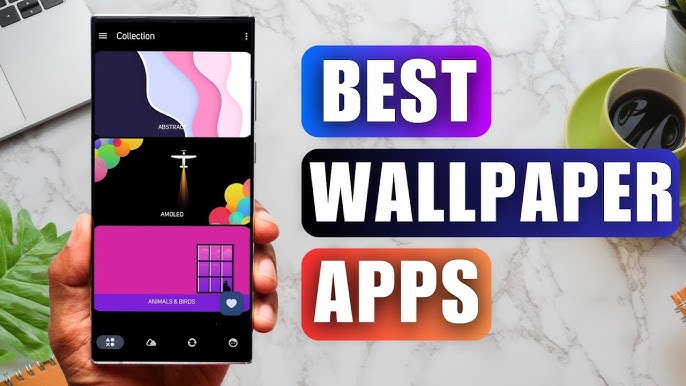
Staring at the same wallpaper on a phone or tablet gets very boring, but who wants to spend hours scrolling through Google Images or old photos to find the perfect background? With the plethora of free wallpaper apps available to Android users on the Google Play Store, there's no need to waste time endlessly searching anymore. These customizable apps include more wallpaper options than one person could ever need in their lifetime. Some offer live wallpapers, while others give users the option to automatically switch backgrounds without doing anything.
Elevate your mobile experience with an endless stream of high-quality wallpapers - all completely free! Discover breathtaking nature scenes, sleek minimalist designs, vibrant abstract art, and more from the world’s best wallpaper apps. These handpicked collections feature daily updates with fresh, eye-catching designs crafted by talented artists across the globe. Whether you prefer serene landscapes, bold patterns, or trending aesthetics, you’ll find the perfect backdrop to match your style. Give your device a personal touch and enjoy a new visual treat every day - no subscriptions, no fees, just endless inspiration. Download now and transform your screen!
The Ultra HD Wallpaper app allows you to find a wide range of clear wallpapers, which can be displayed with great clarity on any phone screen. You no longer have to worry about unclear wallpapers when changing devices. Today, the editor has compiled a complete app for ultra HD wallpapers, which you can choose and use according to your own needs. Generally, wallpapers are classified in great detail within software, and you can find wallpapers of any style you like. At the same time, there are super rich dynamic wallpapers for you to choose from, using cool wallpapers to make your phone desktop and lock screen stand out. Friends who like to collect ultra high definition wallpapers, welcome to download related software and experience it on this website!
About us | Contact us | Privacy policy| DMCA
Copyright © 2026 Xiaohei All rights reserved.