Solo VPN - One Tap Proxy is a popular and practical internet proxy service that provides fast, smooth, and stable internet connections, allowing you to enjoy a secure and anonymous browsing experience. The application offers a lightweight, easy-to-use, and fully functional proxy solution. Users can configure and quickly activate it in simple steps, enjoying accelerated channels worldwide and unlimited high-speed bandwidth. The application provides unlimited data traffic, advanced security encryption, one-click server switching, and an uninterrupted internet experience.
One-Click Connection, No Setup Required
Solo VPN - One Tap Proxy simplifies the connection process. Simply click the connect button, and the application will automatically find available servers. No registration or root access is required; you can use it immediately.
Free Service, No Time or Data Limits
You can maintain a VPN connection as needed, with no data limits. The application sustains its operation through advertising, providing free access. If you use a lot of data, the connection will automatically remain open without any additional action.
Access Blocked Websites and Bypass Restrictions
This app routes your internet traffic to its servers, allowing you to access websites that may be blocked. It also hides your public IP address, reducing tracking and helping you bypass local firewalls. This is extremely useful in environments with strict internet rules, such as schools, workplaces, or while traveling.

After installation, open Solo VPN - One Tap Proxy and review the brief instructions on the main screen.
When prompted, allow the VPN connection request so the application can create a secure tunnel.
Tap the Connect button to start; the application will automatically select available servers and display the connection status.
If you need servers in a specific region, open the server list and select a country such as Japan, the United States, or the United Kingdom.
Once finished, return to the application and tap Disconnect; you can reconnect at any time using the same steps.

This app is very easy to use, especially in finding and connecting to servers. After opening the app, Solo VPN automatically selects the best server for you. You only need to tap a button to connect. Once connected, you can browse the internet freely without worrying about geographical restrictions or location-based censorship.
While connecting is as simple as a single click, you can also manually select your desired country/region. Click the list of countries/regions to view all options, then choose the one that best suits your needs. This selection will become the default setting, so you won't need to choose it again the next time you connect.

Pros
Simple and easy-to-use interface
Numerous servers distributed worldwide
Secure encryption methods
Cons
Connecting to servers takes some time
Some servers may unexpectedly disconnect
As a free VPN service, Solo VPN sustains itself through advertising, which can sometimes be annoying. Furthermore, it lacks advanced features such as a kill switch, split tunneling, or multi-device synchronization, making this application only a basic VPN service. Streaming services and some restricted content may still block connections from known VPN IP addresses, leading to unstable connections.
Size:9.31MB Version:1.51.2
Requirements:Android Votes:132
With more and more of our lives happening online, smartphones have become an essential component of our daily routines. Whether you’re shopping, banking, or socializing – everything can be tracked online, even on Androids. This information can then be used by third-parties profiting off your data or your ISP to slow down your internet speed. An easy way to increase online privacy and security of your Android smartphone is to start using a VPN. At Cybernews, we have over 5 years of experience testing VPN services, so we know what makes a great VPN app. To make your search for a reliable VPN easier, together with our research team, I tested both free and paid Android VPN apps, and summarized the results of our research below.
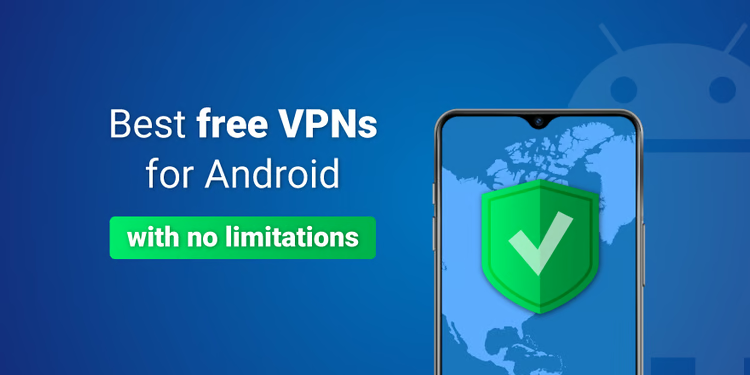
Enjoy unrestricted internet access anywhere in the world with these top-rated free VPNs for Android. Securely browse in private, bypass geo-blocks, and unlock censored websites in just a few taps. These powerful apps encrypt your connection, mask your IP address, and protect your data-especially on risky public Wi-Fi. Whether you're streaming global content, accessing restricted platforms, or simply safeguarding your privacy, these trusted VPNs deliver fast, reliable performance. Discover the most popular free VPN downloads and experience true online freedom today-no limits, no compromises!
In 2024, privacy and security on mobile devices are more important than ever, and a reliable VPN can help protect your data while browsing. The best free VPNs for Android offer a solid balance of speed, security, and user-friendly features without costing a dime. These VPNs allow you to browse anonymously, bypass geo-restrictions, and safeguard your personal information on public Wi-Fi networks. While free options may have certain limitations, such as data caps or fewer server locations, they still provide essential privacy protection. With strong encryption, zero-logging policies, and a simple setup, these free VPNs ensure your online activities remain private and secure while using your Android device.
About us | Contact us | Privacy policy| DMCA
Copyright © 2026 Xiaohei All rights reserved.