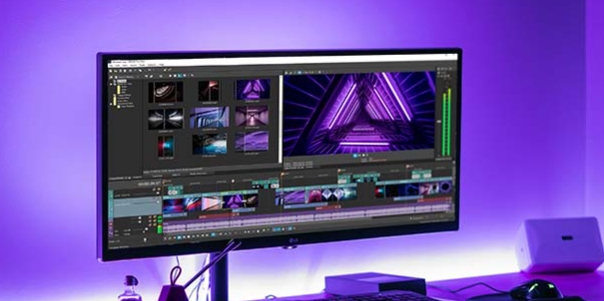
Protake is a video editing software designed for creators, providing users with detailed tutorials. Users can flexibly switch between different editing modes depending on the type of video they are creating, modifying video data and adjusting styles and filters to produce stunning video works. Users can then easily share their creations with friends or on other platforms, winning the favor of others with their creativity and talent. The software offers professional-grade video editing tools for vlog and YouTube users, meeting their personalized creative needs. The software is constantly updated, releasing more editing tools, materials, and tutorials to help users create higher-quality works.
Auto and Pro shooting modes: Auto mode keeps single‑handed shooting simple for vlogs and everyday clips, while Pro mode opens full manual control and detailed on‑screen camera info. In the Protake latest version, Auto and Pro live in the Modes menu, so you can switch quickly as your scenario changes. Practical touches help during real shoots: start and stop with a record beeper or flash, or use the volume keys when you need a steadier grip. Auto suits fast moments and reactive content; Pro suits controlled lighting, locked exposure, and repeatable focus pulls.
True LOG capture for professional grading: LOG capture is available under Color and uses ALEXA Log C mapping for wide dynamic range and grading‑friendly files. This profile retains highlight detail and shadow nuance so your footage responds well to professional color workflows. In brightly lit scenes or mixed lighting, enable LOG to keep flexibility for later grading and matching across takes. Protake makes this a practical option on mobile, though LOG does require some color grading knowledge. If you are still learning, start with Neutral or a Look preset, then move into LOG when ready.
Cinematic Looks presets: The built‑in Cinematic Looks library offers Neutral, Film Emulation inspired by Kodak and Fuji stocks, Movie‑inspired styles, and ALEXA Looks. These presets provide appealing starting points when you want a finished look straight from camera. Choose a film emulation for a softer roll‑off and classic color, or switch to Neutral when planning heavy grade later. Protake applies these presets directly during capture, which is helpful for matching mood across different scenes and maintaining consistency without deep post work.
Monitoring and visual assistants: Waveform, parade, and RGB histogram help read exposure and color balance at a glance, while audio meters ensure your sound levels stay healthy. Zebra and false color offer quick exposure checks for skin tones and key highlights, and composition guides cover aspect ratios, safe areas, rule of thirds, crosshairs, and a 3‑axis horizon. Focus peaking and auto‑focus are available, and A‑B points support repeatable zoom or focus pulls for planned moves. All monitors and aids toggle directly on the shooting screen, so Protake keeps technical feedback within view as you frame a shot.

Looking for cinematic color? ProTake is the best choice! LOG allows you to match the colour of your device to the industry standard ALEXA log C to achieve the same dynamic range, colour and solutions as a professional film camera. With the ProTake you can now get the same professional results, without spending a fortune. What are you waiting? Start creating stunning cinematic videos with the ProTake APK!
Protake App offers a range of options to fit every project, whether you are looking for a neutral look, film emulation or movie-inspired style. These options allow you to capture timeless moments using neutral styles or add a touch nostalgia by emulating classic Kodak or Fuji cinema films. Blockbusters and independent gems can also be used to create an original and captivating visual tone. Finding the right look for your project is easier than ever with so many options.
Protake provides a wide range of tools that will enhance your filming experiences. Protake offers a range of features, including Frame Drop Notification, Monitoring Tools, Composition Assistants, Exposure Assistants, Focus Assistants, and Recording Aids. These tools provide you with valuable information throughout the entire filming process.
Protake APK offers a revolutionary A-B Point function that will revolutionize the way you take pictures. A-B Point makes it easier than ever to capture the perfect shot. This new technology eliminates the need for guesswork and trial-and-error to get stunning results. Protake’s A/B Point feature is perfect for amateurs and professionals alike. It will improve your photography skills.

Good app! I like that you can take more control over your camera eveb with the free version, that I am currently trying. I like the presets, that help you with different color corrections and the beauty option lets you really configure your face if that's what you are after. Till now it's a good app to shoot videos! I would have liked if I could have edited the videos too with this app.
The app is THE BEST for film making of you don't have a camera, and you only have a phone. They added the removing camera shake so if you shake the camera a lot, it won't really show it. Also to whoever said "unless you are super still while holding the camera", it's YOUR FAULT for not holding the camera well. Really nice app! Decent.
Everything you need to simulate a mirrorless camera on your smartphone. Great user interface and full-packed with features. Good value for money if compared to other camera apps. A nice to have feature would be Auto ISO keeping the shutter manual. At the moment, when you enable Auto ISO, you trigger full auto exposure so it takes over the shutter too.
I've installed and un-installed so many "PRO" apps with cinema like features and I am Blown away by this app, It is straight up PREMIUM, I tried the trial version and in minutes after going thru what all it can do...I had to go and purchase it! I highly recommend this app for anyone who is into creating cinema style footage, it is awesome, finally an app I spend hours on creating unlimitless footage with ALL control at my disposal!!! It's the premium of video apps out there!
Its like having a new phone. The videos on my phones normal camera app had become awful quality due to updates from Realme/Android. This fixed that. You get the raw feed from your camera. No silly stabilization that turns it into a pixelated blurry mess. Just pure good 1080p footage. For this purpose this app is brilliant!

Can I use Protake APK for editing videos?
While Protake APK is primarily focused on filming, it includes some basic editing tools for trimming and exporting your footage. For more advanced editing, you may need to use an external video editing app in conjunction with Protake.
Does Protake APK support 4K video recording?
Yes, Protake APK supports 4K video recording, depending on your device's camera capabilities. You can choose different resolutions and frame rates to suit your filming needs.
How do I adjust exposure and focus in Protake APK?
Protake APK provides manual controls for both exposure and focus. You can adjust these settings using the on-screen sliders or use the auto-focus and exposure assist tools for more precise adjustments.
Can I share my videos directly from Protake APK?
Yes, after filming with Protake APK, you can easily share your videos to social media platforms, cloud storage, or other apps directly from within the app.
Anyone can quickly learn to use Protake because it has been fine-tuned for maximum usability and automate various process and features for users. In particular, the user can select the automatic option if they are a vlogger who needs to be more aware of the camera’s characteristics. As the name suggests, everything has been mechanized to cater to your basic need and ensures you can get the best shot with the best quality. The expert assistance has pre-configured the interface, and you have to use it easily while letting the professional features handle the rest.
Size:71.3MB Version:3.0.21
Requirements:Android Votes:526
Package Name:com.blink.academy.protake Signature:1c16e3573f1e90c90af7c75807ca794b70717fcf


Video Editor is a powerful software tool designed for crafting, refining, and enhancing video content. It enables users to transform raw footage into compelling visual narratives or effective communication platforms. As digital media continues to evolve, video editing has grown in significance - no longer just a professional necessity but also an accessible skill for everyday creators. Modern editing tools now offer intuitive interfaces, AI-powered features, and cross-platform compatibility, making high-quality video production achievable for both experts and casual users alike.
Mobile video editing tools are highly popular, with complete functions and professional tools that provide a strong atmosphere for various materials. Rich video templates can be operated with just one click, saving time and without too high a threshold. So what are the free versions of mobile video editing software? Editing software should have high popularity, but most of them require membership. Next, I recommend several platforms that can be used for free.
In the era of popular short videos, it seems that everyone can edit, which has become an essential skill. The editor brings you a ranking of video editing software that is good. Editing videos seems to be a daily routine, used by both internet celebrities and daily life recorders. The editing techniques are also different. The videos edited by professional personnel are more shocking and beautiful, while those edited by non professional personnel are ordinary. Below, the editor will organize some useful video editing software.
About us | Contact us | Privacy policy| DMCA
Copyright © 2026 Xiaohei All rights reserved.