Google Meet is a mobile video conferencing application. Here you can conduct high-quality, real-time video conferences, even global conversations! It's feature-rich, offering intelligent noise reduction, real-time lighting adjustment, and all sorts of fun effects and filters for a better video calling experience. Google Meet protects your privacy and device security; every meeting is encrypted, and you can easily manage all participants and communicate with peace of mind.
Easy to use, join a meeting with just one click.
Supports up to 100 participants simultaneously.
The host or presenter can share their screen, show slides, documents, etc., and mute/unmute other users during the call.
Enjoy a high-quality video conferencing experience with HD audio and video quality on mobile devices and laptops/desktops with cameras.
End-to-end encryption ensures the privacy and security of your conversations, preventing unauthorized access by hackers or malicious third parties.
Any user (host) can choose to record Google Meet meetings if needed.
Google Meet allows you to create a virtual background when joining a meeting, using a custom image uploaded from your device's storage or an image captured directly by the camera app seconds before the meeting starts.
Built-in chat allows all participants in an ongoing session to easily communicate via text messages sent from secure servers maintained by Google.

Live captions provided by Google's speech-to-text technology are another key feature of Google Meet. This feature ensures that users can keep up with the conversation regardless of their language ability or hearing impairment. It has a significant advantage in diverse groups, enabling everyone to fully participate in discussions.
International access is a key feature of Google Meet. The app offers international dial-in numbers, allowing participants from different regions to seamlessly join meetings. This feature is especially important for organizations with global teams, as it simplifies virtual collaboration processes across time zones and geographical locations.
Google Meet's performance is continuously improved through regular updates that not only introduce new features and improvements but also fix bugs, ensuring a smoother user experience. The developers always put user needs first, demonstrating their commitment to adapting to the ever-changing digital environment.
Security is a top priority for Google Meet. The app incorporates multiple measures to protect user data and privacy during meetings. These security features give users peace of mind when discussing sensitive topics, knowing their communications are protected.
Participants can easily schedule and join meetings using Google Meet, which integrates seamlessly with Google Calendar. This integration streamlines the planning process, allowing users to send invitations, set reminders, and access meeting links directly from their calendars. These features optimize organizational processes, making it easier for teams to coordinate schedules and stay productive.

Advantages: Different ways to join meetings
Strong security features
Unlimited use of the same link
Duet AI integration
Disadvantages: Callers cannot view or share presentations.
Time limitations
Technical issues
Limited number of attendees for presentations

What is Google Meet?
Google Meet is a secure video calling app from Google that allows users to host meetings, classes, and virtual events across different devices.
How does Google Meet work?
You can start or join meetings using a link or code; no additional setup is required, and it works directly in your browser or mobile app.
Is Google Meet free to use?
Yes, Google Meet offers free video calling with basic features, while the premium plan includes options like recording and AI notes.
Can I use Google Meet on my phone?
Absolutely. It supports Android and iOS devices, with the same functionality as the web version.
Does Google Meet support live captions and translation?
Yes, it supports live captions and voice translation, but availability may vary depending on language and plan.
In conclusion, Google Meet is ideal for students, remote teams, teachers, and families who need a simple and reliable video calling platform. Whether it's a quick, synchronized team meeting or a family gathering, it ensures everyone can be heard and seen clearly, no matter where they are.
Size:67.4MB Version:2024.06.23.64591
Requirements:Android Votes:225


With the advancement of technology, downloading videos on Android devices is no longer time-consuming. The Android universe is now infested with hundreds of apps for video download in Android that can download HD videos from a slew of video-sharing and streaming sites like YouTube with the swipe of a finger. However, the majority of these apps may contain adware and other unwanted software! As a result, if you’re looking for a good list of the best free Video Downloader Apps for Android. That is completely safe; this is the place to be!
The software boasts a sleek, user-friendly interface designed for effortless navigation, enabling seamless browsing and quick searches across a diverse range of video content. Its extensive library is continuously updated with the newest releases, including blockbuster movies, trending TV series, entertaining variety shows, captivating animations, and insightful documentaries. With this ever-expanding collection, users can enjoy high-quality, up-to-date entertainment anytime and anywhere, catering to all tastes and preferences.
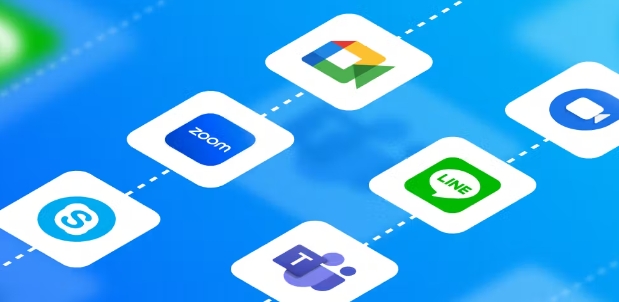
Mobile devices have become an essential tool in daily life, and cloud video calling is currently the latest communication technology. Even if two people are far apart, they can still see each other's true face through video calling, enhance their relationship, and transmit real information. What are the free video chat apps available? With the increasing number of video calls and software, various platforms have started to offer paid services. Today, I recommend several platforms that offer free video calls.
About us | Contact us | Privacy policy| DMCA
Copyright © 2026 Xiaohei All rights reserved.