Smart Launcher 6 is a smartphone desktop organizer. It helps you categorize your phone's apps, organize your interface layout, and intelligently sort them for more efficient work and task management. The intelligent auto-layout feature adjusts your phone's screen settings to the most suitable state, allowing you to make the most of your phone's capabilities. Furthermore, its intuitive design and simple operation make screen organization easy.
Automatic App Sort
No more manually dragging icons, switching between pages, grouping into folders… all these manual steps have been replaced by Smart Launcher 6's intelligent app auto-sorting feature.
Therefore, the apps on your phone will be automatically sorted by category. This categorization is based on the principle of grouping apps with similar functions or goals. Once the directory is created, all related apps will automatically run and remain in this directory for easy access when needed.
This principle also applies to downloaded or soon-to-be-downloaded apps. They all belong to one of these visual categories. Therefore, organizing app storage space can save a significant amount of time and effort.
Intuitive Design and Minimalist Operation
Smart Launcher 6's design theme is inspired by ambient colors, ensuring users always have a color scheme that matches their wallpaper, enhancing the elegance of their phone screen and making text easy to read and icons easy to recognize.
Smart Launcher 6 was designed from the ground up with the philosophy of "anyone can use it anytime, anywhere," meaning you can easily operate the application with one hand. All your most frequently used and needed functions are concentrated at the bottom of the screen.
Smart Launcher 6's icon system design also reflects its intelligent nature. The icons in the app are cleverly designed, compatible, and modern. This means you can zoom in or out of icons depending on your device's screen size, while always maintaining clean, clear, and easy-to-read colors, sizes, and fonts. Many launcher apps fail to do this basic but crucial function well.
Smart Search and Personalization
When searching for apps or files stored on your phone with Smart Launcher 6, you can perform quick searches or multiple searches using the web or remembered keyword phrases. From the first search, the app automatically saves search results and continuously improves search accuracy, recommending more suitable results to the user.
Smart Launcher 6 also boasts numerous intelligent customization features. Specifically, users can customize the launcher theme's colors and choose color combinations from the app's unlimited color palette. If you encounter any inconvenience during use, you can use the app's built-in Google Fonts to adjust and change the font, size, and color of text.
Smart Launcher 6's goal is clear: to make every user experience as comfortable and convenient as possible, no matter what they are doing.
Gesture controls and shortcuts, along with a clock and weather forecast
Smart Launcher 6 supports various gesture controls and a set of programmable macro keys. You can adjust the controls to your liking for a more comfortable user experience.
The Smart Launcher 6 screen on your phone also includes a clock and major weather events, basic weather statistics, and a to-do list for the day.

Fun color combinations: The app can quickly change elements on your wallpaper to create a harmonious atmosphere.
Stick to a theme: Iconic designs can be applied in many ways depending on your mood.
Easy search: Clearly display search results for contacts, apps, or web pages with just a few swipes.
All utilities are in the search bar: all useful functions are available in one place.

Pros: Automatic app sorting
Powerful search engine
Highly customizable
Supports gestures and keyboard shortcuts.
Cons: Requires app updates, but updates sometimes fail.

Q1: Will Smart Launcher 6 affect device performance?
A1: No, Smart Launcher 6 is optimized for speed and efficiency. It's small and designed to minimize system resource usage while providing a smooth running experience.
Q2: Can I customize icons and themes in Smart Launcher 6?
A2: Yes, you can customize icons, themes, and wallpapers. Mod APK versions unlock advanced options for complete personalization.
Q3: Is Smart Launcher 6 compatible with all Android devices?
A3: Yes, Smart Launcher 6 is compatible with most Android smartphones and tablets running Android 5.0 or later.
Q4: Does the Smart Launcher 6 Mod APK include an app lock feature?
A4: Yes, it includes built-in privacy tools such as app hiding and app locking with PIN or fingerprint protection.
Smart Launcher is perfect for users who want a clean and efficient home screen without any extra setup. It reduces clutter, simplifies navigation, and helps you focus on daily tasks. With a well-designed layout and simple labels, you can quickly access apps, contacts, and tools. Furthermore, it adapts to multiple devices, allowing you to maintain the same operating habits on your phone and tablet. Download Smart Launcher today, customize your home screen to your daily routine, and start your smart launch journey.
Size:40.9MB Version:6.6 build 010
Requirements:Android Votes:93


Smart Launcher 6 Premium
Version:6.5build004
Size:19MB
Download
Smart Launcher 6
Version:6.5build034
Size:27.20MB
Download
Smart Launcher 6
Version:6.6build016
Size:23.27MB
Download
Smart Launcher 6 Mod
Version:v23.1.05
Size:410MB
Download
Smart Launcher 6 APK
Version:v6.5build008patc
Size:25MB
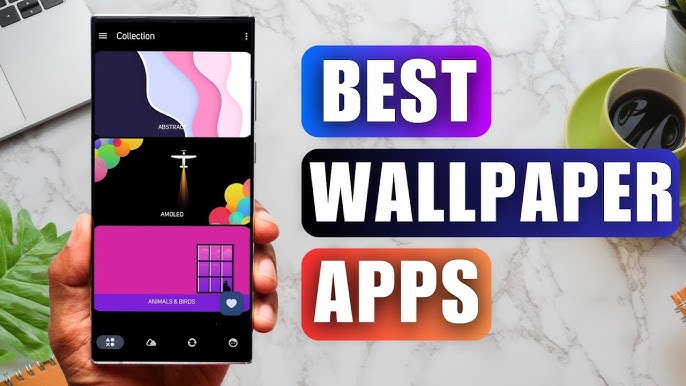
DownloadStaring at the same wallpaper on a phone or tablet gets very boring, but who wants to spend hours scrolling through Google Images or old photos to find the perfect background? With the plethora of free wallpaper apps available to Android users on the Google Play Store, there's no need to waste time endlessly searching anymore. These customizable apps include more wallpaper options than one person could ever need in their lifetime. Some offer live wallpapers, while others give users the option to automatically switch backgrounds without doing anything.
Elevate your mobile experience with an endless stream of high-quality wallpapers - all completely free! Discover breathtaking nature scenes, sleek minimalist designs, vibrant abstract art, and more from the world’s best wallpaper apps. These handpicked collections feature daily updates with fresh, eye-catching designs crafted by talented artists across the globe. Whether you prefer serene landscapes, bold patterns, or trending aesthetics, you’ll find the perfect backdrop to match your style. Give your device a personal touch and enjoy a new visual treat every day - no subscriptions, no fees, just endless inspiration. Download now and transform your screen!
The Ultra HD Wallpaper app allows you to find a wide range of clear wallpapers, which can be displayed with great clarity on any phone screen. You no longer have to worry about unclear wallpapers when changing devices. Today, the editor has compiled a complete app for ultra HD wallpapers, which you can choose and use according to your own needs. Generally, wallpapers are classified in great detail within software, and you can find wallpapers of any style you like. At the same time, there are super rich dynamic wallpapers for you to choose from, using cool wallpapers to make your phone desktop and lock screen stand out. Friends who like to collect ultra high definition wallpapers, welcome to download related software and experience it on this website!
About us | Contact us | Privacy policy| DMCA
Copyright © 2026 Xiaohei All rights reserved.