Moto Widget is a convenient desktop theme app that provides users with various styles of widgets to help them check the current time, weather, battery level, steps, and more. Simply long-press on an empty area of the screen to add your favorite widgets, making your desktop more functional. The app supports rich customization features, allowing you to adjust the layout, style, and switching methods of widgets to better match your screen's aesthetic. The widget library is constantly being updated, with more useful widgets being added continuously, so stay tuned!

Customizable Clock Styles: Choose from various clock designs to match your aesthetic preferences.
Opacity Settings: Modify the transparency of widgets for a sleek appearance.
Weather Integration: Stay updated with real-time weather information displayed directly on your widget.
Edit Mode: Quickly access editing options by long pressing and tapping the edit icon.
Compatibility with Android 11: Special widget settings are available for Android 11 users.
Seamless Interface: Enjoy a smooth user experience with a clean and intuitive design.
Battery-Friendly: Optimized for minimal battery consumption while maintaining functionality.

The new version doesn't seem to have the battery status ring anymore... I'm far sighted so I depend on the battery ring to check on the battery status at a glance... the new version is useless to me. This app is a nuisance during the app updates because it is like the only app I don't wish to update... if the next version doesn't bring back the battery ring, I am planning to remove this app. Update 2021-02-26: Thanks Motorola team for bringing back the classic widget with battery ring thingy!
Very useful widgets. Enough variety and options to be helpful. Not perfect but that's to be expected. You can't always please everyone. A few more customisation options would be great, but might also just confuse things unnecessarily. For example the option of toggling on or off the date, battery, time or weather displays. Well done.
this widget shows time, temperature and date all in one glance. A simple tap on the time brings up the timer, stopwatch, or alarm. A single tap on the date brings up your calendar. And a single tap on the temperature brings up a weather page. the weather changes as you travel to the city you are in, and you can also change it to another city to see what the weather is there. what's really mean is the circle around the widget show us your battery life. for example a half circle is 50%.
The weather forecast is my secret addiction that I can't live without and the application for my device gives me an endless supply of predictions, temperatures and the much needed humidity data (among other necessary information). The accuracy is really good, though for my region the big weather changes run about 1-2 hours behind the suggested start times. Combined with the local meteorological data provided by area news stations a person can avoid the bad weather and enjoy the good.

Does the Moto Widget use a lot of battery life?
The Moto Widget is designed to be lightweight and should not significantly impact your device’s battery life.
How do I remove the Moto Widget from my home screen?
To remove the Moto Widget, long-press on the widget and drag it to the 'Remove' option at the top of the screen.
Can I resize the Moto Widget?
Yes, you can resize the Moto Widget by long-pressing it and then dragging the corners to adjust its size based on your home screen layout.
Does the Moto Widget require internet access?
Some features of the Moto Widget may require internet access for updates or content; however, basic functionality does not require it.
Where can I find help if I have issues with the Moto Widget?
For assistance with the Moto Widget, you can visit Motorola’s official support page or contact customer service for help.
After installing Moto Widget, press and hold on an empty part of your device's home screen to add a widget. Then, go to the Widgets section and search for "Moto Widget". There, you'll find the different widgets offered by the app. Select the one you want by tapping it, and drag it to place it where you desire on the screen.If you want to enjoy modern widgets on your Moto device, downloading the Moto Widget APK is an excellent idea.
Size:48.9MB Version:4.13.61
Requirements:Android Votes:236
Package Name:com.motorola.timeweatherwidget Signature:d670d099a3a6e657ba839dce0746fe1a31f4547e


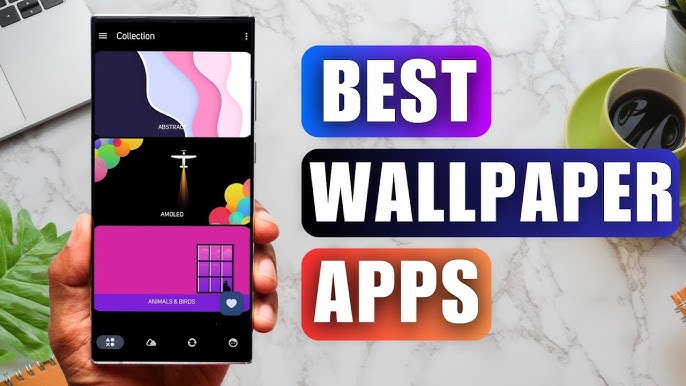
Staring at the same wallpaper on a phone or tablet gets very boring, but who wants to spend hours scrolling through Google Images or old photos to find the perfect background? With the plethora of free wallpaper apps available to Android users on the Google Play Store, there's no need to waste time endlessly searching anymore. These customizable apps include more wallpaper options than one person could ever need in their lifetime. Some offer live wallpapers, while others give users the option to automatically switch backgrounds without doing anything.
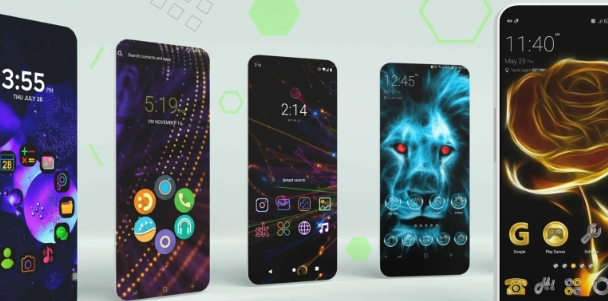
The Ultra HD Wallpaper app allows you to find a wide range of clear wallpapers, which can be displayed with great clarity on any phone screen. You no longer have to worry about unclear wallpapers when changing devices. Today, the editor has compiled a complete app for ultra HD wallpapers, which you can choose and use according to your own needs. Generally, wallpapers are classified in great detail within software, and you can find wallpapers of any style you like. At the same time, there are super rich dynamic wallpapers for you to choose from, using cool wallpapers to make your phone desktop and lock screen stand out. Friends who like to collect ultra high definition wallpapers, welcome to download related software and experience it on this website!
These software have the most comprehensive collection of wallpaper themes, and you can update your phone or computer wallpaper at any time. There are various styles of wallpapers with complete classifications, and you can search freely. Moreover, all wallpapers are high-definition images that can be freely adapted to your screen and support downloading and saving locally. The theme wallpaper application software recommends the hottest, latest, and best wallpapers for you. Millions of ultra high definition wallpapers are updated in real-time every day, with a wide variety of themed wallpapers available. There are no samples for changing wallpaper every day.
About us | Contact us | Privacy policy| DMCA
Copyright © 2026 Xiaohei All rights reserved.