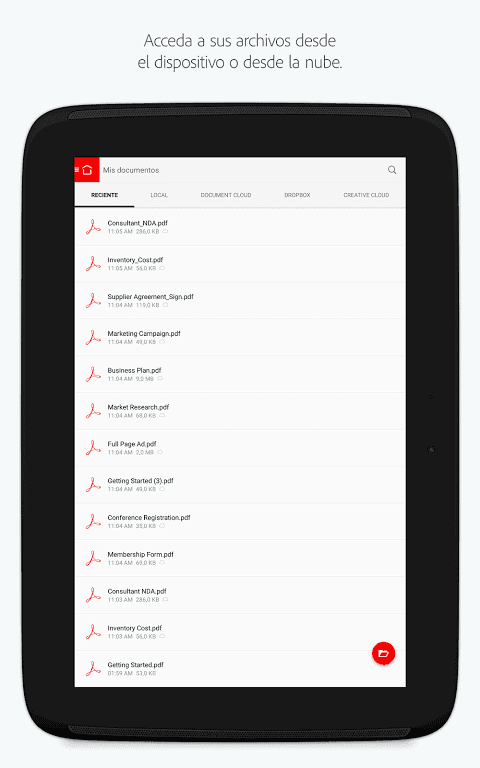
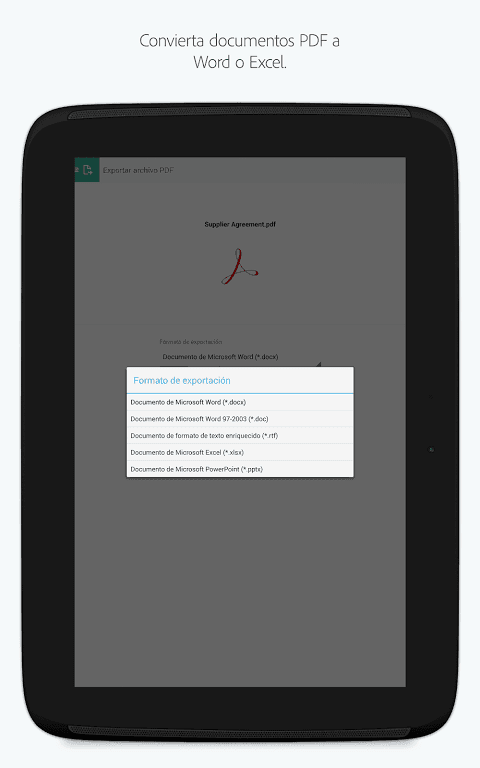
Adobe Acrobat Reader is a user-friendly PDF file reader and editor that accurately recognizes PDF text and converts it into various file formats. During editing, users can freely adjust font size and spacing, add annotations where necessary, and add various images to meet different editing needs. After editing, users can quickly export and share the results with friends. Regarding privacy protection, users can add a unique password and upload the file to the cloud for easy access and editing on different devices. The software also supports a text-to-speech function, allowing users to choose their preferred voice to read aloud, reducing eye strain.
AI-Powered Assistance: A significant leap forward comes with the integration of Adobe Acrobat AI Assistant. This feature streamlines your interaction with PDFs by allowing you to work across multiple files in a unified space. Collaborate seamlessly, store your documents, and leverage the AI Assistant across various files for enhanced productivity.
Interactive Document Q&A: The updated AI Assistant features a chatbot that responds to both voice and text prompts. It can answer questions about details within your documents, including charts, graphs, and tables, through the Figures Q&A feature. Easily share the responses you receive, making collaboration more efficient than ever. Voice support adds another layer of convenience, allowing for hands-free interaction.
Seamless File Sharing: Sharing documents and insights has never been easier. The platform allows you to share responses generated by the AI Assistant, fostering collaboration and knowledge sharing. Whether you’re working on a team project or simply need to get feedback on a document, this feature ensures that everyone stays informed and connected.
Cloud Integration Benefits: Beyond local file management, the service seamlessly integrates with Adobe’s cloud services. This allows you to access your documents from any device, ensuring that your important files are always within reach. Cloud integration also facilitates collaborative editing and real-time updates, making it an ideal tool for teams working remotely.
It can be described as one of the best and most user-friendly PDF viewing apps. Adobe Acrobat Reader can be used to view PDF files on your mobile screen.
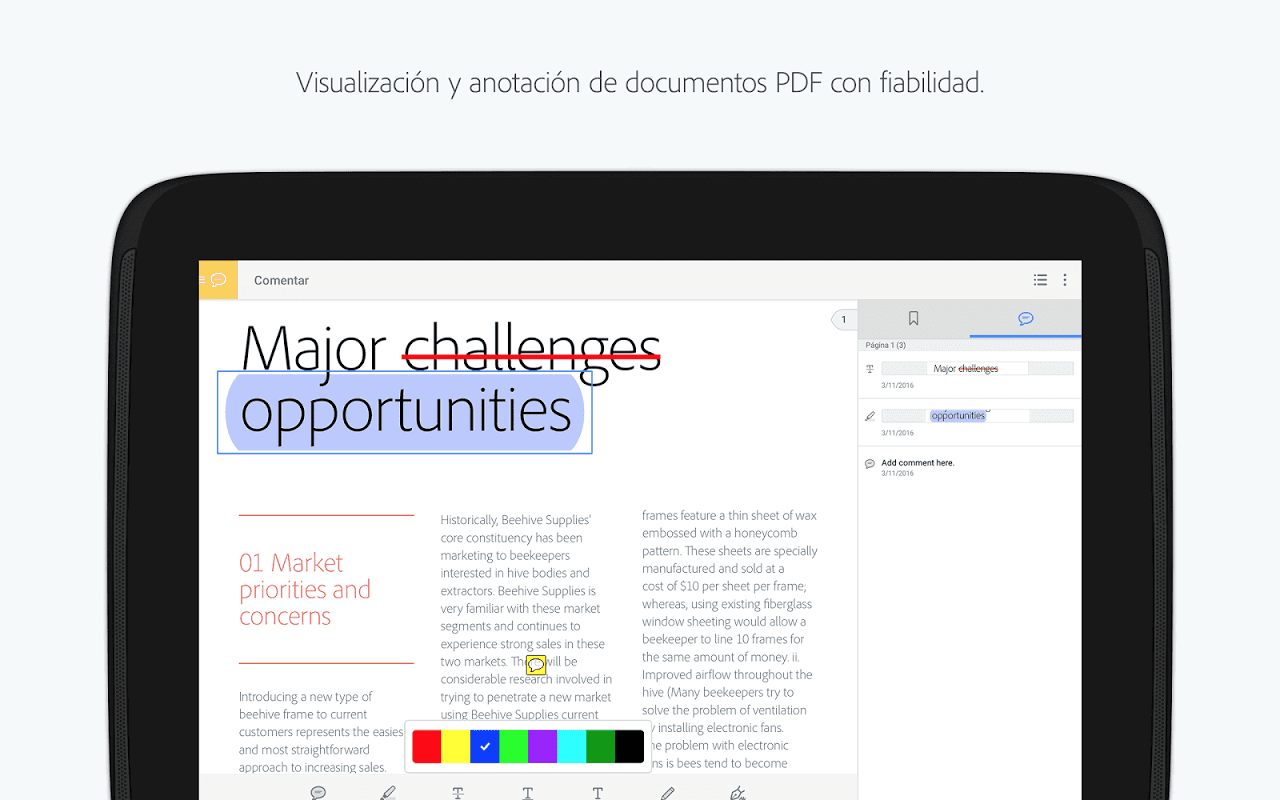
When you’re working on a deadline and need to review files on the go. Adobe Acrobat Reader will be your friend. You can highlight text, add sticky notes, and mark up PDFs with drawing and annotation tools.
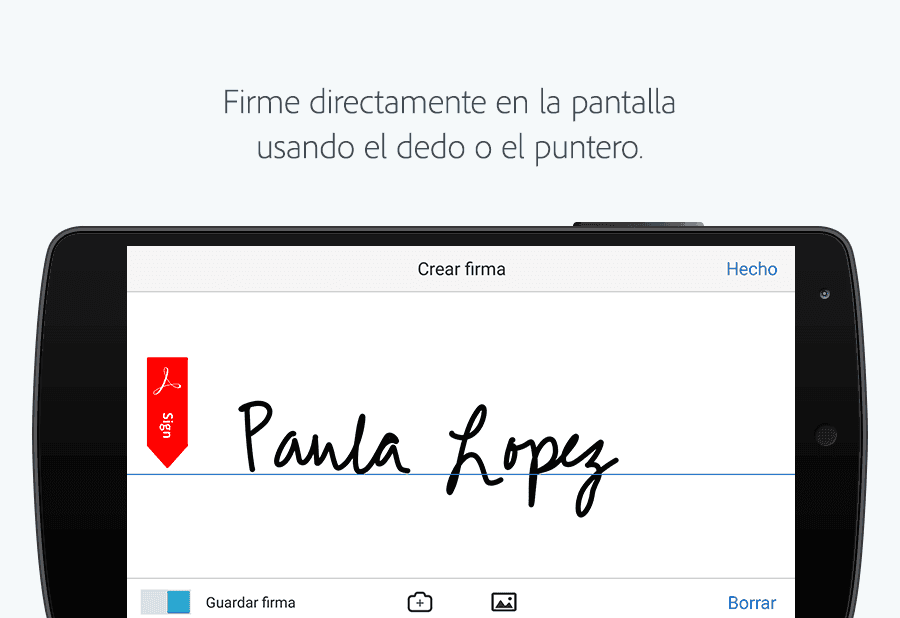
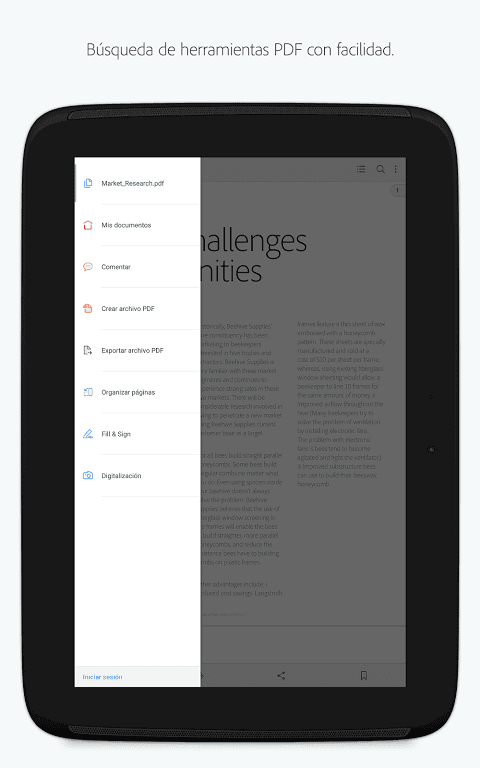
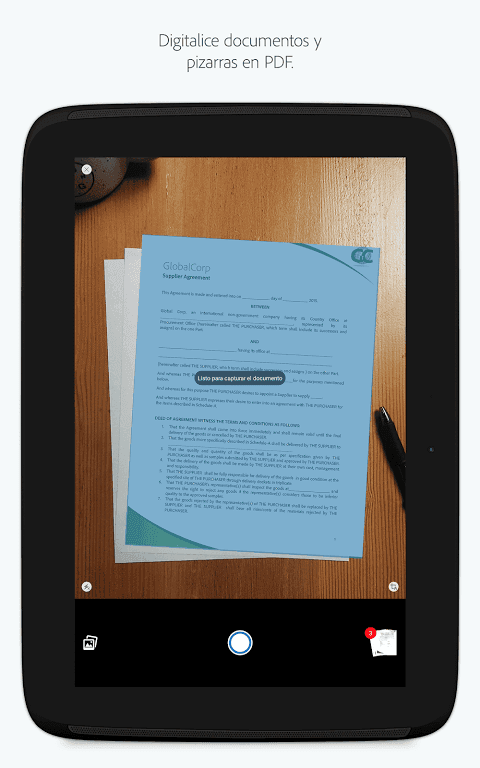
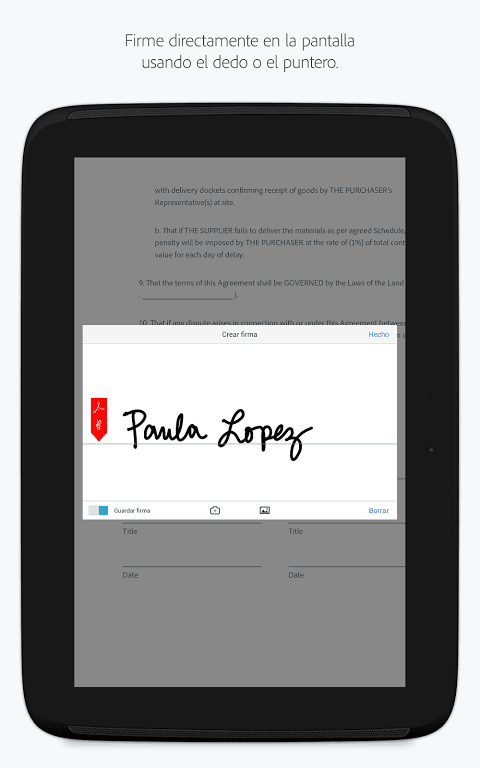
It is simple to use with simple menus and a sleek interface. You can also digitally sign documents, search among documents, and merge them with other PDF files. Adobe also has the possibility of verifying and identifying documents and printing from the printer.
Acrobat Reader expeditiously opens PDF documents from email, the web, or any app that fortifies Share, Search, scroll, and Zoom in and out. You can cull Single Page, Perpetual scroll, or Reading mode.
You can additionally make comments on PDFs utilizing sticky notes and drawing implementation. The PDF reader is a similar app to Adobe Reader that you can also check out while you are here.
What is Adobe Acrobat Reader?
Adobe Acrobat Reader software is the free, trusted global standard for viewing, printing, signing, sharing, and annotating PDFs. It's the only PDF viewer that can open and interact with all types of PDF content – including forms and multimedia. And now, it’s connected to Adobe Document Cloud services – so you can work with PDFs on any device, from anywhere.With Acrobat Reader, you can also unlock premium features to do more with PDFs when you purchase a subscription to Adobe Acrobat PDF Pack, Adobe Acrobat Pro, or Adobe Acrobat Sign.
Do I need Acrobat Pro or Acrobat Standard to use free Adobe Acrobat Reader?
No. Adobe Acrobat Reader is a free, stand-alone application that you can use to open, view, sign, print, annotate, search, and share PDF files. Acrobat Pro and Acrobat Standard are paid products that are part of the same family. See the Acrobat product comparison to explore the differences.
What commenting tools are available in Adobe Acrobat Reader?
Reader makes it easy to annotate PDF documents. With Reader on your desktop, you can: annotate PDFs using sticky notes; type text directly onto the page; highlight, underline, or use strikethrough tools; and draw on the screen with the freehand drawing tool. The same commenting tools are also available in Acrobat Reader for mobile.
Can I fill out and save forms with Adobe Acrobat Reader?
Yes. The Fill & Sign tool automatically recognizes whether your PDF has fillable form fields or not and takes you to an intuitive filling experience, powered by Adobe Sensei, to get the job done quickly and easily. With a fillable form, it’s easy to type your answers or select from drop-down lists, then save your completed form. When working with simple PDFs that haven’t been optimized with form fields, you can click anywhere and type answers right onto the form – or you can accept suggestions from your personal autofill collection. When you’re done, you can save your changes and send the completed form to others.
Other options made available by Adobe Acrobat Reader give you the ability to select to view one page at a time, or everything continuously, to easily enlarge the text or images to get a better look, and to read in dark spaces with 'Night mode'.Adobe Acrobat Reader is a comprehensive application for reading PDF-formatted files. Not only is it packed with features, but it's also very powerful.
Size:156.11MB Version:26.1.1.43112
Requirements:Android Votes:334
Package Name:com.adobe.reader Signature:a0a8dfdc68ad9416f89788a6ccdebf37
Office Apps is a comprehensive and user - friendly platform that aggregates a wide array of office - related applications, catering to the diverse needs of modern professionals, students, and anyone who engages in office - based tasks. Whether you're working on a crucial business project, preparing academic papers, or handling daily administrative work, this aggregation page serves as your one - stop - shop.
The complete collection of office software is compiled based on user needs and referencing the popularity of major computer application stores. This collection selects various useful computer office software for users from multiple aspects such as office suite, communication and collaboration, email management, note management, cloud storage, download and decompression, etc. These software can meet your various document processing needs, making your team collaboration smoother, and conveniently managing your emails and keeping various meeting records. Download various materials and documents needed for office work. This collection of office software commonly used by professionals can meet all needs. Welcome to download and experience it!
About us | Contact us | Privacy policy| DMCA
Copyright © 2026 Xiaohei All rights reserved.