Noteshelf 3 is a user-friendly note-taking app that allows you to create diverse notebook styles with just a tap. You can capture inspiration and jot down notes using a variety of pen colors and types, import images and audio recordings in various formats, and embellish your pages with attractive stickers. Exporting your notes as images or PDFs is effortless, making it easy to share them with friends. The app also features image editing tools—such as cropping and background removal—to help your images better complement your text. Security is a priority, too; you can encrypt your notes at any time and unlock them using a passcode, fingerprint, or facial recognition to keep your files safe.
Advanced Handwriting Engine: This is the easiest and most effortless application for users to express their thoughts through writing. Users are able to write digitally just as if they were using a stylus or pen on paper.
Multimedia Notes: This application allows users to record high quality voice memos and audio lectures directly in their notes.
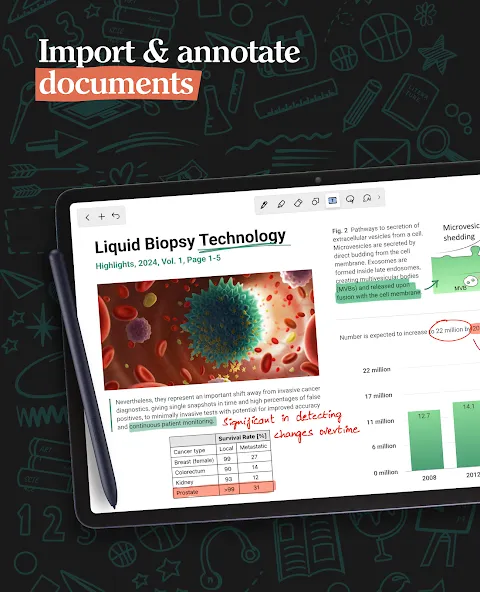
PDF Annotation and Markup: For users who have digital textbooks, PDFs, or school resources, Noteshelf 3 makes studying digital and paperless by integrating highlighting and annotating directly in your studies.
Customizable Aesthetics: Users can totally change the look and style of their notes and templates to the type of planner or journal they wish to keep. Notebooks can also have a totally personalized cover.
Sticker Library and Personalization: Personalize your notes in the app with a variety of themed stickers and emoji sets.
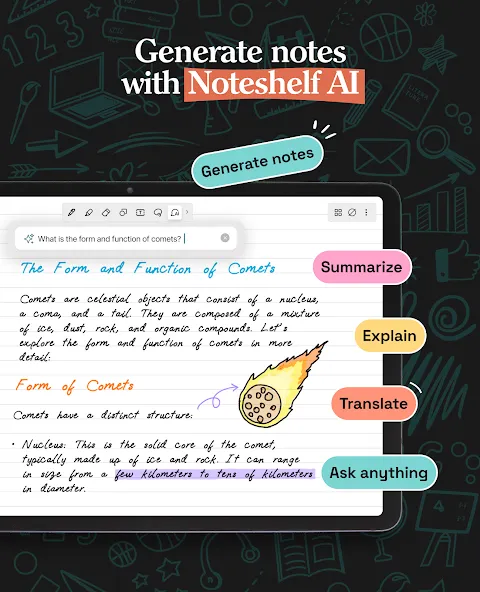
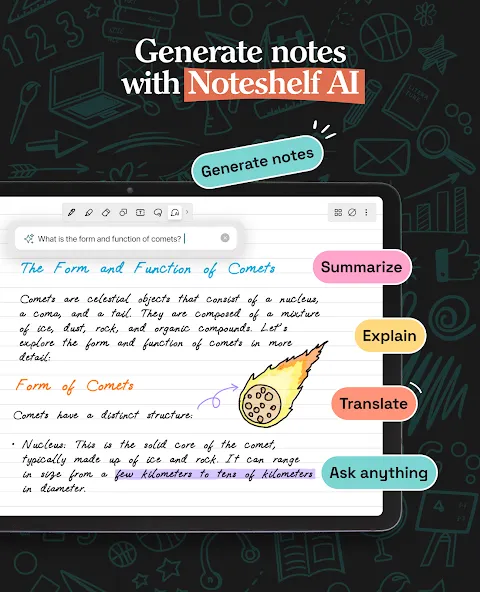
Smart AI Integration: Users can take advantage of Artificial Intelligence in order to not only write notes, but have the ability to generate ideas and even have their notes digitally transformed to searchable or editable formats.
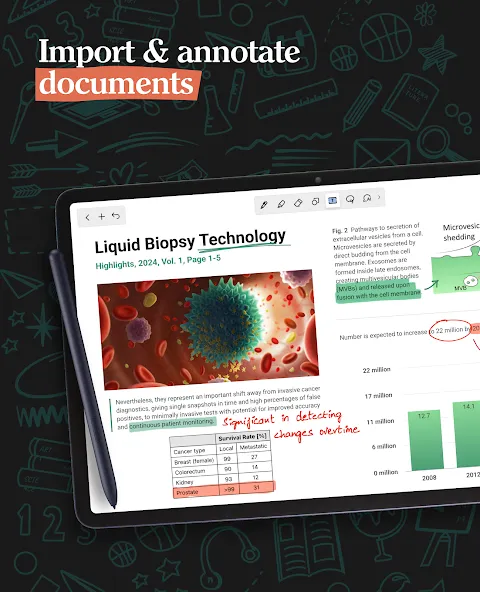
Craft beautiful handwritten notes with a range of lifelike pens and highlighters. Try our fountain pen for an aesthetic touch to your handwriting.
Take notes on lined, dotted, or grid papers in any color or line spacing.
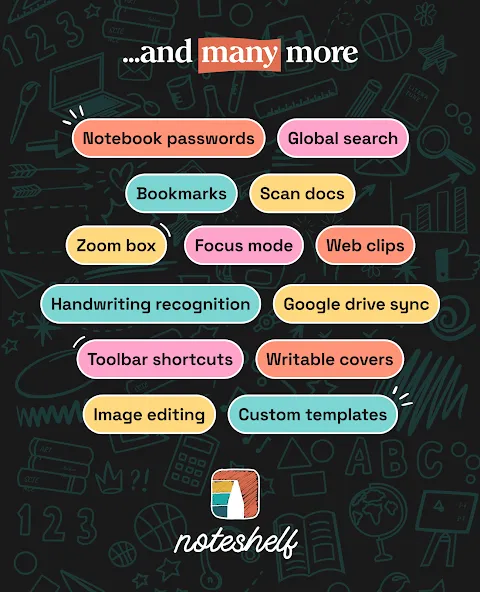
Personalize your digital notebooks with multiple cover options - from classic designs to custom ones of your own images or artwork.
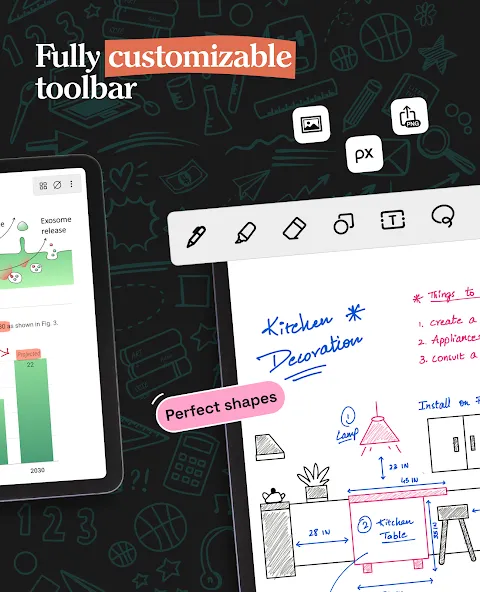
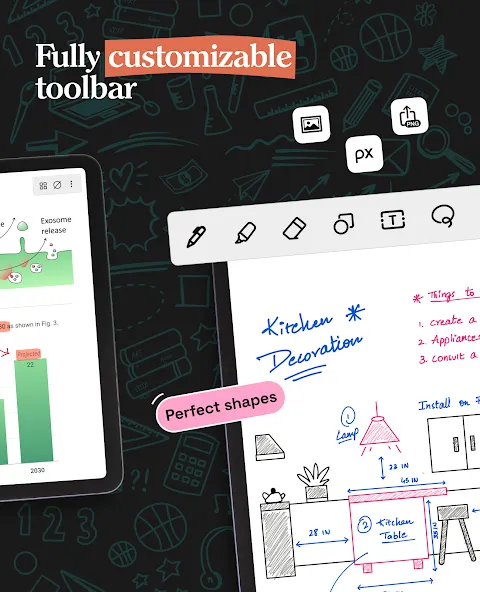
Enjoy a fully customizable toolbar! Add, remove, or re-arrange tools according to your unique workflow.
Choose from a vast library of 200+ exclusive templates for study planners, class notes, wellness trackers, bullet journals, etc., created by the Noteshelf team.
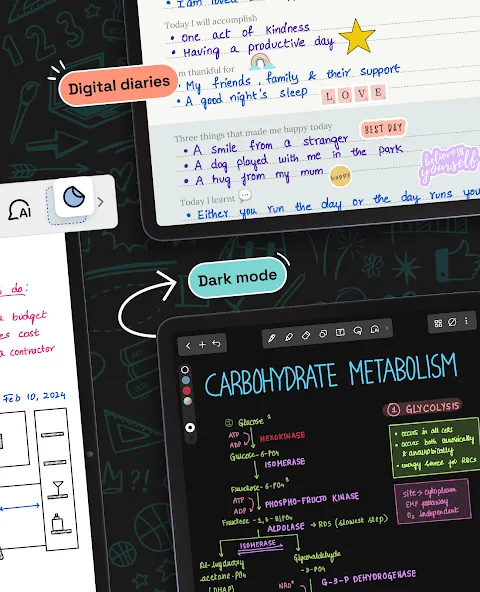
Plan and organize your daily tasks with configurable digital diaries & journals.
Transform your strokes into flawless shapes or choose geometric shapes to create flowcharts and diagrams.
Type your notes in various styles and formatting options.
Record audio as you take notes and never miss anything important - great for lectures & meetings!
Convert handwriting into text and search handwritten notes with handwriting recognition in 65 supported languages!
Make every page uniquely yours with fun stickers.
Find the perfect visuals to complement your notes from the UNSPLASH and PIXABAY libraries.
Use advanced image editing features like background removal and freeform cropping.
Excellent note taking app. I've used it during my undergrad and it has been a life saver thanks to the painless syncing to my Google drive. It has great variety of drawing tools, perfect to draw stuff for my engineering classes. A lot of nice templates, which I used for my day planer and note taking. Notebooks load quickly despite having dozens of pictures and scribbles per page. They finally added "scribble to erase", that was the only thing that I felt was missing, and now it's perfect!
Hi Noteshelf Team, I would like to suggest adding a fixed zoom percentage feature for handwriting. In some note-taking apps users can choose specific zoom levels like 100%, 125%, 150%, 175%, etc. This is very useful when writing with a stylus because it allows the user to return to exactly the same zoom level every time. In Noteshelf, zooming is mainly controlled manually with pinch-to-zoom, which makes it difficult to achieve exactly the same zoom level each time.
This app has been very helpful to read my PDFs for school. I use the free version, but I like the options given to us! I've used a few other note taking apps and this one stands out for file sharing and the cool calligraphy pen style when I handwrite. I also like that the templates have a few different color ways! If anyone from the team sees this, thanks for your hard work!!
I wanted lots of customization options, and this app has everything I was looking for, plus features I didn't know I wanted until I discovered them while using it. The import and export options are nice. Early on, I contacted support for help with a feature I couldn't find, and their assistance was great, too. Between the quality of my experience, and all of the features it has, I was happy to purchase the premium version. Thank you for not locking key features behind a subscription.
We are thrilled to introduce Noteshelf 3 — a new and more advanced version of your favorite note-taking app. You can easily migrate your entire data set from Noteshelf 2 to Noteshelf 3 with a single tap.
Note: You need to have Noteshelf 3 installed for the "Migrate to Noteshelf 3" option to appear in your Noteshelf 2 settings.
Please read the following carefully to ensure a smooth transition from Noteshelf 2 to Noteshelf 3
All your existing notebooks, groups, and categories in Noteshelf 2 will be transferred to Noteshelf 3 when you initiate the migration process.
Notebooks in the Uncategorized section in Noteshelf 2 will move to the Unfiled section in Noteshelf 3.
Migration is available only to Premium users as the free version of Noteshelf 3 has a limit on the number of notebooks. If you wish to migrate some of your notebooks to the free version, you can share the individual notebooks to Noteshelf 3.
Once a notebook is migrated to Noteshelf 3, it will not be transferred again unless any modifications are made to it in Noteshelf 2. If you delete a migrated book in Noteshelf 3, it will not be a part of the migration again.
The migration is a one-way process. Any modifications to the migrated book in Noteshelf 3 will not be reflected in Noteshelf 2.
If you have favorite pens and highlighters added in Noteshelf 2, they will be migrated to Noteshelf 3 and can be accessed via the Favorites tool. You can add the Favorites tool to your toolbar from the Toolbar Customization menu.
If you have custom templates added in Noteshelf 2, they will be migrated to Noteshelf 3 and can be accessed under the ‘Custom’ tab in the Templates section
Please note that custom covers and pen/highlighter colors added in Noteshelf 2 will not be migrated due to changes in the app architecture.
Noteshelf 3 supports everyday study, work, and planning when you want handwritten notes and typed text in one place. It helps you capture lectures, meetings, and ideas without switching tools, and you can keep notes synced across devices. The layout is simple to learn, while the workspace adapts to different writing and layout needs. With optional AI assistance, it also speeds up routine tasks like summarizing or translating.
Size:177.03MB Version:5.1.7
Requirements:Android 10+ Votes:568
Package Name:com.fluidtouch.noteshelf3 Signature:eec0723e503b8b3425f2fc45cd57a8e8
Office Apps is a comprehensive and user - friendly platform that aggregates a wide array of office - related applications, catering to the diverse needs of modern professionals, students, and anyone who engages in office - based tasks. Whether you're working on a crucial business project, preparing academic papers, or handling daily administrative work, this aggregation page serves as your one - stop - shop.
The complete collection of office software is compiled based on user needs and referencing the popularity of major computer application stores. This collection selects various useful computer office software for users from multiple aspects such as office suite, communication and collaboration, email management, note management, cloud storage, download and decompression, etc. These software can meet your various document processing needs, making your team collaboration smoother, and conveniently managing your emails and keeping various meeting records. Download various materials and documents needed for office work. This collection of office software commonly used by professionals can meet all needs. Welcome to download and experience it!
About us | Contact us | Privacy policy| DMCA
Copyright © 2026 Xiaohei All rights reserved.