Notebloc Scanner is a highly useful document scanning application. It allows users to scan various paper-based materials, such as receipts, notes, and documents. The app supports multiple languages, making it accessible to a diverse range of users. You can scan multiple items and organize them into various folders for easy retrieval and review. Furthermore, the app automatically crops scanned images and corrects imperfections—users can simply make minor adjustments as needed. Best of all, the app is free to use, which has made it a favorite among users.
Scan any type of document: notes, receipts, drawings, sketches, photos, or images.
Use the multi-page scanning feature to capture several pages at once.
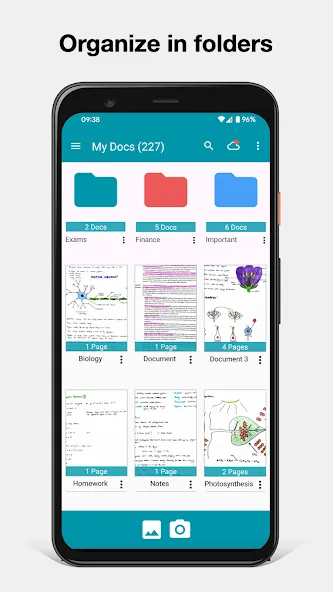
Create single-page or multi-page documents and organize them into folders and subfolders.
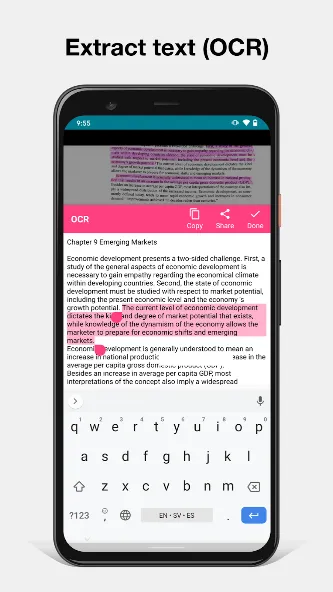
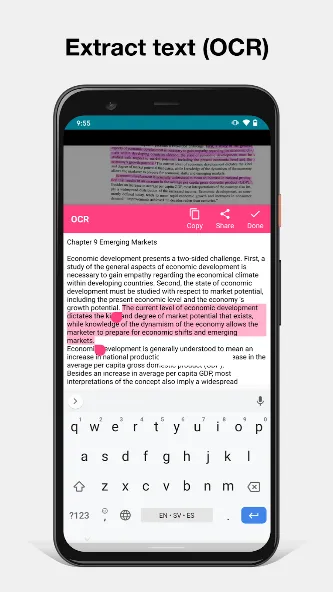
Includes OCR (Optical Character Recognition) support for 18 different languages (English, Spanish, French, Italian, Danish, Catalan, Dutch, German, Finnish, Hungarian, Latin, Norwegian, Polish, Portuguese, Romanian, Swedish, Tagalog, and Turkish).
The app automatically detects the four corners of an image and corrects the perspective, making it appear as though it were captured at a 90-degree angle. Shadows and similar imperfections are removed.
Crop documents or images directly within the app.
Save or share your scanned documents via email, WhatsApp, Dropbox, and more.
Create documents and save them in PDF or JPG format.
Share documents online via email, instant messaging, social networks, etc.
Rename documents.
Sort documents by creation date or modification date.
Choose the file size for your saved PDF notes.
Digitize images or other documents you wish to keep alongside your Notebloc notes.
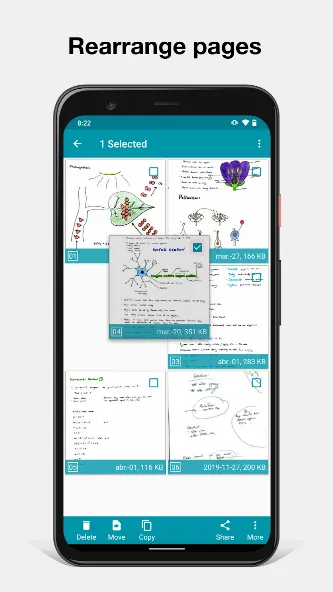
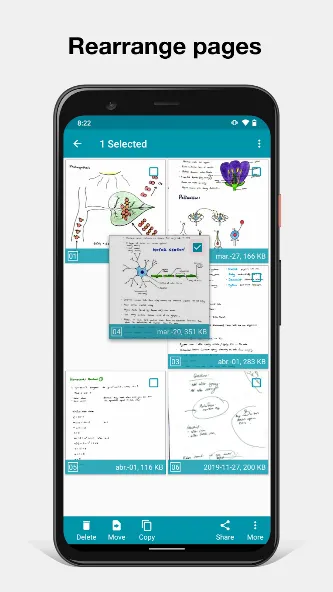
Add, duplicate, and reorder pages within the same document.
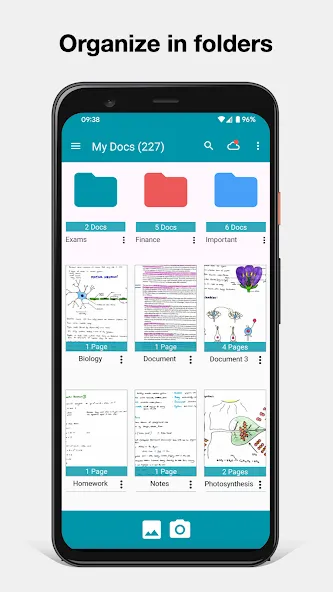
Create folders to keep your files well-organized.
Pros:
The interface is easy to use, making it suitable for users of all skill levels. Provides high-quality scans with automatic edge detection and perspective correction.
Allows for multi-page scanning and exporting as a single PDF document.
Offers features for annotating, editing, and applying filters to scanned documents.
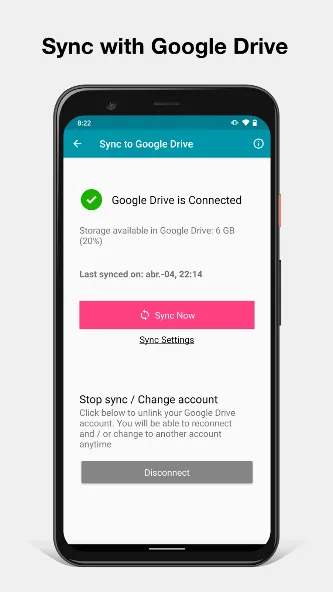
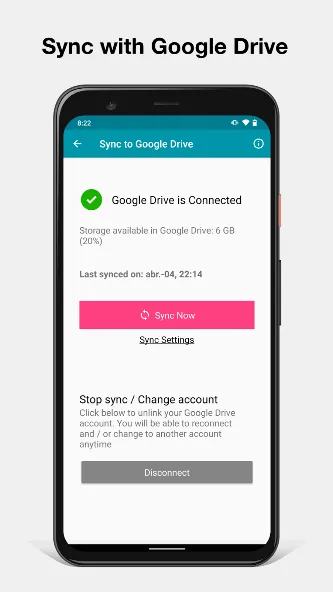
Supports cloud storage services for convenient backup and access to scanned files.
Cons:
The free version limits the number of documents you can create.
In-app purchases are required to unlock premium features (such as removing watermarks or accessing advanced editing tools).
I’ve compared several scanning apps, and this one is truly the sharpest—it handles shadows exceptionally well! I’d be happy to pay for it, but I’m waiting to see what the developers have planned for future updates. Also, we really need Chinese OCR support.
Still my go-to scanning app! It’s fast, reliable, and easy to use. It was a huge help during my graduate studies (perfect for scanning books and research materials). I still use it constantly for work—it’s much faster than a flatbed scanner. Scanned documents can be sent via email or WhatsApp, or uploaded to cloud storage.
An excellent, user-friendly app that’s well worth the price. I’ve been using it for years; the fact that it’s a one-time purchase rather than a subscription makes it stand out from similar services—a truly worthwhile investment. I really appreciate the thoughtful design and practical functionality—I’m very satisfied with it!
If you need to scan documents but don’t have a scanner at home, Notebloc Scanner is a fantastic tool that makes the process effortless. All you need is your device’s camera and a few seconds to fine-tune each shot.
Size:87.78MB Version:6.0.2
Requirements:Android 4.2+ Votes:529
Package Name:com.notebloc.app Signature:d624cd9f5a566e9b2cf8af308367c6cf
Feeling that there aren’t enough hours in the day? That you’re fighting a losing battle with your agenda? That each time you look up from your desk another year has rolled by? Well don’t worry, you’re not alone, and in today’s hyperconnected world, people are busier than ever before. On Android, there are countless productivity apps to help take control of your time and make your work more efficient. From a simple plugin for Chrome to a full-fledged app, picking the right productivity apps on Android can mean the difference between having a clear to-do list at the end of the day or having it overflowing with missed deadlines and projects that are off schedule. Productivity apps aren’t just about work, though. Using a productivity app in your personal life can keep you on top of deadlines for vacations, home repairs, and other family responsibilities.
Office Apps is a comprehensive and user - friendly platform that aggregates a wide array of office - related applications, catering to the diverse needs of modern professionals, students, and anyone who engages in office - based tasks. Whether you're working on a crucial business project, preparing academic papers, or handling daily administrative work, this aggregation page serves as your one - stop - shop.
The complete collection of office software is compiled based on user needs and referencing the popularity of major computer application stores. This collection selects various useful computer office software for users from multiple aspects such as office suite, communication and collaboration, email management, note management, cloud storage, download and decompression, etc. These software can meet your various document processing needs, making your team collaboration smoother, and conveniently managing your emails and keeping various meeting records. Download various materials and documents needed for office work. This collection of office software commonly used by professionals can meet all needs. Welcome to download and experience it!
About us | Contact us | Privacy policy| DMCA
Copyright © 2026 Xiaohei All rights reserved.