Add Date and Time on Photo is a convenient photography app. This app boasts unique features, offering advanced geotagging that allows users to pinpoint their location using GPS, ensuring your memories are accurately captured. With Add Date and Time on Photo, you can enhance your photos with text descriptions, hashtags, and even voice memos embedded in image files. Whether you're a traveler, researcher, or simply enjoy organizing your memories, this app ensures your photos tell your story completely.
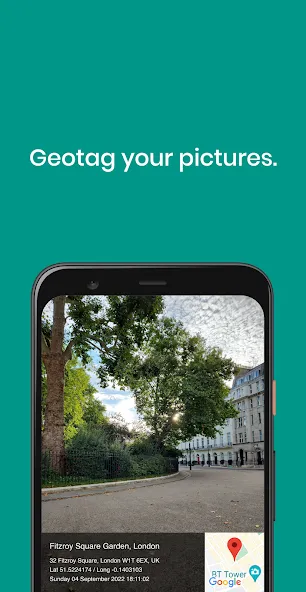
Precise Geotagging: Add Date and Time on Photo uses GPS, GLONASS, and Galileo for accurate location tagging, ensuring your memories are perfectly documented.
Multiple File Format Support: This app works with a wide range of file formats, including JPG, HEIC, PNG, TIFF, and RAW, making it versatile and convenient for all users.
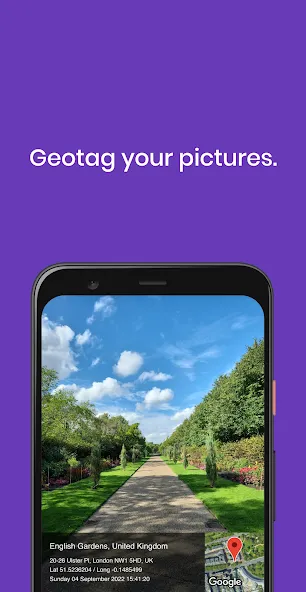
Interactive Mini-Map: Enjoy a built-in mini-map with options for pin, satellite, or hybrid views, allowing you to visualize the exact location of your photos.
Customizable Notes and Captions: Easily add text captions, hashtags, or record voice memos within the app, keeping all your personal notes securely stored in the EXIF data.
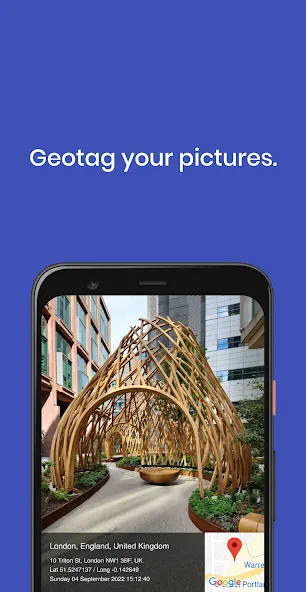
Make Use of Trip Mode: Activate the "Track Log" feature while driving to automatically match photos to your route later on.
Utilize Keyboard Shortcuts: On iPad, press "M" for map view and "N" for notes while reviewing your photos for quick access.
Try Voice Commands: Use voice commands like "Hey GeoSnap, add note 'Golden hour at Uluru'" to quickly add details to your images.
Organize with Star Ratings: Use a star-rating system in your notes to easily sort and find your best shots later on.
Is my privacy protected with Add Date and Time on Photo?
Yes, you can strip or mask the location before sharing to social media, and export "safe" copies with coordinates removed.
Can I manually correct a location if it's tagged incorrectly?
Yes, you can easily drag the pin on the mini-map to correct a location manually, perfect for indoor re-tagging.
Can I use Add Date and Time on Photo with different file types?
Yes, it works with a variety of file types including JPG, HEIC, PNG, TIFF, and RAW (DNG, NEF, CR3).
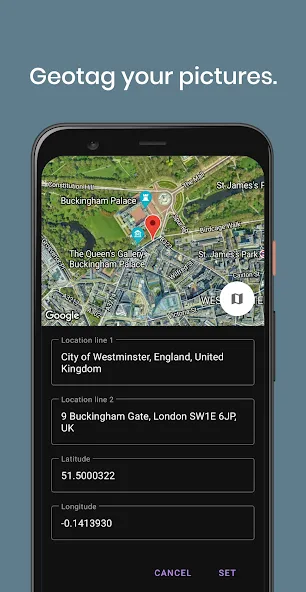
Add Date and Time on Photo is a powerful geotagging tool that enhances your photos with detailed information such as location, date & time stamps, weather data, and personal notes. Whether you're a professional photographer, researcher, or simply enjoy keeping organized memories, this app helps your pictures tell the full story with ease and efficiency. Don't miss out on this convenient tool for documenting your memories—download now and take your photos to the next level!
Size:6.0MB Version:18
Requirements:Android Votes:197
Package Name:com.hopefactory2021.gpscamera Signature:3b02171c186e0b1f1a7337f65668349c65e03b12
A collection of essential beauty camera tools designed to instantly enhance your photos. Whether you’re perfecting your selfies or creating stunning images, these tools help you achieve flawless results with just a few taps. Ideal for anyone looking to elevate their photo game effortlessly.
Transform your smartphone into a powerful creative tool with these top-rated camera apps. Packed with professional-grade editing features, stunning filters, and advanced effects, they help you capture and refine every shot like never before. Perfect for landscapes, portraits, or spontaneous selfies, these apps offer intuitive controls and AI-powered enhancements-all for free. Download today and unlock your full artistic potential. With these apps, your photos will stand out with polished, professional quality, making every moment picture-perfect!
About us | Contact us | Privacy policy| DMCA
Copyright © 2026 Xiaohei All rights reserved.