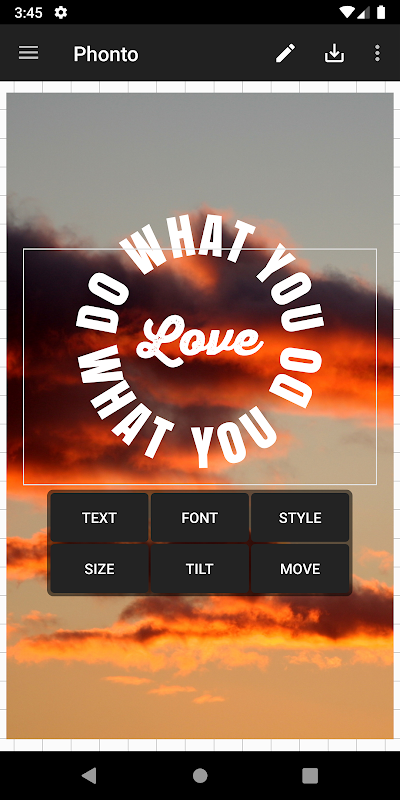
Phonto is a convenient photo editing tool. This app boasts a unique feature designed to allow users to add text to any image stored on their Android device. It's specifically designed for users who simply need to add text descriptions to pictures without requiring all the other features of an image processing app. With Phonto, you can add text to any image in just seconds and save the result as a JPG or PNG file. Its user-friendly interface meets all user needs, making photo personalization easy and convenient.
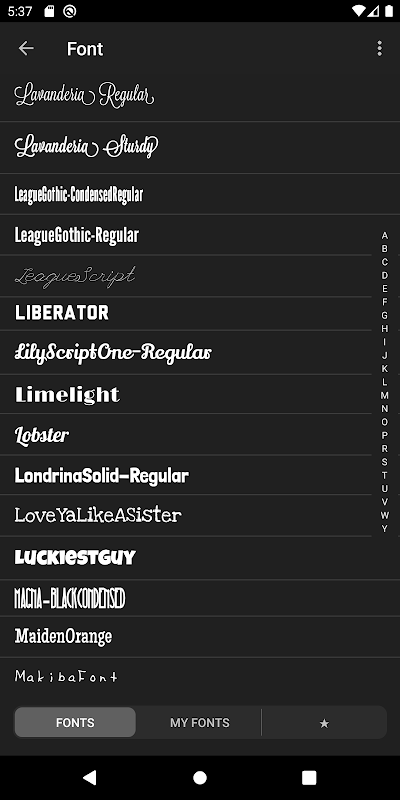
More than 200 fonts are available.
You can install other fonts.
Text size is changeable.
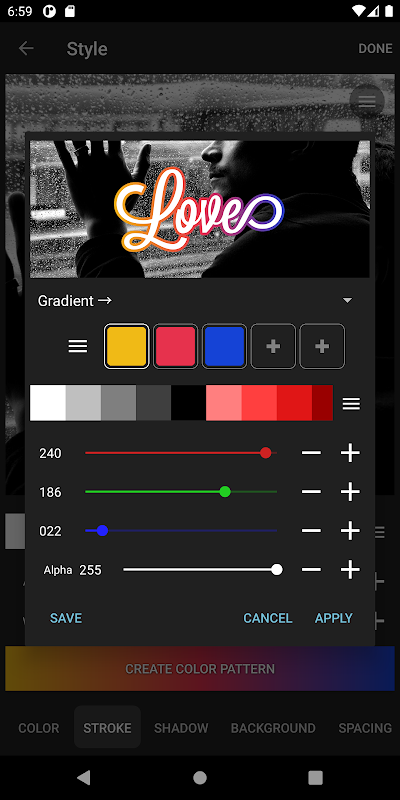
Text color is changeable.
Text shodow is changeable.
Text is rotatable.
Text stroke color and width is changeable.
Text background color is changeable.
Letter spacing is changeable
Line spacing is changeable
Blend mode is changeable

There are more than 400 typefaces accessible, and you may add other fonts if you like.
Text size, color, and gradient may all be customized.
The stroke, shadow, and background color of the text may all be customized.
A text box may be rotated, and it can also be put on a curve or from a viewpoint.
Text kerning and line spacing may both be changed on the fly.
Parts of the text may be removed.
The topic of the image may be changed.
There are many shapes to choose from (balloon, rectangle, star, and heart).
The background picture may be changed.
Not only can you use photos to write words, but you can also use simple images to create text.
Photos may be shared on social media sites such as Facebook, Twitter, and Instagram.
Pros
Makes adding text captions to images and photos simple.
Easier to use than photo editor apps.
Provides many options to customize appearance of text.
Comes with 200 different fonts.
Cons
Working with very large image files may cause app to crash.

Whether you're looking to create stunning social media posts, personalized invitations, or professional marketing materials, which provides a range of tools and features that make it easy to customize your images and express your creativity. With its extensive text editing options and intuitive interface, Phonto is the perfect app for anyone looking to elevate their photo-editing game.
Size:39.5MB Version:1.7.120
Requirements:Android Votes:541
Welcome to our image editing apps! Perfect for beginners and pros alike, they make photo enhancement easy. Use PicsArt to crop, adjust colors, and apply filters. Remove backgrounds instantly with Remove.bg. Get creative with layers and advanced tools on Adobe Photoshop Express. Start transforming your images today!
Visuals serve as a primary gateway for players to engage with games, where distinctive art direction immediately captures attention and creates lasting impressions. An unconventional aesthetic not only stands out in crowded markets but also enhances immersion and emotional connection. When executed with creativity and polish, striking visuals elevate gameplay into a memorable artistic experience. That's why titles with truly exceptional art styles deserve recognition - they offer both visual delight and meaningful interactive expression that resonates with players long after the session ends.
About us | Contact us | Privacy policy| DMCA
Copyright © 2026 Xiaohei All rights reserved.