Background Eraser is a professional photo editing tool that, with the help of the latest AI models, allows users to easily extract details from images and crop them to the desired areas. Furthermore, users can import or export images in various formats and add their favorite wallpapers, emoticons, stickers, and more to create satisfying works. The software is also continuously updated, releasing more practical editing tools and materials to help users create even higher-quality works.
Effective background removal tool: The background eraser toolkit in Background Eraser will give users satisfaction right from the first use. Accordingly, you can remove the background by selecting a small part of the image or selecting the entire background with the help of the AI system. More specifically, this tool works effectively on all images available on Android devices. You just need to select any content in the library or download it online and apply it to this application.The way to use this application is also very simple. With a simple one-touch operation you can delete any background you want. Your actions in the photo will directly affect the background removal tool, so just touching any content in the photo will automatically separate the background.
Change to the new background: We believe that a good photo cannot be complete without the help of a highly compatible background. Background Eraser understands this. So this application provides users with an extremely diverse collection of backgrounds with many different contents. Examples include backdrops inspired by famous worldwide locations like Paris, London, New York, New Delhi, and more. Of course, you can also effectively select photos from your device’s memory as your wallpaper.
Support deleting or cutting objects: Sometimes, the appearance of unwanted objects will make your photo confusing and unable to convey the full content. This is the right time to use the set of erasers or cut objects available in Background Eraser. All you need to do is simply select the area you want to delete in the photo, then zone it so that the system automatically deletes it immediately. Don’t forget to edit the excess details to make your photo more harmonious.
Save high-quality photos: After successful background separation, users can easily save high-quality photos in Background Eraser. More specifically, this application supports optimal algorithms so that you can download photos with a high definition without having to worry about broken pixels. If desired, use the additional color adjustment tools available to customize the image to suit your needs before deciding to save.

Easily work with the Auto mode: Start by enabling the Auto mode so that the app can immediately erase similar pixels automatically on your selected photos. The option will immediately focus on similar pixels that should be eliminated out of the contents. Thus, making it easier to finalize your background removals. This will leave you with only the selected graphics. Thus, making it a lot easier to work on further editing of the selected footages.
Comfortably work on removing objects with Extract mode: At the same time, you can also choose any objects that you want to remove from the selected images, using the provided extract mode. Feel free to select and erase objects as you wish by using the provided blue and red markers for detailed refining. And with the collected graphics, you can attempt to use them for any other photo editing apps.
Many editing options before exporting the images: And last but not least, with many available editing options before exporting the images, you can perform many advanced image refinements to make your graphics easier to edit. Simply zoom to the pixels themselves to effectively separate the images and the backgrounds. Or attempt to repair any miss edited parts so you can still achieve great results with the mobile app. And comfortably work with many intuitive refinements.
Work on all available images on your devices: To start with, Android users in Background Eraser can comfortably work on all available images on their devices. Simply select any available footages that you want to edit from the gallery or download them online. Then load up the selected images inside Background Eraser so you can start working on your video edits. Enable tons of amazing effects within the mobile app and you can start playing with many of its features.

It is not designed for images that are heavily detailed, mostly images from mangas orcomics, but it is designed for pictures took in real life. Although, it gives us a goodcounter. this app has a very advanced editor for "erasing" and "restoring" the imagesdetails that the Al cant comprehend. It's very time consuming, sure, I did have to spendaround 10 minutes perfecting my fictional image but the result turned out great. I'venever seen a editor app that requires premium/pro to allow you to export an image inhigher quality, but since you don't need premium/pro to export in nearly 2k quality(1960p), it dosent really matter. Good app.
5.99 a month or a year for 8.99? I'm not sure what they were even trying todo but I don't care because it leans in our favor and it's literally the bestbackground remover app on the App Store. I have had zero issues with itand we use it at work for our online store. You can't beat the price or thefunctionality. There is zero reason not to buy it.
I loveee it its very very easy to use and its very quick. Its also free. An app this good Iwould expect you have to pay for it but you don't and im glad you dont. It removes thebackground in an instant which is AMAZING. You can also remove any thing that theydidn't remove, which is very rare you would have too. I TOTALLY recommend youdownload this app if your looking for a easy and free way to remove a background.
This software works awesome, and does exactly what it says it does. That being said, Ispent about 45 minutes meticulously cleaning up an image and one of their pop up addslocked up the program (white screen with no back button or count down timer) and losteverything that I did. They will take every opportunity to pop an ad in your face, so doyourself a favor and buy the full version.

Can the Background Eraser Magic Eraser app be used on both Android and iOS devices?
Yes, the app is available for both Android and iOS devices for users to easily remove backgrounds from images.
Are there any limitations on the types of images that can be edited using the Background Eraser Magic Eraser?
The app works best with images that have clear distinctions between the subject and background, but it can handle various types of images.
Can users save their edited images in different file formats using the Background Eraser Magic Eraser?
Yes, users can save their edited images in various file formats such as PNG or JPG for easy sharing and use.
Does the Background Eraser Magic Eraser app offer any additional editing tools besides background removal?
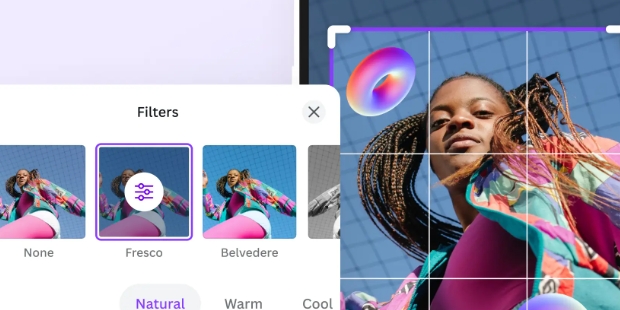
Yes, the app also includes basic editing tools like filters, text overlay, and stickers to further enhance edited images.
Is there an option to undo changes made using the Background Eraser Magic Eraser app?
Yes, users can undo and redo edits as needed while using the app to achieve the desired results.
Background Eraser provides extremely standard background removal with a multifunctional eraser toolkit. You can select each small part of the image to perform the background eraser operation, or you can select the entire background part behind and select the built-in background eraser in the Background Eraser application. In addition to the super quality background removal tool, the background library is also extremely rich for all users to enjoy their artistic creation.
Size:24.1MB Version:2.321.98
Requirements:Android Votes:441


Welcome to our image editing apps! Perfect for beginners and pros alike, they make photo enhancement easy. Use PicsArt to crop, adjust colors, and apply filters. Remove backgrounds instantly with Remove.bg. Get creative with layers and advanced tools on Adobe Photoshop Express. Start transforming your images today!
AI Photo Editing Apps - encompassing both image generation and enhancement tools - utilize cutting-edge machine learning algorithms to produce, refine, or transform visuals using text prompts, uploaded images, or artistic preferences. These powerful applications are reshaping digital art, photography, and media production by streamlining sophisticated processes such as professional-grade retouching, artistic style replication, and completely AI-generated artwork. By combining automation with creative control, they empower users to achieve stunning results with unprecedented speed and precision.
Nowadays, with the popularity of intelligent technology, this new intelligent technology will provide faster content creation in daily life. In the face of today's intelligent landscape application creation, it supports the creation of text content for different themes, provides intelligent image creation and painting, and even realizes various personalized AI creation functions such as intelligent image cutout. In terms of using intelligent tools, you can gain more information, knowledge and inspiration. The editor recommends the following popular AI creation tools for you to experience the help that intelligent AI brings to different scenarios such as life, work, and study.
About us | Contact us | Privacy policy| DMCA
Copyright © 2026 Xiaohei All rights reserved.