FaceLab is a professional-grade photo editing software that not only offers a wide variety of photo editing tools and materials, but also integrates a new AI model to make the editing process easier and smoother. With just a few clicks and strokes, you can retouch your photos, adding various effects, filters, and body effects. The real-time preview function allows users to clearly compare the before and after effects, creating more beautiful works. The software will be continuously updated and optimized, releasing more practical editing tools and filter effects, allowing users to create even more stunning photos.
Easy Facial Retouching: Tackle anything from a stray blemish to brightening those under-eye areas, all in just a few taps. Quick edits for busy days, or go all-in with more detailed tweaks if you’re feeling fancy.
Face Shaping Tools: Shape, slim, or refine your jawline and cheekbones—no expensive studio session needed. If you want to adjust your nose, make your eyes stand out, or perk up your smile, there’s an option for that.
Smooth & Glow-Up Skin: Say goodbye to wrinkles, pores, and uneven skin tone. The app’s skin-smoothing and freshening features let you nail that naturally healthy glow.
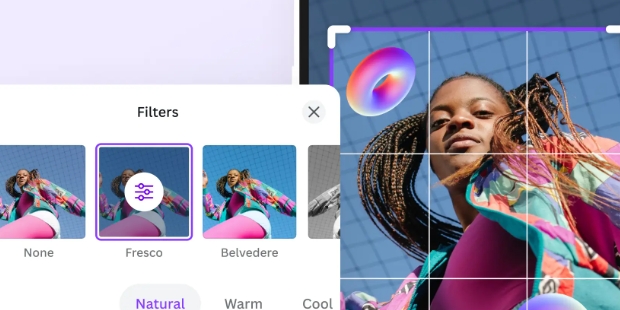
Personalized Filters: Soft, bold, classic, moody—pick from a huge range of professional-grade filters. Try out black and white, retro, portrait looks, or go for high-glam effect. There’s even special skin filters to get your tone just right.
Brighten & Whiten Teeth: Give your grin a quick polish so it really pops—straight from your phone.
Lip & Hair Customization: Subtly adjust your lips or switch things up with new hair colors and styles. Just tap to see the difference.

Beautiful makeovers and beauty filters: To make the app more exciting, Android users can now explore the beautiful makeovers and beauty filters, which will allow them to try out cool styles and interesting beauty effects on their portraits and selfies. Feel free to use the app to retouch your selfies and get rid of acne, blemishes, moles, and other freckles. Make use of the easy beauty filters to immediately transform yourself into a much more beautiful character. Apply certain makeup filters to customize your styles however you want.
Swap faces with friends: For those of you who want to have more fun with your selfie experiences, you can now take a selfie with your friends with both of you swapping faces for each other. This will certainly offer many interesting adaptations for Android users, especially those who have creative minds.
Make yourself looking fat or thinner: If you’re curious on how you would look if you added some weight, then FaceLab will be the perfect tool to test our ideas. Here, the app lets you freely switch between fat and thin filters, which will immediately show you the chubby or skinny faces in just a few seconds.
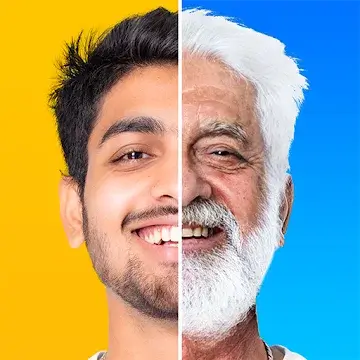
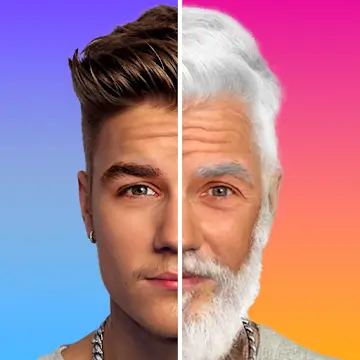
Try out interesting hairstyles and beards: Are you interested in seeing yourself in different hairstyles and beards? Well, FaceLab will have you covered with its unique hairstyles and cool beards options. Here, users only need to select the face and browse between a variety of different hair options in the app. FaceLab face editor will automatically adjust the new hairs and beards on to your face.

I've had this app for one day, and so far, it seems like a great image editor. The userinterface is easy to use, and the features are straightforward and easy to figure out. Itmakes editing selfies super simple. I've tried several of the features. They offer a prettygood amount of options to enhance images, such as portraits and selfies. So far, I'mquite impressed with this app, and I definitely look forward to using it more.
This app is amazing. I was just looking for editing apps. Then I found this one. I wasthinking that you would HAVE to pay but you don't. I edit a lot of photos for people. Sothis app helped me edit a lot. This is just absolutely amazing. Thank you for making thisapp. If you didn't I might have never found an app that I actually liked. I do wish that youdidn't have to pay for some of the stuff but it's ok. If you are looking for a editing app getthis because it is amazing!
I love this application, I was able to edit parts of my body, make my arms and legs bigger,my waist smaller, it has many options to edit your photo, both makeup, skin, hair, eyes,nothing is missing, it is the application More complete and easier to use (feminine) I lovethis application, I was able to edit parts of my body, make my arms and legs bigger, mywaist smaller, it has many options to edit your photo, both makeup, skin, hair, eyes,nothing is missing, it is the application More complete and easier to use.

Why can’t I save my photo?
You have a limited access to Photos turned on. Go to Settings > Privacy > Photos. You will see a list of apps that have access to your Photos. Tap Facelab and select All Photos or Selected Photos.You need to unlock extra features that are accessible with a paid subscription. Paid functionality is marked with the mini ‘plus’ icon. You need to subscribe to get full access to the paid functionality.
How do I turn off ads?
In order to remove ads, you will need to purchase an auto-renewable subscription offer. Once subscribed, you will see no ads. Make sure you restart the app once you've subscribed to Facelab Plus.
The app doesn’t work, what do I do?
1. Close and reopen the app.2. Update the app to the latest version -> from the App Store.3. Restart your iPhone.
How subscriptions work?
You get unlimited access to all the app’s functionality for the whole duration of your subscription period. Subscription renews automatically, your account is charged for renewal within 24-hours prior to the end of the current period. You can turn off the auto-renewal anytime through your Apple ID Settings. This must be done 24 hours before the end of your subscription period. Your subscription will remain active until canceled or expired.
How do I restore a subscription?
Your subscription will remain active until canceled or expired. All purchases are tied to your Apple ID, you can restore them easily. When your subscription is no longer available, please go to the Settings menu by tapping the upper left icon. Then tap ‘Restore Purchases’. Please make sure you’re signed in with the same Apple ID that you used to make the purchase.
Edit face and body, retouch any photo flaw or little imperfection, reshape facial features and body outline, enhance your natural beauty and create a perfect selfie look with Facelab!Your must-have selfie editor for fast on-the-go picture edits! Touch up, beautify, upgrade and enhance any photo in just a few taps! Retouch your face on any portrait or selfie and make every picture perfect and pro-looking.
Size:232MB Version:3.22
Requirements:Android Votes:524


Visuals serve as a primary gateway for players to engage with games, where distinctive art direction immediately captures attention and creates lasting impressions. An unconventional aesthetic not only stands out in crowded markets but also enhances immersion and emotional connection. When executed with creativity and polish, striking visuals elevate gameplay into a memorable artistic experience. That's why titles with truly exceptional art styles deserve recognition - they offer both visual delight and meaningful interactive expression that resonates with players long after the session ends.
AI Photo Editing Apps - encompassing both image generation and enhancement tools - utilize cutting-edge machine learning algorithms to produce, refine, or transform visuals using text prompts, uploaded images, or artistic preferences. These powerful applications are reshaping digital art, photography, and media production by streamlining sophisticated processes such as professional-grade retouching, artistic style replication, and completely AI-generated artwork. By combining automation with creative control, they empower users to achieve stunning results with unprecedented speed and precision.
Nowadays, with the popularity of intelligent technology, this new intelligent technology will provide faster content creation in daily life. In the face of today's intelligent landscape application creation, it supports the creation of text content for different themes, provides intelligent image creation and painting, and even realizes various personalized AI creation functions such as intelligent image cutout. In terms of using intelligent tools, you can gain more information, knowledge and inspiration. The editor recommends the following popular AI creation tools for you to experience the help that intelligent AI brings to different scenarios such as life, work, and study.
About us | Contact us | Privacy policy| DMCA
Copyright © 2026 Xiaohei All rights reserved.