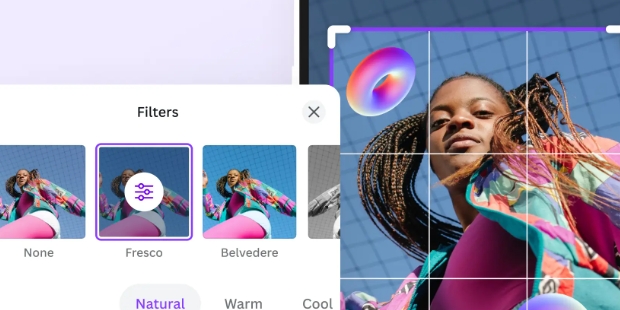
GCamator is a photography app designed for users interested in Google Camera. It offers diverse shooting modes to help users capture beautiful photos in various environments and at different times, and share them with friends or on other platforms to earn likes and comments. The app features portrait and landscape shooting modes to help users highlight their subjects and allows for simple editing to help users create high-quality photos.

HDR+ Mode: This feature vastly improves the photographic capabilities of your phone by enhancing the dynamic range and detailing of the photos. GCamator's HDR+ ensures extraordinary results even in versatile lighting conditions, enabling magnificent low-light photography.
Portrait Mode: GCamator is equipped with the Portrait Mode, a must-have for every modern photography enthusiast. This helps to focus on the subject and create professional portraits by beautifully blurring the background.
Night Sight: Night Sight revolutionizes the way you take photos in low light. Night Sight leverages the power of GCamator to capture clear, detailed, and vibrant photos in low lighting conditions without the need for a flash.
Astrophotography Mode: Astrophotography Mode makes astrophotography accessible to everyone with a smartphone. It allows you to capture the night sky's stunning views, enhancing the stars' details and brightness.
Google Lens: This app's lens effects provide an intelligent search capability using your camera and AI. With Google Lens, you can explore what's around you in a new way, identify different plants and animals, recognize objects in your photos, and even translate text instantly.

Large Community of Users: From casual selfie takers to enthusiasts chasing the perfect night sky, GCamator supports more than 92 device models. Its broad compatibility ensures no one is left behind.
Proven Stability: Every recommended GCam port is tested before inclusion. This means fewer crashes, better performance, and consistent results across devices.
Active Development: If your phone isn’t supported yet, you can submit a request within the app. Developers often add support within hours, showing how responsive and user-focused the project is.
Noticeable Results: User feedback highlights up to 40% noise reduction in low-light photos compared to stock cameras. Colors look more natural, and details remain sharp even in tricky lighting.
Continuous Updates: New features, bug fixes, and improvements are rolled out regularly. Thanks to automatic update notifications, you’re never left behind.
In short, people trust GCamator because it consistently delivers what it promises: pro-grade photography without extra cost or effort.

Is GCam compatible with all Android phones?
GCam works on most Android devices running Android 9.0 or newer with Camera2 API support. Check our compatibility list above or contact us if your device isn't listed.
Will GCam drain my battery faster?
GCam may use slightly more battery due to advanced processing algorithms. However, most users find the improved photo quality well worth the minimal battery impact.
Do I need to root my phone to use GCam?
No, GCam works without root access on supported devices. Simply install from the Google Play Store and start capturing better photos immediately.
How does GCam compare to the official Google Camera app?
GCam is built on Google Camera technology but includes additional optimizations for specific Android devices and more customization options not available in the official app.
Can I use GCam alongside my stock camera app?
Yes! GCam installs as a separate app and doesn't replace your device's built-in camera. You can use both apps as needed.
With this app from GranTurismo, you're able to download a camera app that's suitable for your device. With this app, you can get the perfect camera app for your phone, as this app supports more than 300 devices.Here, the app will automatically find a suitable camera app for your phone to take better photos. If you're wondering why you need an external camera app when every phone has one already, it's for personal purposes. Many camera apps can bring out your camera's true potential more.
Size:13.1MB Version:5.4.174
Requirements:Android Votes:79
Package Name:com.granturismo.gcamator Signature:ea6a899e795c7f304eb1d97bbedad1958ed6d768

AI Photo Editing Apps - encompassing both image generation and enhancement tools - utilize cutting-edge machine learning algorithms to produce, refine, or transform visuals using text prompts, uploaded images, or artistic preferences. These powerful applications are reshaping digital art, photography, and media production by streamlining sophisticated processes such as professional-grade retouching, artistic style replication, and completely AI-generated artwork. By combining automation with creative control, they empower users to achieve stunning results with unprecedented speed and precision.
Enhance your photos effortlessly with the best free photo editing apps for Android! Whether you want to apply stunning filters, adjust brightness and contrast, remove blemishes, or create professional-quality edits, these apps offer powerful tools at your fingertips. From simple one-tap enhancements to advanced editing features like background removal and AI-powered effects, you can transform your images with ease. Explore a wide range of user-friendly and feature-rich apps, all available for free download. Start editing and make your photos stand out today!
Nowadays, with the popularity of intelligent technology, this new intelligent technology will provide faster content creation in daily life. In the face of today's intelligent landscape application creation, it supports the creation of text content for different themes, provides intelligent image creation and painting, and even realizes various personalized AI creation functions such as intelligent image cutout. In terms of using intelligent tools, you can gain more information, knowledge and inspiration. The editor recommends the following popular AI creation tools for you to experience the help that intelligent AI brings to different scenarios such as life, work, and study.
About us | Contact us | Privacy policy| DMCA
Copyright © 2026 Xiaohei All rights reserved.