
PickU is a photo editing app. Here you can find millions of image editing templates, allowing you to easily create your own style and avoid the hassle of starting from scratch. Besides templates, the app also provides users with numerous filters, fonts, symbols, tools, and logos. Whatever you want to do to your photos, the rich features will always meet your needs. Of course, in addition to manual editing tools, there are also AI-powered automatic background removal and editing functions, automatically obtaining high-quality backgrounds and eliminating any hassle of manual background removal!
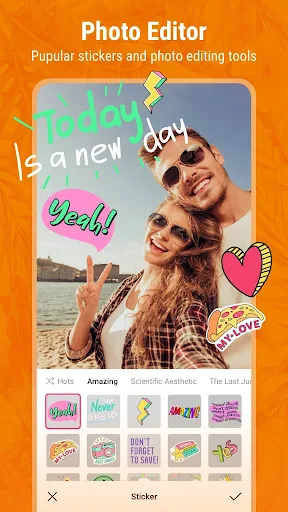
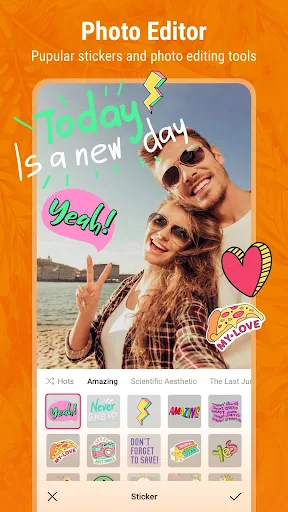
Photo Editor:Edit your own photos and images using millions of excellent free image templates.
Create cool exposure edits and blend photo layers.
Quickly flip and crop photos using smart tools.
Get stylish and cool blockbuster effects with trendy filters.
Create stunning photo collages using all your favorite images.
Bring your photos and images to life.
Edit photos and videos and have fun with our sticker maker and collage maker.
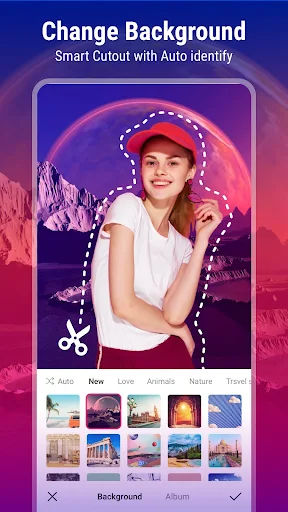
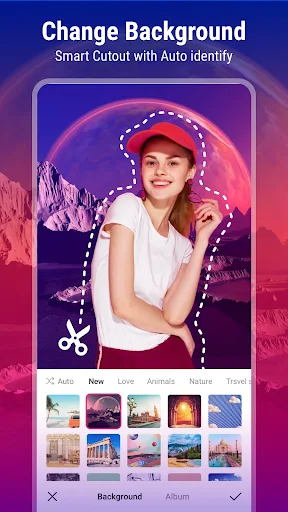
Background Changer and Eraser
Simply select and delete the object you want to remove precisely. We offer hundreds of emoji backgrounds, nature backgrounds, border backgrounds, and other templates. Recognize people, plants, buildings, and animals. Automatically remove backgrounds using tools. Create high-quality transparent images. Create your own content using templates.
Logo Maker: Create amazing logos: you can even get a makeover! Experience rich hair colors, makeup stickers, and more.
Add stickers to photos to enhance editing fun. Create your own cartoon clipart and use the cutout tool to create custom stickers. Make your photos cute with magical effects. Turn logos into canvas effect masterpieces. Outline selfie drafts using the most popular sketch templates. Customize blending modes with effect stickers.
Collage Maker: Select multiple images from your album and blend them into cool photo collages with one click. A large selection of collage templates to choose from. Turn your photos into art without being a professional photographer.
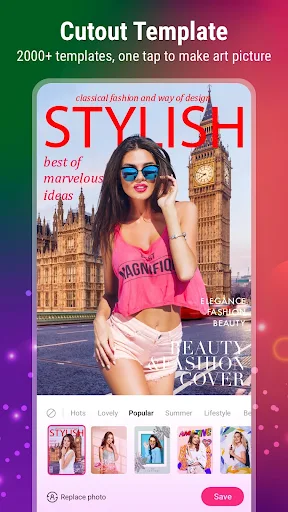
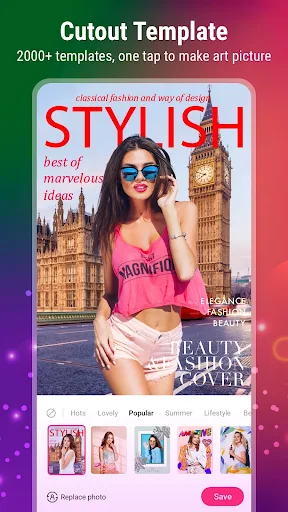
Cutout Templates: Try using cutout templates, free collages, scrapbooks, and frames. Create complex works with one click using cutout templates. In the new version... In PickU, you don't even need to adjust all the different editing tools; simply choose an image template and use custom brushes, layers, and professional drawing tools together.
Sticker Maker and Emojis: Add stickers and emojis to your photos to make them more fun. Get likes from others after posting your photos on social media. A variety of colorful stickers for food, cartoons, holidays, and more.
Fonts: Add personalized text to your photos using hundreds of aesthetic fonts. A variety of fonts can be used to turn your photos into magazine covers. Get your daily quotes and a bright future.
Filters and Effects: High-quality filters for selfies, portraits, nature photos, food, landscapes, or any occasion. Adjust brightness, contrast, saturation, hue, warmth, and more.
PickU is the simplest yet most useful photo editor. Download PickU to create amazing pictures and videos.
Blur Photo Editor: Professional photo editing tools such as blur, DSLR, crop, rotate, and portrait beautification effects.
Create the best blur effects, like a DSLR camera. DSLR bokeh effects are the perfect combination of portrait and beautification effects. You can use it to focus on photos, blur backgrounds, blur images, and more.
This tool boasts a massive library of free background images. Simply swipe your finger to browse hundreds of options. Tap your favorite background to select and begin editing. Afterward, you can import the photos you want to edit from your gallery.
One of PickU's strengths is its built-in, fully-featured editor, allowing you to crop any part of an image in your gallery, keeping only what truly catches your eye and interests you. This feature makes cropping people or changing background images incredibly easy.
PickU offers a vast collection of backgrounds covering various themes. You can immerse yourself in luxurious yachts, iconic landmarks, or dreamlike landscapes—a multitude of scenes to choose from. Once you find your perfect background, you can apply various filters to create your ideal final effect. Try dozens of filters and effects to find the one you like best. Afterward, you can further edit the image as needed. Add stickers, change styles, and enjoy the endless possibilities offered by this powerful photo editing tool.
Pros: Smart photo editing tools
AI background removal function
Collages containing up to 9 images
Over 10,000 backgrounds, stickers, and other materials
Cons: Constantly prompts you to download background images
Downloading background images takes a long time
Which Android version is required to install PickU?
PickU requires Android 6.0 Marshmallow or higher to install and run. This ensures compatibility of game features and performance. To check your device's Android version, go to Settings > About phone > Software information. If your device is running an earlier version, consider updating to meet the game's requirements.
Why can't I install PickU on my Android device?
PickU installation may fail due to insufficient storage space, poor network connection, or incompatibility with your Android device. To resolve this issue, ensure your device meets the minimum configuration requirements before attempting installation.
What is the file size of PickU?
PickU occupies approximately 48.7 MB (51,067,674 bytes) of storage space.
PickU is a powerful photo editing tool that combines ease of use with rich features. It offers personalized image features such as fonts, stickers, and templates, as well as advanced editing options, making it an indispensable resource for any photography enthusiast. Download PickU and start creating your own unique visual stories immediately.
Size:48.7MB Version:4.0.1
Requirements:Android Votes:332
Package Name:com.swifthawk.picku.free Signature:40720d076de7e17a629da37ca2728c72
Welcome to our image editing apps! Perfect for beginners and pros alike, they make photo enhancement easy. Use PicsArt to crop, adjust colors, and apply filters. Remove backgrounds instantly with Remove.bg. Get creative with layers and advanced tools on Adobe Photoshop Express. Start transforming your images today!
Visuals serve as a primary gateway for players to engage with games, where distinctive art direction immediately captures attention and creates lasting impressions. An unconventional aesthetic not only stands out in crowded markets but also enhances immersion and emotional connection. When executed with creativity and polish, striking visuals elevate gameplay into a memorable artistic experience. That's why titles with truly exceptional art styles deserve recognition - they offer both visual delight and meaningful interactive expression that resonates with players long after the session ends.
AI Photo Editing Apps - encompassing both image generation and enhancement tools - utilize cutting-edge machine learning algorithms to produce, refine, or transform visuals using text prompts, uploaded images, or artistic preferences. These powerful applications are reshaping digital art, photography, and media production by streamlining sophisticated processes such as professional-grade retouching, artistic style replication, and completely AI-generated artwork. By combining automation with creative control, they empower users to achieve stunning results with unprecedented speed and precision.
About us | Contact us | Privacy policy| DMCA
Copyright © 2026 Xiaohei All rights reserved.






























