
VN Photo Editor is a popular photo and video editing software that integrates numerous editing tools and resources. Its simple interface and operation help users create high-quality works and share them with friends and family. Users can adjust keyframes, crop, and merge photos and videos according to their needs, and add various filters, effects, and music to meet diverse creative requirements. The software also supports the conversion between text and audio recordings, accurately generating subtitles for your videos and making them more engaging. The software's editing tools and resources are constantly being updated, bringing users more fresh experiences.
Chroma Key: Chroma Key is a powerful tool that simplifies eliminating the background from your video. You can use your device’s green screen, and Chroma key features to create files or other professional movies. This tool to remove the video background is already provided by VN.With this Chroma Key, you may get rid of the green portion of the video. The removal portion can then use various photos or video clips. The ability to erase any background from a video is the most useful function. Also, the app offers several gorgeous overlays you can use without charge.
Ideal App for Vlogging: “Vlogging app,” as the name implies. It is a tool for editing videos for everyday vlogging. Why is it a video editor for vlogs? Because it is quick and simple to use. Video editing is simple, and you can post your edited videos on Facebook and YouTube. This fantastic application allows you to edit videos without a professional, saving you money on pricy paid apps.
Video Editor For Tiktok: VN Editor Apk is the ideal tool for people who wish to create Tiktok clips but don’t have the time. You may easily make short or long-form material using various editing tools, and you can submit your video in just a few minutes. Why are you still stalling? It’s a no-brainer that vn apk mod is the best video editor tool. Go ahead and download it now.
PIP: Picture-in-picture is a fantastic method to showcase your imagination and add interest to videos. Add personal touches like stickers, images, or animations.
Save Draft: Making videos can be highly frustrating because you need to save your work before finishing and posting it. However, Any change you make in the VN editor is immediately saved, allowing you to keep adding steps whenever you like.
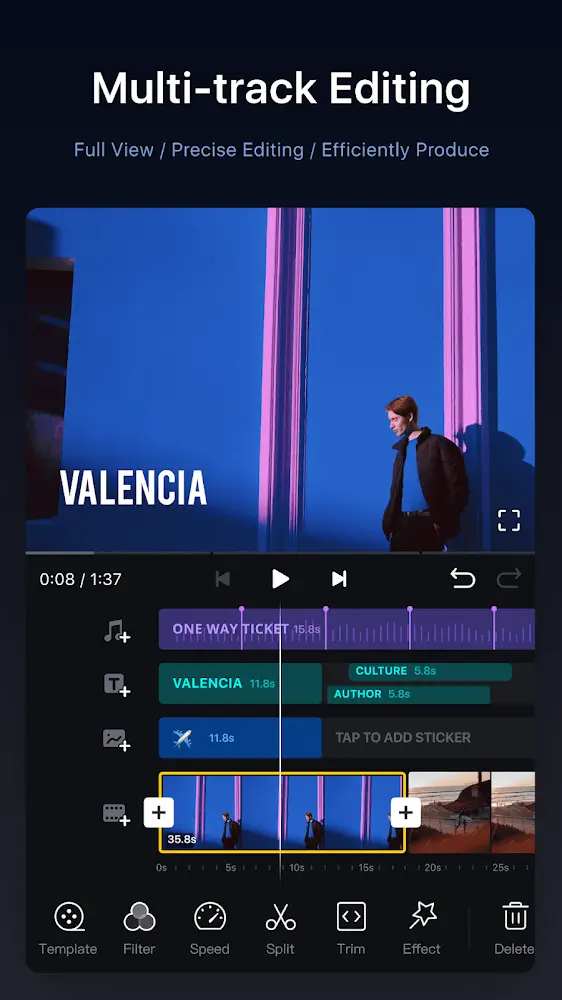
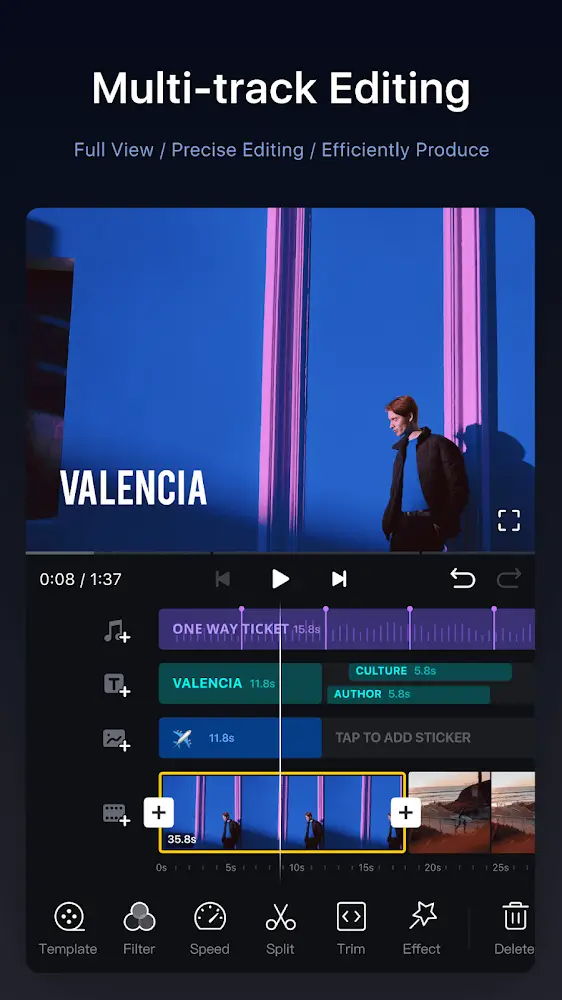
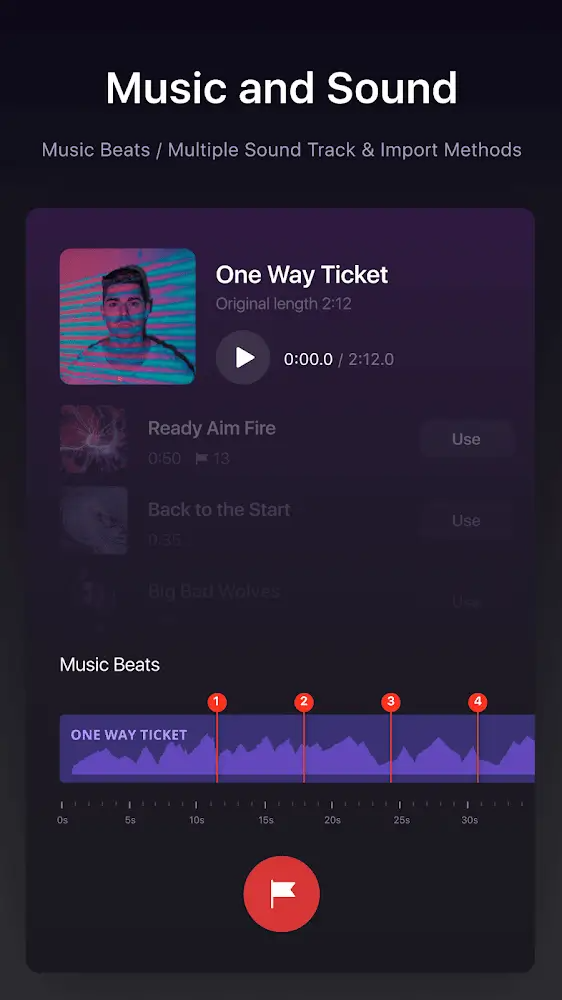
Beat syncing & audio tools: Drop beat markers as you listen, line up cuts in seconds, and record clean voiceovers right inside the app. Prefer AI? Use text-to-speech for quick narration.
Instant captions: Turn spoken audio into editable subtitles with a tap—perfect for silent viewers and accessibility.
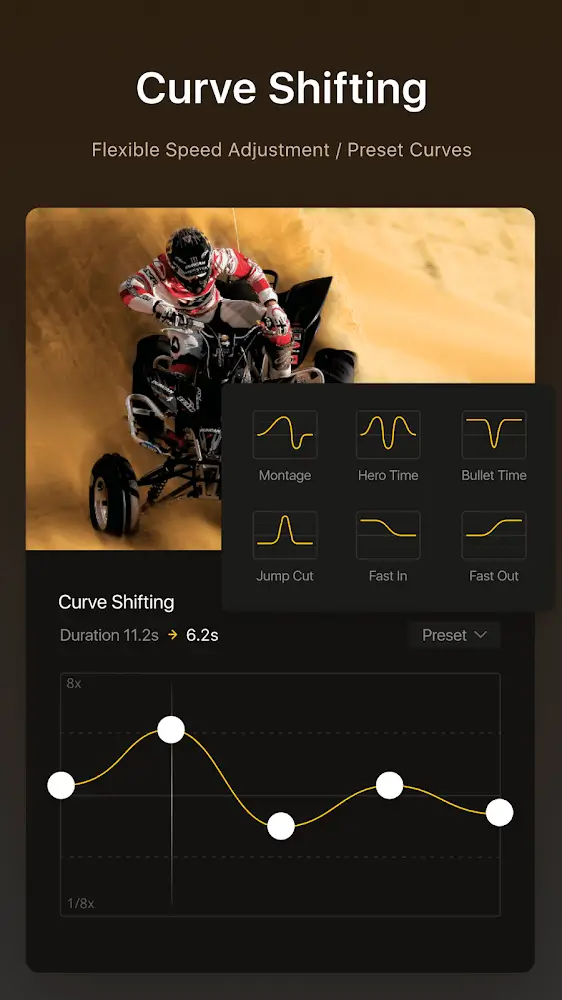
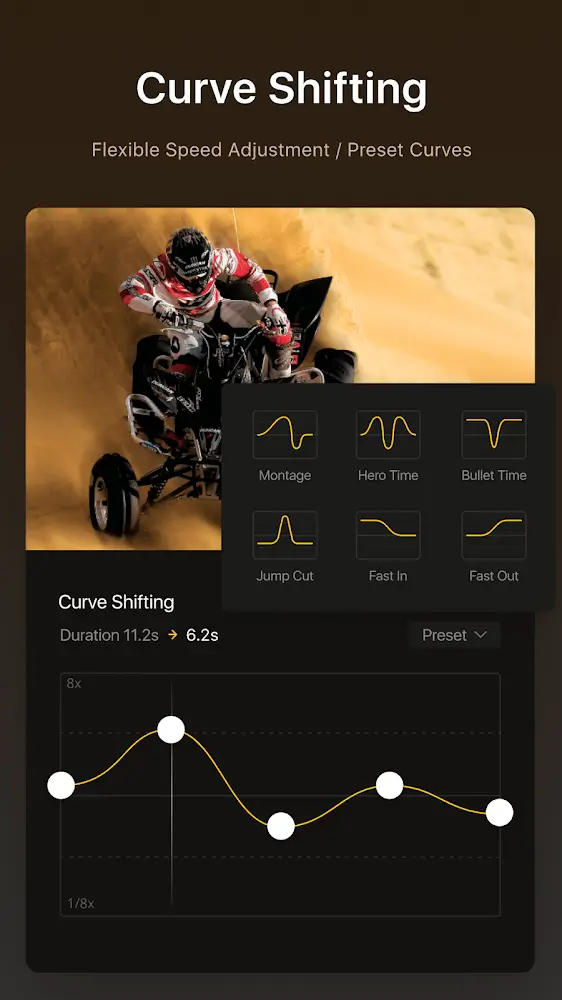
Speed magic: Build custom speed ramps for silky slow-mo or punchy fast cuts, reverse a moment, or freeze a single frame for dramatic impact.
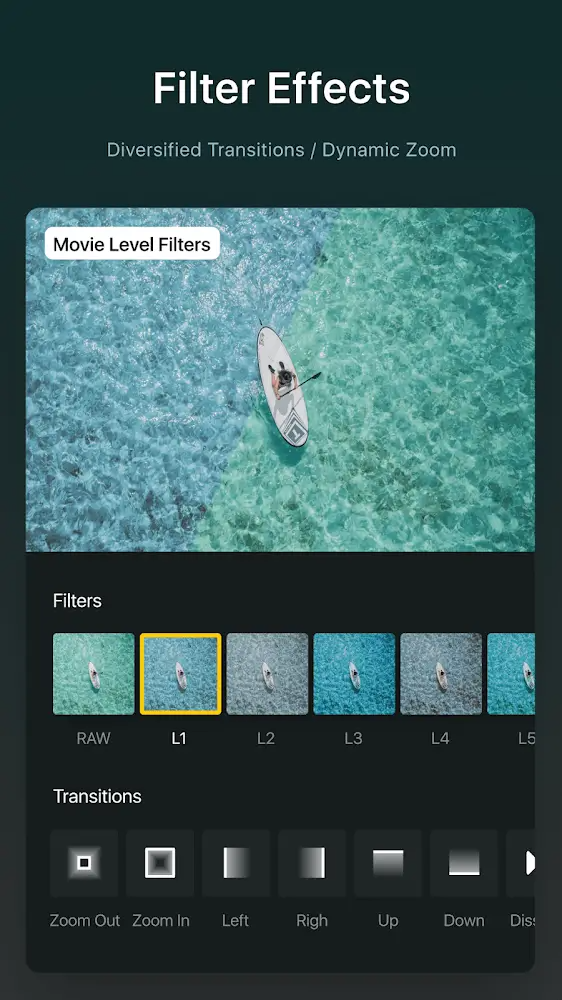
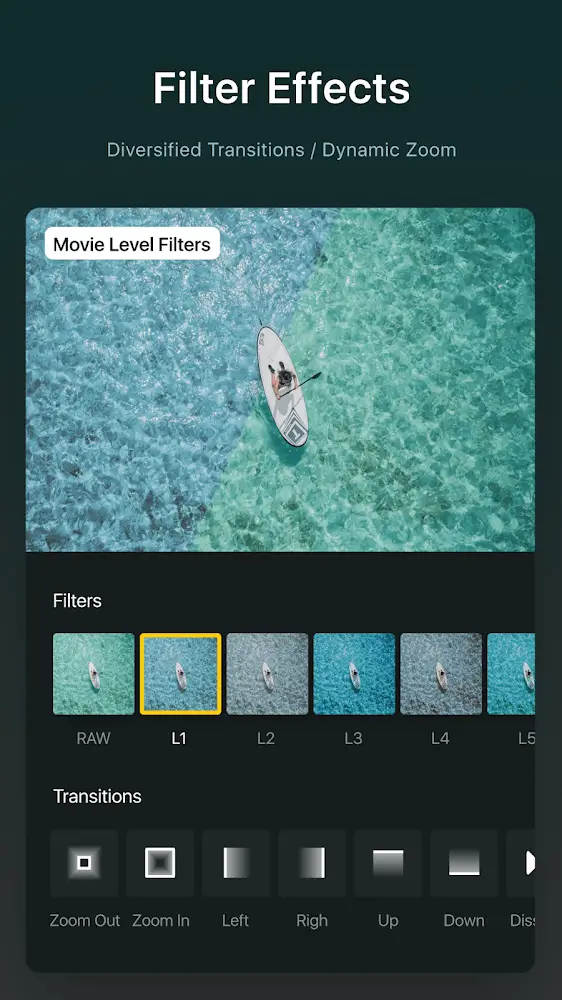
Color and LUT support: Dial in a look with cinematic filters or import .cube LUTs to match your style across projects.
Smart cutout: Automatically remove backgrounds to make your subject pop—no green screen required.
Templates that travel: Create reusable templates for music and visuals, then share projects or move them between devices to keep working anywhere.
Drafts, undo, and safety: Save versions, undo/redo freely, and lock drafts or templates with passwords or expiration dates.
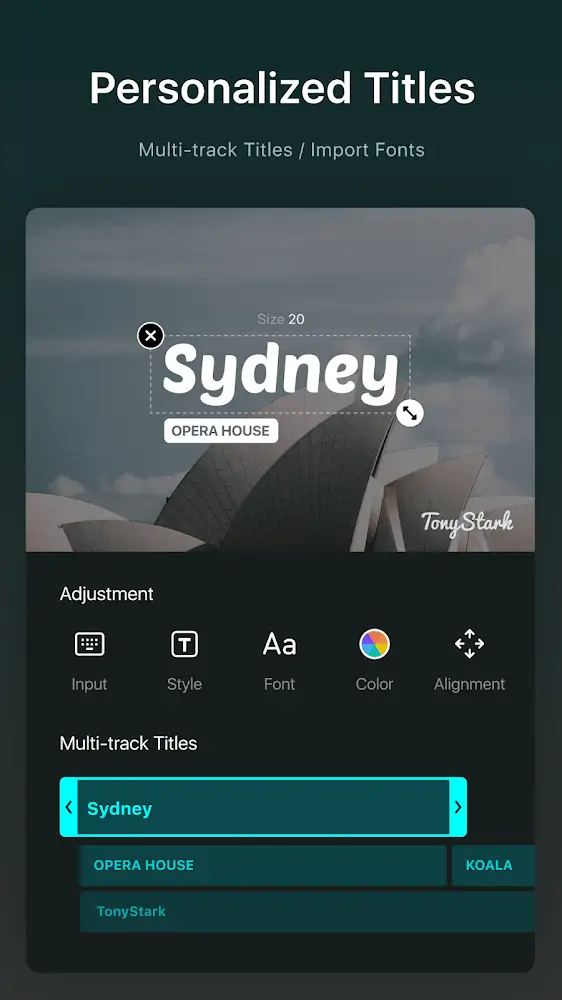
Flexible imports: Bring in music, effects, fonts, and stickers via Wi‑Fi, messaging apps, or zip files, and manage everything in a handy library.
This is actually the best editor I have found, and thank god for that. So many were unavailable on mobile or had a watermark or like 'only 2 drafts for free'. I don't think I'll even need 100 drafts, lol. Now, I will say that the app is laggy, and I don't mean it in the way of, 'It will crash on me 30+ times for a 2 and 40 second video' I mean it as if you are using a lot of overlays it might take a moment to actually move to where you need it to, but that's the only thing. Love this so much!
This is actually the best editor I have found, and thank god for that. So many were unavailable on mobile or had a watermark or like 'only 2 drafts for free'. I don't think I'll even need 100 drafts, lol. Now, I will say that the app is laggy, and I don't mean it in the way of, 'It will crash on me 30+ times for a 2 and 40 second video' I mean it as if you are using a lot of overlays it might take a moment to actually move to where you need it to, but that's the only thing. Love this so mucho ‼️
It's a full package app for me quite easy to use and I just love it. I have been using this app for a long time but now there is a problem I'm facing in editing videos. if any clip is added deleted or cut during editing the remaining video clips stop play they just stuck. it makes me unable to edit the video properly. please do something.
this is actually a great app when I tried doing the stuff that I couldn't find other apps and it's surprisingly this one was free it's really good for being free I can't do any of this on other stuff but without it being free I would recommend this put the only thing I would not recommend about it is that you only have limited videos to edit but still it was pretty good I recommended it I also been using it more ! and there is like 0 adds pulse just great! like it's so easy to do and learn.
How to Use Official Templates?
VN offers a wide variety of official templates. Users can browse, select, and apply them directly from the template library to quickly complete their videos.
1. Tap the [Discover] icon at the bottom.
2. Browse recommended templates or search using keywords.
3. Tap the [Download] button to download the selected template.
4. Tap the [Use] button to start filling the template.
5. Select the media for each image/video slot, then tap the [Next] button.
6. Preview the video in the editor or switch to full screen view.
7. Tap each clip to adjust with [Replace], [Filter], [Crop], or [Volume] buttons.
8. Tap the [Save] button to save the project to Projects on the home screen.
9. Tap the [Export] button, choose [Auto] or [Manual] mode. In [Manual] mode, adjust settings and tap the [Export] button again to save to your album.
Where can I check my Credit balance and usage details?
You can view your Credit balance at the bottom of the AI tools generation panel. You can also check your Credit balance and usage details in 'Personal Center - Credit Center'.
Can Credits in my account still be used after the membership expires?
After the membership expires, the Credits earned from subscriptions will become invalid. If you renew your subscription, you will receive subscription Credits at the beginning of the new subscription period. Credits obtained through recharge and participation in events can still be used.
If I cancel my subscription during the subscription period, can I still use the Credits in my account?
If you cancel your subscription and the remaining subscription fee is not refunded, the subscription Credits in your account can still be used. Still, they will automatically expire at the end of the current subscription period. If the remaining subscription fee is refunded, the subscription Credits in your account will be frozen and unusable, and the frozen Credits will automatically expire at the end of the current subscription period. Credits obtained through recharge and participation in events can still be used.
If I cancel my subscription and then resubscribe during the subscription period, can I still use the Credits in my account?
If you cancel your subscription during the current period and do not refund the remaining subscription fee, the Credits within the current subscription period can still be used. New subscription Credits will be issued at the beginning of the next 'subscription month.' Suppose you cancel your subscription during the current period and the remaining subscription fee is refunded. In that case, the Credits within the current subscription period will be frozen and unusable, and new subscription Credits will be issued at the beginning of the next 'subscription month.' Credits obtained through recharge and participation in events can still be used.
VN Photo Editor is an excellent editing app that will allow you to do much more than just merge two clips into one movie. With this app, you can go one step further and turn your videos into movies with professional-level editing, but without the complications and difficulty this usually entails.
Size:360.7MB Version:2.17.0
Requirements:Android Votes:496
Welcome to our image editing apps! Perfect for beginners and pros alike, they make photo enhancement easy. Use PicsArt to crop, adjust colors, and apply filters. Remove backgrounds instantly with Remove.bg. Get creative with layers and advanced tools on Adobe Photoshop Express. Start transforming your images today!
Visuals serve as a primary gateway for players to engage with games, where distinctive art direction immediately captures attention and creates lasting impressions. An unconventional aesthetic not only stands out in crowded markets but also enhances immersion and emotional connection. When executed with creativity and polish, striking visuals elevate gameplay into a memorable artistic experience. That's why titles with truly exceptional art styles deserve recognition - they offer both visual delight and meaningful interactive expression that resonates with players long after the session ends.
Video Editor is a powerful software tool designed for crafting, refining, and enhancing video content. It enables users to transform raw footage into compelling visual narratives or effective communication platforms. As digital media continues to evolve, video editing has grown in significance - no longer just a professional necessity but also an accessible skill for everyday creators. Modern editing tools now offer intuitive interfaces, AI-powered features, and cross-platform compatibility, making high-quality video production achievable for both experts and casual users alike.
About us | Contact us | Privacy policy| DMCA
Copyright © 2026 Xiaohei All rights reserved.
































