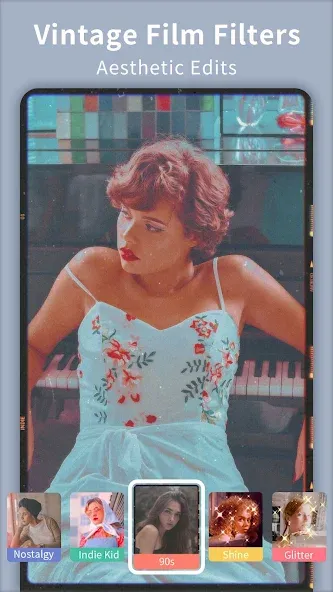
Efiko is a video and photo editing tool. It boasts a vast library of artistic filters suitable for various shooting scenarios. Effects are clearly categorized by theme. Basic parameters can be adjusted, and all resources can be applied to both videos and photos. It can replicate virtually any style available on the market. Templates are also available for immediate trial. Multi-threaded image and photo processing is supported. The interface is clean and user-friendly, requiring no prior experience. It's suitable for users of all ages.

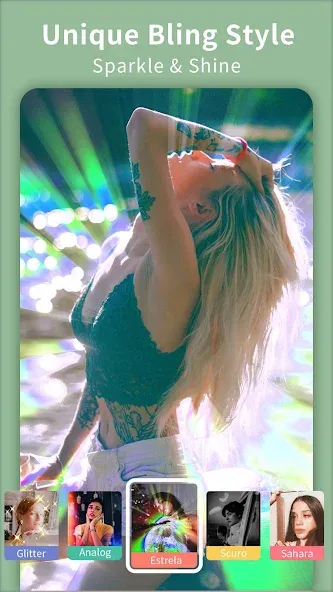
A vast collection of artistic filters for photos and videos sorted by category, being able to add brightness, blur, retro finishes...
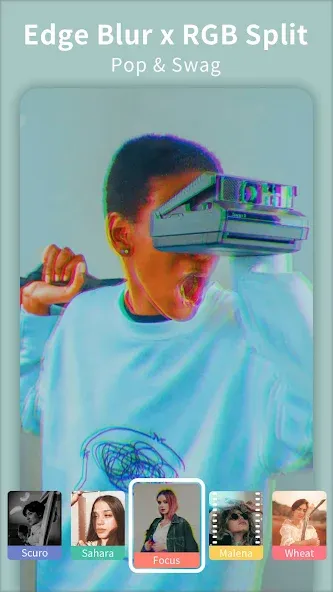
Special effects sorted by thematic categories: mistakes, glitch, psychedelia, art and rhythm.
Frames of different styles to frame the images.
Tool to change dimensions and add backgrounds on borders.
Basic settings: exposure, contrast, saturation, focus, and structure.
Retouching with personality options: intensity, size, blur...
All resources can be applied to both videos and photos.
Pros
Combined photo and video editor with a filter-first design
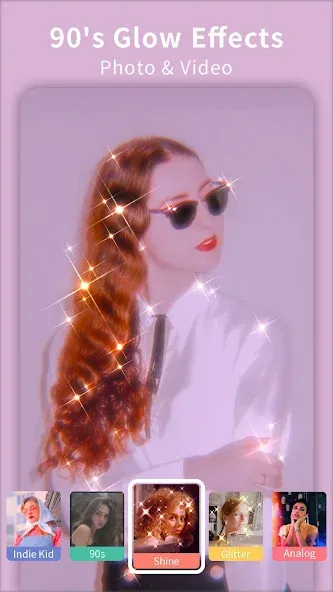
Rich variety of aesthetic effects, including glitter, VHS, vintage 90s, Lomo leak-light, Miami, glitch, glow, and blur filters
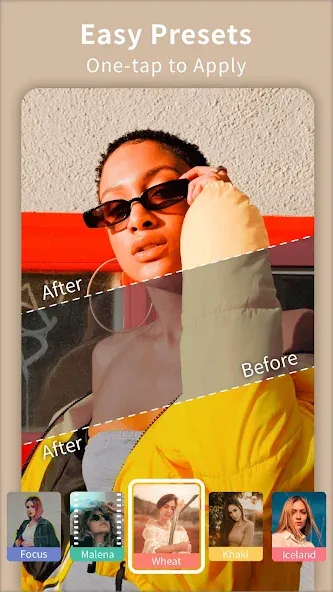
Over 100 one-tap Instagram-style presets for fast, trendy looks
Manual controls for brightness, saturation, contrast, and proportions
Colorful frames and stickers for playful edits
High-quality export with quick processing, even on multi-minute videos
Responsive customer support that can resolve subscription issues quickly
Cons
Free version has a limited selection of filters and many styles locked behind Pro
Watermark is always present in the free tier and only removable with a paid membership
What is Efiko used for?
Efiko is a mobile app for editing photos and videos with aesthetic filters, sparkly effects, retro vibes, and cinematic presets perfect for social media content.
Is Efiko free to use?
Yes, Efiko has a free version with access to basic filters and effects. However, advanced features, watermark-free exports, and full presets require a paid upgrade.
Does Efiko work on both photos and videos?
Absolutely! Efiko supports editing for both photos and videos, making it a versatile tool for anyone looking to boost their content's visual style.
Can I use Efiko without editing experience?
Totally. Efiko is beginner-friendly with a simple interface and one-tap filters, so you can start editing without any previous knowledge of complex tools.
Does Efiko add a watermark to edits?
The free version of Efiko does add a watermark to your edits. You can remove it by subscribing to the premium version of the app.
EDIT- They have resolved my issue in less than 24 hours and I'm super happy with their customer service and the overall app. Recommend you to upgrade. My issue was- The app is pretty nice which is why I wanted to upgrade to the PRO version. However, my money has been deducted twice and still I got no access to the PRO version.
I love all there features the only thing is when i save my edited videos they dont save it doesnt happen all the time it happend to me one time. Over all i think the app is great for editing videos photos or anything you want!
This app is really good....I love it....I've been searching for a app like this for a long time...I've downloaded a couple and I wasn't satisfied but I can now say I am and i can now edit my own videos... I'm not a content creator, I just edit photos and videos for myself but i think it would be nice even for content creators...
Efiko is a photo and video editor for Android that allows you to get the most out of all the snapshots or recordings stored on your smartphone. Through a simple interface, which gives priority on the home screen to the available filters, this tool can help you enhance the visual appeal of each image without the need to resort to other, more complex programs.
Size:22.03MB Version:1.6.2
Requirements:Android Votes:411
Package Name:com.changpeng.instafilter Signature:b914e32d727649bf6892b727ff9178e6
Welcome to our image editing apps! Perfect for beginners and pros alike, they make photo enhancement easy. Use PicsArt to crop, adjust colors, and apply filters. Remove backgrounds instantly with Remove.bg. Get creative with layers and advanced tools on Adobe Photoshop Express. Start transforming your images today!
Visuals serve as a primary gateway for players to engage with games, where distinctive art direction immediately captures attention and creates lasting impressions. An unconventional aesthetic not only stands out in crowded markets but also enhances immersion and emotional connection. When executed with creativity and polish, striking visuals elevate gameplay into a memorable artistic experience. That's why titles with truly exceptional art styles deserve recognition - they offer both visual delight and meaningful interactive expression that resonates with players long after the session ends.
Enhance your photos effortlessly with the best free photo editing apps for Android! Whether you want to apply stunning filters, adjust brightness and contrast, remove blemishes, or create professional-quality edits, these apps offer powerful tools at your fingertips. From simple one-tap enhancements to advanced editing features like background removal and AI-powered effects, you can transform your images with ease. Explore a wide range of user-friendly and feature-rich apps, all available for free download. Start editing and make your photos stand out today!
About us | Contact us | Privacy policy| DMCA
Copyright © 2026 Xiaohei All rights reserved.