Timestamp Camera Enterprise is a powerful camera application. It allows you to record the time, date, and GPS location while taking photos, with the flexibility to customize text and colors. You can freely adjust the position of the timestamp, add GPS data, modify text transparency, and overlay logos onto the image. The app supports resolution adjustments and video recording with automatic compilation. It offers seamless switching between portrait and landscape modes. Available for free, the app requires no professional expertise to use.
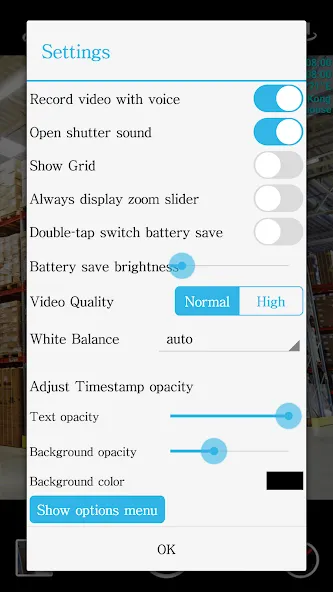
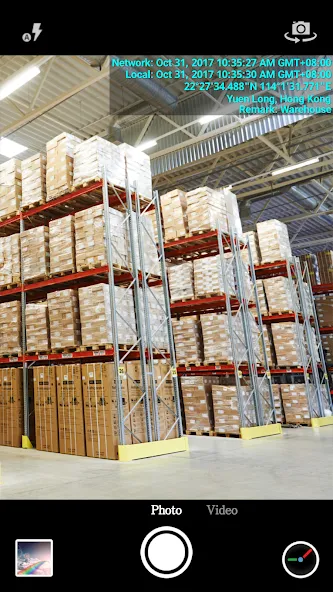
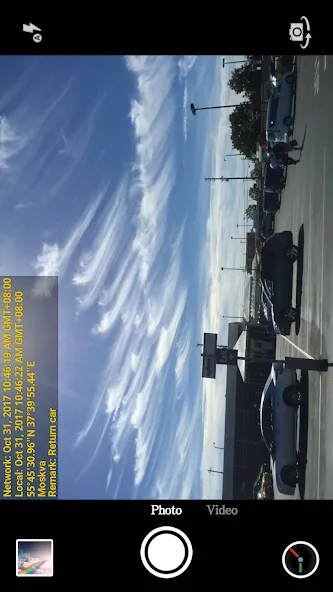
Add the current date, time, GPS and address watermark when taking photo or video.
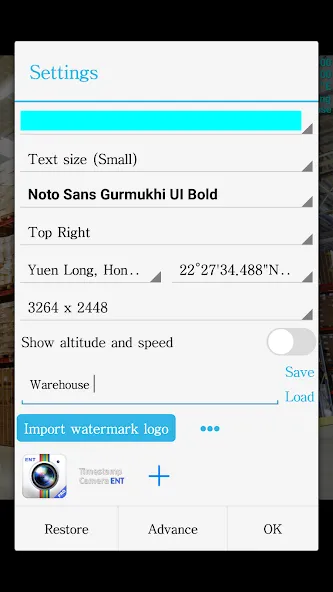
Supports change font, font color, font size.
Supports set timestamp in 7 positions: top left, top center, top right, bottom left, bottom center, bottom right,center.
Supports auto add address and GPS.
Supports input and display custom text on camera.
Supports change opacity of text and text background.
Supports import logo image to display on the camera. Can change the position, size, margins and transparency of the logo.
Supports change video resolution.
Supports power saving mode of black screen.
Supports record video without audio.
Can pause and continue record fragments to one video.
Can toggle camera when recording.
Supports portrait and landscape.
Pros
Strong 4.73-star rating with 33,666+ reviews
10M+ downloads indicating proven user trust
Free to download and use
Suitable for all ages
Cons
Minimum Android version not specified
Single-purpose functionality limited to timestamping
Allow installs from unknown sources. On your Android device, open Settings, then Security (or Apps > Special app access > Install unknown apps), and allow installs from the browser or file manager you will use to open the APK file.
Download the APK. Tap the Download Now button on this page to fetch the Timestamp Camera Enterprise APK file to your device.
Open the downloaded file. Open your Downloads folder, or tap the download notification, then tap the .apk file to start the installer.
Install and open Timestamp Camera Enterprise. Tap Install, wait for the installation to finish, then tap Open to launch Timestamp Camera Enterprise.
Always the #1 time-stamp camera in the Google Store as far as I am concerned. I have been using time-stamp camera for ages on several android devices. In other words, time-stamp camera and I are one into another. Nevertheless, the photos are gorgeous & the videos are absolutely fantastic. Moreover, you can choose from diffents video formats, compressions & others to save on the phone storage. There is too much to list. Time-stamp camera is the evolution of Android audio-video recorders. Bravo!
As a security professional, I find the Timestamp app extremely useful for documenting patrols and site visits. The automatic date, time, and location stamping adds credibility to my reports. It helps maintain proper records and provides proof when required. The app runs smoothly and is easy to use. Definitely a valuable tool for field professionals.
I am a U.S. Private Investigator and find this app to be perfect as a covert timestamp camera. Simply by using my cell phone. No need for fancy mini-cams or expensive pen cams. The app works perfectly for me everytime and I have my phone set to auto-save the file to Google Photos which makes sharing the video with clients easy! The custom overlays are an awesome touch.
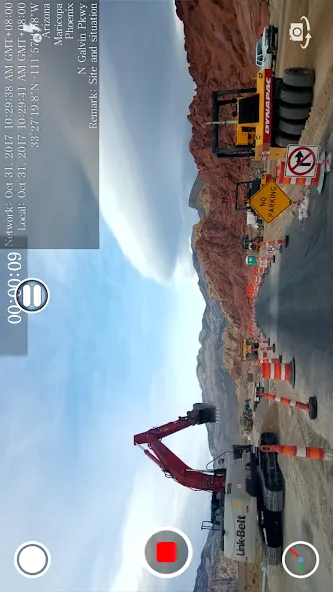
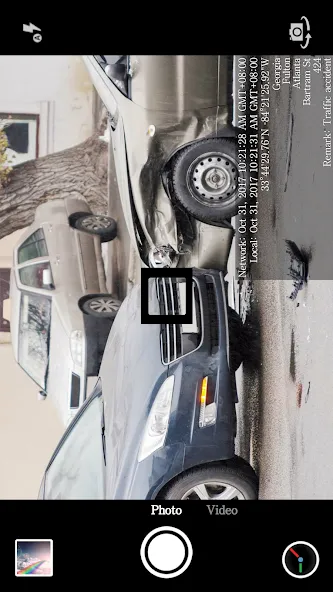
Timestamp Camera Enterprise is a versatile Android app designed to seamlessly integrate date, time, location, and GPS watermarks into your photos and videos. This functionality ensures authenticity by capturing real-time information from the network, even if the device's clock is altered. It's ideal for scenarios requiring precise date and location verification, such as construction site documentation, traffic incident reporting, and private investigation purposes.
Size:7.28MB Version:1.229
Requirements:Android 11+ Votes:594
Package Name:com.jeyluta.timestampcamerafreeent Signature:ada260074bcecc3540cc6e87573ead68
Photography is an art form that has been around for over a century and has evolved greatly over the years. With the advent of technology, photography has become more accessible and convenient, especially with the rise of mobile photography. Mobile photography has revolutionized the field of photography, making it possible to capture and edit high-quality photos right from your smartphone. As mobile photography continues to grow in popularity, there is an abundance of mobile apps available for photography enthusiasts. However, with so many options available, it can be difficult to determine which apps are worth your time and investment. In this article, we’ll take a look at the top mobile apps for photography and provide you with a comprehensive guide to help you choose the best app for your needs.
Transform your smartphone into a powerful creative tool with these top-rated camera apps. Packed with professional-grade editing features, stunning filters, and advanced effects, they help you capture and refine every shot like never before. Perfect for landscapes, portraits, or spontaneous selfies, these apps offer intuitive controls and AI-powered enhancements-all for free. Download today and unlock your full artistic potential. With these apps, your photos will stand out with polished, professional quality, making every moment picture-perfect!
About us | Contact us | Privacy policy| DMCA
Copyright © 2026 Xiaohei All rights reserved.