Camera Pixel is a fun-filled photography app. The app offers a wealth of features, including HDR+, night vision, super-resolution zoom, long exposure, dynamic shooting, and macro focus, allowing users to capture every wonderful moment. With Camera Pixel, users can enjoy unique capabilities that provide greater creative control while shooting. Even in low-light environments, it records videos with stunning image quality, clear audio, and smooth motion. Day or night, every shot delivers vivid colors, sharp contrast, and amazing detail.
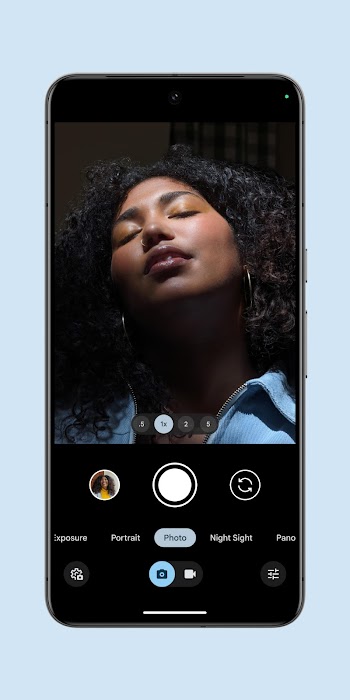
Experiment with HDR+ in different lighting conditions to capture stunning photos.
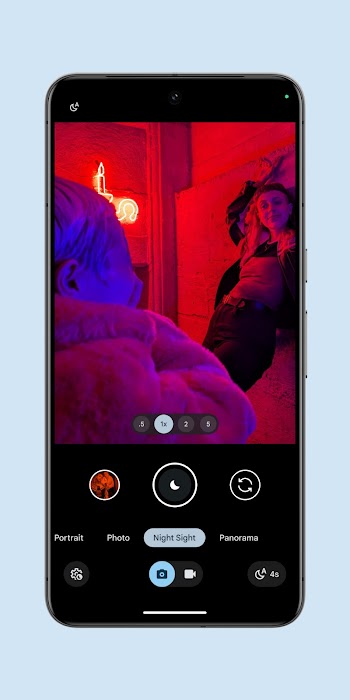
Use Night Sight for low-light photography without the need for a flash.
Try Super Res Zoom for sharper images when zooming in.
Get creative with Long Exposure and Action Pan for unique effects.
Record smooth videos with Cinematic Blur and Cinematic Pan for a professional look.
Night Sight and Astrophotography
Pixel Camera improves low light photos by recovering color and detail without using flash. Night Sight helps you photograph dim scenes around the home or city streets. When pointing at the night sky away from bright lights, the astrophotography mode can capture stars and even the Milky Way with a tripod or steady support.
HDR+ with controls
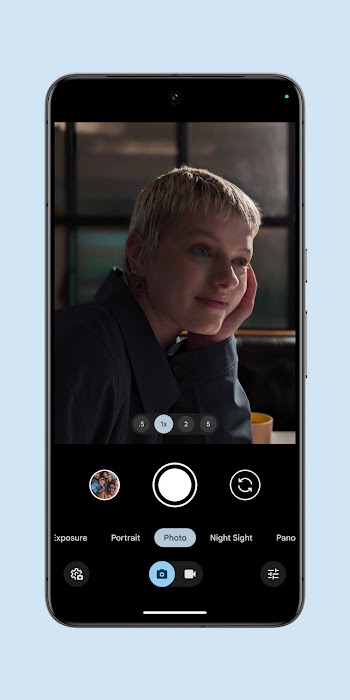
HDR+ balances exposure in scenes with bright highlights and dark shadows. You can adjust exposure and white balance to guide how the camera blends frames for high dynamic range results. This control helps reduce blown highlights and keeps skin tones steady in backlit situations.
Smart tools for guidance and group shots
Camera Coach offers in app tips powered by Gemini models to help you frame, focus, and pick the right mode. For group photos, Auto Best Take suggests a composite where everyone has open eyes and a good expression. Add Me ensures the person taking the photo appears in the final frame when needed.
Advanced zoom options
Super Res Zoom sharpens distant subjects and reduces blur compared with simple digital zoom. Pro Res Zoom goes further by using generative imaging to extend reach up to 100x, which is useful for reading signs or capturing subjects you cannot walk closer to. As you zoom in, the app maintains detail and tries to keep edges clear.
Video tools for clarity and motion
Video Boost enhances clarity using processing in the cloud, which helps clean up noise and improve detail. Night Sight Video is designed for darker scenes, while Cinematic Pan smooths motion for more stable footage. Long Shot helps you hold the shutter to capture extended moments without switching modes.
Keep camera lenses completely clean by wiping glass surfaces before launching Pixel Camera for photo sessions.
Tap screen areas carefully to lock exposure levels before capturing high contrast sunny landscapes outdoors.
Use a mini tripod during night shooting sessions to maximize device stability for long exposure frames.
Enable visual grid lines within camera settings to compose balanced photos using rule of thirds guidelines.
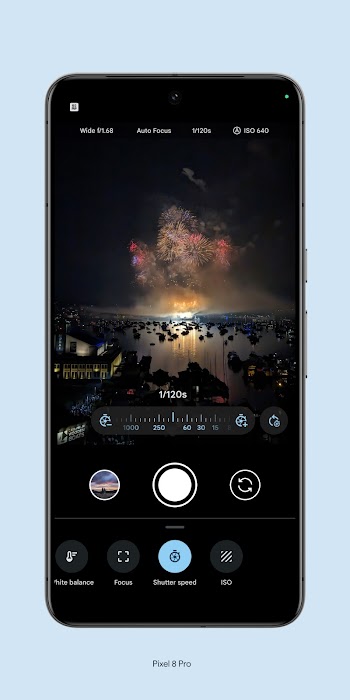
Adjust exposure sliders manually to balance shadow values when photographing heavily backlit subjects outdoors.
Hold shutter buttons continuously during fast movement to capture rapid photo sequences of sports actions.
Pixel Camera is a good camera that you can install on any Android device, but it has some major advantages for Pixel devices, such as the ability to take photos in high, 50MP resolution or greater control of certain elements, such as the focus or shutter speed. Download the Pixel Camera APK here and enjoy its features.
Size:1.50GB Version:11.0.073.9618380
Requirements:Android Votes:589
Package Name:com.google.android.GoogleCamera Signature:9e907ce8aa0c9ac8c0177c70f244f848
Enhance your photos effortlessly with the best free photo editing apps for Android! Whether you want to apply stunning filters, adjust brightness and contrast, remove blemishes, or create professional-quality edits, these apps offer powerful tools at your fingertips. From simple one-tap enhancements to advanced editing features like background removal and AI-powered effects, you can transform your images with ease. Explore a wide range of user-friendly and feature-rich apps, all available for free download. Start editing and make your photos stand out today!
Transform your smartphone into a powerful creative tool with these top-rated camera apps. Packed with professional-grade editing features, stunning filters, and advanced effects, they help you capture and refine every shot like never before. Perfect for landscapes, portraits, or spontaneous selfies, these apps offer intuitive controls and AI-powered enhancements-all for free. Download today and unlock your full artistic potential. With these apps, your photos will stand out with polished, professional quality, making every moment picture-perfect!
The demand for taking and editing images is increasing among modern people, and free image editing software has become an ideal choice to meet this demand. Through these apps, users can easily edit images, including cropping, rotating, adjusting brightness and contrast, and more. At the same time, they also provide rich filters and special effects to make your photos more vivid and artistic. In addition, these software also support adding elements such as stickers, text, and graffiti to make your pictures more personalized. Most importantly, these apps are very easy to use and do not require professional skills. Just a few steps can make your photos stand out. Whether you want to post a stunning photo on social media or add some creativity to your album, these free photo editing apps can meet your needs. Try one out!
About us | Contact us | Privacy policy| DMCA
Copyright © 2026 Xiaohei All rights reserved.