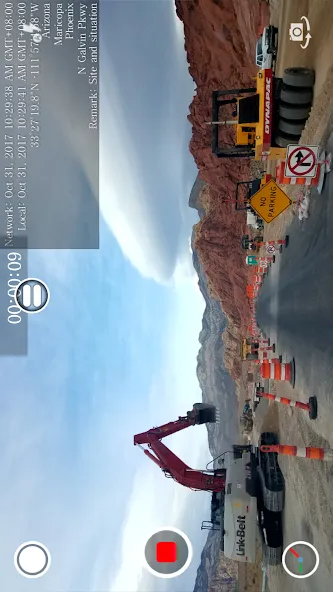
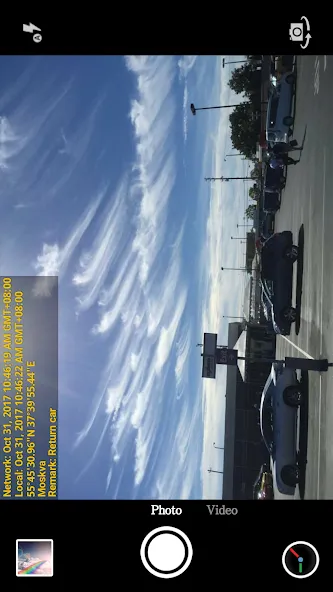
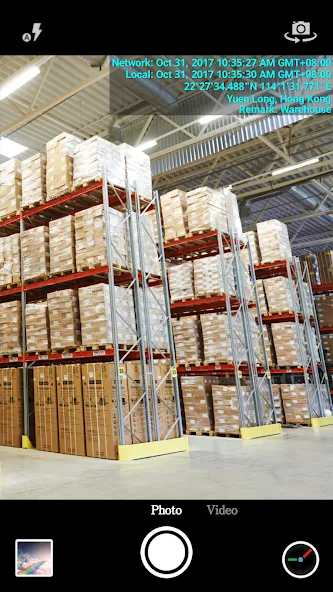
Timestamp Camera EnterprisePro is a photo editing application that allows users to add watermarks to their photos and videos—including custom logos or branding elements. Beyond that, users can overlay the date and GPS location, with full control over text color, size, and style to ensure the additions harmonize with the overall aesthetic of the image. Once editing is complete, users can save their work to their device or share it directly across various social media platforms. Furthermore, the app is highly efficient, consuming minimal battery and system memory, so you can use it with complete peace of mind.
This app offers a wide variety of potential applications, including but not limited to reporting accident scenes and construction sites, trading goods, private investigations, and documenting items that have been borrowed. Timestamp Camera EnterprisePro is the app for retaining time and location information in your media files.
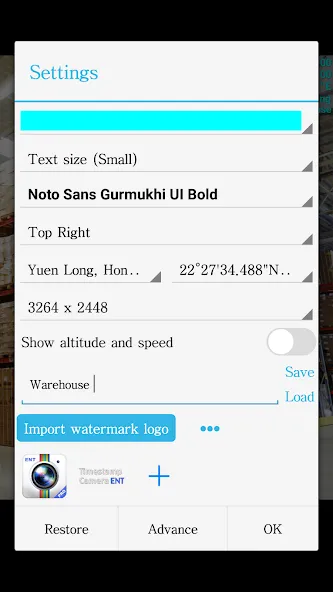
The watermark feature of the app enables users to add their imprint on the photos and videos they create using the app. Users can watermark their photos and videos with the current date, time, location, and GPS coordinates with the assistance of this feature. Additionally, the app supports changing the font, font color, font size, and opacity of the text and the backdrop. Timestamp In-Camera EnterprisePro can be set in one of seven locations: the top left corner, the top center, the top right corner, the bottom left corner, and the bottom center, the middle.
Users can import an image of a company logo into this app, which will then be shown on the camera. The app supports the logo’s placement, size, margins, and transparency adjustments. Users can obtain brand recognition by adding their company logo to the media files they create.
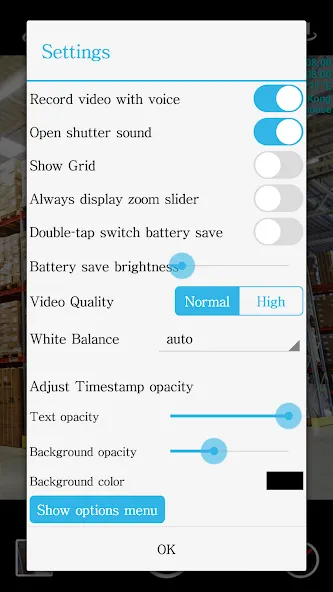
One of the functions that can be used with the application is to change the video resolution, and it also has a mode that can be used to save battery life by displaying a blank screen. Users of Timestamp Camera EnterprisePro can shoot movies without any accompanying audio and aggregate many segments into a single video file. The app allows users to swap between the front and back cameras while recording video. The user can select the portrait or landscape mode to best suit their needs within this program, which supports both.
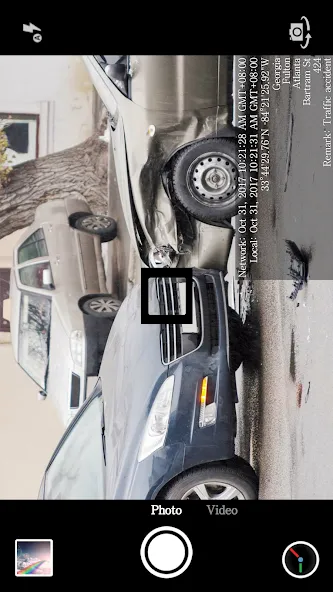
Excellent to use to document date and time the photo was taken. Perfect for documenting insurance claims, inventory management, activities, purchases of household or business items and more. Works flawlessly.
All and all not a bad app. It would be nice if you could eliminate the network time from the display. I you select local time it displays both.
After almost a year i've been using this aps. Feels amazing. This what i like from aps like this, you just need to buy a license for lifetime with full no ads.
The only thing that I would like to see change is the custom text input. To small. It would be nice is a bigger text box opened up to input any text.
Great apps... My wish only if it have an option to change camera from ultra wide angle, wide angle to telephoto ... You know ... a phone today has more than 1 camera at the back.
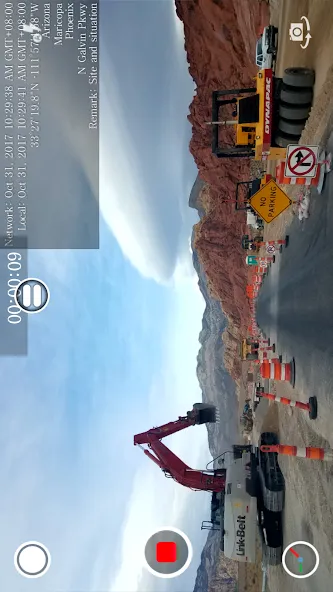
Make a video but there is no sound?
1.Click the clock button of the right bottom, then click the "Advance", turn on the "Record video with voice" item.2.Check this app in Settings and make sure all the switches are turned on(especially the Microphone).
NO location or GPS?
1.Please make sure your phone connect to the internet by wifi or mobile data, then check this app in Settings and make sure all the switches are turned on(especially the Location).2.Click the clock button of the right bottom,then choose the location and GPS.
How to adjust the color font sizr and position of the timestamp?
Click the clock button of the right bottom,then adjust the color font sizr and position of the timestamp.
How to set a different time format?
Click the clock button of the right bottom,then choose the format of timestamp you need.
How to set the video resolution?
Slide the main interface, select the "Video" mode. Click the clock button of the right bottom,then choose the video resolution you need.
Timestamp Camera EnterprisePro works best for users who need clear visual proof of time and place in their photos or videos. Field workers, inspectors, travelers, bloggers, and anyone keeping visual records may find it helpful. For people who simply want casual photography filters or complex editing tools, the app may feel limited.
Size:6.59MB Version:1.237
Requirements:Android Votes:314
Package Name:com.jeyluta.timestampcameraent Signature:103678160a68149f21542788632abb16
Welcome to our image editing apps! Perfect for beginners and pros alike, they make photo enhancement easy. Use PicsArt to crop, adjust colors, and apply filters. Remove backgrounds instantly with Remove.bg. Get creative with layers and advanced tools on Adobe Photoshop Express. Start transforming your images today!
Visuals serve as a primary gateway for players to engage with games, where distinctive art direction immediately captures attention and creates lasting impressions. An unconventional aesthetic not only stands out in crowded markets but also enhances immersion and emotional connection. When executed with creativity and polish, striking visuals elevate gameplay into a memorable artistic experience. That's why titles with truly exceptional art styles deserve recognition - they offer both visual delight and meaningful interactive expression that resonates with players long after the session ends.
Enhance your photos effortlessly with the best free photo editing apps for Android! Whether you want to apply stunning filters, adjust brightness and contrast, remove blemishes, or create professional-quality edits, these apps offer powerful tools at your fingertips. From simple one-tap enhancements to advanced editing features like background removal and AI-powered effects, you can transform your images with ease. Explore a wide range of user-friendly and feature-rich apps, all available for free download. Start editing and make your photos stand out today!
About us | Contact us | Privacy policy| DMCA
Copyright © 2026 Xiaohei All rights reserved.